0
0

Delete article

Deleted articles cannot be recovered.

Draft of this article would be also deleted.

Are you sure you want to delete this article?

Qiitaのアクセス数取得自動化 Chatwork編①

0
Posted at

HulftSquareを利用して、以下のような流れでQiitaのアクセス数をAPI取得し、
Slackへ通知するという流れを作りました。

1.QiitaのAPIをキックし、JSONでデータを取得。
2.1のデータから、特定の日付の範囲内に絞り、VIEW数を合計。
3.ストレージに結果のCSVを保存。
4.Slack用の通知メッセージを作成。
5.Slackコネクションから投稿。
6.Slack Appをキックして、自分のSlackにVIEW数を通知。

フト気づきました。
別に通知先は、Slackでなくても良いですよね?
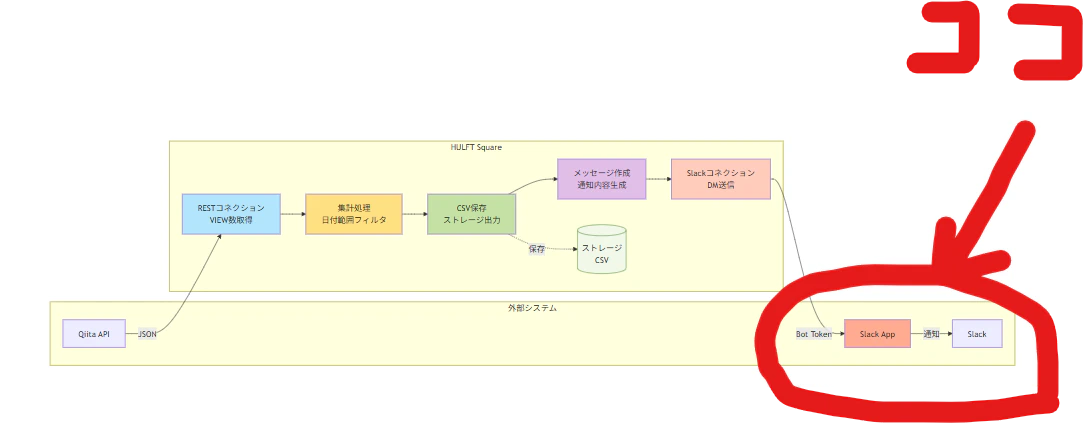
image.png

Chatworkへ横展開してみたいと思います:clap:
上記手順の5、6をChatwork用に検討すればよさげです。

RESTコネクションさえあればできそうです。

早速、APIトークンを取得していきましょう!

警告
ChatWorkの契約状況により、APIの利用にあたり、管理者への申請が必要だそうです。
必要に応じて、組織のご担当者様にご確認ください。

APIトークンの取得
1.名前の右横の▽を押します。

image.png

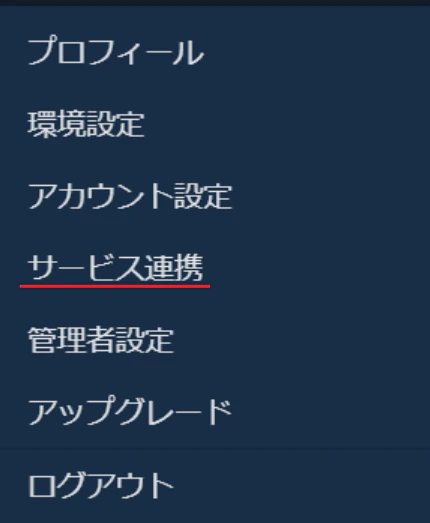
2.メニューが表示されたら、「サービス連携」を押します。
image.png

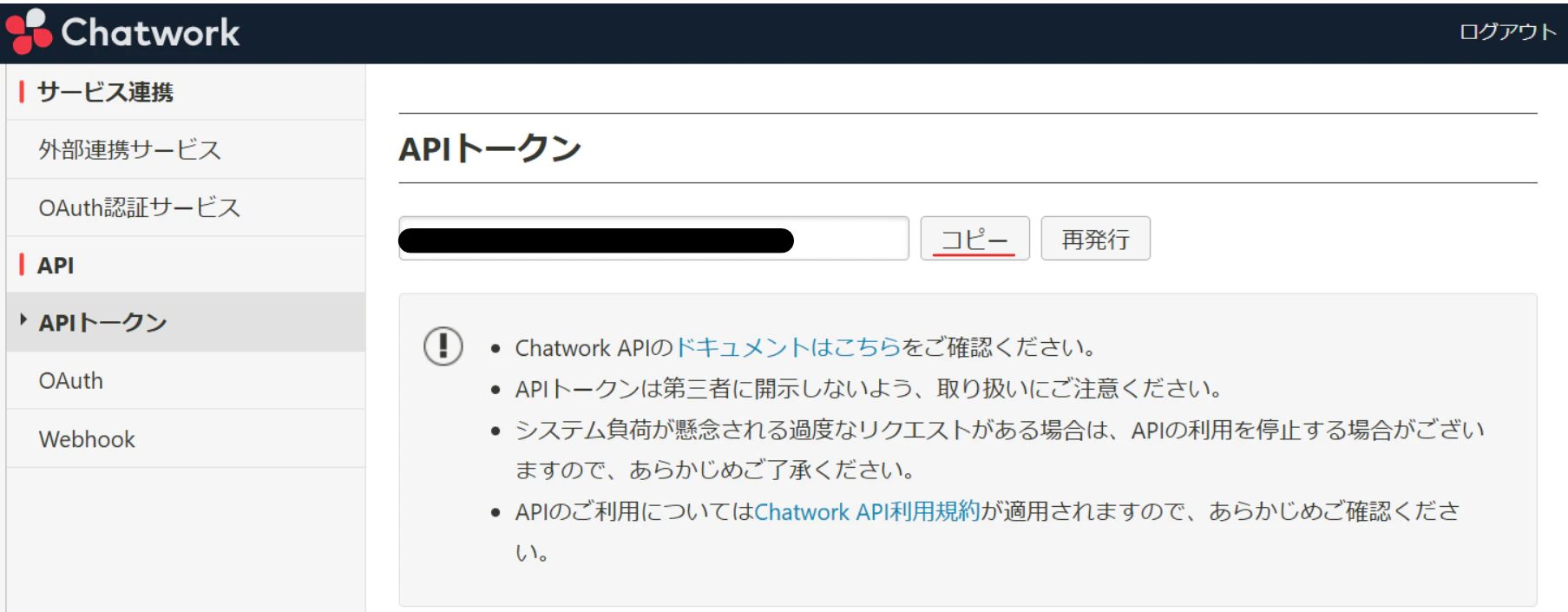
3.「APIトークン」を押します。「コピー」を押します。
image.png

4.APIトークンをなくさないよう保管します。

0
0
0

Register as a new user and use Qiita more conveniently

  1. You get articles that match your needs
  2. You can efficiently read back useful information
  3. You can use dark theme
What you can do with signing up
0
0

Delete article

Deleted articles cannot be recovered.

Draft of this article would be also deleted.

Are you sure you want to delete this article?