

データ連携の奮闘中の皆様、いかがお過ごしでしょうか。
さあ、前回以下のcurlコマンドでLINE WORKSにPOSTできることが分かりました。
つまり、「HULFT Square」のREST接続(POST)に同様の項目を設定すれば
できそう、ということになります。
curl -X POST https://webhook.worksmobile.com/message/xxxxxxxxxxxxxxxxx \ -H 'Content-Type: application/json' \ -d '{"title":"Inquiry form","body":{"text":"Hi <m userId=\"fukanoshin@XXXXXX">, You have received a new inquiry."},"button":{"label":"URL","url":"https://example.com"}}'
まずは、接続するためのRESTコネクションを作成していきます!
■HULFT Square/コネクションの作成手順
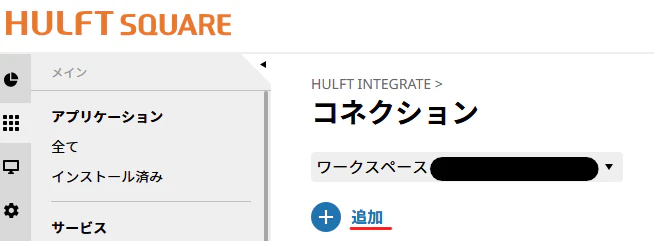
1.コネクションから「追加」を押します。
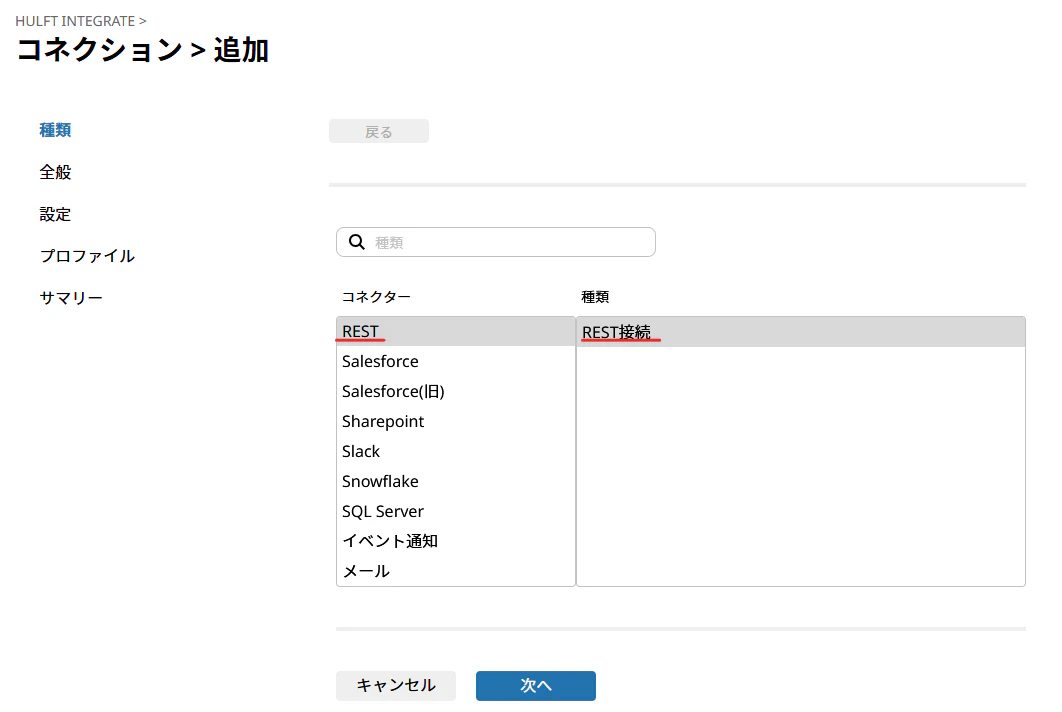
2.「REST」と「REST接続」を選択し、「次へ」を押します。
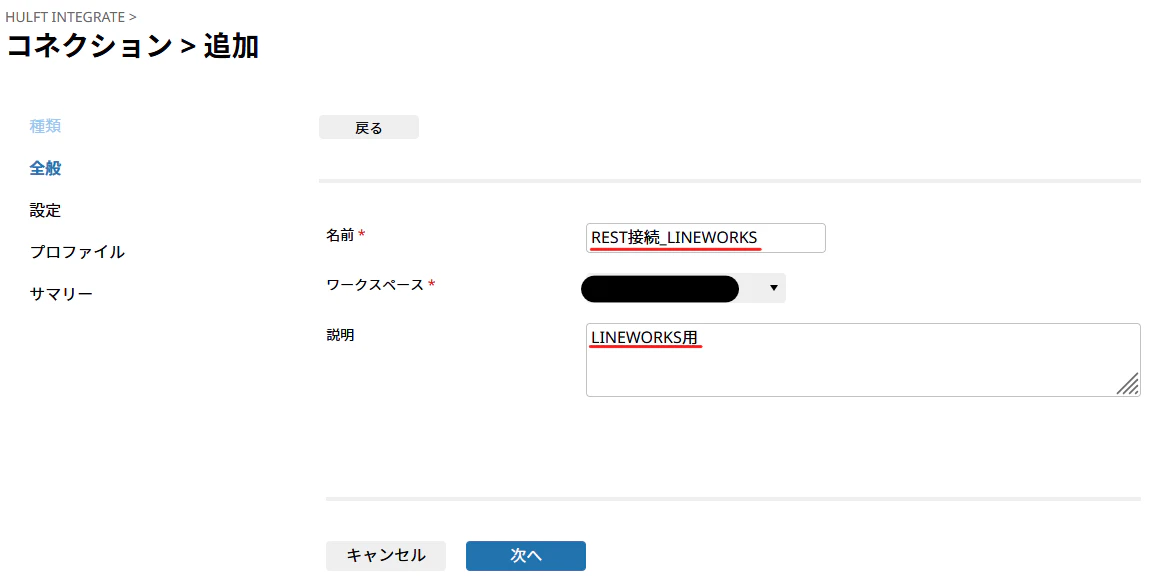
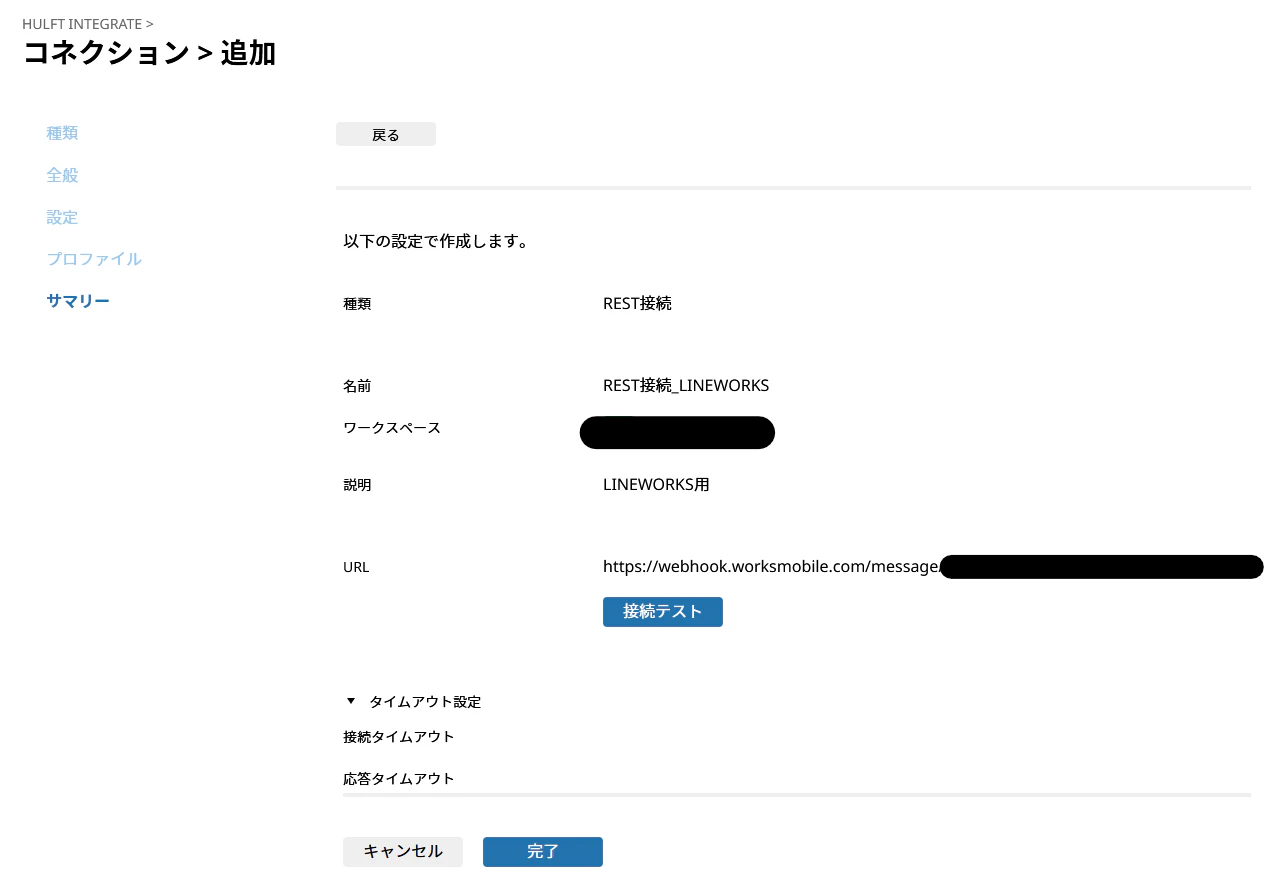
3.全般を記載します。
・名前:任意のもの ※ここでは「REST接続_LINEWORKS」
・ワークスペース:任意のもの
・説明:任意のもの ※ここでは「LINEWORKS用」
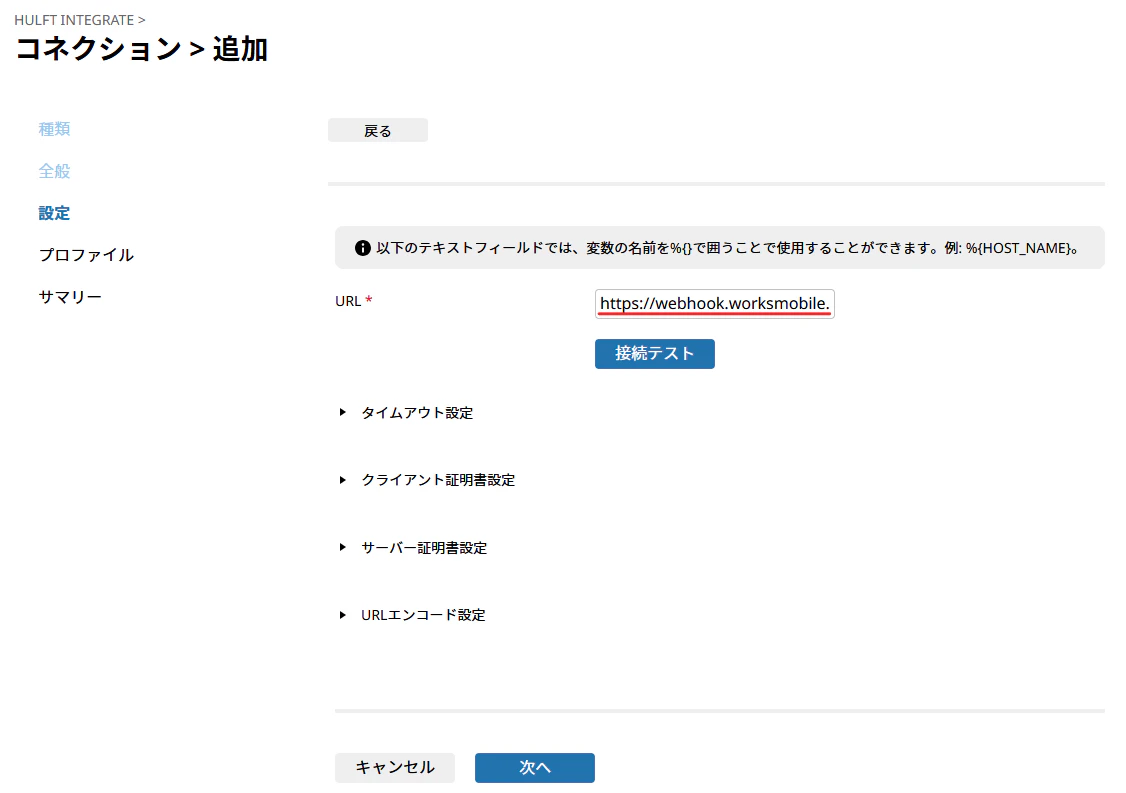
4.設定を記載します。
・URL:WebhookのところでコピーしたURLを貼り付け、「次へ」を押します。
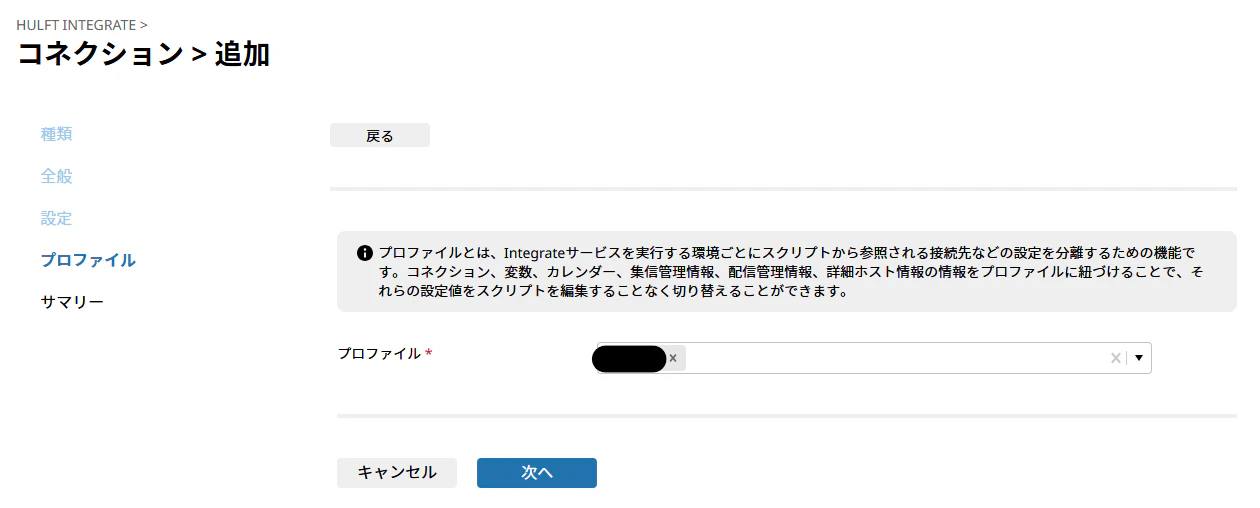
5.任意のプロファイルを設定し、「次へ」を押します。
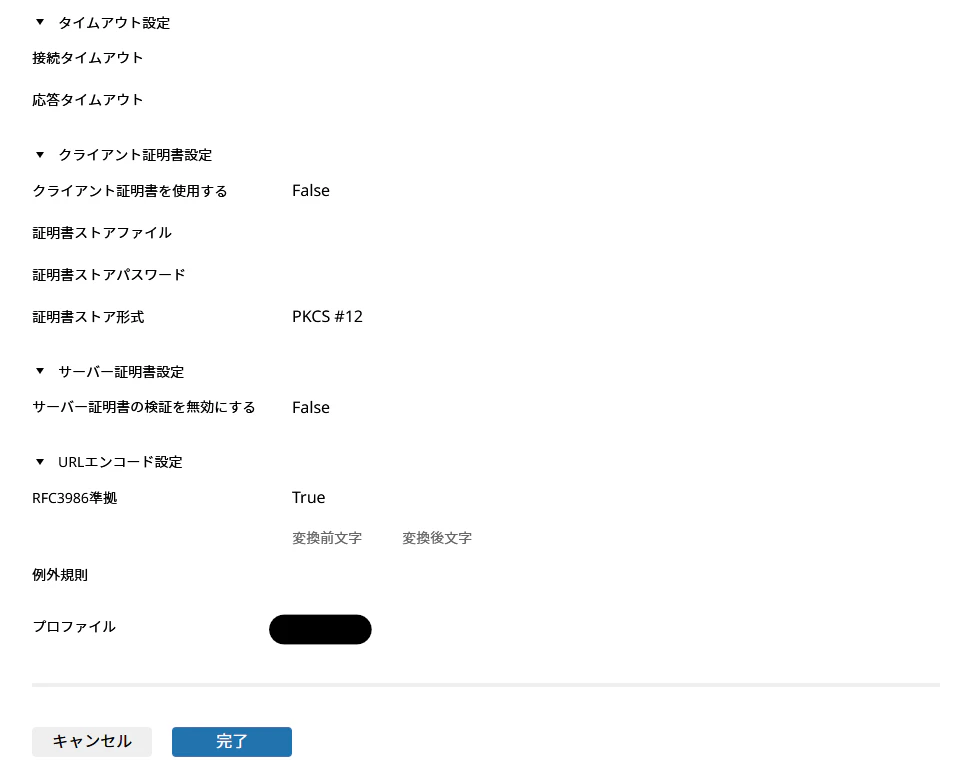
6.サマリーで設定した項目を確認し、「完了」を押します。
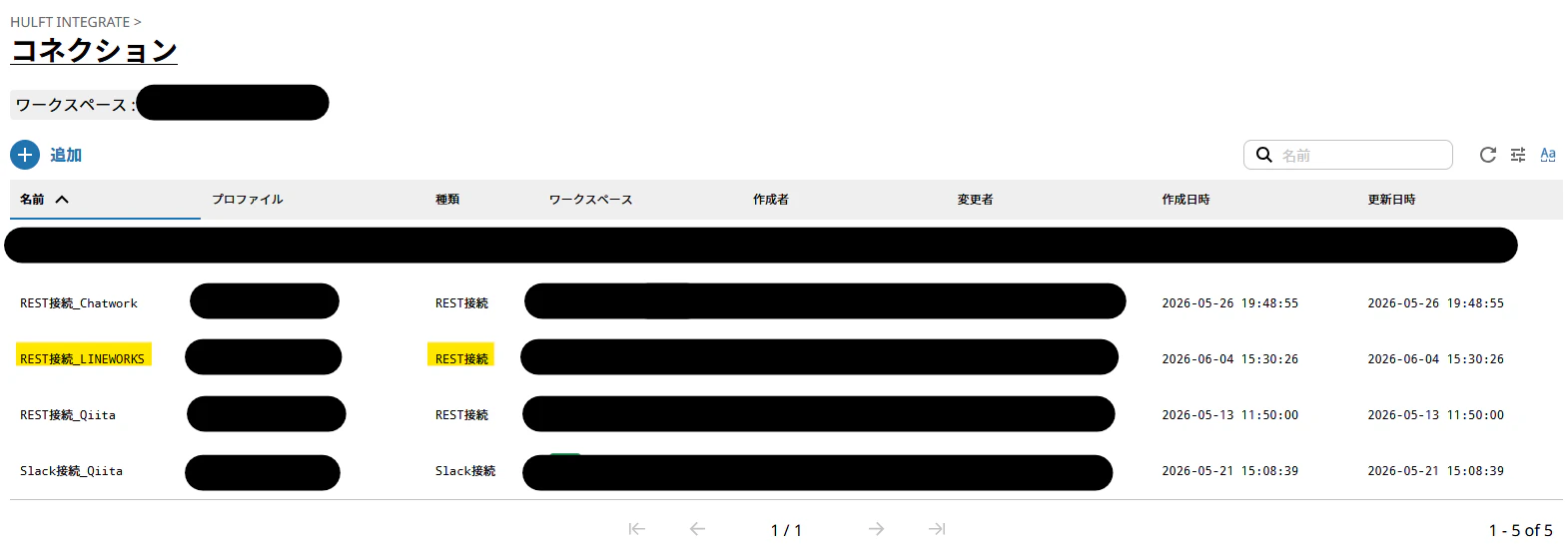
7.コネクション一覧に「REST接続_LINEWORKS」が、表示されたことを確認します。
次回は、上記で作成したコネクションを使用して、スクリプトを作成します。