0
0

Delete article

Deleted articles cannot be recovered.

Draft of this article would be also deleted.

Are you sure you want to delete this article?

More than 3 years have passed since last update.

MSI RAIDER GE76 にSSD装着してみる

0
Posted at

環境

  • MSI RAIDER GE76 12UH
  • Windows11
  • NVMe SSD 空きスロット×1

やりたい事

MSI RAIDER GE76 12HU ノートPCにNVMeのSSDを装着して、PCからの認識を確認する

インストール

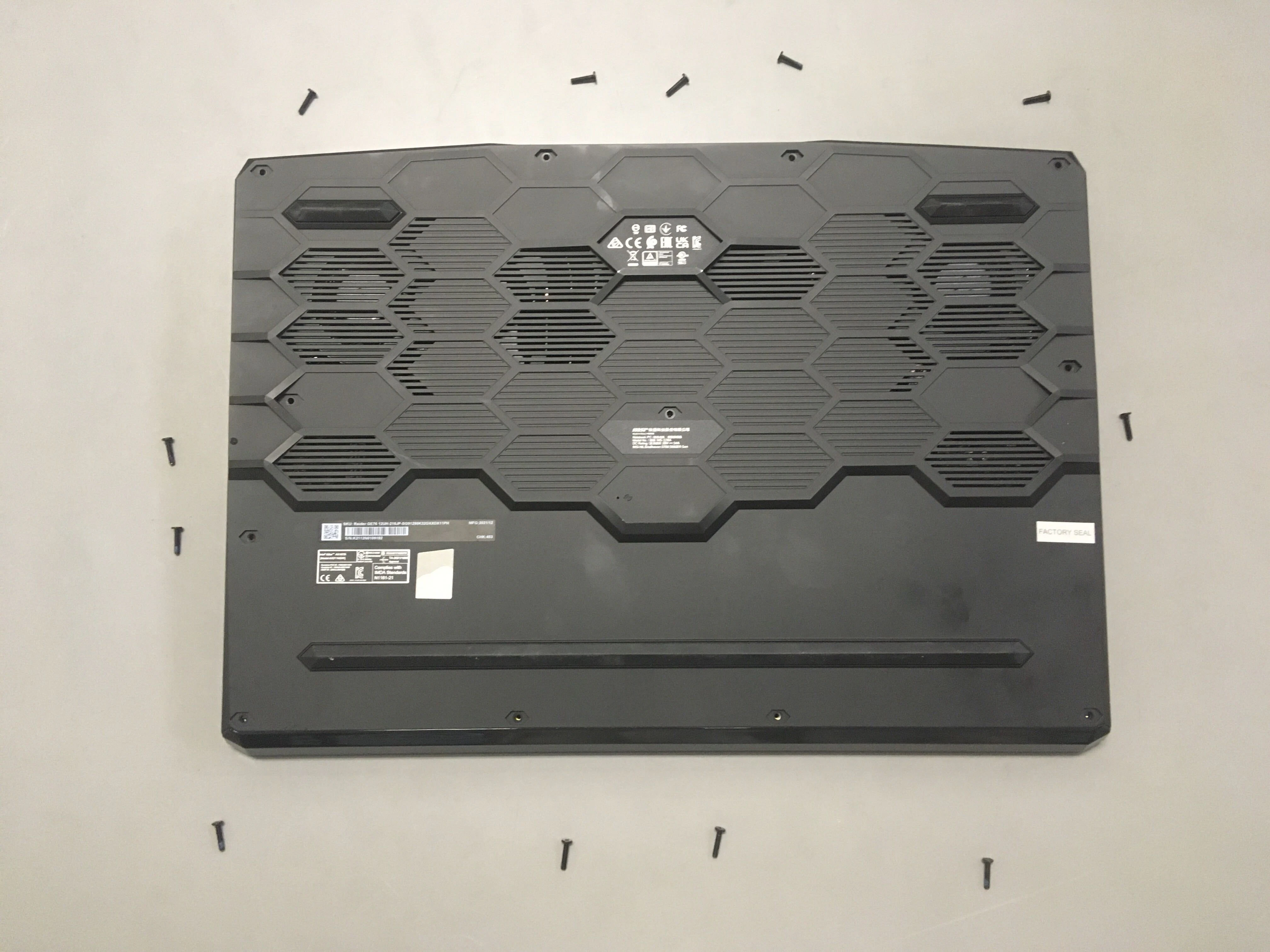
PC裏面のLowerCaseのネジを全て外す
"FACTRY SEAL"のところもシールをはがしてネジを外す
*注 保証等について全く調査していません。自己責任でお願いします
iOS の画像.jpg
LowerCase全周にはめ込みの爪がありますので、丁寧に解体していきます。
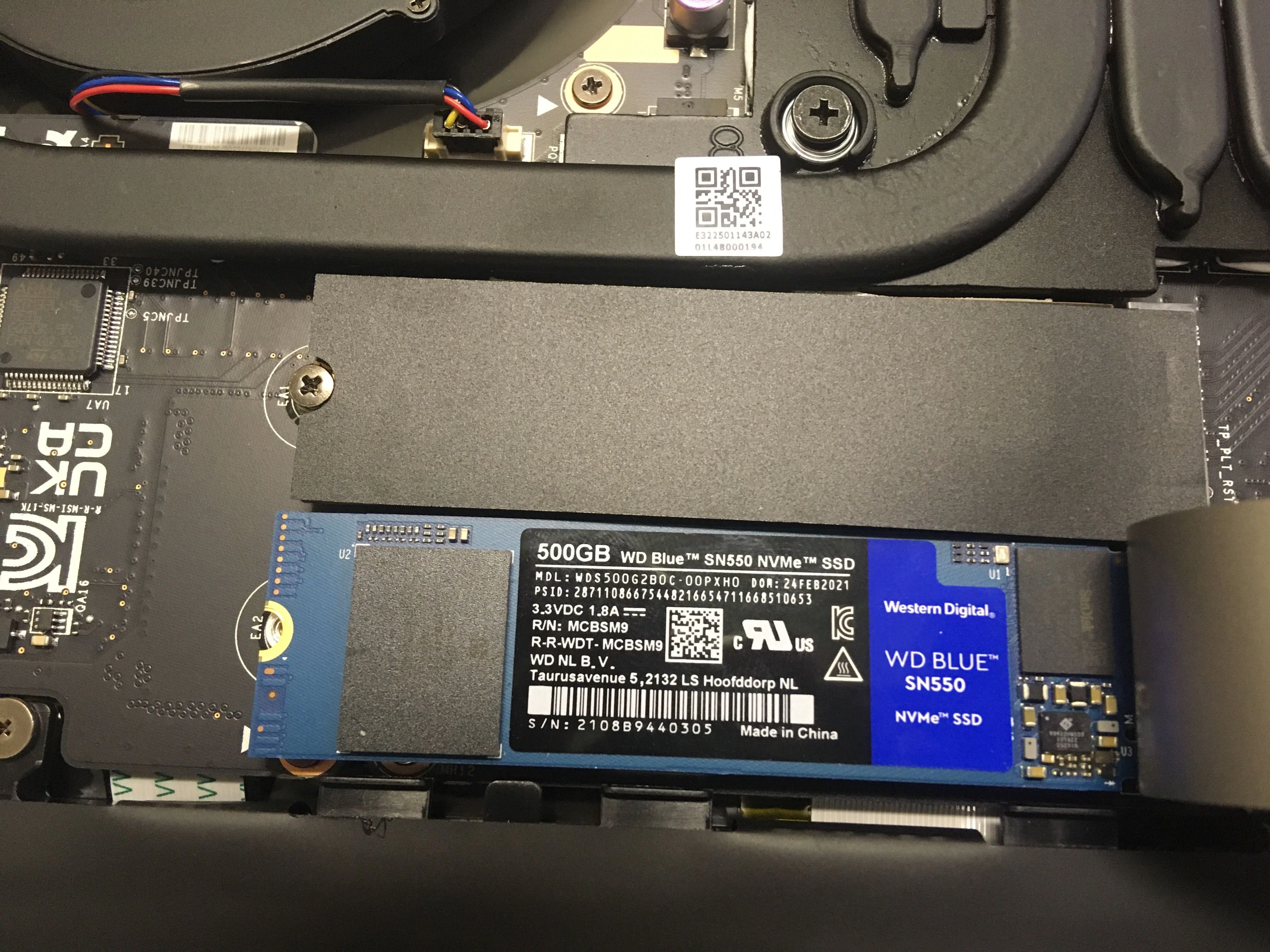
LowerCaseがPCから外せたら、下の写真のように、NVMeスロットに差し込んで、ネジで固定します
iOS の画像 (1).jpg
LowerCaseを元に戻す
PCの電源を入れて、タスクバーで右クリック→ディスク管理を開く
以下の画面が出るので、ディスクを初期化する
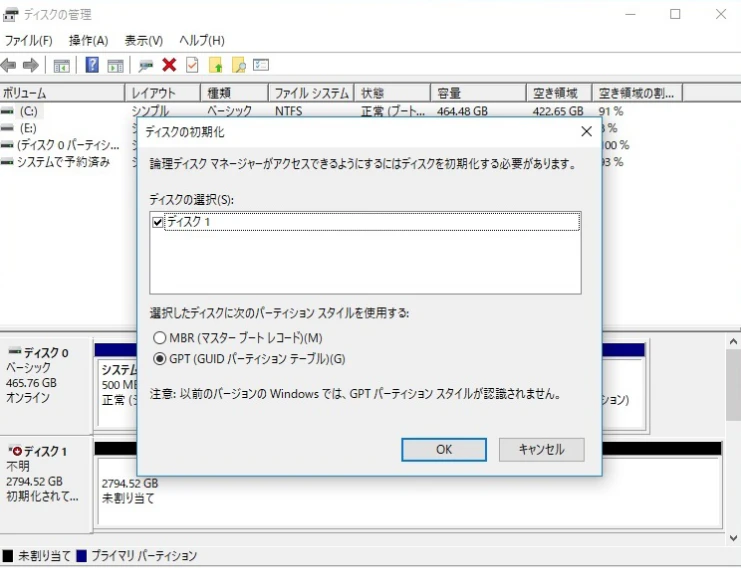
image.png

確認方法

ディスクの管理で以下のような表示になっていれば、PCから認識できています。
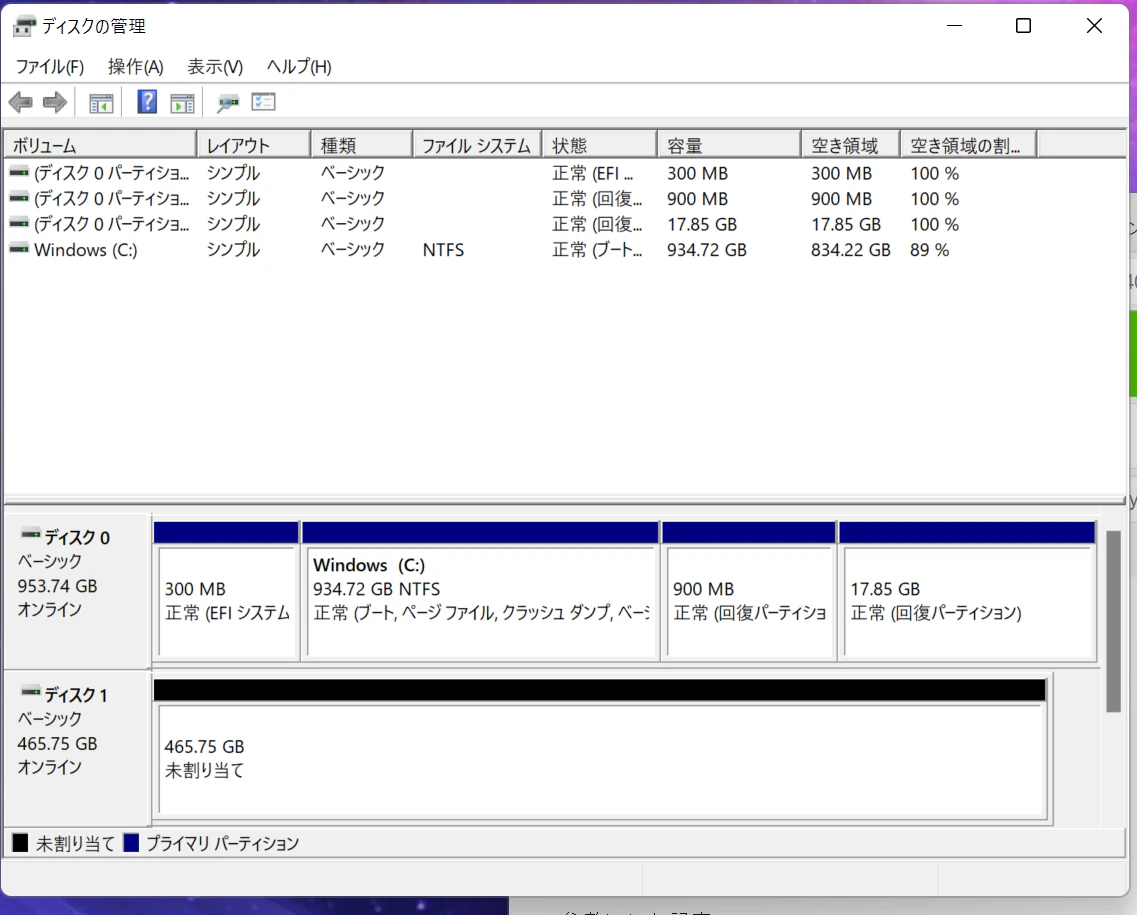
image.png

0
0
0

Register as a new user and use Qiita more conveniently

  1. You get articles that match your needs
  2. You can efficiently read back useful information
  3. You can use dark theme
What you can do with signing up
0
0

Delete article

Deleted articles cannot be recovered.

Draft of this article would be also deleted.

Are you sure you want to delete this article?