
はじめに
AWS Summit Japan 2026で以下のセッションでSOCI v2について教えてもらいました。
Amazon ECS 最新デプロイパターン Deep Dive [CNS309]
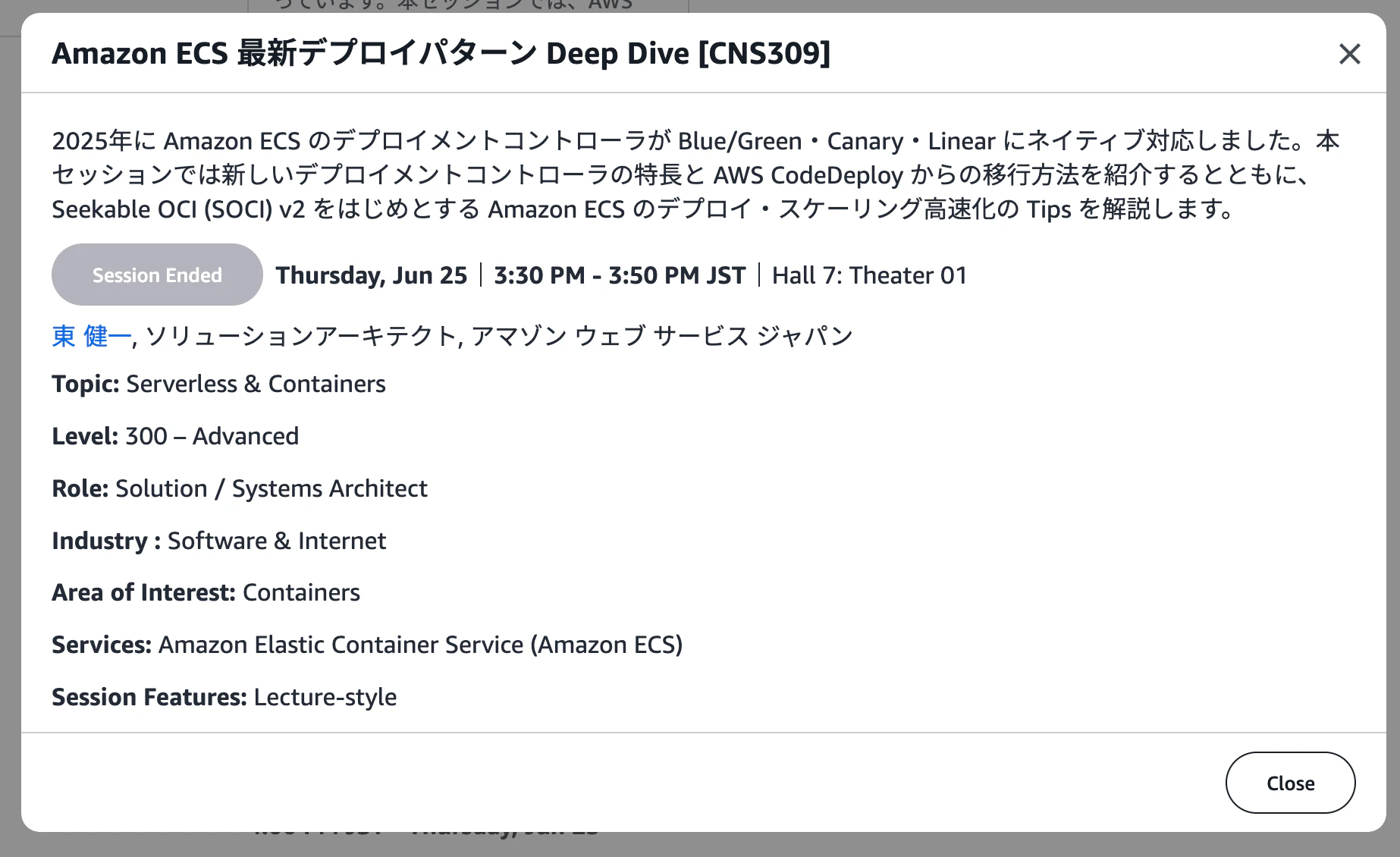
そのセッションでの説明は以下の下2行を追加するだけで大きいイメージを利用しているFargateの起動が早くなるというものでした。
# これまで同様の build,push処理
docker build -t $ECR/myapp:v1
docker push $ECR/myapp:v1

# SOCI Index v2 作成 + push
soci convert $ECR/myapp:v1 $ECR/myapp:v1-soci
nerdctl push $ECR/myapp:v1-soci
これをCodeBuildで実施しようとしたところいくつか詰まった点があったのでまとめました。
SOCI v2の詳細な説明は以下を参考にしてください。
Amazon ECS デプロイの一貫性を SOCI インデックスマニフェスト V2 で向上させる (AWS Blog)
簡単に言うとコンテナイメージをpullしながら起動できるようになり、デプロイやオートスケーリングを高速化できます。
アーキテクチャ
このブログでは、GitHub ActionsをCodeBuildのrunner上で起動し、その上にDocker in Dockerで立てたコンテナ上でSOCIを実行する手順を説明します。
Docker in Dockerをしている理由は、CI/CDに必要なツールを全てインストールした、便利イメージ(ゴールデンイメージ)を用意しておき、そこで実行することでGitHub Actionsでツールのインストールをしなくて済むようにするためです。
実装
詰まった点①
volumes: /run/docker/containerd/containerd.sock:/run/containerd/containerd.sock
CIジョブはコンテナ内で動くため、ホスト(Docker-in-Dockerのdockerd)が持つcontainerdのソケットを、コンテナ内の標準パスにバインドマウントすることで、コンテナ内のnerdctl/sociがホスト側のcontainerdと通信できるようにしている。
詰まった点②
aws ecr get-login-password | nerdctl login --username AWS --password-stdin <registry>
ECRの一時認証トークンを取得し、nerdctl用にログインする。既存のdocker buildx build --pushの前段でdocker loginは行っているが、nerdctlはdockerとは別のクライアントとして認証状態を持つため、SOCI変換の前に個別にログインが必要。
詰まった点③
nerdctl pull <イメージ>
直前にdocker buildx build --pushでECRにpushしたイメージを、nerdctl(containerd経由)で改めてpullする。soci convertはdockerdの内部イメージストアではなくcontainerdのイメージストアにあるイメージしか扱えないため、containerd側に取り込み直す必要がある
GitHub Actionsの実装
...略...
jobs
  build-and-push:
    runs-on: codebuild-runner-${{ github.run_id }}-${{ github.run_attempt }}
    container:
      image: '{{.GOLDEN_IMAGE}}'
      volumes:
        - /usr/local/bin/docker:/usr/bin/docker
        - /var/run/docker.sock:/var/run/docker.sock
        - /run/docker/containerd/containerd.sock:/run/containerd/containerd.sock
    steps:
      - uses: actions/checkout@v4
      - uses: aws-actions/configure-aws-credentials@v4
      - uses: docker/setup-buildx-action@v2
      - run: |
          # 普通にdocker buildとdocker push
          aws ecr get-login-password --region ap-northeast-1 | docker login --username AWS --password-stdin '{{.DOCKER_REGISTRY}}'
          docker buildx build \
          --platform linux/amd64 \
          --file 'Dockerfile' \
          --build-arg NAME='{{.NAME}}' \
          --tag '{{.DOCKER_IMAGE_NAME_AND_TAG}}' \
          --cache-from type=registry,ref={{.DOCKER_IMAGE_NAME_AND_TAG}} \
          --cache-to type=registry,ref={{.DOCKER_IMAGE_NAME_AND_TAG}},mode=max \
          --push \
          .
          # SOCI v2でイメージ遅延読み込みを有効化
          aws ecr get-login-password --region ap-northeast-1 | nerdctl login --username AWS --password-stdin '{{.DOCKER_REGISTRY}}'
          nerdctl pull {{.DOCKER_IMAGE_NAME_AND_TAG}}
          soci convert {{.DOCKER_IMAGE_NAME_AND_TAG}} {{.DOCKER_IMAGE_NAME_AND_TAG}}-soci
          nerdctl push {{.DOCKER_IMAGE_NAME_AND_TAG}}-soci
GitHub Actionsで使っているGOLDEN_IMAGEのDockerfile
FROM --platform=linux/x86_64 public.ecr.aws/docker/library/ubuntu:24.04
...略...
RUN SOCI_VERSION="0.14.1" \
    && mkdir -p /tmp/soci-install \
    && cd /tmp/soci-install \
    && curl -LO https://github.com/awslabs/soci-snapshotter/releases/download/v${SOCI_VERSION}/soci-snapshotter-${SOCI_VERSION}-linux-amd64.tar.gz \
    && tar -xzvf soci-snapshotter-${SOCI_VERSION}-linux-amd64.tar.gz \
    && mv soci soci-snapshotter-grpc /usr/local/bin/ \
    && cd / \
    && rm -rf /tmp/soci-install
# nerdctl のインストール
RUN NERDCTL_VERSION="2.3.3" \
    && mkdir install-nerdctl \
    && cd install-nerdctl \
    && curl -LO https://github.com/containerd/nerdctl/releases/download/v${NERDCTL_VERSION}/nerdctl-${NERDCTL_VERSION}-linux-amd64.tar.gz \
    && tar -C /usr/local/bin -xzvf nerdctl-${NERDCTL_VERSION}-linux-amd64.tar.gz \
    && cd .. \
    && rm -rf install-nerdctl
CodeBuildのTerraform定義
resource "aws_codebuild_project" "main" {
...略...

  environment {
    privileged_mode = true
    compute_type                = "BUILD_GENERAL1_MEDIUM"
    type                        = "LINUX_CONTAINER"
    image_pull_credentials_type = "CODEBUILD"
    image                       = "aws/codebuild/standard:7.0"
  }

  artifacts {
    type = "NO_ARTIFACTS"
  }
}
詰まった点④
そもそも自分で上記を実装しなくてもEventBridgeとLambdaで上記を実現してくれるCloudFormationのソースコードが公開されています。
https://github.com/awslabs/cfn-ecr-aws-soci-index-builder
しかしこちらはクローンした上でTaskcatというツールの設定値を変えてデプロイする必要があり、管理が面倒でした。
また、以下の記事で紹介されているCloudFormationのaws-quickstartのS3上に配置されているtemplateファイルを使えばそれも不要かと思いましたが、サポートが終了しており、SOCI v2に対応していませんでした。
https://dev.classmethod.jp/articles/update-aws-fargate-seekable-oci/
結果
私が開発しているプロダクトのイメージのサイズは350MB程度で、SOCI v2により10秒程度起動が早くなりました。
しかし、デプロイ全体で10分程度かかるため、この程度の差のためにデプロイワークフローに複雑な手順を追加するのは見合わないと考え、導入を断念しました。
まずはデプロイ全体の中でpullにどれほど時間がかかっているかの確認をするべきでした...