
Hook
When I started creating AI videos, I thought the hardest part was writing better prompts.
After working on different video projects, I realized that prompts were only one part of the process.
The bigger challenge was creating videos that felt consistent.
I often faced problems like:
- Characters changing between scenes
- Camera movements that felt unnatural
- Different visual styles across clips
- Spending too much time regenerating similar results
Instead of creating random clips, I wanted a workflow that could help me turn ideas into more structured videos.
That changed the way I approach AI video creation.
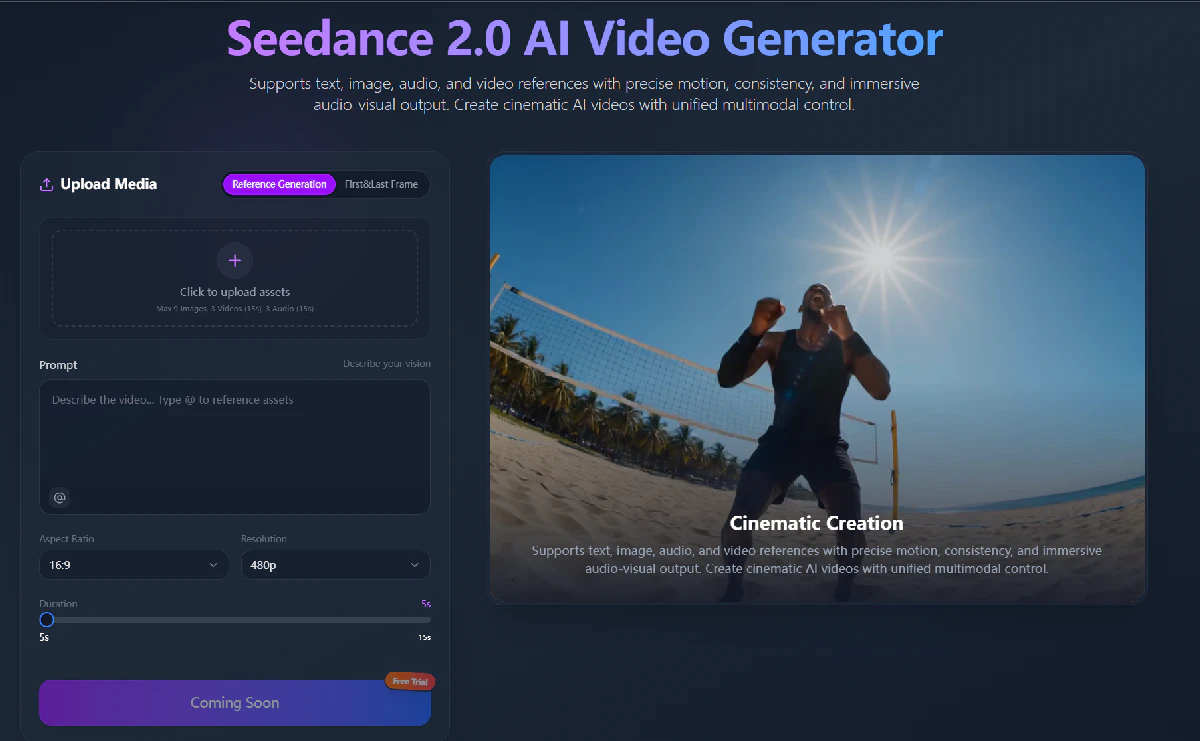
What Is Seedance AI Video Generator?
Seedance AI Video Generator is designed for creators who want to generate videos using multiple types of creative inputs.
The workflow supports:
- Text-to-Video generation
- Image-to-Video creation
- Audio and video references
- Multi-reference workflows
- Cinematic camera movement
- Scene refinement
Rather than starting from a blank prompt every time, creators can combine different assets to guide the generation process.
This makes it more suitable for projects where consistency and creative control are important. Seedance supports text, image, audio, and video references as part of a multimodal generation workflow.
My Workflow
Step 1 — Prepare Visual References
Before generating a video, I first organize my creative materials.
My reference folder usually includes:
- Character images
- Product photos
- Background references
- Lighting examples
- Style inspiration
A strong reference usually gives me better results than writing a very long prompt.
Step 2 — Define the Scene
After preparing the references, I describe the basic scene.
Example:
A young designer working in a modern studio,
soft morning light through the window,
minimal workspace,
cinematic atmosphere.
At this stage, I focus on:
- Who is in the scene
- Where the scene happens
- What feeling I want to create
I avoid adding too many technical details too early.
Step 3 — Add Motion Instructions
The next step is describing movement.
Example:
Slow camera push forward,
natural hand movement,
subtle lighting changes,
smooth cinematic motion.
Separating scene description and motion instructions makes it easier to adjust the result.
If the visual style is correct but the movement feels wrong, I only need to modify the motion prompt.
Step 4 — Generate and Compare Different Versions
Once the prompt and references are ready, I use Seedance AI Video Generator to create different versions.
I usually compare:
- Camera movement
- Subject consistency
- Motion quality
- Scene atmosphere
- Prompt accuracy
The first result is rarely the final one.
Generating several variations helps me find the direction that works best.
Step 5 — Refine the Best Result
After choosing the strongest version, I focus on small improvements.
Typical adjustments include:
- Changing camera speed
- Improving transitions
- Adjusting scene pacing
- Refining motion details
Small changes usually work better than completely rewriting the prompt.
Use Cases
This workflow can be useful for different creative projects.
Product Marketing Videos
Create product demonstrations and promotional clips without traditional filming.
Social Media Content
Generate short videos for TikTok, Instagram Reels, and YouTube Shorts.
Brand Storytelling
Maintain a consistent visual identity across multiple scenes.
Creative Prototyping
Test ideas quickly before investing in full production.
Storyboarding
Visualize scenes and camera movements before actual filming.
Why This Workflow Works
The biggest improvement I've noticed is not just video quality.
It is efficiency.
A structured workflow helps reduce unnecessary generations because every step has a clear purpose.
Instead of asking AI to create everything from a single sentence, I guide the process:
- Build references
- Define the scene
- Control movement
- Compare outputs
- Refine the strongest version
This approach makes AI video creation feel closer to a real production process.
Final Thoughts
AI video generation is developing quickly, but better results don't always come from writing longer prompts.
A good workflow can make a bigger difference.
By preparing references, separating visual ideas from motion instructions, and refining step by step, I can create more consistent videos with less trial and error.
For creators exploring AI video production, building a repeatable workflow is just as important as choosing the right AI model.