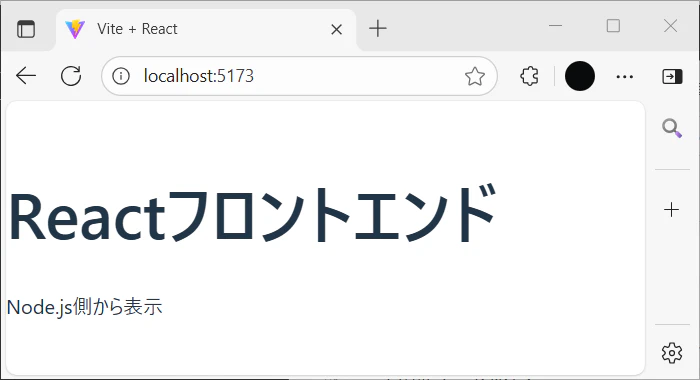
目的
フロントエンド:Vite + React
バックエンド:Node.js + Express
の開発方法を理解する。
1. バックエンド(Node.js)の作成
cd backend
npm install express cors
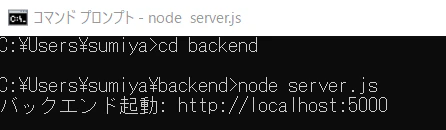
node server.js
node/server.js
const express = require('express');
const cors = require('cors');
const app = express();
const PORT = 5000;

app.use(cors());

app.get('/api/data', (req, res) => {
  res.json({ message: "Node.js側から表示" });
});

app.listen(PORT, () => {
  console.log(`バックエンド起動: http://localhost:${PORT}`);
});
2. フロントエンド(React + Vite)の設定
React>JavaScriptの順に選択する。
npm create vite@latest frontend --template react
cd frontend
npm install
npm start
- プロキシ設定: vite.config.js の編集
frontend/vite.config.js
import { defineConfig } from 'vite';
import react from '@vitejs/plugin-react';

export default defineConfig({
  plugins: [react()],
  server: {
    proxy: {
      '/api': {
        target: 'http://localhost:5000',
        changeOrigin: true,
        // rewriteを削除(重要!)
      }
    }
  }
});
frontend/src/App.jsx
import { useState, useEffect } from 'react';

function App() {
  const [message, setMessage] = useState('');

  useEffect(() => {
    fetch('/api/data')
      .then(res => {
        if (!res.ok) throw new Error(`HTTPエラー ${res.status}`);
        return res.json();
      })
      .then(data => setMessage(data.message))
      .catch(err => {
        console.error(err);
        setMessage(`エラー: ${err.message}`); // 通信失敗時に画面表示
      });
  }, []);

  return (
    <div>
      <h1>Reactフロントエンド</h1>
      <p>{message || "読み込み中..."}</p >
    </div>
  );
}

export default App;
package.jsonに<"start": "vite dev">を追加する。
package.json
{
  "name": "frontend",
  "private": true,
  "version": "0.0.0",
  "type": "module",
  "scripts": {
    "dev": "vite",
    "build": "vite build",
    "lint": "eslint .",
    "preview": "vite preview",
    "start": "vite dev"
  },
  "dependencies": {
    "react": "^19.1.0",
    "react-dom": "^19.1.0"
  },
  "devDependencies": {
    "@eslint/js": "^9.30.1",
    "@types/react": "^19.1.8",
    "@types/react-dom": "^19.1.6",
    "@vitejs/plugin-react": "^4.6.0",
    "eslint": "^9.30.1",
    "eslint-plugin-react-hooks": "^5.2.0",
    "eslint-plugin-react-refresh": "^0.4.20",
    "globals": "^16.3.0",
    "vite": "^7.0.4"
  }
}
動作確認
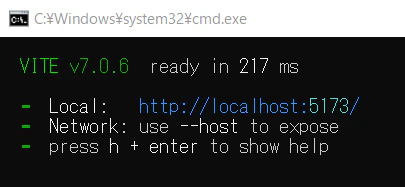
http://localhost:5173/