
ビルド関連は以下参照
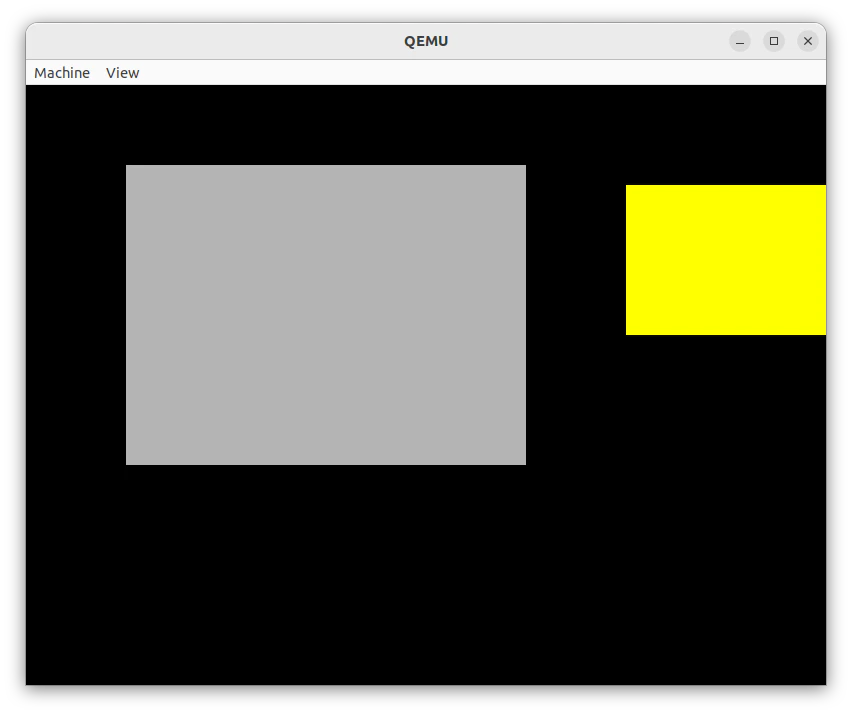
VBE800×600 24bpp表示
mainc.c
typedef unsigned char  u8;
typedef unsigned short u16;
typedef unsigned int   u32;

#define VRAM 0xFD000000
#define SCREEN_W 800
#define SCREEN_H 600

// Windowの情報
typedef struct {
    int x, y; // window左上の座標
    int w, h; // windowの縦横の長さ
} window_t;

/*
 ピクセル描画
 *fb : VRAM
 x   : X座標
 y   : Y座標
 r   : 赤
 g   : 緑
 b   : 青
*/
static inline void put_pixel(volatile u8 *fb, int x, int y, u8 r, u8 g, u8 b) {
    int p = (y * SCREEN_W + x) * 3; // ポインタを描画するピクセルに合わせる
    fb[p]   = b;
    fb[p+1] = g;
    fb[p+2] = r;
}

/*
  Window描画
 *fb  : VRAM
 *win : Windows情報構造体
 r    : 赤
 g    : 緑
 b    : 青
*/
void fill_rect(volatile u8 *fb, window_t *win, u8 r, u8 g, u8 b) {
    for (int y = win->y; y < win->y + win->h; y++) {
        for (int x = win->x; x < win->x + win->w; x++) {
            put_pixel(fb, x, y, r, g, b);
        }
    }
}

void kernel_main(void) {
    volatile u8 *fb = (volatile u8 *)VRAM;

    // 背景(黒)
    window_t bg = {0, 0, SCREEN_W, SCREEN_H};
    fill_rect(fb, &bg, 0, 0, 0);

    // 灰色window描画
    window_t win = {100, 80, 400, 300}; // x, y, 幅, 高さ
    fill_rect(fb, &win, 180, 180, 180); // 灰色

    // 黄色window
    window_t win2 = {600, 100, 200, 150};
    fill_rect(fb, &win2, 255, 255, 0); // 黄色(R=255, G=255, B=0)

    while (1) asm volatile ("hlt");
}
大連出張中で細かい事ができない