
botを参加させるコード
npm install mineflayer
const mineflayer = require("mineflayer")

//botの設定
const bot = mineflayer.createBot({
    host:"localhost",//サーバーのIPaddres
    port:61739,//サーバーのポート
    username:"bot",//botの名前
    version:false,
})
botを移動させてみよう
npm install mineflayer-pathfinder
詳しい参考サイト
const pathfinder = require('mineflayer-pathfinder').pathfinder//botを動かすプラグイン
const Movements = require('mineflayer-pathfinder').Movements//移動ルールを定義するクラス
const { GoalNear,GoalBlock } = require('mineflayer-pathfinder').goals//ゴールの種類をまとめたオブジェクト
特定のブロックまでいくのですがその時マグマなどは避けて通りブロックがあれば適正ツールまたは素手で掘るなどインベントリー内容に合わせて動作します。
特定の座標のブロックまで進むコード
特定の座標のブロックまで行ってくれるコードです。
bot.pathfinder.setGoal(new GoalBlock(x,y,z));
特定の座標まで進むコードy指定なし
y座標が分からなくてもいいためとても便利です。
bot.pathfinder.setGoal(new GoalXZ(x, z));
特定のY座標までいくコード
特定のy座標まで行きます。そのyに行けずとまることもあります。
bot.pathfinder.setGoal(new GoalY(80));
特定のブロックの隣接に行くコード
チェストなどを開けに行くとき便利だそうです。
bot.pathfinder.setGoal(new GoalGetToBlock(-1000, 72, -638));
web上で監視する
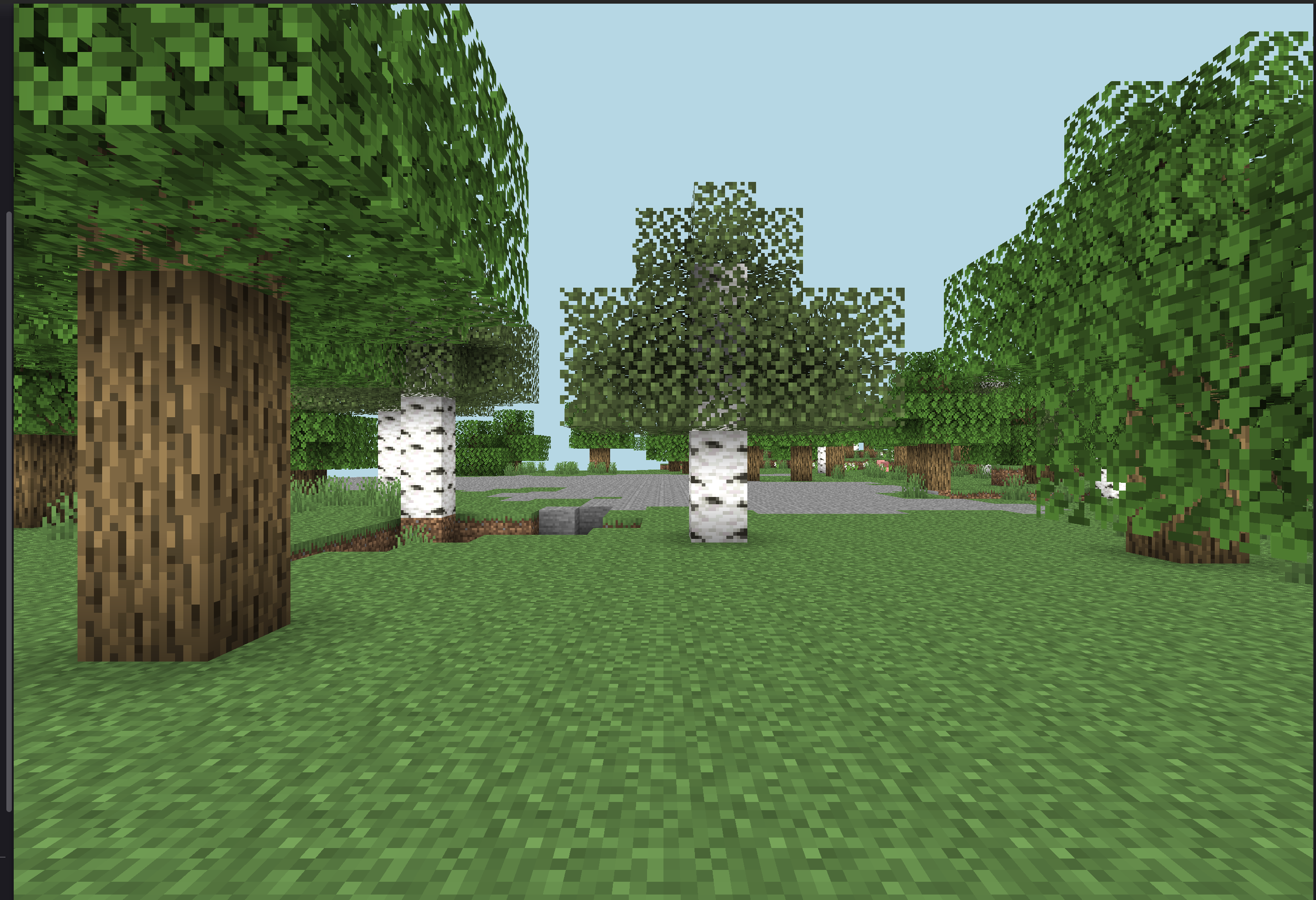
上記の様な普通に見えます。エンディティーの描画はおかしいことがありチェスト、ポーションなどは描画されません。
必要なライブラリーのインストール
npm install prismarine-viewer
コード
const { mineflayer: mineflayerViewer } = require('prismarine-viewer')
bot.once('spawn', () => {
  mineflayerViewer(bot, { port: 3007, firstPerson: true })
})
Prismarine viewer web server running on *:3007が出たら以下のサイトを開くと描画されます。
Error: Cannot find module 'canvas'が発生した場合の対処法
npm install canvas
macの場合(brewインストールしていることを前提)
brew install pkg-config cairo pango libpng jpeg giflib librsvg
chestについて
現在の経験値レベルを取得する
以下のコードはMincraft内のチャットに「今の経験値レベルは0です」などと答えるものです。一気にレベルを上げるとなぜか退出されます。
bot.on('experience',() => {
    bot.chat(`今の経験値レベルは${bot.experience.level}です`);
})
イベントリーの中身をチャットで送る
function itemToString (item) {
  if (item) {
    return `${item.name} x ${item.count}`//アイテムの名前x個数で答える
  } else {//アイテムがない場合
    return '(nothing)'
  }
}

function sayItems (items = bot.inventory.items()) {
  const output = items.map(itemToString).join(', ')//アイテムを全て取得してreturnされたものが(nothing)じゃなければmapに追加する
  if (output) {//アイテムがあった場合
    bot.chat(output)//アイテムをチャットに送信
  } else {//アイテムが何もない場合
    bot.chat('empty')
  }
}
items = bot.inventory.items()がbotのインベントリーの中身を渡します。json形式でそれを人間が見やすくしたもが上記のコードです。
Mincraftのチャットに表示されるものgrass_block x 64, podzol x 64, mycelium x 64, dirt_path x 64でitems = bot.inventory.items()で取得できるjsondataは
[
  Item {
    type: 27,
    count: 64,
    metadata: 0,
    nbt: null,
    components: [],
    removedComponents: [],
    componentMap: Map(0) {},
    stackId: null,
    name: 'grass_block',
    displayName: 'Grass Block',
    stackSize: 64,
    maxDurability: undefined,
    slot: 36
  },
]
になっています。
まとめ
mineflayerに関する日本語の情報が少なかったため、AIの力も借りながら試行錯誤してまとめました。
また新しい機能を試せたら記事を書こうと思います。質問などあれば気軽にどうぞ!