やりたいこと
react で実行時間がかかる処理をサーバにリクエストし、実行状況をモニタリングする。
- ボタンクリックで処理開始リクエストを送信
- ステータスが完了になるまで、ステータス確認リクエストを送信
プログラム例
上記の動作を実現する ProcessingButton を実装する。
- 初期状態では initial 状態となっている。
- クリックすると処理開始リクエストを送信し、starting 状態となる。
- ステータス確認リクエストを送信し、ステータス(processing)を表示する。
- 処理が完了すると、処理完了ステータス(finished)を表示し、ステータス確認リクエストの送信を停止する。
ProcessingButton の実装例
- 処理開始リクエストは、httpbin.org の delay を使用することで、リクエストを送信してから 3 秒後にレスポンスが返却される。
http://httpbin.org/delay/3
- ステータス確認リクエストは、httpbin.org の uuid を使用することで、リクエスト毎に新たな uuid を取得して uuid の末尾の文字が 'c' の場合に処理が終了したと判定する。
http://httpbin.org/#/Dynamic_data/get_uuid
processing-button.tsx
import React, { useState, useEffect, useRef } from 'react';

const ProcessingButton = () => {
  const statusRef = useRef('initial');
  const [status, setStatus] = useState(statusRef.current);
  const resultRef = useRef(null);
  const [result, setResult] = useState(resultRef.current);
  const timerRef = useRef<any>(null);

  //
  // 処理開始
  const onClick = () => {
    console.log('start()');
    statusRef.current = 'starting';
    setStatus(statusRef.current);
    console.log(`statusRef: ${statusRef.current}`);
    console.log(`status: ${status}`);
    startStatusCallback();
  }


  //
  // 処理開始リクエストを送信
  // ステータス確認開始
  const startStatusCallback = async () => {
    console.log('startStatusCallback()');
    console.log(`statusRef: ${statusRef.current}`);
    console.log(`status: ${status}`);
    try {
      // http://httpbin.org/delay/3 にリクエストを送信
      // 3秒後にレスポンスが送信される
      const response = await fetch('http://httpbin.org/delay/3', { method: 'GET' });
      const { data } = await response.json();
      const uuid = data.uuid;
      console.log(`uuid: ${uuid}`);

      // 2秒毎にステータス確認の設定
      timerRef.current = setInterval(() => {
        statusCallback();
      }, 2000);

      statusRef.current = 'processing';
      setStatus(statusRef.current);
      console.log(`statusRef: ${statusRef.current}`);
      console.log(`status: ${status}`);
    } catch (error) {
      console.error('エラー: 処理開始', error);
      statusRef.current = 'error: start';
      setStatus(statusRef.current);
    }
  };


  //
  // ステータス確認
  const statusCallback = async () => {
    console.log('statusCallback()');
    console.log(`statusRef: ${statusRef.current}`);
    console.log(`status: ${status}`);
    try {
      // ステータス確認リクエスト送信
      // http://httpbin.org/#/Dynamic_data/get_uuid
      // {"uuid": "xxxxxxxx-xxxx-xxxx-xxxx-xxxxxxxxxxxx"}
      const response = await fetch('http://httpbin.org/uuid', { method: 'GET' });
      const data = await response.json();
      const uuid = data.uuid;
      console.log(`uuid: ${uuid}`);

      // uuid の末尾が c の場合に完了とみなす
      const lastChar = uuid[uuid.length-1];
      if (lastChar === 'c') {
        stopPolling();
        resultRef.current = data;
        setResult(resultRef.current);
        statusRef.current = 'finished';
        setStatus(statusRef.current);
      } else {
        statusRef.current = `processing (${lastChar})`;
        setStatus(statusRef.current);
      }
    } catch (error) {
      console.error('error: status check', error);
    }
  };


  // コンポーネント終了時にタイマーを掃除する
  useEffect(() => {
    return () => stopPolling();
  }, []);


  const stopPolling = () => {
    console.log('stopPolling()');
    if (timerRef.current) {
      clearInterval(timerRef.current);
      timerRef.current = null;
    }
  };


  return (
    <button
      onClick={onClick}
      disabled={status !== 'initial'}
      style={{
        backgroundColor: status === 'initial' ? '#007bff' : '#666666',
        color: '#ffffff',
        padding: '10px 20px',
        border: 'none',
        borderRadius: '8px',
        cursor: status === 'initial' ? 'pointer' : 'not-allowed',
      }}
    >
      {status === 'initial' ? 'start' : status}
    </button>
  );
};

export default ProcessingButton;
呼び出し側
App.tsx
import React from 'react';
import logo from './logo.svg';
import './App.css';
import ProcessingButton from './processing-button';


function App() {
  return (
    <div style={{ "margin": "20px" }}>
      <h3>時間がかかる処理をサーバで実行</h3>
      <ProcessingButton />
    </div>
  );
}

export default App;
実行結果
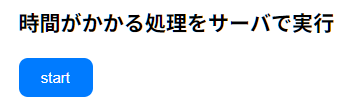
- 初期状態(initial)
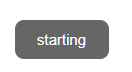
- 処理開始リクエスト送信中(starting)
- ステータスリクエスト送信開始(processing)

- ステータス表示(processing + uuid)

- 処理完了(finished)