
準備
- 適当なディレクトリを用意してそこで以下を実行
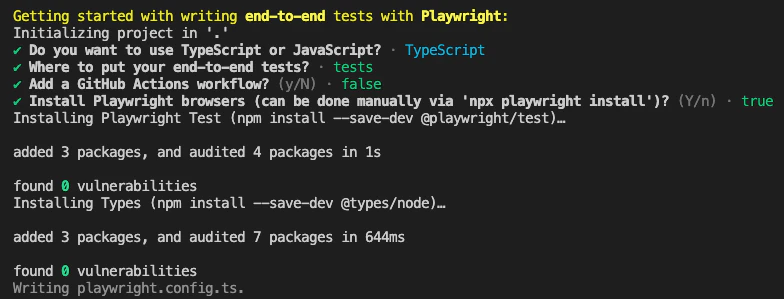
npm init playwright@latest
色々聞かれるが答えていくと良い感じにインストールが始まる(素敵!)
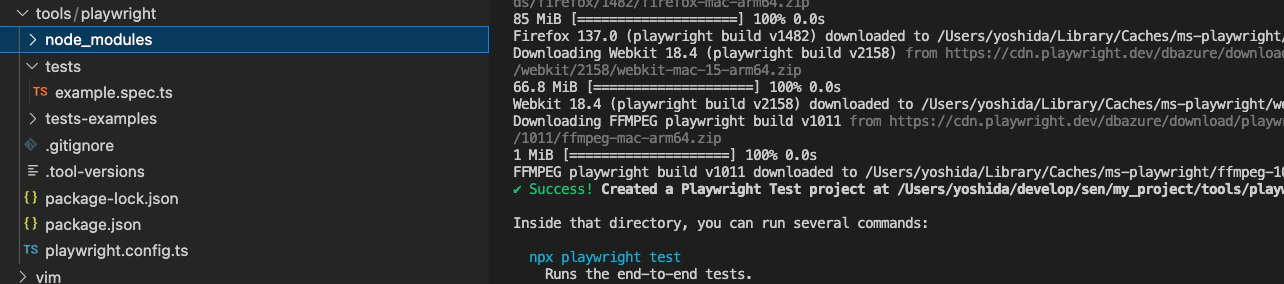
インストール後はこんな感じでサンプルプログラムも作ってくれている
動かしてみる
- script.tsを作成
script.ts
// script.ts
import { chromium } from 'playwright';

(async () => {
  const browser = await chromium.launch({ headless: false });
  const context = await browser.newContext();
  const page = await context.newPage();

  // 任意のURLを開く
  await page.goto('https://google.com');

  // 1秒待つ
  await new Promise((resolve) => setTimeout(resolve, 1000));

  await browser.close();
})();
- 実行
npx tsx script.ts
- google開いたー!あとは色々命令書くだけ
プロキシ接続が必要な場合
script.ts
// script.ts
import { chromium } from 'playwright';

const URL = 'https://hogehoge';
const PROXY = {
  server: 'socks5://127.0.0.1:10080'  // SSHのSOCKSプロキシ設定(ここは各自の環境に合わせる)
};

(async () => {
  const browser = await chromium.launch({
    headless: false,
    proxy: PROXY
  });
  const context = await browser.newContext();
  const page = await context.newPage();

  // 任意のURLを開く
  await page.goto(URL);

  // 1秒待つ
  await new Promise((resolve) => setTimeout(resolve, 1000));

  await browser.close();
})();