
背景
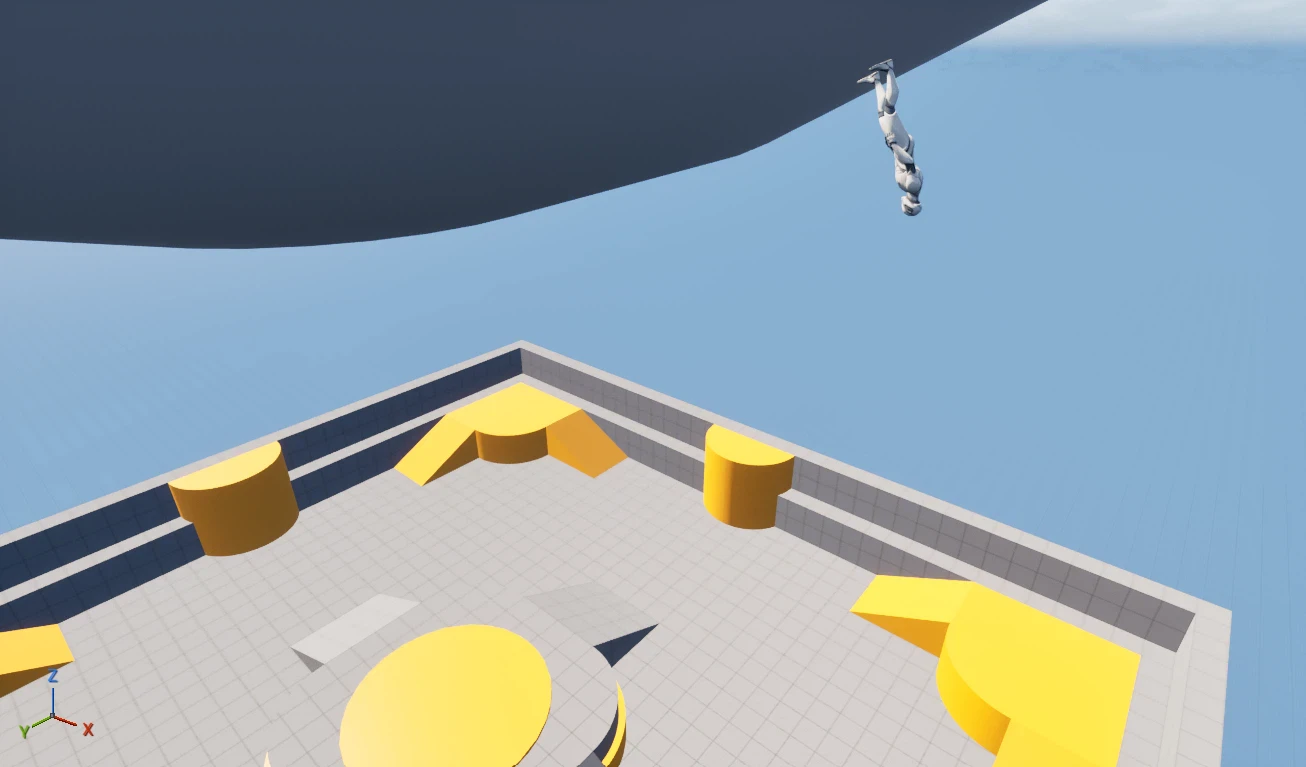
UE5 の Custom Gravity を使うと、惑星の表面に立ってそのまま歩き回る実装ができます。
今回は、UE5 の Custom Gravity を使って、惑星中心方向に重力がかかる一人称視点キャラクターを実装したときに、キャラクターの向きが正しく揃わなかったため、自分が行った対処法を共有します。
今回の実装で参考にしたEpic の Custom Gravity チュートリアルです。
https://dev.epicgames.com/community/learning/tutorials/w6l7/unreal-engine-custom-gravity-in-ue-5-4
記事は三人称視点がベースでしたが、これを自分の一人称視点の環境で試したところ、一部正しく動かない状態になりました。
フォーラムも確認したところ、作者自身は First Person テンプレートでは未検証としており、差分によって追加調整が必要になるケースがありそうでした。
原因は特定しきれていないのですが、この記事では、自分の環境ではこの対応でうまくいったという内容をメモとして共有します。
発生した課題
一人称視点では次のような状態になりました。
- 重力方向に沿って移動できる
- しかし、キャラクターの向きが惑星表面に正しく揃わない

このように、途中でキャラクターが宙に浮いてしまいます。
方針
そこで、Character クラスの Tick 内で毎フレームキャラクターの回転を補正することにしました。
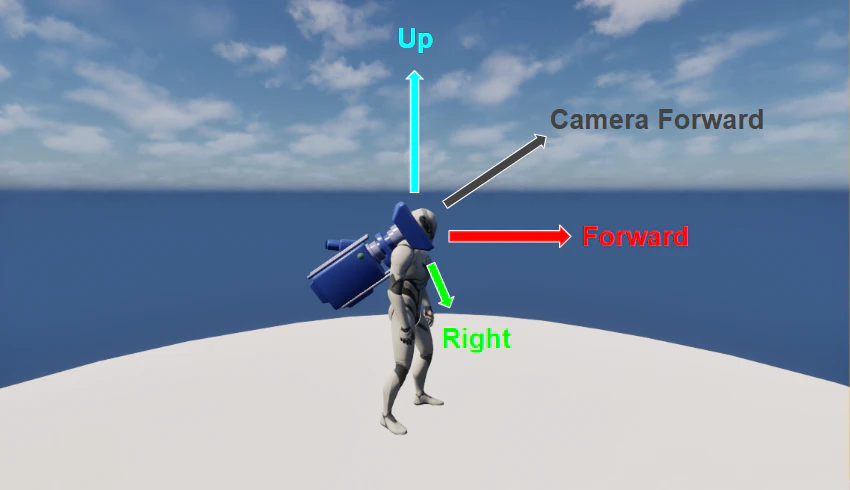
そのために、惑星表面に沿った前方向ベクトル Forward を求めます。
ステップは以下です。
- 惑星中心方向から重力方向を求める
- 重力方向の逆向きからキャラクターの上方向ベクトル
Upを作る - カメラの前方向ベクトル
CameraForwardとUpに垂直なベクトルRightを作る -
UpとRightに垂直なベクトルForwardを作る -
Forwardを使ってキャラクターの回転を作る
実装コード
以下が、最終的に動作した Character クラスの Tick の例です。
void AMyCharacter::Tick(float DeltaTime)
{
	Super::Tick(DeltaTime);

	if (!CurrentPlanet)
	{
		return;
	}

	const FVector PlanetLocation = CurrentPlanet->GetActorLocation();
	const FVector ActorLocation = GetActorLocation();

	// 惑星中心へ向かう重力方向を計算
	const FVector GravityDirection = (PlanetLocation - ActorLocation).GetSafeNormal();
	GetCharacterMovement()->SetGravityDirection(GravityDirection);

	// 重力の逆向き = キャラクターの上方向ベクトル Up を計算
	const FVector UpVector = -GravityDirection;

	// カメラの前方向ベクトル CameraForward を取得
	const FVector CameraForward = GetFirstPersonCameraComponent()->GetForwardVector();

	// Up と CameraForward に垂直なベクトル Right を作る
	FVector RightVector = FVector::CrossProduct(UpVector, CameraForward);

	// Right と Up に垂直なベクトル Forward を作る
	const FVector ForwardVector = FVector::CrossProduct(RightVector, UpVector).GetSafeNormal();

	// Forward(X) と Up(Z) から回転を生成
	const FRotator TargetRotation = FRotationMatrix::MakeFromXZ(ForwardVector, UpVector).Rotator();

	// キャラクターに回転を適用
	SetActorRotation(TargetRotation);
}
各ステップで何をしているか
1. 惑星中心方向から重力方向を求める
const FVector GravityDirection = (PlanetLocation - ActorLocation).GetSafeNormal();
GetCharacterMovement()->SetGravityDirection(GravityDirection);
キャラクター位置から惑星中心へ向かうベクトルを作り、それを重力方向として設定しています。
2. 重力の向きからキャラクターの上方向ベクトル Up を作る
const FVector UpVector = -GravityDirection;
重力は下方向なので、その逆向きがキャラクターの上方向 Upになります。
3. カメラの前方向ベクトルCameraForwardとUp に直交するベクトルRightを作る
const FVector CameraForward = GetFirstPersonCameraComponent()->GetForwardVector();
惑星表面に沿ったキャラクターの前方向を求めたいのですが、カメラの向き CameraForward をそのまま使うと問題があります。
カメラは上を向いたり下を向いたりできるため、CameraForward には Up 成分が含まれます。
そのまま回転を作ると、惑星表面に沿わない斜めの前方向になってしまいます。
そこで外積を使って、一度 Up と CameraForward の両方に垂直なベクトル Right を作ります。
FVector RightVector = FVector::CrossProduct(UpVector, CameraForward);
つまり、
-
RightはUpに垂直 -
RightはCameraForwardに垂直
になります。
4. UpとRight に直交するベクトルForwardを作る
const FVector ForwardVector = FVector::CrossProduct(RightVector, UpVector).GetSafeNormal();
さらに Right と Up から、両方に垂直なベクトルを作ります。
これが、惑星表面に沿った前方向ベクトル Forward になります。
この時点で、
-
ForwardはUpに垂直 -
ForwardはRightに垂直
なので、重力基準の直交座標系が作れます。
5. Forwardをキャラクターの回転にセットする
const FRotator TargetRotation = FRotationMatrix::MakeFromXZ(ForwardVector, UpVector).Rotator();
SetActorRotation(TargetRotation);
UE では通常、
-
X 軸 = Forward
-
Y 軸 = Right
-
Z 軸 = Up
です。
そのため、Forward を X、Up を Z としてRotatorを作ると、
キャラクターの向きを惑星表面に沿わせることができます。
結果
この処理を入れることで、一人称視点でもキャラクターの向きが惑星表面に沿って正しく揃うようになりました。

おわりに
この記事では、UE の Custom Gravity を使って一人称視点で惑星歩行を実装したときに詰まった点と、その対処法を共有しました。
今回の実装が唯一の正解とは限りませんが、同じところでハマった人の参考になれば嬉しいです。