利用するソフトとバージョン
OpenSCでマイナバーカードの状態を確認する
cd C:\Program Files\OpenSC Project\OpenSC\tools
pkcs15-tool --list-keys
Using reader with a card: Sony FeliCa Port/PaSoRi 3.0 0
Private RSA Key [User Authentication Key]
        Object Flags   : [0x01], private
        Usage          : [0x04], sign
        Access Flags   : [0x1D], sensitive, alwaysSensitive, neverExtract, local
Private RSA Key [Digital Signature Key]
        Object Flags   : [0x01], private
        Usage          : [0x204], sign, nonRepudiation
        Access Flags   : [0x1D], sensitive, alwaysSensitive, neverExtract, local
jSignPdfを設定する
-
jsignpdf-2.3.0\conf\conf.properties
#pkcs11config.path=conf/pkcs11.cfgを下記に

-
jsignpdf-2.3.0\conf\pkcs11.cfg
下記の設定に

※slotについて
下記でslotを確認できます,今回は署名のキー使用するのでslot=1にする
pkcs11-tool -L
Available slots:
Slot 0 (0x0): Sony FeliCa Port/PaSoRi 3.0 0
  token label        : JPKI (User Authentication PIN)
Slot 1 (0x1): Sony FeliCa Port/PaSoRi 3.0 0
  token label        : JPKI (Digital Signature PIN)
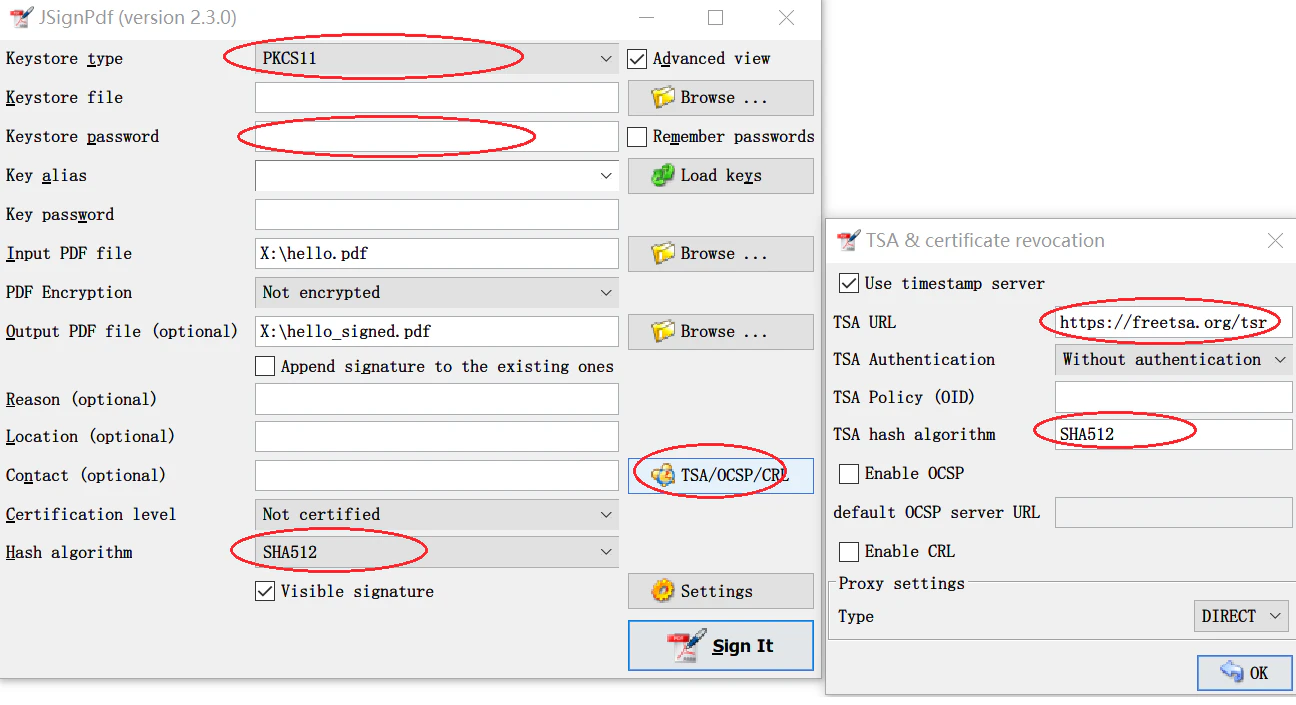
jSignPdfで署名
Keystore passwordのどころは6桁以上のマイナバーカードの暗証番号。(4桁の数字ではない)
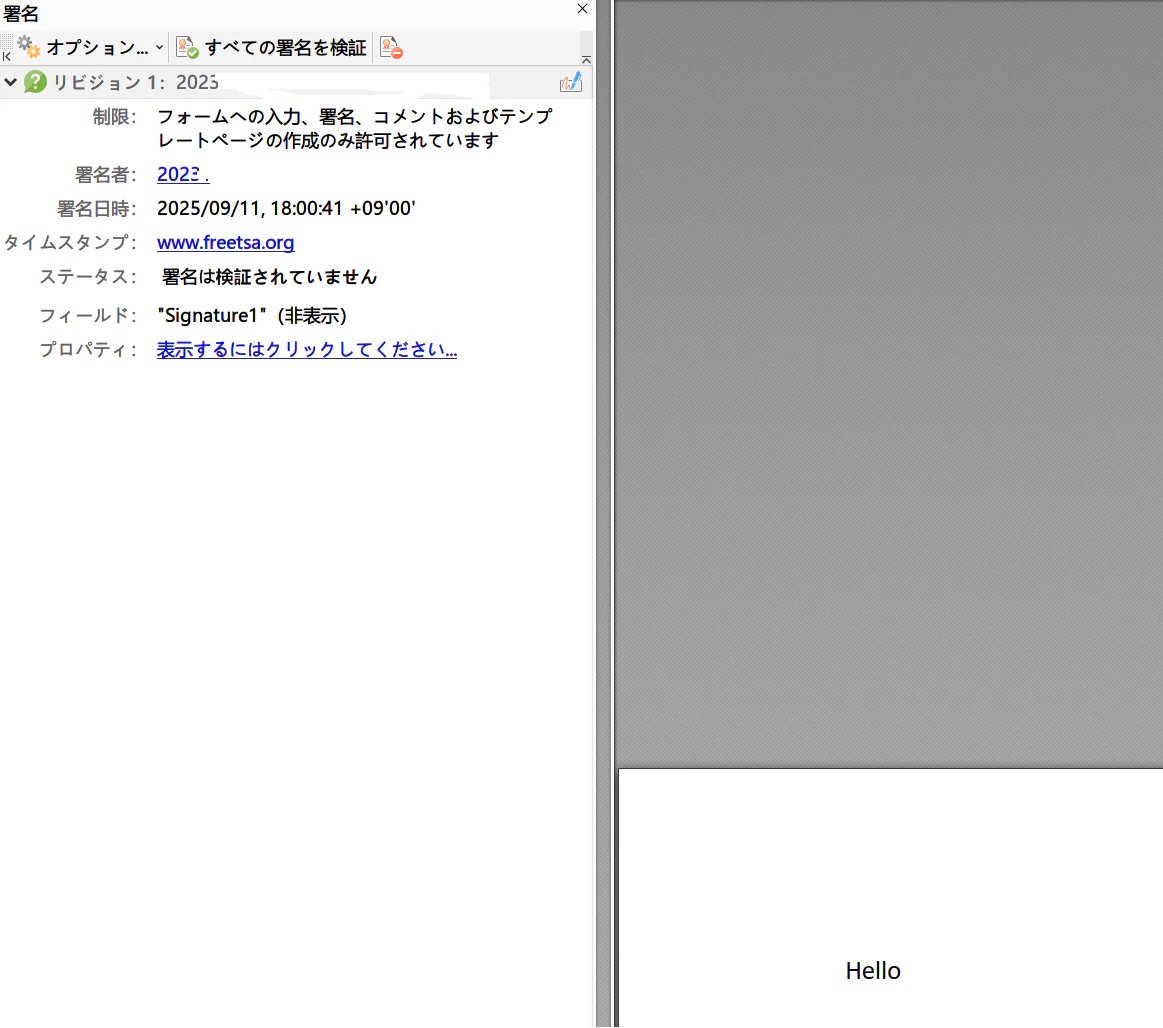
署名結果