

What's?
Windows 11のOpenSSHサーバを使ってみようと思いまして。
Windows用OpenSSH
ドキュメントとしてはこちらですね。
Windows Server 2025、2022、2019、Windows 11、10向けに書かれています。
使うには以下の条件を満たしている必要があります。
- Windows Server 2019以降またはWindows 10(ビルド 1809)以降
- PowerShell 5.1以降
- 管理者権限あり
では使ってみましょう。
環境
今回の環境です。
PS > [System.Environment]::OSVersion

Platform ServicePack Version      VersionString
-------- ----------- -------      -------------
 Win32NT             10.0.26200.0 Microsoft Windows NT 10.0.26200.0


PS > $PSVersionTable.PSVersion

Major  Minor  Build  Revision
-----  -----  -----  --------
5      1      26100  7920
OpenSSHを有効にする
こちらのページを見ながらOpenSSHをインストールします。
GUIだと 設定 → システム → オプション機能 からOpenSSHを探します。
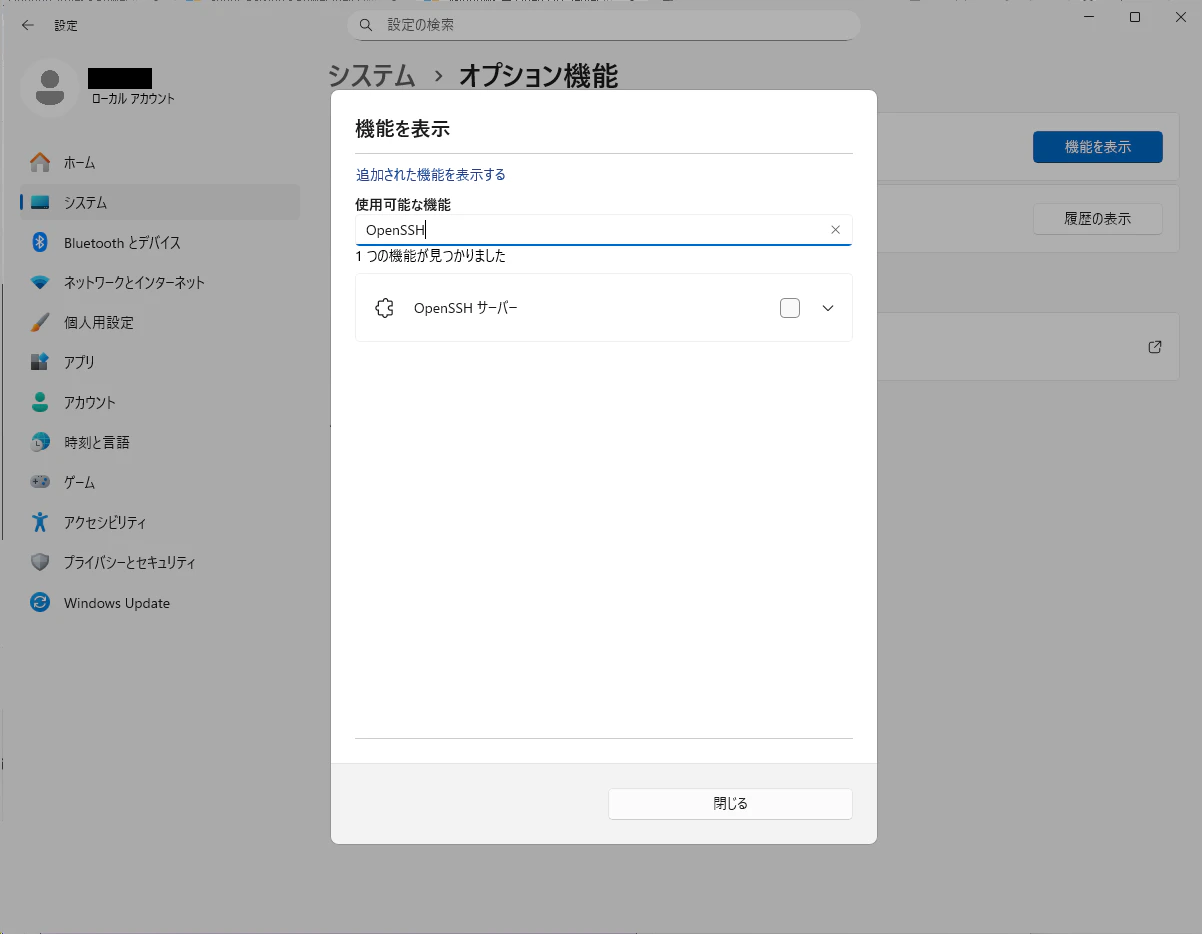
インストールされている場合は、「追加された機能を表示する」を選んでいる時に表示されます。
そうでない場合はで「使用可能な機能を表示する」を選んで検索すると表示されます。
今回は「OpenSSHサーバー」は未インストールだったので「追加可能な機能を表示する」を選択すると現れました。
あとはこれを追加して、サービスで自動起動の設定を行います。
今回はPowerShellで設定してみたいと思います。
現在の状態の確認。
PS > Get-WindowsCapability -Online | Where-Object Name -like 'OpenSSH*'


Name  : OpenSSH.Client~~~~0.0.1.0
State : Installed

Name  : OpenSSH.Server~~~~0.0.1.0
State : NotPresent
OpenSSHクライアントはインストール済み、OpenSSHサーバは未インストールです。
表示されているNameの使い、OpenSSHサーバをインストール。
PS > Add-WindowsCapability -Online -Name OpenSSH.Server~~~~0.0.1.0
コマンドが終了するまで、そこそこ時間がかかります…。
完了すると、こういう表示が返ってきます。
Path          :
Online        : True
RestartNeeded : False
RestartNeededがtrueになっていた場合は、Windowsの再起動が必要です。
サービス開始と自動起動の設定。
PS > Start-Service sshd
PS > Set-Service -Name sshd -StartupType 'Automatic'
ファイアーウォールの存在確認。
PS > if (!(Get-NetFirewallRule -Name "OpenSSH-Server-In-TCP" -ErrorAction SilentlyContinue)) {
>>     Write-Output "Firewall Rule 'OpenSSH-Server-In-TCP' does not exist, creating it..."
>>     New-NetFirewallRule -Name 'OpenSSH-Server-In-TCP' -DisplayName 'OpenSSH Server (sshd)' -Enabled True -Direction Inbound -Protocol TCP -Action Allow -LocalPort 22
>> } else {
>>     Write-Output "Firewall rule 'OpenSSH-Server-In-TCP' has been created and exists."
>> }
Firewall rule 'OpenSSH-Server-In-TCP' has been created and exists.
あとはSSHクライアントでログインできます。
シェルはPowerShellになりますけど。