
結論
選択しなければいい。
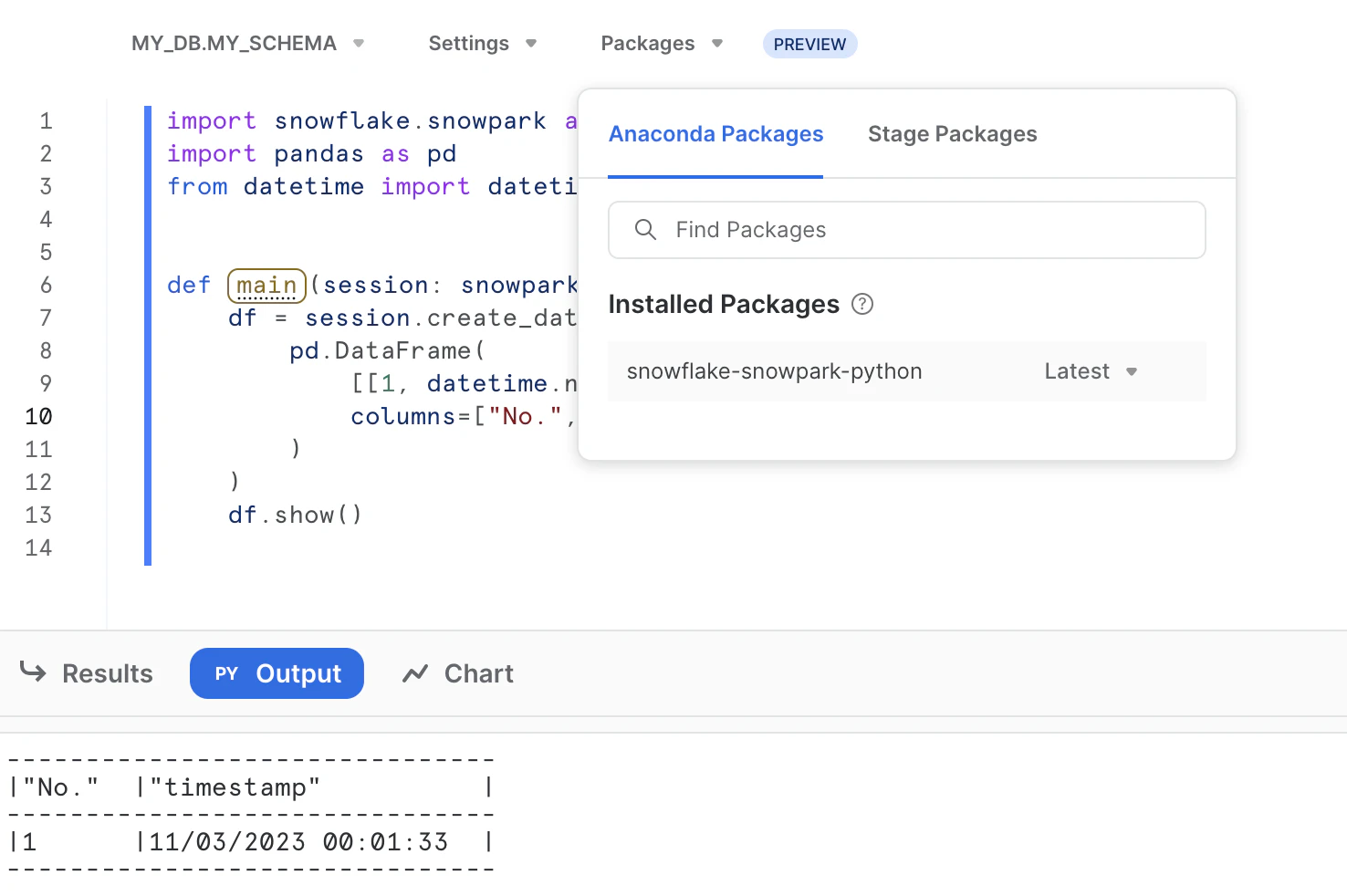
もしくは、pandas 〜1.5.3 を選択する。
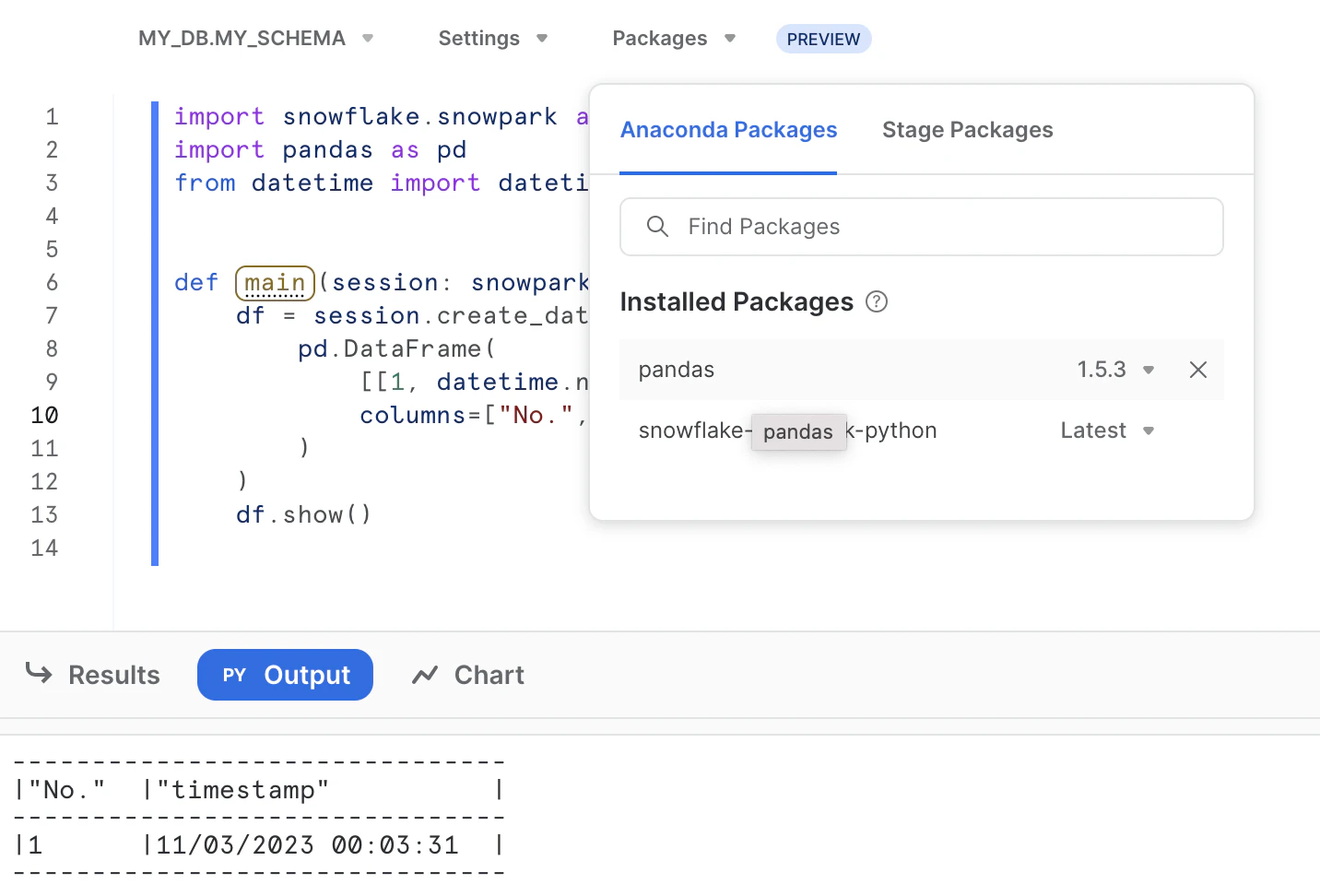
なんかエラーが出るようになった?
Pythonワークシートでpandasパッケージを選択して以下のようなコードを実行しようとした。
import snowflake.snowpark as snowpark
import pandas as pd
from datetime import datetime


def main(session: snowpark.Session):
    df = session.create_dataframe(
        pd.DataFrame(
            [[1, datetime.now().strftime("%m/%d/%Y %H:%M:%S")]],
            columns=["No.", "timestamp"]
        )
    )
    df.show()
pandasパッケージは以下のように選択しておく。
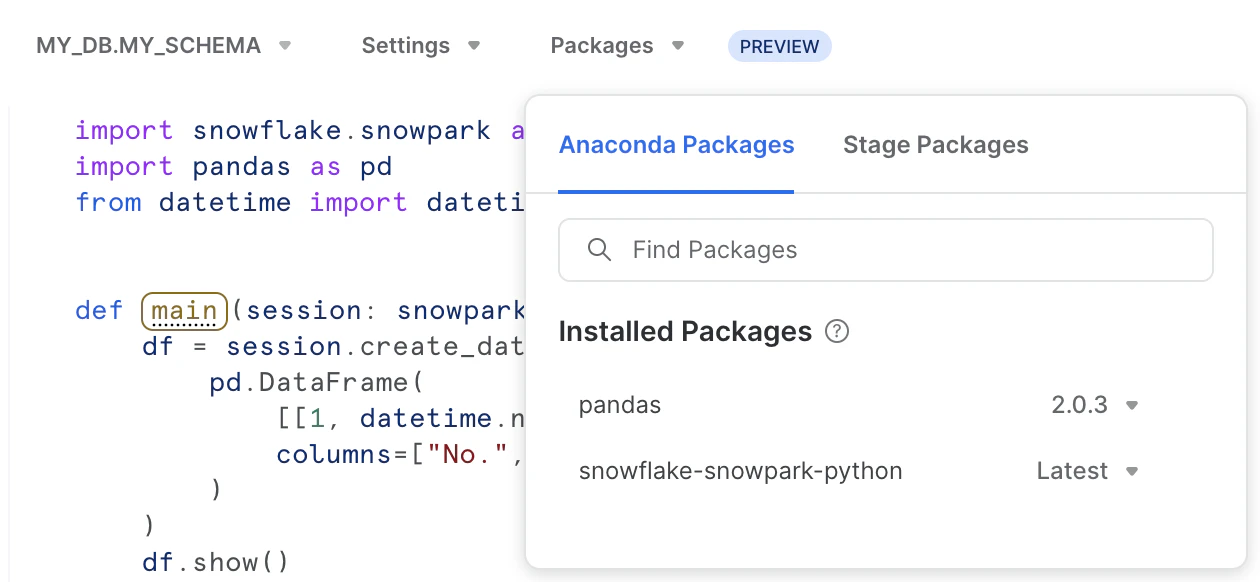
いざ実行。
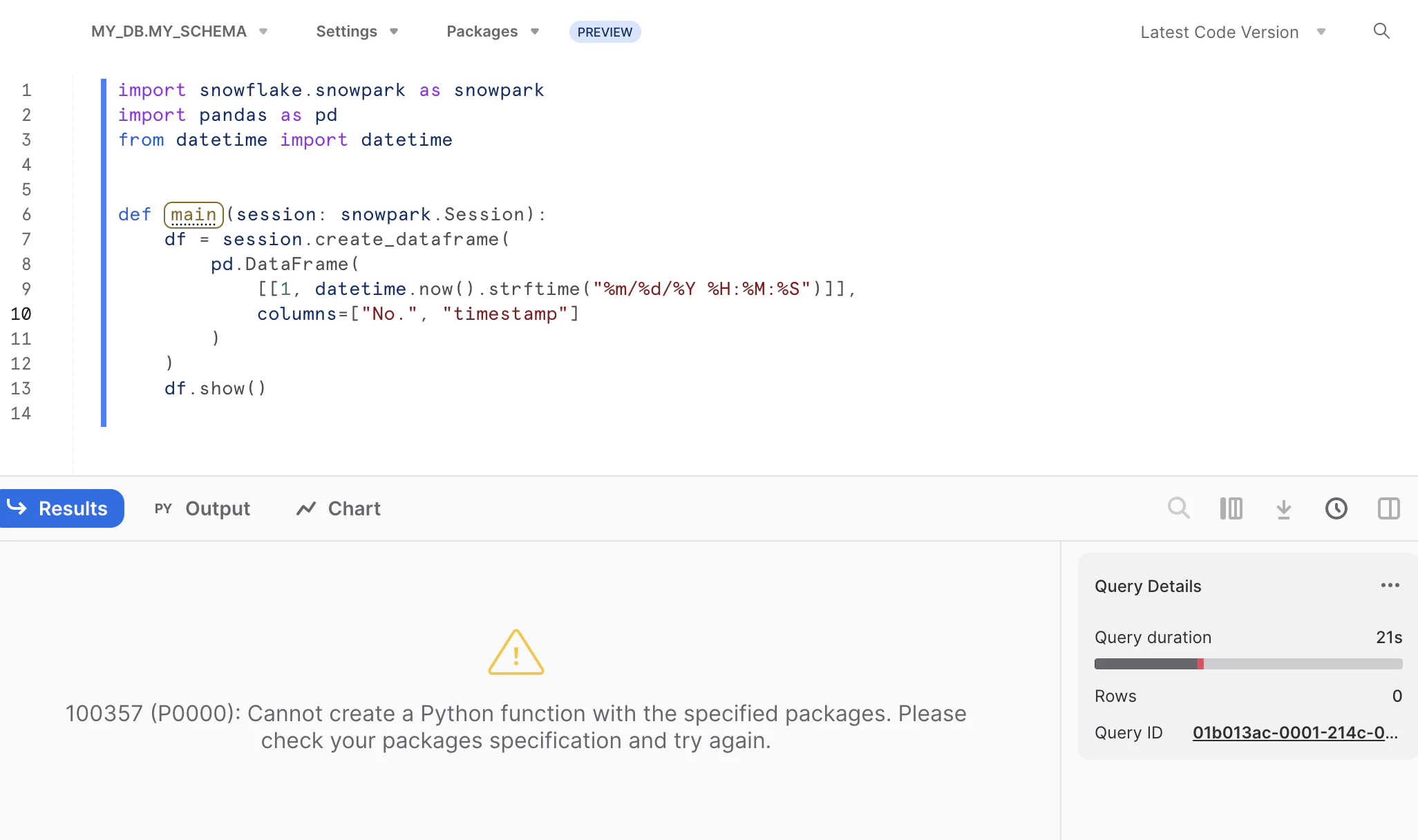
100357 (P0000): Cannot create a Python function with the specified packages. Please check your packages specification and try again.
エラー...?
もしかしてpandasはあかんの?
と思って、とりあえずInstalled Packagesからpandasを外して再実行してみた。
すると...
いけるんかーい。
どうやらPythonワークシートではpandasは指定せずとも使えるらしい。
選択が必須だと勘違いしていた...。
元々pandasを選択していたのか、選択せずに実行していたのか...
最近このような挙動になったのか...
覚えてない。分からない。
念の為pandasバージョンを 2.0.3 -> 1.5.3に変えてみると...
いけた。
バージョン問題でもあるらしい。
何も指定しない場合の挙動は?
確認してみる。
import snowflake.snowpark as snowpark
import pandas as pd


def main(session: snowpark.Session):
    print(pd.__version__)
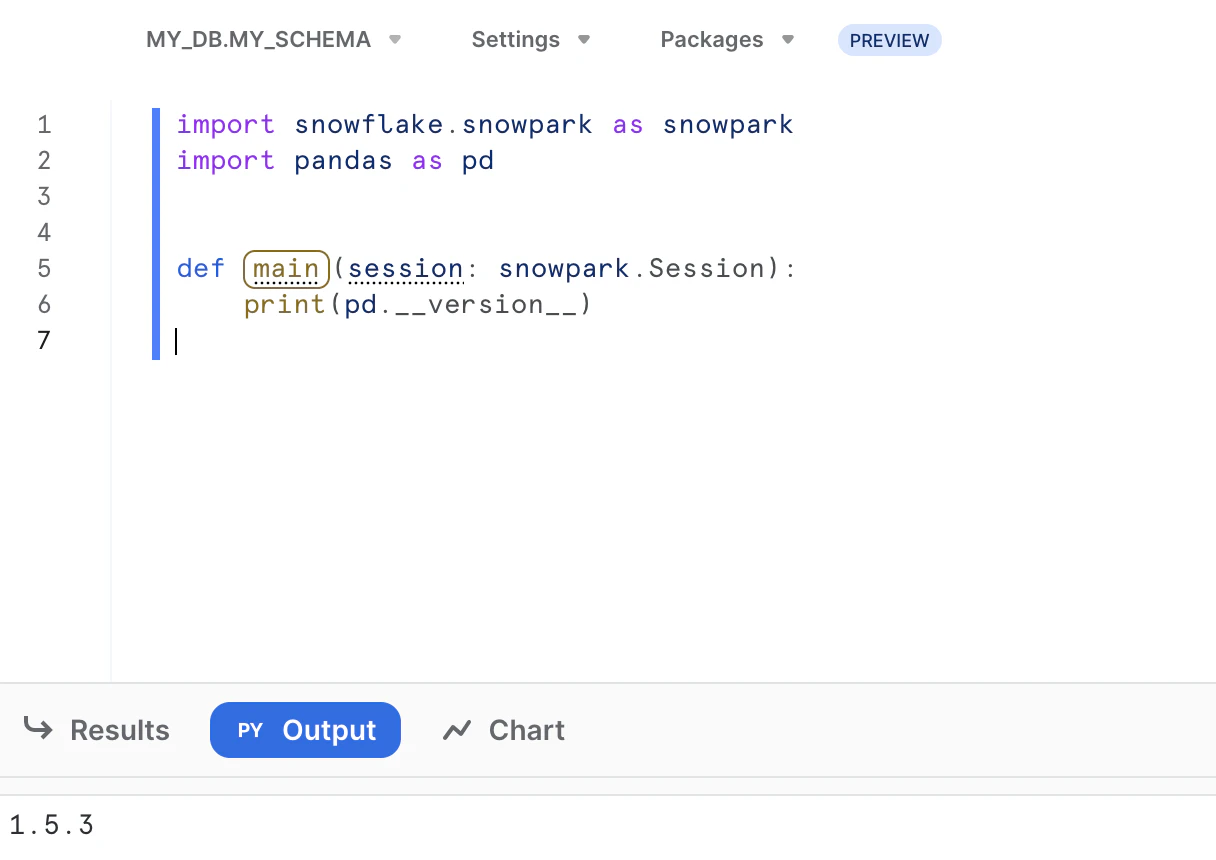
なるほど。
つまり、今(2023/11/3頃)のところは以下の模様。
- pandasパッケージを指定せずとも使える
- 今は1.5.3がPythonワークシートで使用できる最新版
- 指定しない場合はデフォルトでpandas 1.5.3 がインストールされている状態になっている
- あえて指定する場合は使用できるバージョンを選択する
ん〜。
とりあえずミニマムでimportしていたから気付けたからいいものの。
いろんなパッケージを選択してimportしているとなかなか分からんて...