
参考
いろいろ注意
- 過去ログを見る!!!
- USBゲームコントローラー化
結果

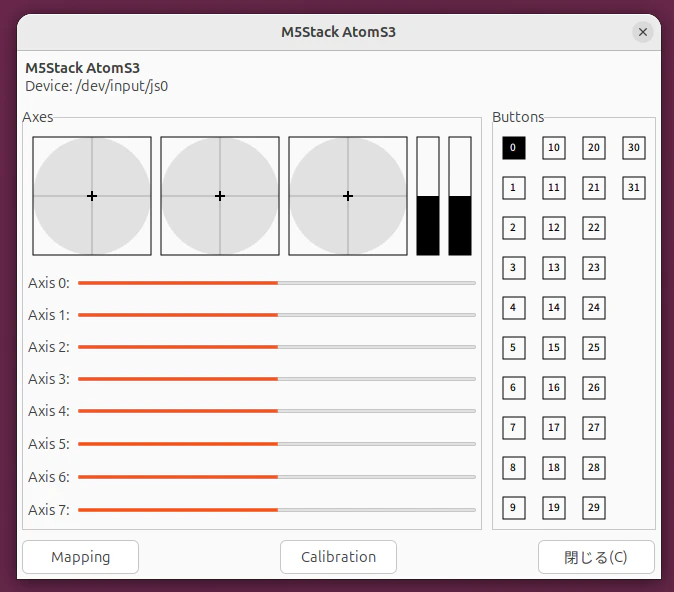

プログラム
//usb_gamepad_a_b_55_atoms3_lite_1


//インクルド
#include <Arduino.h>        //arduino標準
#include "USB.h"            //GamePad関連
#include "USBHIDGamepad.h"  //GamePad関連


//定義
USBHIDGamepad Gamepad;  //GamePad関連
int a_bk = 0;           //aボタンの値の保存


//初期化
void setup() {

  //buttonの初期化
  pinMode(41, INPUT_PULLUP);

  //ゲームバットの初期化たち
  Gamepad.begin();
  USB.begin();

}  //setup


//メインループ
void loop() {

  //ATOM S3 LITEのボタンの読み込み
  int a = digitalRead(41);

  if (a != a_bk) {  //ボタンが変化したら(以前に保存したものと違くなったら)

    if (a == 0) {  //ボタンのON-OFFの処理

      //USBゲームバットのAボタンを押した時
      Gamepad.pressButton(0);

    } else {  //それ以外の処理

      //USBゲームバットのAボタンを離した時
      Gamepad.releaseButton(0);

    }  //end-if a on-off

    // 1ミリ秒待つ(チャタリング対策の処理)
    delay(1);

  }  //end-if a hanten

  //aの値のバックアップ
  a_bk = a;

}  //loop