
参考
いろいろ注意
- 過去ログを見よ!!!
- 抜き挿し、したら動いた
- 書き込みは、Bootボタン押したまま、リセット、Bootボタン離す
- 別の所から5V入力
- USBゲームコントローラー化したATOMS3 LITEを接続
- ATOMS3 LITEのevent.vidは、たまたま、0x303aだった
- 配線は、各自、データシートを確認の事。
- 配線
5V - 5V
D- - D-
D+ - D+
GND - GND
結果
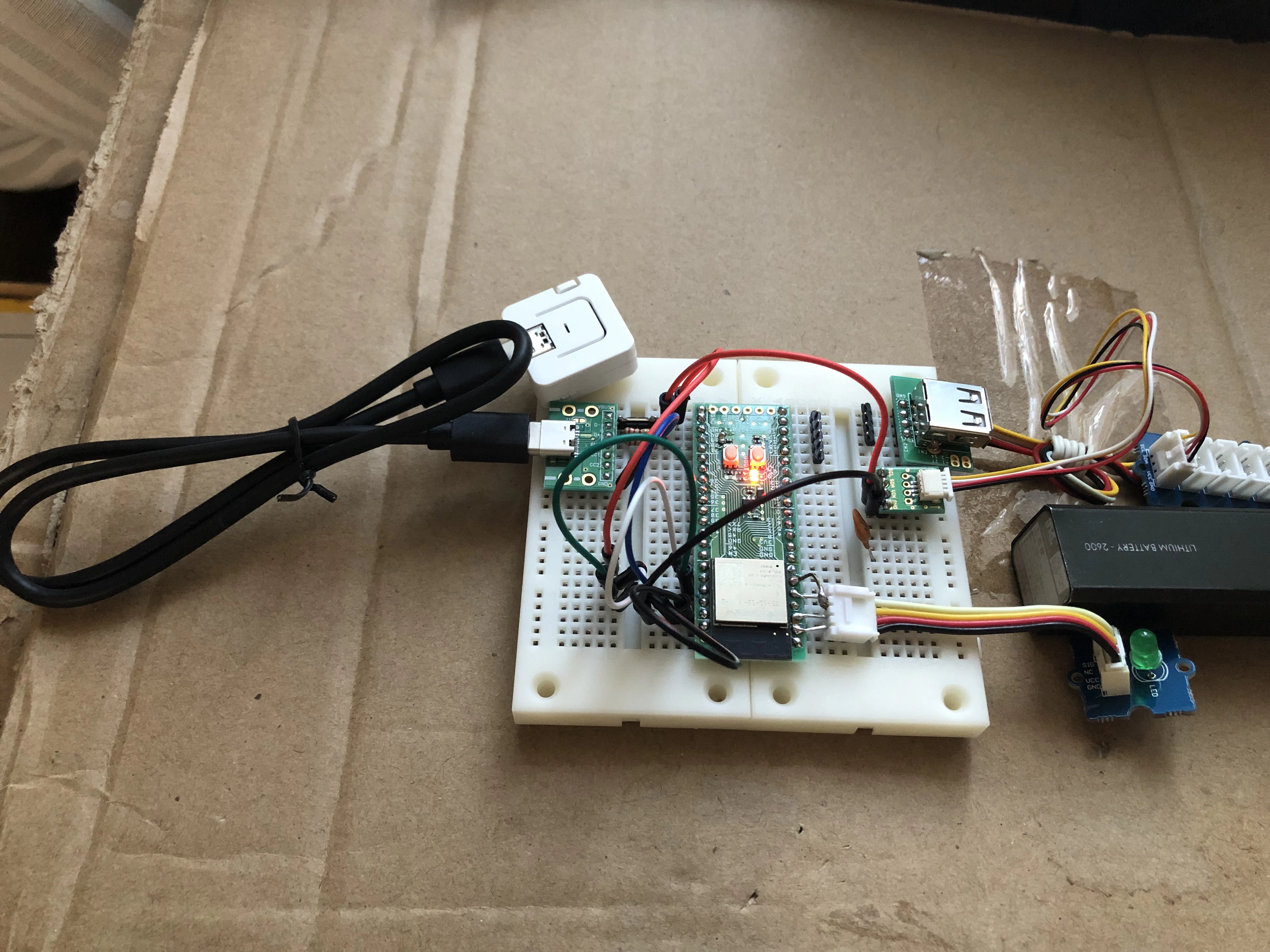

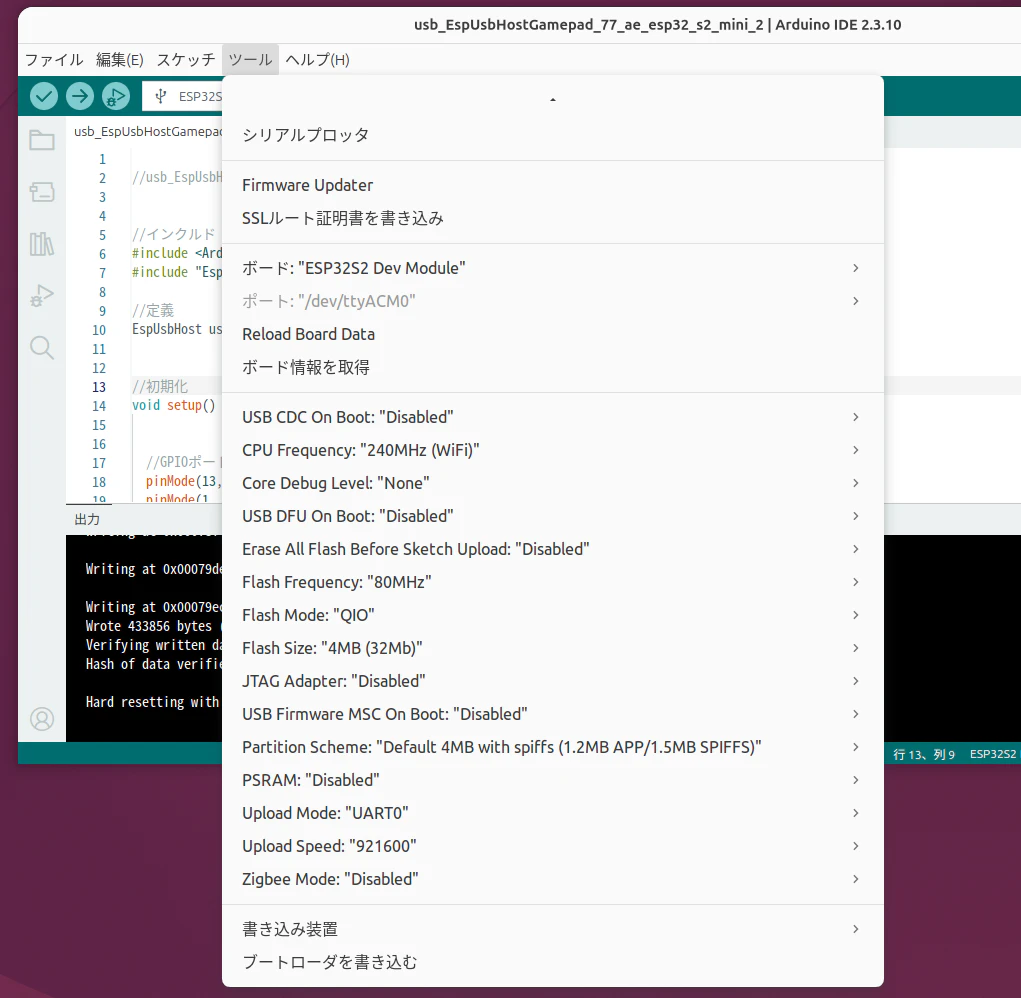
プログラム
//usb_EspUsbHostGamepad_77_ae_esp32_s2_mini_2


//インクルド
#include <Arduino.h>     //arduino標準
#include "EspUsbHost.h"  //USB関連

//定義
EspUsbHost usb;  //USB関連


//初期化
void setup() {


  //GPIOポートの設定
  pinMode(13, OUTPUT);
  pinMode(1, OUTPUT);
  //pinMode(2, OUTPUT);


  //ウェート(待ち) なぜか? 必要!!! (双方の準備に時間が掛る?)
  digitalWrite(13, HIGH);
  delay(1000);
  digitalWrite(13, LOW);
  delay(1000);
  digitalWrite(13, HIGH);
  delay(1000);
  digitalWrite(13, LOW);


  //ゲームパッドの接続イベント
  usb.onDeviceConnected([](const EspUsbHostDeviceInfo &device) {
    digitalWrite(13, HIGH);  //内蔵LEDを光らす
  });


  //ゲームパッドの切断イベント
  usb.onDeviceDisconnected([](const EspUsbHostDeviceInfo &device) {
    digitalWrite(13, LOW);  //内蔵LEDを消灯
  });


  //ゲームパッドからのイベントいろいろ (ゲームパッドのボタンが押されたら)
  usb.onGamepad([](const EspUsbHostGamepadEvent &event) {
    // en: Example mapping. Replace VID/PID and usage choices with your controller.
    // ja: マッピング例です。VID/PIDとusageの選択はコントローラーに合わせて置き換えてください。
    //if (event.vid == 0x054c)
    if (event.vid == 0x303a) {  //caa45040が値を変更


      //変数の定義
      int32_t lx = 0;
      int32_t ly = 0;
      uint32_t buttons = 0;


      //イベントから特定のデータを抽出
      for (size_t i = 0; i < event.fieldCount; i++) {

        //set field
        const EspUsbHostHIDFieldValue &field = event.fields[i];

        if (field.usagePage == 0x01 && field.usage == 0x30) {
          lx = field.value;
        } else if (field.usagePage == 0x01 && field.usage == 0x31) {
          ly = field.value;
        } else if (field.usagePage == 0x09 && field.value && field.usage > 0 && field.usage <= 32) {
          buttons |= 1UL << (field.usage - 1);
        }  //end-if

      }  //end-for ゲームパッドからのイベント抽出の終わり


      //Aボタンが押されたり、離されたりしたら値を反映
      int a = buttons & 1;
      digitalWrite(1, a);  //GROVEポートのLEDに反映

      //Bボタンが押されたり、離されたりしたら値を反映
      //int b = (buttons >> 1) & 1;
      //digitalWrite(2, b); //GROVEポートのLEDに反映


    }  //end-if 特定のゲームパッドの処理の終わり
  });


  //USBの開始
  if (!usb.begin()) {  //失敗か?

    //Lチカさせる
    while (1) {
      digitalWrite(13, HIGH);
      delay(100);
      digitalWrite(13, LOW);
      delay(100);
    }  //end-while

  }  //end-if USB


}  //setup


//メインループ
void loop() {

  delay(1);  //ダミー

}  //lpoop