
はじめに
Power Systems Virtual Server (PowerVS) は、IBM Cloud と Collocation (隣接して設置) のため、IBM Cloud のネットワーク(Virtual Private Cloud, Classic infrastructure) にプライベート・ネットワークで接続するには Direct Link Connect で接続する必要があります。
PowreVS サービスがIBM Cloudでリリースされた当初はチケットを起票してサポートに依頼することが必要でしたが、昨年CLIでの接続可能がリリースされた後、GUIでの設定が提供されました。
当記事はGUIでの PowerVS クラウド接続設定の確認です。
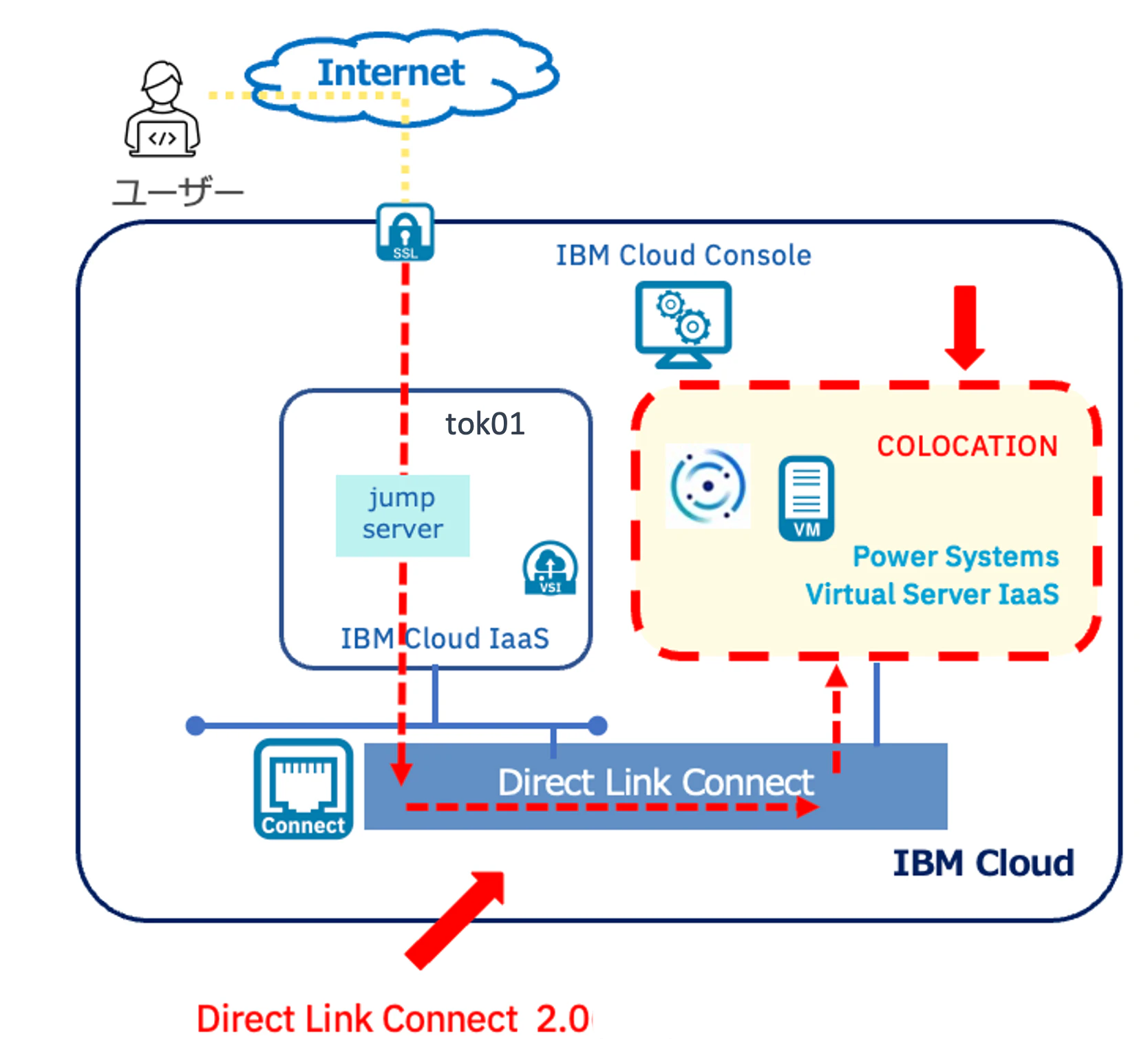
マニュアル:Managing Cloud connections
環境
IBM Cloud
- VPC(Virtual Private Cloud)環境を作成済み
- Power Systems Virtual Serverサービス作成済み
- プライベート・ネットワークを作成済み
設定
(1) 作成済みのPowerVS サービスに移動し「クラウド接続」に移動。
「接続の作成」を押します。

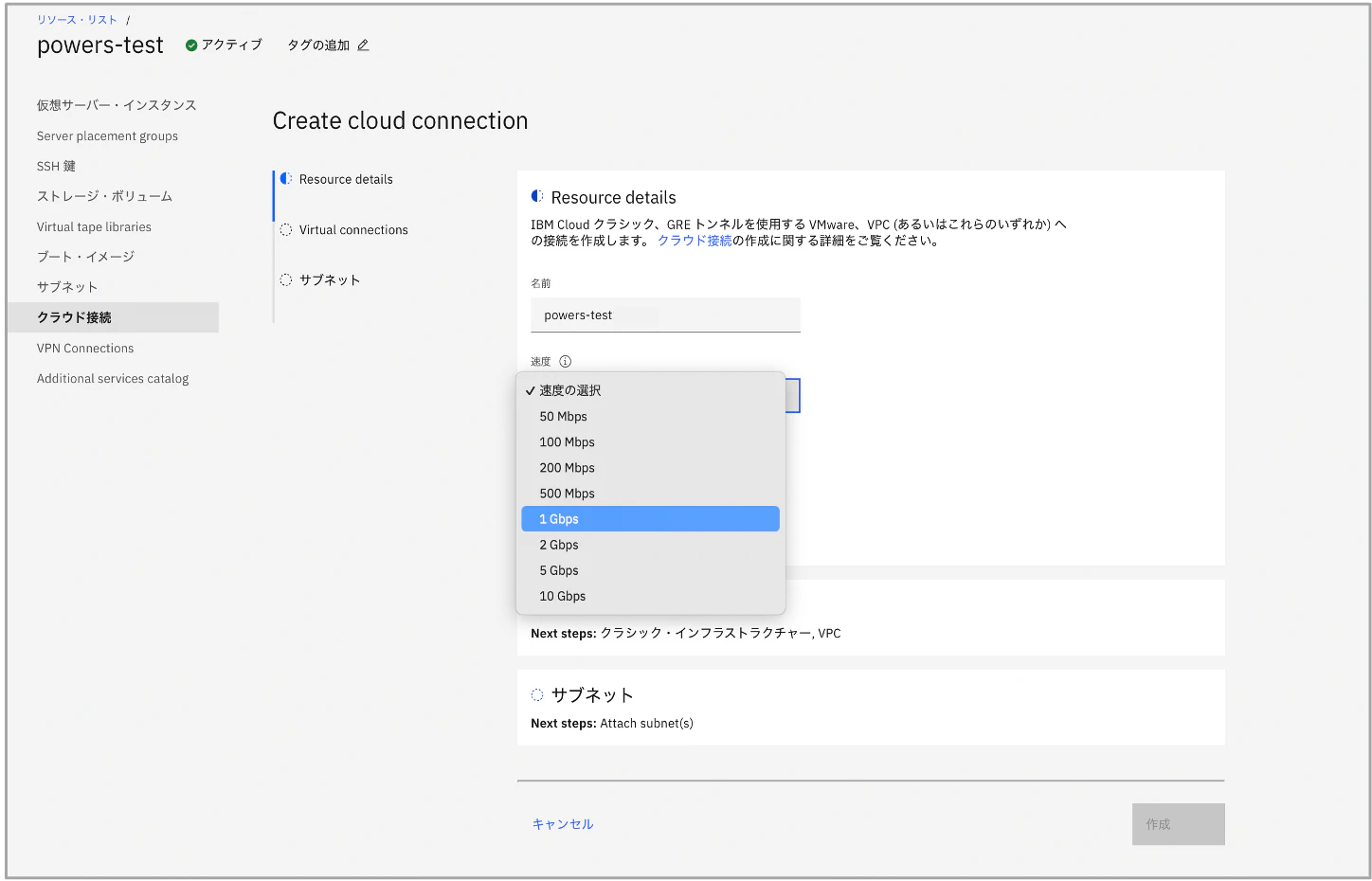
(2) Create cloud connection で名前、速度等、設定します。
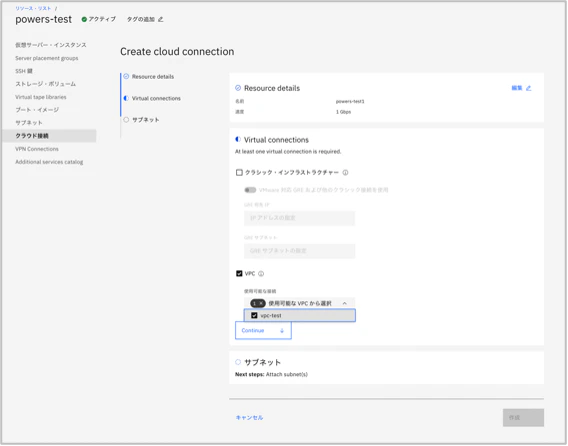
(3) Virtual Connections で IBM Cloud側のネットワークを指定します。
画像では作成済みのVPCを選択しています。
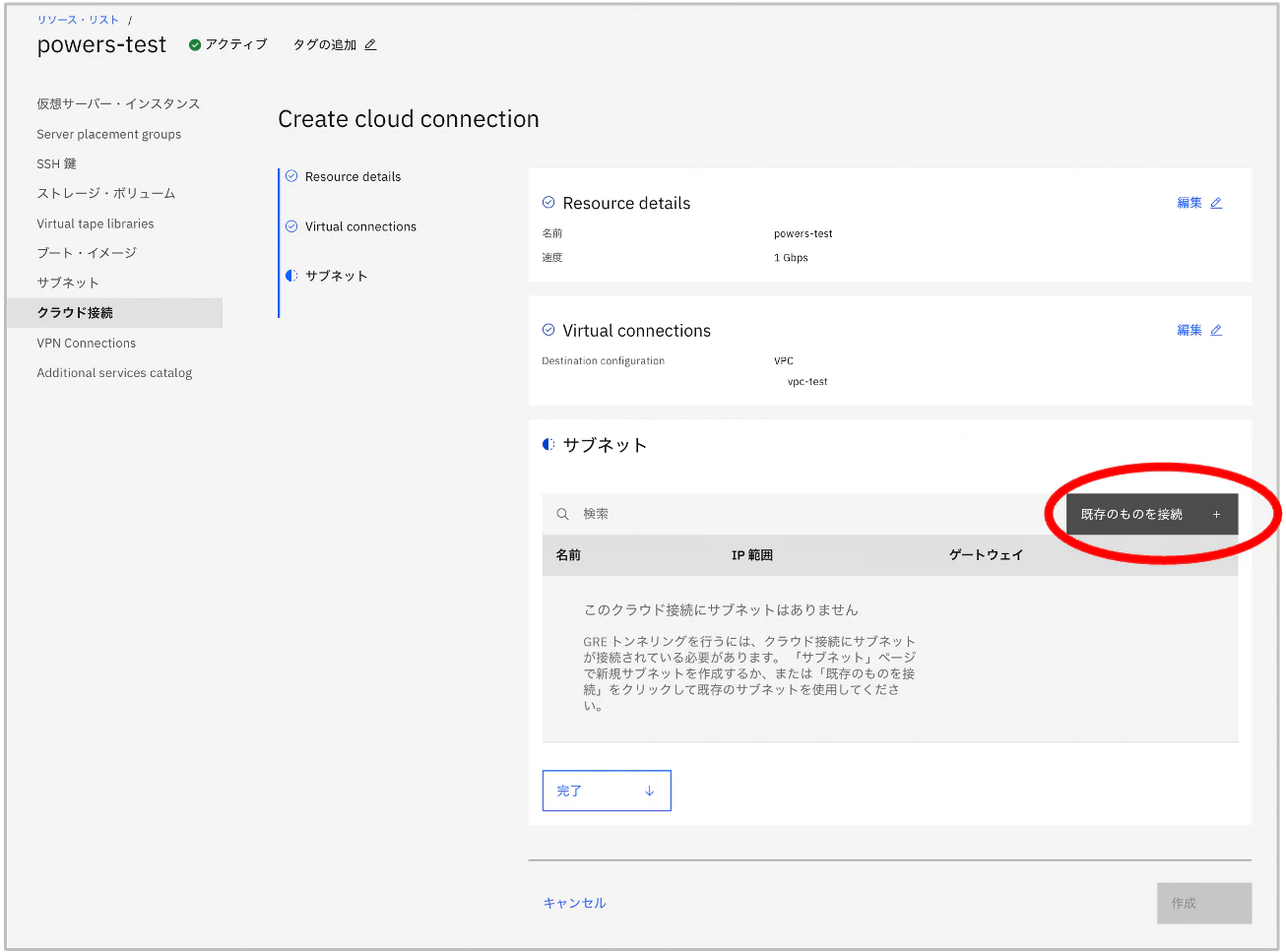
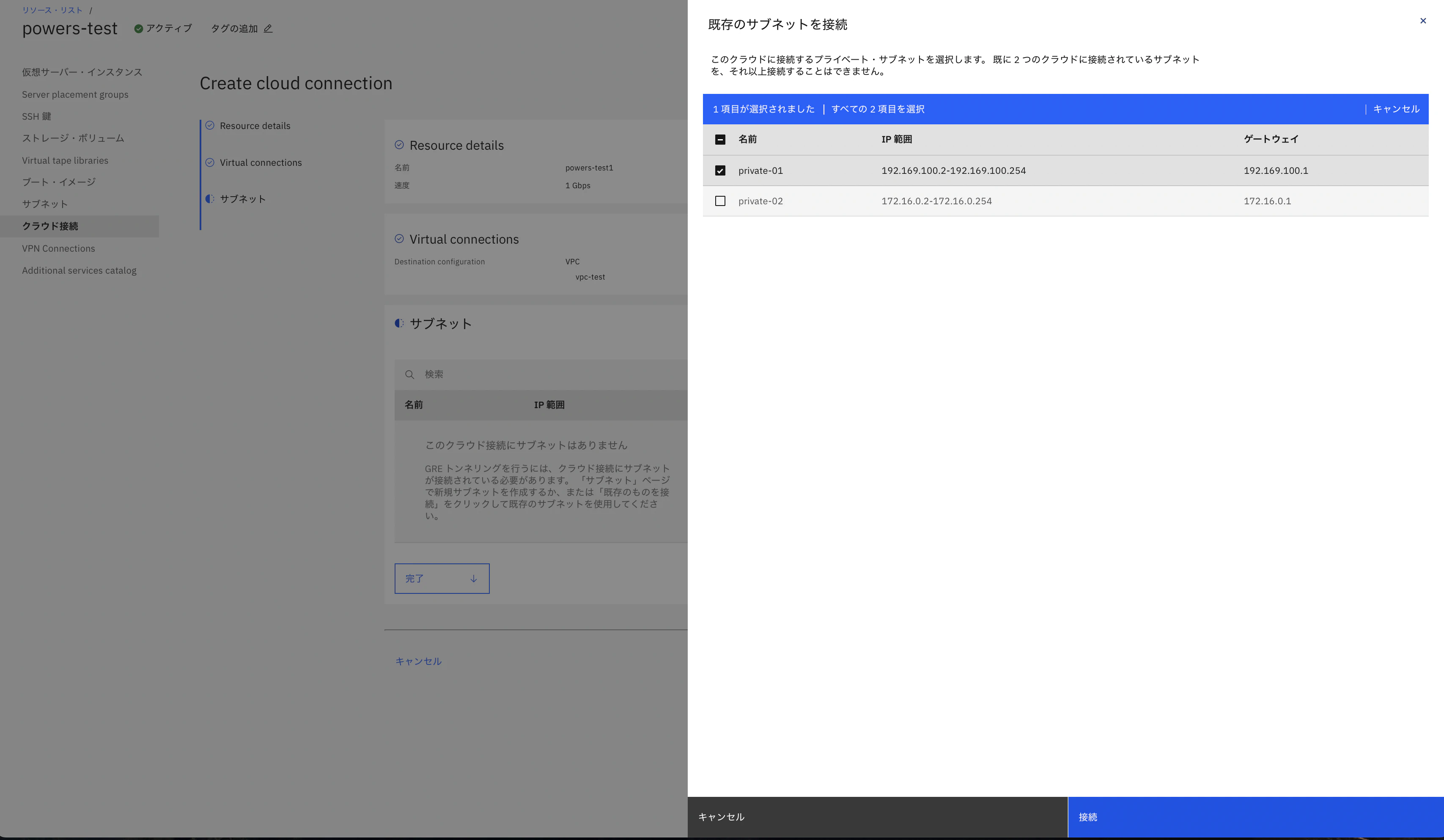
(4) サブネットはPowerVSのサブネットを指定します。「既存のものを接続」を押します。
(5) 既存の PowerVS プライベート・サブネットを選択し「接続」を押します。
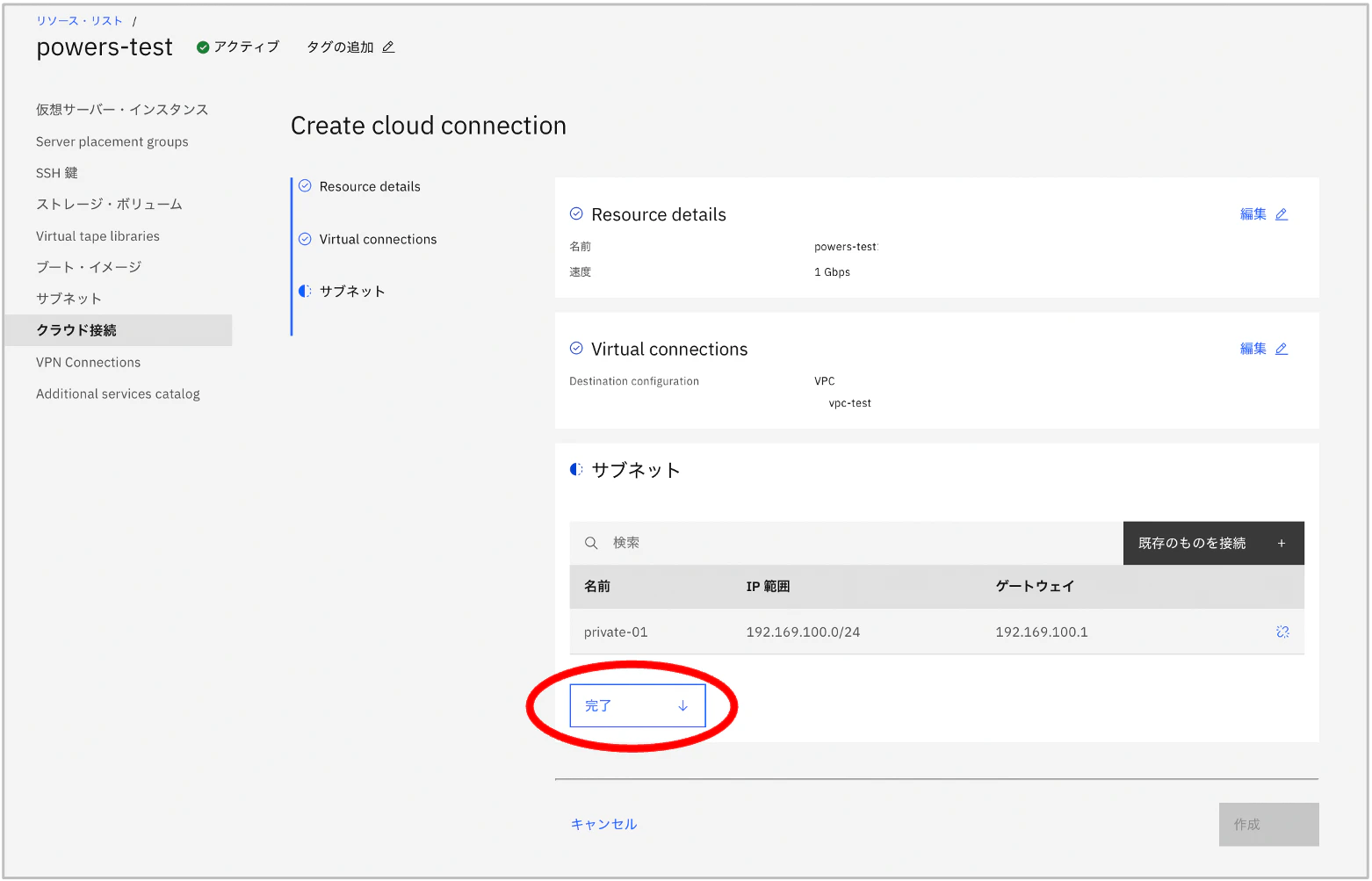
(6) 画面の「完了」を押しサブネットの設定を反映します。
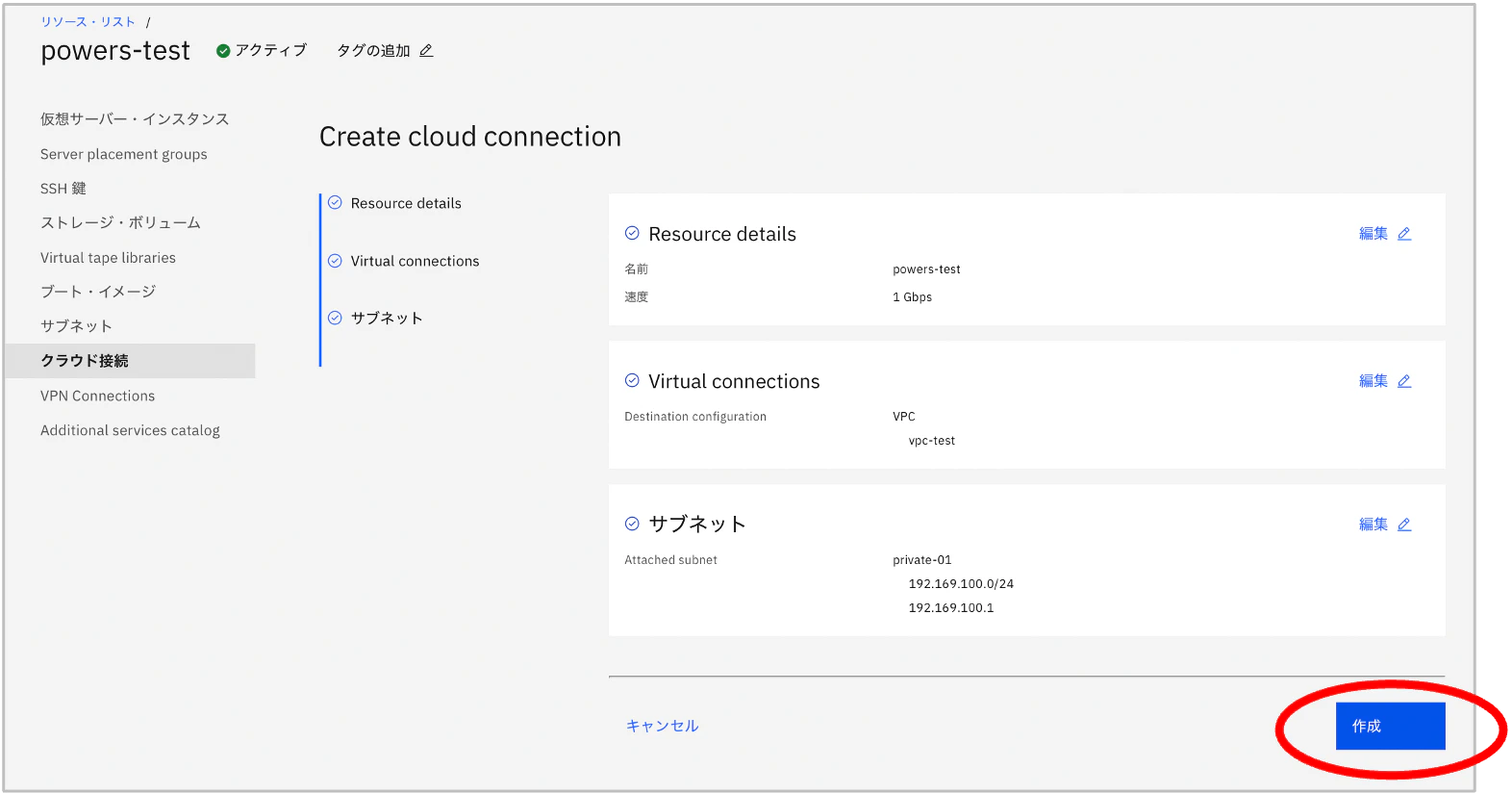
(7) 全ての項目で設定した内容がが入っていることを確認し「作成」を押します。
プロビジョニングには数分時間がかかりました。
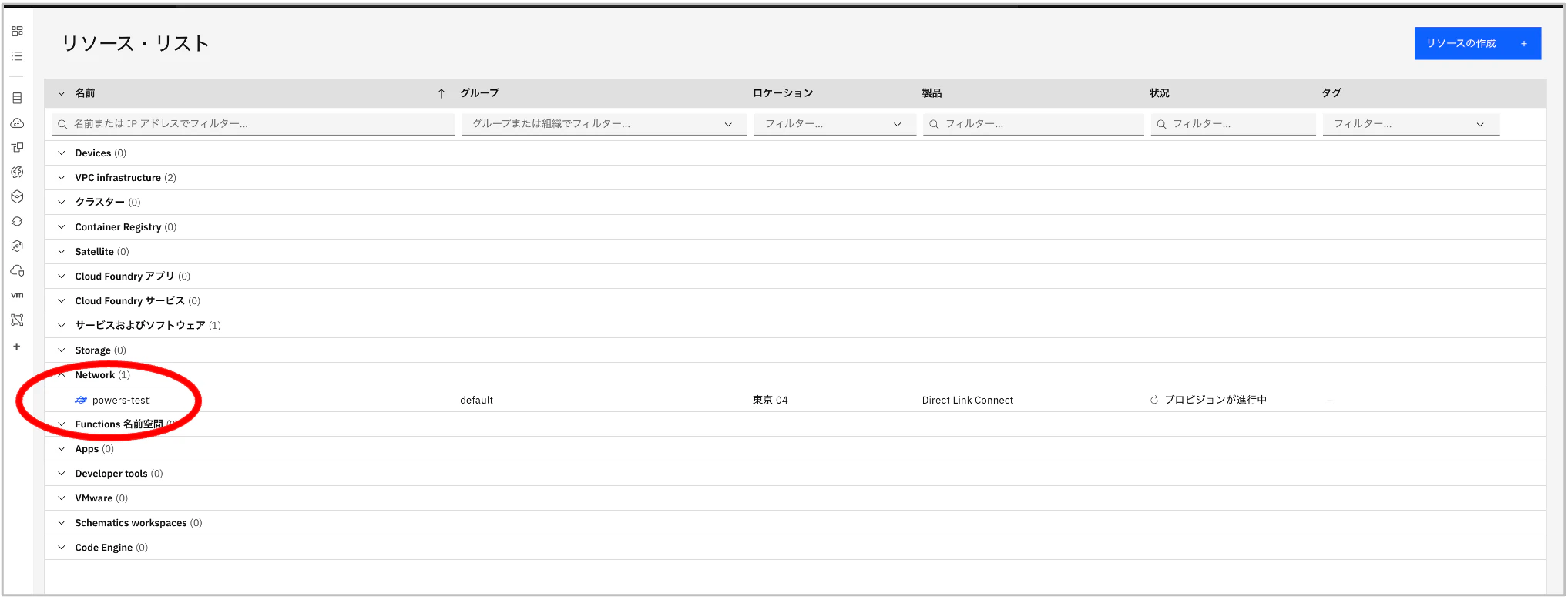
リソース・リストに移動しました。
(8) リソース・リストの Network に項目が追加されていることが確認できます。
(9) 相互接続性 - Direct Link に 「powervs-test」というクラウド接続で指定した名前のネットワークが作成されています。
ネットワークは確立済みで、仮想接続に指定した VPC が設定されています。
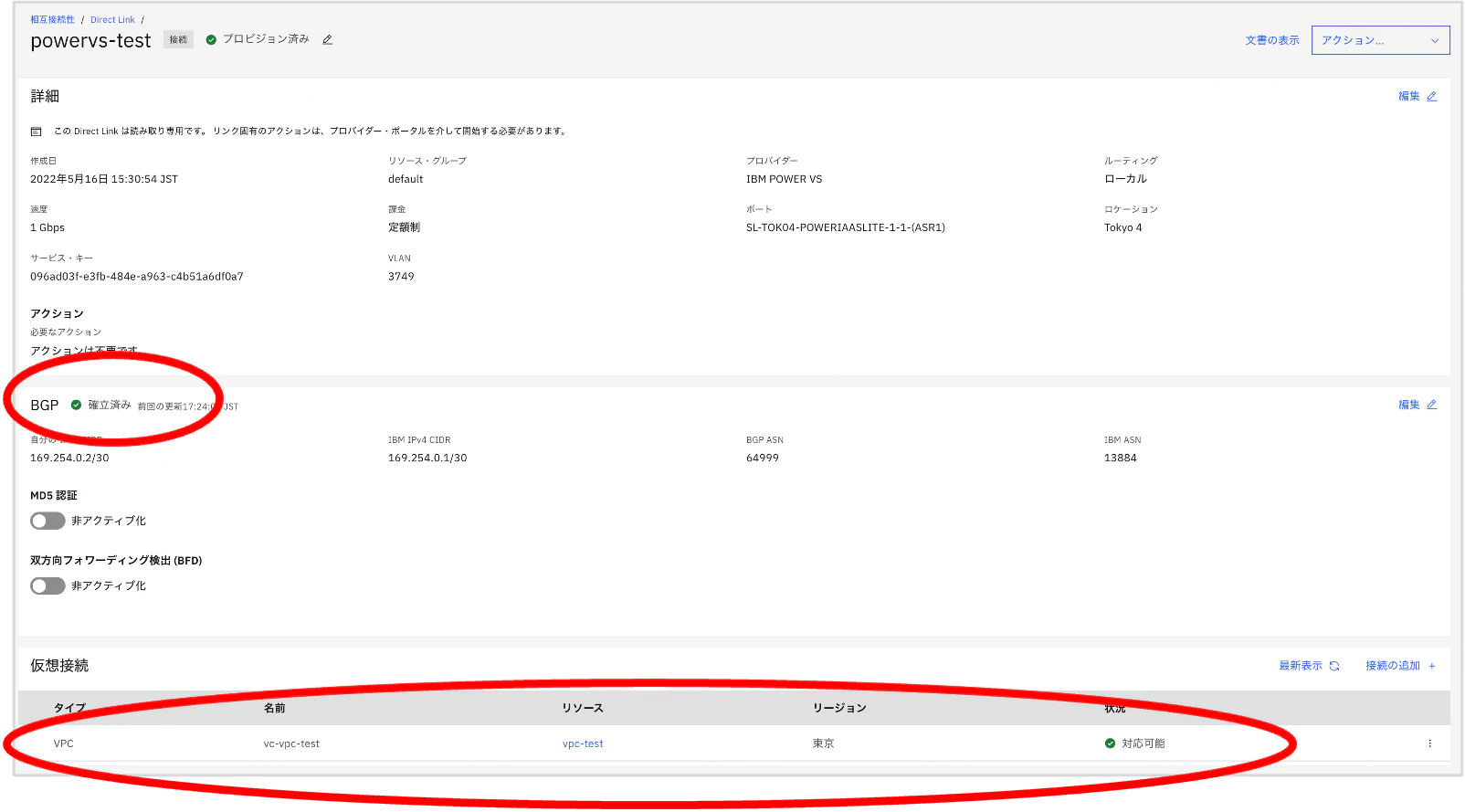
PowerVS サービスに移動します。
(10) PowerVS 側のクラウド接続にも設定したクラウド接続が作成され、接続済みであることが確認できます。

(11) 対象リソースに仮想接続のVPC, PowerVSのサブネットも設定されています。
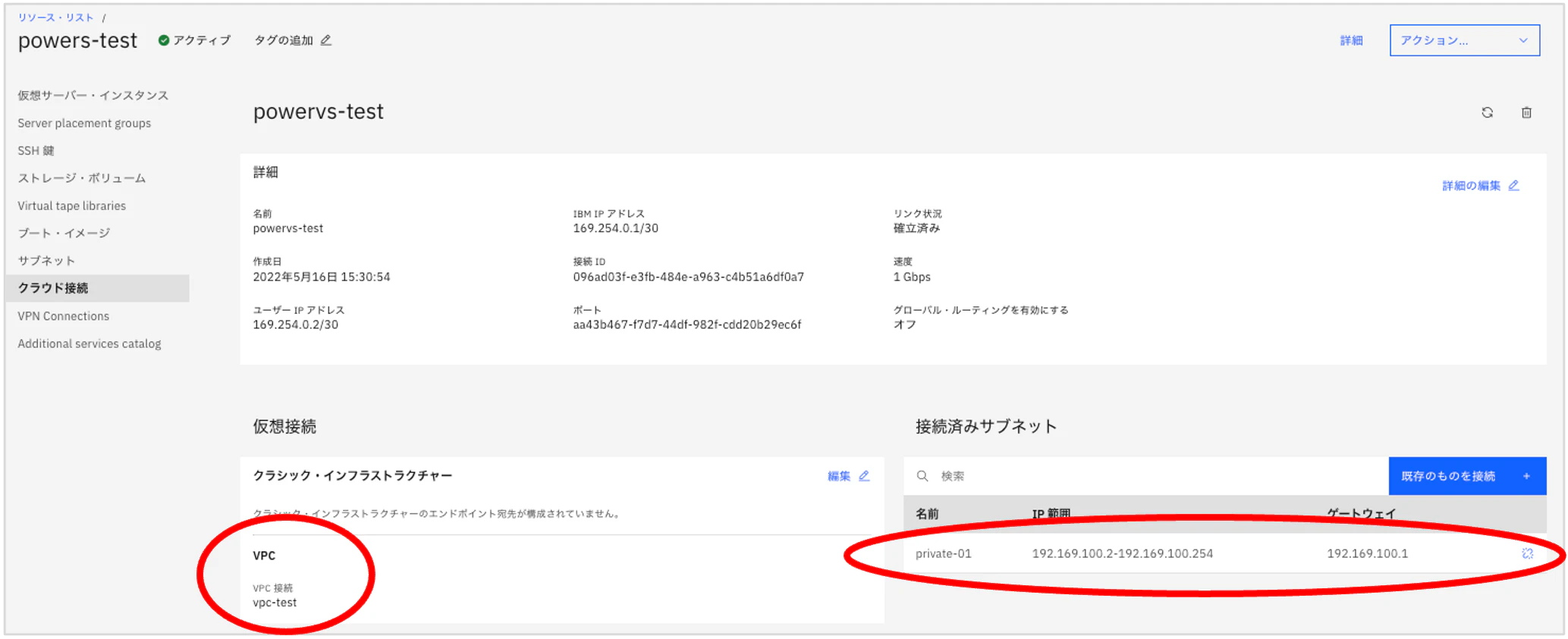
クラウド接続の作成を確認しました。
接続確認
・IBM VPC 側からPowerVS AIX に接続可能かどうかを確認します。
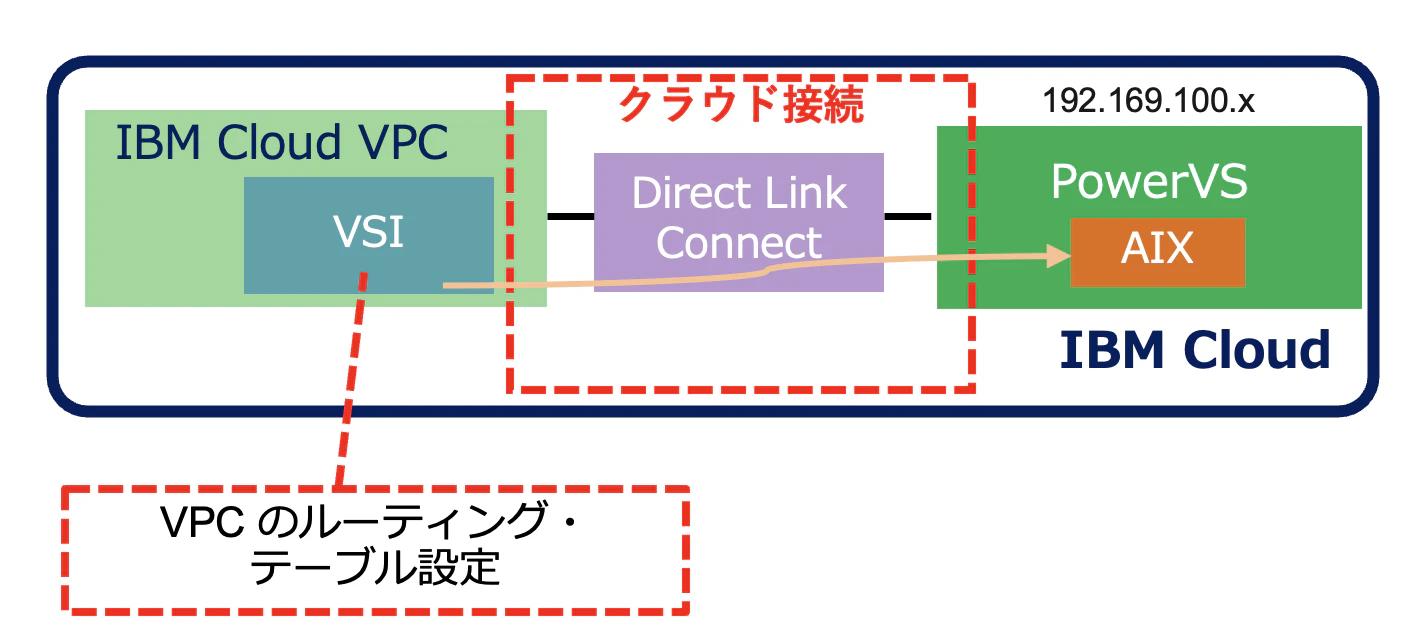
~ VPC ルーティング ~
既存のVPC 環境にクラウド接続で設定した PowerVS のプライベート・ネットワークへのルーティングを設定します。
対象のVPC:
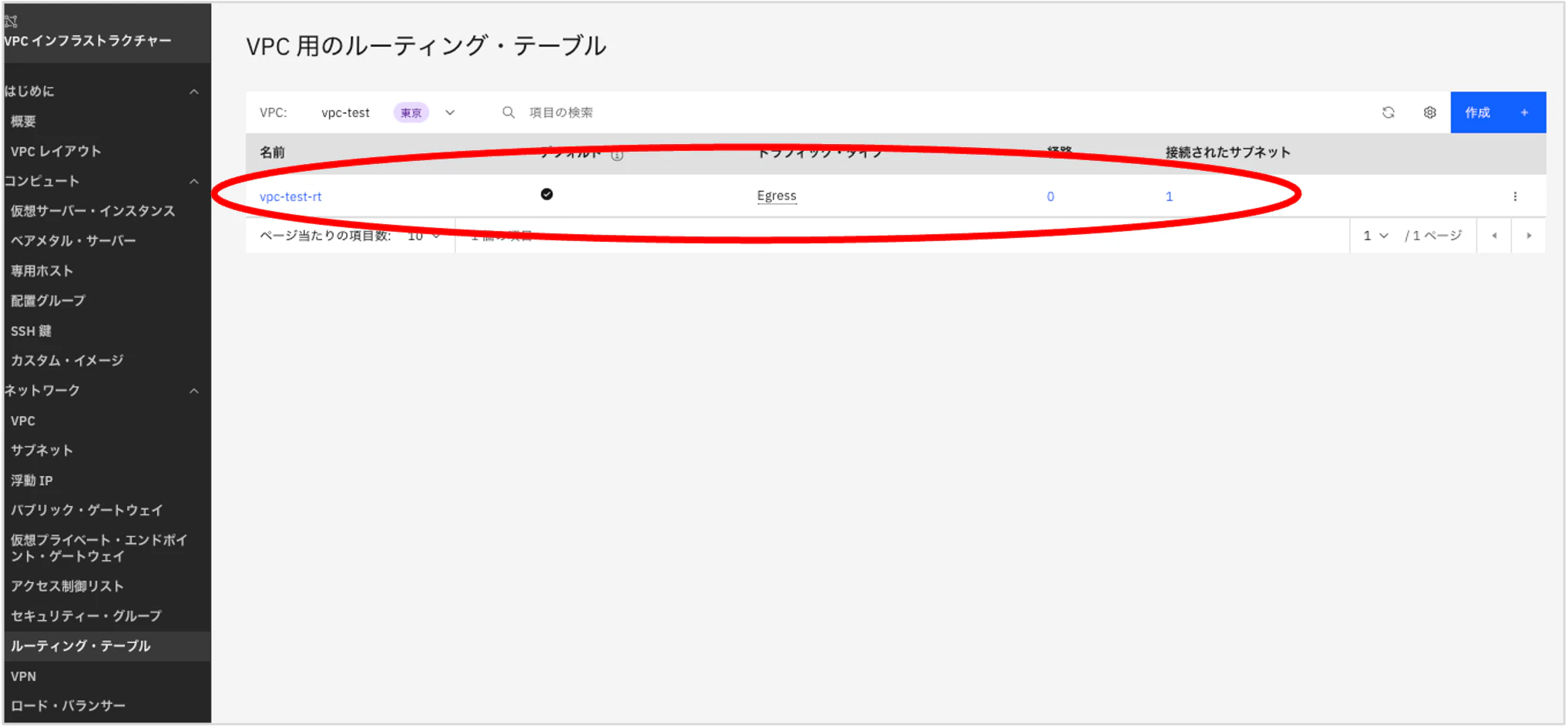
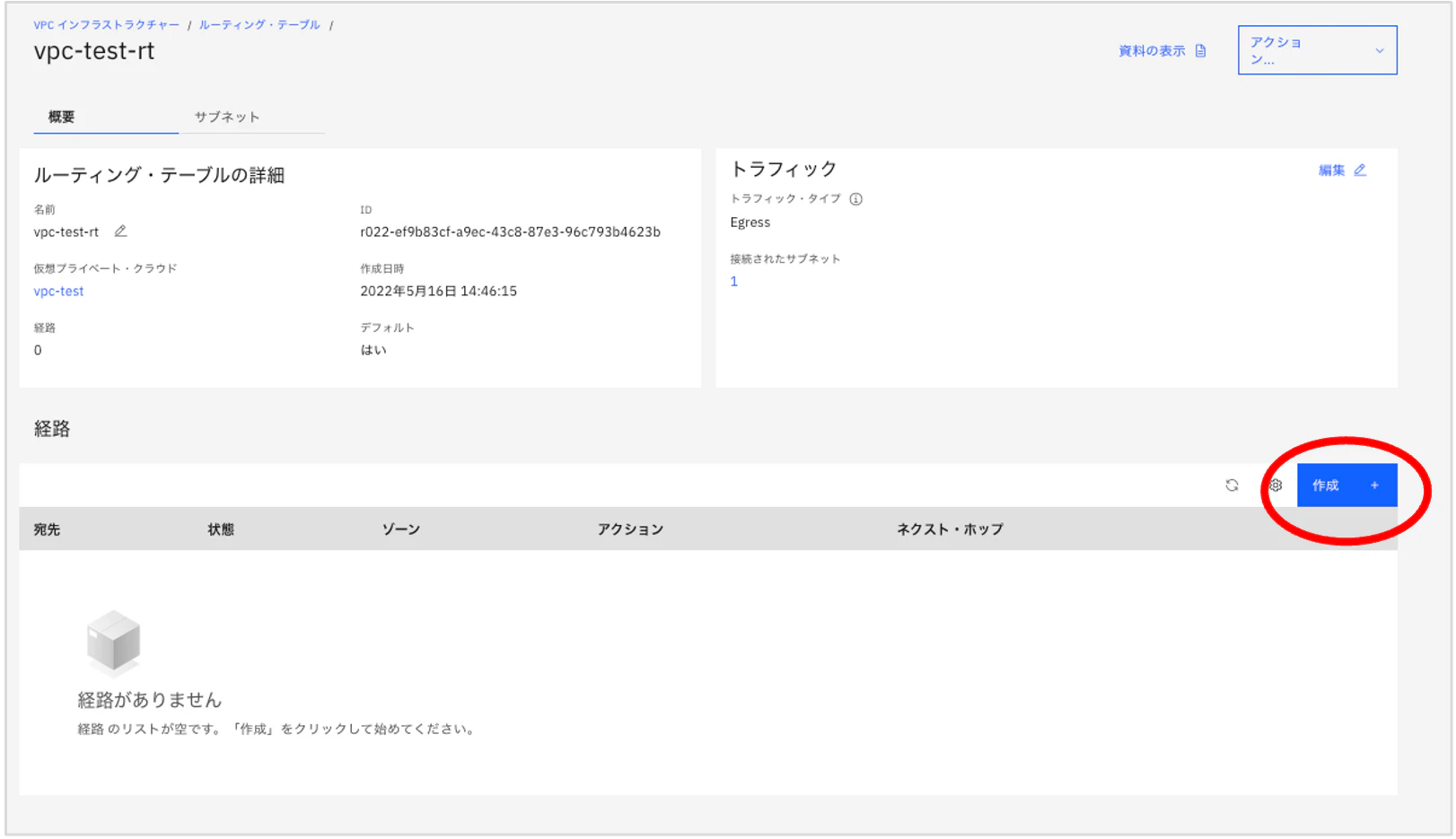
「経路」で「作成」を押します。
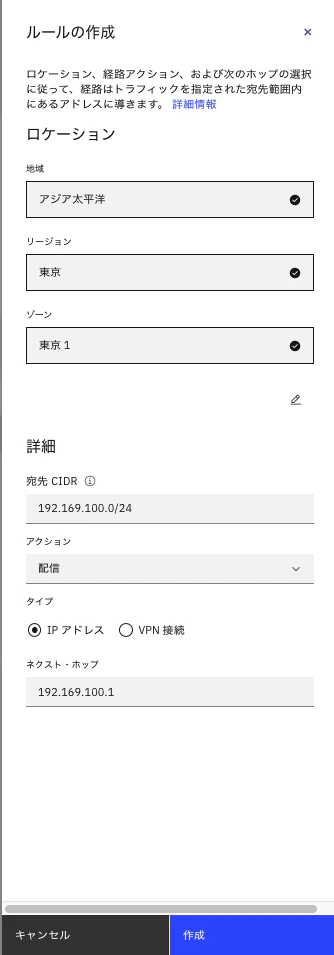
ロケーションでは、VOCが存在するリージョン、ゾーンを指定しています。
ルールの作成で宛先CIDRに PowerVS のプライベート・ネットワーク・サブネット、ネクスト・ホップにPowerVS のプライベート・ネットワークの Gateway を指定し、「作成」を押します。
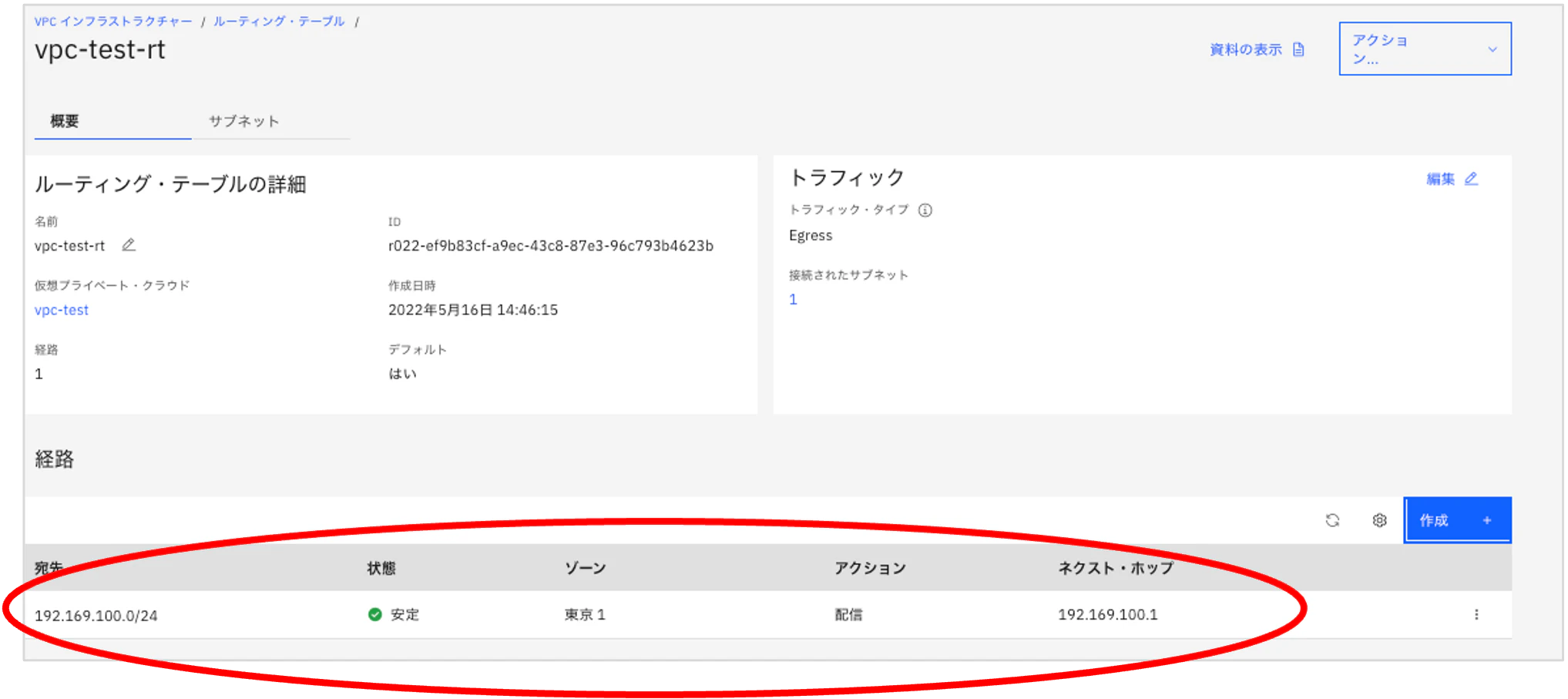
設定した経路が追加されていることが確認できます。
~ VPC VSI と PowerVS VSI の接続確認 ~
・VPC の VSI にログイン
$ ssh -i id_rsa root@<VPC VSI floating IP>
The authenticity of host ‘xxx.xxx.xxx.xxx (xxx.xxxx.xxx.xxx)' can't be established.
ED25519 key fingerprint is SHA256:2vutEymJI0Am87Dk07eJPdWJYLQ50KNeeJE4Zlmxqxw.
This key is not known by any other names
Are you sure you want to continue connecting (yes/no/[fingerprint])? yes
Warning: Permanently added ‘xxx.xxxx.xxx.xxx' (ED25519) to the list of known hosts.
Welcome to Ubuntu 22.04 LTS (GNU/Linux 5.15.0-1002-ibm x86_64)
・IBM Cloud VPC VSI から PowerVS AIX の IP アドレスに ping を実施
# ping 192.169.100.x
PING 192.169.100.3 (192.169.100.x) 56(84) bytes of data.
64 bytes from 192.169.100.x: icmp_seq=1 ttl=245 time=1.45 ms
64 bytes from 192.169.100.x: icmp_seq=2 ttl=245 time=1.51 ms
64 bytes from 192.169.100.x: icmp_seq=3 ttl=245 time=1.45 ms^C
--- 192.169.100.x  ping statistics ---
1 packets transmitted, 1 received, 0% packet loss, time 0ms
rtt min/avg/max/mdev = 1.555/1.555/1.555/0.000 ms
=> 疎通が確認できています。
・IBM Cloud VPC VSI から PowerVS AIX にssh でログイン
# ssh root@192.169.100.x
The authenticity of host '192.169.100.x (192.169.100.x)' can't be established.
RSA key fingerprint is SHA256:mIzh4zRsXO4K9S+VfnyJnRQGcp5GkpqoCpW+oS433co.
This key is not known by any other names
Are you sure you want to continue connecting (yes/no/[fingerprint])? yes
Warning: Permanently added '192.169.100.x' (RSA) to the list of known hosts.
root@192.169.100.x's password:
Last login: Tue May 24 22:03:10 CDT 2022 on /dev/vty0
*******************************************************************************
*                                                                             *
*                                                                             *
*  Welcome to AIX Version 7.2!                                                *
*                                                                             *
*                                                                             *
*  Please see the README file in /usr/lpp/bos for information pertinent to    *
*  this release of the AIX Operating System.                                  *
*                                                                             *
*                                                                             *
*******************************************************************************
#
VPC VSI から PowerVS AIX にログインできました!
おわりに
GUI でのクラウド接続作成を確認し IBM Cloud VPC 環境からの疎通を確認しました。
以上です。