
A human-machine interface is the part of a device that users notice first. It is where they read system status, change settings, respond to alarms, start operations, and understand what the machine is doing. In older embedded products, an HMI was often a small LCD with a few buttons or a simple touch menu. That approach is still useful in many cost-sensitive devices, but modern products often require much more.
Today, users expect touch panels that look clean, react quickly, connect to networks, support multiple languages, show clear graphics, and receive software updates after installation. This is why many product teams now consider an Android SBC for HMI development.
An Android SBC combines a single-board computer with the Android operating system. It can drive a display, process touch input, run an application, communicate with external devices, and support network services. For many embedded products, this creates a practical middle ground between a low-level microcontroller interface and a larger industrial PC platform.
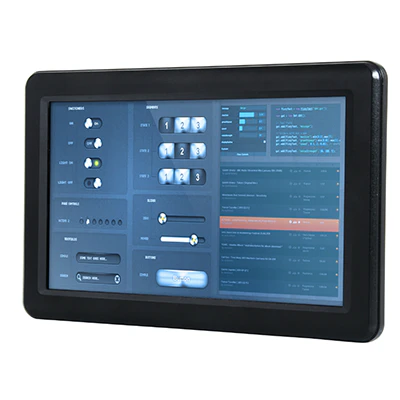
Understanding Android SBC-Based HMI Design
An Android SBC for HMI is an embedded computer board used as the main platform for a graphical control interface. It usually includes an ARM processor, memory, onboard storage, display output, touch interface, power management, communication ports, wireless modules, and expansion interfaces.
In a real product, the board is normally connected to a TFT LCD, a capacitive touch panel, a housing, a power supply, speakers, sensors, and external control circuits. The Android system provides the operating environment, while the HMI application provides the actual user screens.
These screens may show operating status, machine parameters, menu options, fault alarms, maintenance instructions, user permissions, system settings, or cloud connection information. In some designs, the board also works as a local data gateway by collecting information from controllers and sending it to a server.
This makes the Android SBC more than a display controller. It becomes the center of the embedded interface system. It handles graphics, input, communication, storage, application logic, and update management.
Why Android Fits Many HMI Projects
Android is useful in HMI products because it already includes many features that modern interface systems need. It has a mature graphical framework, touch input support, multimedia functions, network services, file management, application deployment tools, and a large software ecosystem.
For development teams, this can reduce the amount of low-level work. Instead of building a complete user interface framework from scratch, engineers can focus on product functions, communication logic, and user experience. Android developers can build interfaces with familiar tools and languages, such as Java, Kotlin, native C++, or cross-platform frameworks.
This is especially valuable when the HMI needs a polished visual style. Page transitions, icons, lists, pop-up windows, language switching, media playback, and settings menus are easier to implement in Android than in many basic embedded GUI environments.
Android also helps when the product needs connectivity. Wi-Fi setup, Bluetooth pairing, Ethernet networking, cloud communication, camera access, audio prompts, QR code scanning, and local data storage are common requirements in modern HMI devices. Android already provides mature support for many of these functions.
Another benefit is update flexibility. In many systems, the main HMI application can be updated as an APK without replacing the full firmware image. This is useful for products that need customer-specific interfaces, new functions, bug fixes, or UI improvements after deployment.
Where Android SBC HMI Platforms Are Used
Android SBCs are suitable for many types of HMI products. In industrial automation, they can be used as operator panels for machines, test equipment, production lines, or monitoring systems. They can display process values, alarm logs, configuration menus, maintenance guides, and production data.
In smart home and building automation, Android control panels are common because they provide a familiar touch experience. A wall-mounted panel may control lighting, curtains, air conditioning, security, access control, energy usage, audio systems, and scene settings. In this type of product, interface design is a major part of the user experience.
Medical and healthcare equipment can also use Android-based HMI platforms. The interface may show measurement data, device status, operating guidance, warning messages, and setup options. Clear visual design and stable operation are important because users must understand information quickly and correctly.
Commercial terminals are another strong application area. Self-service kiosks, POS terminals, vending machines, ordering systems, access terminals, and ticketing devices often require touch input, network connection, audio output, camera or scanner support, and remote maintenance. An Android SBC can combine these functions in a compact embedded platform.
Energy equipment is also moving toward richer interfaces. EV chargers, battery storage systems, solar inverters, and power management terminals may use Android HMI panels to show charging status, payment information, authentication pages, operating logs, fault messages, and cloud monitoring data.
Key Hardware Elements
The processor is the foundation of the Android SBC. Most Android SBC platforms use ARM-based SoCs. These SoCs integrate CPU cores, GPU, display controllers, video processing blocks, memory interfaces, and many peripheral functions.
The CPU affects application speed, background tasks, protocol handling, and general system response. A simple control panel may work well with a modest quad-core processor. A more advanced panel with animations, video playback, real-time charts, browser components, and cloud services will need more computing headroom.
The GPU affects the smoothness of the user interface. When the HMI uses a high-resolution display or complex graphical effects, graphics performance becomes important. A weak GPU may cause slow page changes, poor animation, or delayed visual response.
RAM capacity should be selected with long-term operation in mind. An entry-level Android HMI may run with 1GB or 2GB RAM, but more complex applications often benefit from 4GB or higher. If the system runs background services, local databases, network tasks, logging, and rich UI pages, limited RAM can reduce stability.
Storage is usually eMMC in production devices. Compared with removable storage, eMMC offers better reliability, speed, and manufacturing consistency. The storage size should allow room for the Android system, applications, logs, update files, user data, and future expansion.
The power system also needs careful planning. Some HMI products use 12V input, others use 24V industrial power, PoE, or a custom power supply board. The design should protect the system from voltage variation, surge, noise, and unstable input conditions.
Display Integration Matters
The display is the most visible part of an HMI product. A good Android SBC must support the target LCD not only at the connector level, but also at the timing, power, driver, and system configuration level.
Common display interfaces include RGB, LVDS, MIPI DSI, HDMI, and eDP. The correct interface depends on screen size, resolution, cable length, mechanical layout, electromagnetic interference requirements, and component availability.
Small HMI products may use RGB or MIPI DSI displays. Medium and larger industrial panels often use LVDS or HDMI. A compact 5-inch control device may prefer MIPI DSI because it reduces wiring complexity. A 10.1-inch industrial terminal may use LVDS because it is stable and widely supported.
Backlight design is another important part of display integration. Brightness control, PWM settings, dimming range, power consumption, and sleep behavior all affect the user experience. In outdoor or bright indoor environments, the display may require high brightness, IPS viewing angles, optical bonding, anti-glare glass, or other enhancements.
Display choices affect the rest of the product. A brighter screen consumes more power and creates more heat. A different interface may change the PCB layout and cable routing. A thicker display module may affect the enclosure. For this reason, display selection should happen early in the design process.
Touch Panel Design
Most Android HMI products use projected capacitive touch panels. Capacitive touch provides a familiar operating experience and supports smooth interaction. The touch controller usually connects through I2C or USB.
In software, the Android system must receive touch coordinates correctly and match them to the display orientation. If the display is rotated, the touch mapping may need adjustment. The driver must also handle wake-up, interrupt signals, and power management correctly.
Real touch performance depends on the full product structure. Cover glass thickness, grounding, cable routing, enclosure material, humidity, water droplets, gloves, and electrical noise can all affect touch stability. A touch panel that works well during open testing may behave differently inside a finished enclosure.
Industrial environments can be more difficult. Motors, relays, switching power supplies, and long cables can create interference. If the touch panel is used near high-noise equipment, anti-interference tuning becomes important.
Some projects require special functions such as glove operation, wet-hand touch, thick cover glass support, or customized sensitivity. These requirements should be confirmed before selecting the touch controller and finalizing the mechanical structure.
Android or Linux: Which Is Better for HMI?
Android SBCs and Linux SBCs can both be good choices for HMI development. The best option depends on the product.
Android is usually stronger when the product needs a modern graphical interface, rich touch interaction, multimedia features, cloud connectivity, wireless setup, and frequent UI updates. It is also attractive when the software team already has Android development experience.
Linux is often stronger when the product needs a lightweight system, faster boot time, lower overhead, direct hardware access, and deep system customization. Linux HMI applications are often built with Qt, LVGL, GTK, browser engines, or custom graphics frameworks.
For example, a smart home panel with animated pages, Wi-Fi configuration, cloud control, and media features may fit Android well. A simple industrial controller with a few parameter pages and strict resource requirements may be better suited to Linux.
The operating system should not be selected only by habit. It should be selected according to interface complexity, hardware control needs, development resources, maintenance expectations, and the product lifecycle.
Customizing Android for a Dedicated HMI
A production Android HMI should not feel like a generic tablet. It should behave like a dedicated product. Users should normally see only the product interface, not the standard Android environment.
Common customization work includes changing the boot logo, launching the HMI application automatically, hiding the navigation bar, disabling the status bar, restricting system settings, removing unnecessary applications, controlling permissions, and enabling kiosk behavior.
Hardware access also requires planning. Android applications do not always have direct standard access to RS485, CAN, GPIO, relay outputs, or special UART ports. The board vendor may need to provide SDKs, native libraries, JNI interfaces, device nodes, or system services.
For example, the application may need to communicate with a PLC through RS485, send Modbus commands, control a relay through GPIO, receive data from a sensor through UART, or read external input signals. These functions require coordination between the application layer, Android framework, Linux kernel, device tree, and hardware design.
OTA update strategy should also be defined early. Some products only update the application. Others require full firmware updates. A reliable field update system should handle download failure, power interruption, installation errors, and recovery.
Communication Interfaces in HMI Systems
An HMI often connects users to external equipment. It may communicate with PLCs, sensors, microcontrollers, motor drivers, building systems, cloud servers, or mobile apps.
RS485 is common in industrial control because it supports robust communication over longer distances. It is often used with Modbus RTU. CAN is common in energy systems, vehicle-related products, and certain industrial control applications. Ethernet provides stable wired communication for local networks and servers.
Wi-Fi is useful for smart home panels, commercial terminals, and devices where network cabling is not practical. Bluetooth can support local setup, mobile pairing, or short-range interaction. USB can be used for barcode scanners, cameras, keyboards, storage devices, and maintenance tools. GPIO can control simple signals such as buttons, LEDs, relays, and status inputs.
When selecting a board, engineers should check more than the interface list. They should verify driver stability, electrical protection, isolation needs, connector quality, API access, and long-term communication reliability.
In some products, the Android SBC also performs edge gateway functions. It collects data from local devices, processes or displays it, and sends selected information to a cloud platform. This makes communication reliability and software architecture even more important.
Performance and Thermal Planning
The performance requirement of an Android HMI depends on the actual application. A simple menu-based interface may not require high-end hardware. A high-resolution panel with video, animation, charts, browser views, database storage, and cloud communication needs more resources.
Display resolution is a major factor. A 1280x800 screen requires more graphics processing than an 800x480 screen. Large images, transparent effects, web views, and animated dashboards can increase load on the CPU, GPU, memory, and storage.
Boot time should be considered. Android usually takes longer to start than a minimal Linux or microcontroller system. Some products can accept this, while others need a usable screen quickly after power-on. Boot optimization may include reducing unnecessary services, simplifying startup tasks, and starting the main application earlier.
Thermal design is another key topic. Many HMI panels are installed in sealed enclosures, wall boxes, control cabinets, or compact terminals. The board may run much hotter inside the final product than it does during open-air testing.
A good thermal plan should consider processor load, backlight power, Wi-Fi activity, audio output, power conversion efficiency, PCB heat spreading, enclosure material, and ambient temperature. Testing should be performed inside the real enclosure under realistic operating conditions.
Mechanical and Manufacturing Considerations
An Android SBC is only one part of the final HMI product. The complete device may include the LCD, touch panel, cover glass, front housing, rear housing, cables, antennas, speakers, microphones, terminal blocks, power boards, and mounting structures.
Mechanical design affects usability, reliability, and production cost. A wall-mounted panel should be compact and easy to install. An industrial panel may require a stronger frame, front sealing, vibration resistance, ESD protection, and wide temperature performance. A medical or commercial device may require a smoother appearance and easier cleaning.
Connector placement is important for assembly and maintenance. Cable routing should also be planned carefully. Display cables may create EMI problems. Touch cables may pick up noise. Antenna placement affects wireless signal quality.
For mass production, engineers should also plan firmware flashing, functional testing, aging tests, serial number programming, MAC address management, and hardware revision control. A working prototype is only the first step. A production-ready product must be repeatable and testable.
Reliability and Long-Term Support
Many HMI products remain in use for years. For this reason, the Android SBC should be selected for lifecycle stability, not only for initial performance.
Component availability matters. The SoC, memory, eMMC, wireless module, PMIC, connectors, and display parts should have a reasonable supply plan. If a key component becomes unavailable, redesign may be required.
Software support is equally important. Engineers should confirm whether the supplier can provide the Android BSP, kernel source, device tree files, flashing tools, driver documentation, and technical support. Without these resources, customization and field maintenance become difficult.
Using the latest Android version is not always the best choice for embedded products. A mature platform with stable drivers and verified BSP support may be more valuable than a newer version that has not been fully tested.
Reliability testing should include power cycling, touch testing, display aging, network reconnection, communication stress, OTA update testing, storage write testing, thermal testing, and long-running application tests. These tests can reveal issues that are invisible during short demonstrations.
Security in Connected HMI Devices
As HMI devices become connected, security becomes part of the product design. A connected HMI may store network credentials, user settings, device keys, logs, and control permissions.
Basic security measures include disabling unused services, limiting debug access, restricting system settings, protecting update packages, controlling application permissions, and using encrypted communication. Devices installed in public or semi-public spaces may also require USB restrictions and strong kiosk lock-down.
In industrial and building automation products, security is not only about information protection. If the HMI can control equipment, access systems, HVAC, lighting, or energy devices, unauthorized access may create operational risk. User authentication, role management, audit records, and network isolation should be considered.
Security should be included from the beginning of the design. Adding it after deployment is usually harder and less reliable.
How to Choose an Android SBC for HMI Development
The best Android SBC is the one that matches the complete product requirement. Selection should begin with the final device, not only the processor model.
Engineers should define the screen size, resolution, touch panel, power input, enclosure space, communication interfaces, wireless requirements, operating temperature, software functions, update method, certification needs, and production quantity.
Important selection factors include:
- Android version and BSP stability
- CPU and GPU performance
- RAM and eMMC capacity
- Display interface compatibility
- Touch controller support
- RS485, CAN, UART, GPIO, USB, and Ethernet availability
- Wi-Fi and Bluetooth performance
- Power input range
- Thermal behavior
- Mechanical size and connector layout
- OTA update support
- Security customization
- Long-term component supply
- Vendor engineering support
- Production testing support
Vendor support is especially important. A board with good specifications can still become difficult to use if the supplier cannot support display debugging, touch tuning, device tree modification, Android customization, driver development, or production testing.
Before mass production, engineers should test the board with the actual LCD, touch panel, enclosure, power supply, communication devices, and application software. Testing only a development board is not enough to prove product readiness.
Common Challenges in Android HMI Projects
Android HMI development can bring many benefits, but it also has practical challenges.
Boot time may need optimization because Android is more complex than a minimal embedded system. The product may also need system lock-down so users cannot access unwanted Android functions.
Driver adaptation is another common issue. Display timing, touch controller support, backlight control, RS485, CAN, GPIO, power management, and sleep behavior may require BSP-level changes.
Long-term stability must be tested carefully. A device that works for a short demonstration may still fail after weeks of continuous use because of memory leaks, log growth, network reconnection problems, storage wear, or application errors.
Production control is also important. Hardware revisions, firmware versions, component changes, programming records, and test procedures must be managed properly during manufacturing.
These challenges are manageable when they are considered early. Treating the HMI as a complete system instead of only an application project will reduce risk.
Conclusion
An Android SBC for HMI is a practical platform for modern embedded touch products. It combines computing performance, display control, touch input, multimedia functions, connectivity, application development, and update flexibility in a compact board-level solution.
It is suitable for smart home panels, industrial control terminals, medical devices, EV chargers, commercial kiosks, access systems, and IoT gateways. It is especially useful when the product needs a rich graphical interface, wireless configuration, cloud connection, and flexible software maintenance.
However, successful Android HMI development requires careful system planning. The display, touch panel, communication interfaces, enclosure, thermal design, software customization, security, testing, and long-term support must all be considered together.
The right Android SBC is not simply the most powerful board or the newest Android version. It is the platform that fits the full product design and can be supported through development, production, and field operation. When hardware, software, display, mechanics, and manufacturing are planned as one system, an Android SBC can provide a reliable foundation for professional HMI products.