
はじめに
前回:https://qiita.com/banta_/items/4c311f267bf1dbf2a643
オフ会で遊ぶためにアプリを作成したので、今回は作成したアプリを物理接続して実機に入れてみました。備忘録的になります。
※本記事および成果物は個人的に作られたものです。公式の会社・その他関係者様とは一切関係がありません。内容に関してはフィクションであり、実在のものとは一切関係がありません。ご了承ください。
公式ガイドライン:https://www.jp.square-enix.com/game/guideline/chronotrigger/
開発環境
MacBook Air(Apple M3/ Tahoe 26.2)
Xcode(v26.2)
iphone13 mini
本論
前回作成したアプリをオフ会に持ち込むため、自前のスマホに入れた物語です。
事前準備
まず、自前のスマホ(iPhone 13 mini)でデベロッパモードを有効にする必要がある。
「設定」→「プライバシーとセキュリティ」→「デベロッパモード」→「デベロッパモードを有効化する」
で再起動が走り、本当に良いかが再度確認される。有効になったことを確認して実機とPCを繋ぐ。
Xcodeの設定
前回記事で作成したアプリを実行する際に「iPhone13mini」などのエミュレータを指定していたが、今回はここで接続した実機を選択する。
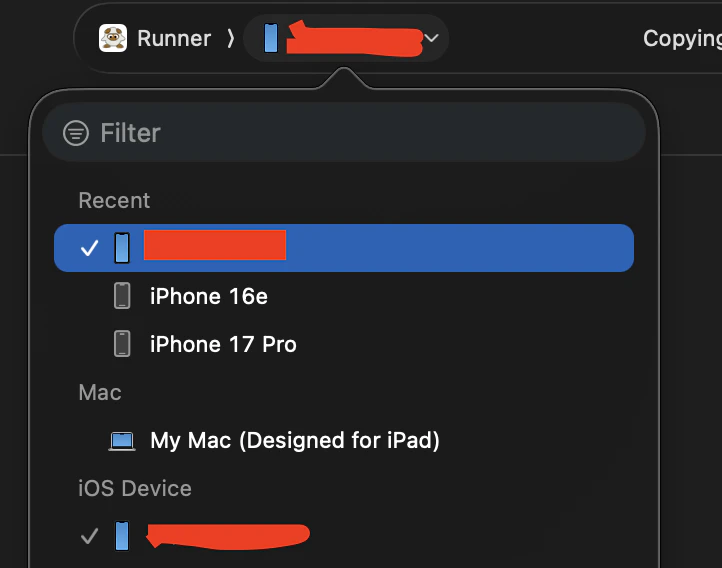
画面左の実行ボタンもしくはCommand+Bでビルドを実行する。
これで成功すれば。。。と思うとエラー引くんだよなあwww
Failed to install the app on the device.
Domain: com.apple.dt.CoreDeviceError
Code: 3002
User Info: {
    DVTErrorCreationDateKey = "2026-01-30 06:50:58 +0000";
    IDERunOperationFailingWorker = IDEInstallCoreDeviceWorker;
    NSURL = "file:///Users/banta/Library/Developer/Xcode/DerivedData/Runner-ctkmvusqklcyfmbqmhgqkeqecgcq/Build/Products/Debug-iphoneos/Runner.app";
}
調べたら以前遊んでいたゴミが残っているってだけだった。
何度か試したら実機にアプリアイコンが表示された✌️
信頼する
アプリを起動すると「信頼されていないデベロッパだから起動できまへん」みたいなエラーが出るので、以下のように設定する。
「設定」→「一般」→「VPNとデバイス管理」→「デベロッパアプリ」
ここに自分のApplaアカウントが表示されるので、選択して信頼を選ぶ。
するとアプリが検証済みのステータスになり、実行可能になる。
一応Xcode側の注意書きでも表示されるっぽい
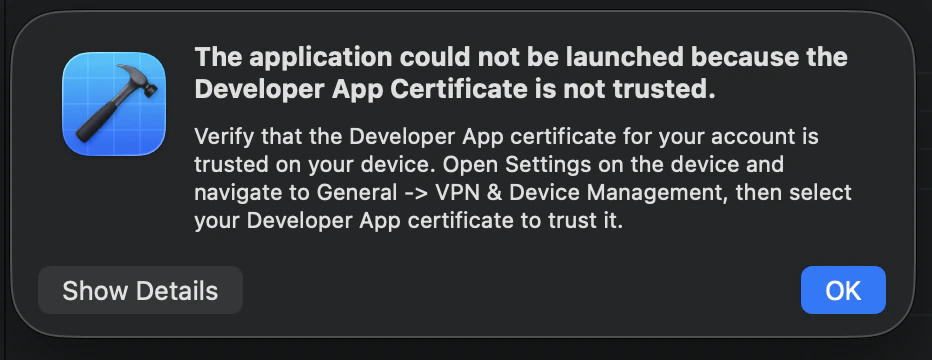
アプリ起動時のエラー対処
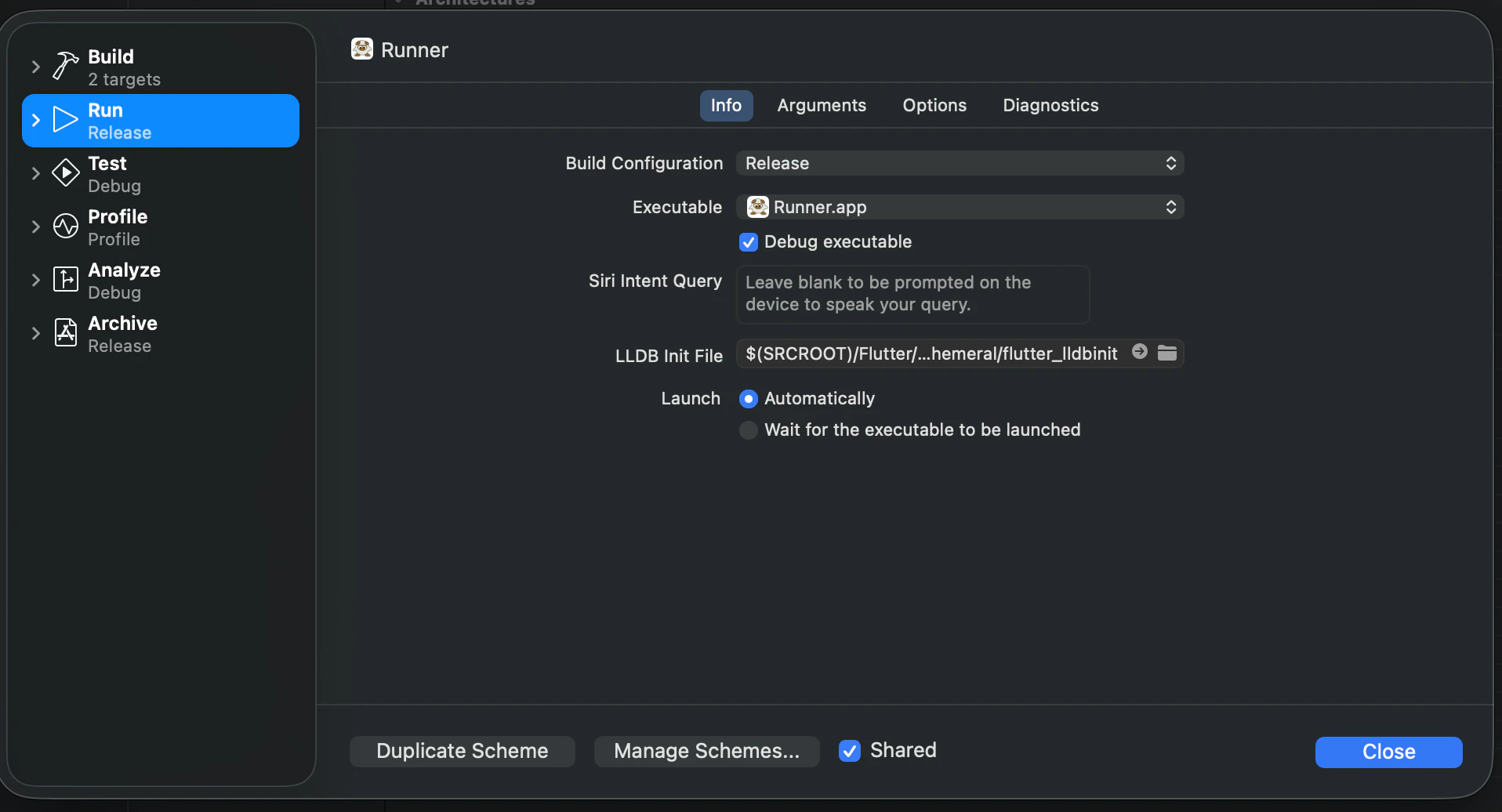
In iOS14+, debug mode Flutter apps can only be launched from Flutter tooling, IDEs with Flutter plugins or from XCode.
Alternatively, build in profile or release modes to enable launching from the home screen.
Debugモードでアプリを入れると起動できないらしいので、一度アプリを削除してReleaseモードで入れ直す。Runner>Edit Schema
できた!!!!
レスポンシブ対応したらエミュレータで表示するよりもイカす感じになったわ✨
参考
こちらの記事を参考に無事インストールできました。感謝。
https://qiita.com/koji0705/items/555c27c472bee3cfc318
https://qiita.com/nonkapibara/items/d14c796ca69c8a4e58d2
https://minpro.net/flutter-app-cannot-run-on-ios14-real-device
https://qiita.com/nakamurau1@github/items/d12a63c4f06d1a70a53d