はじめに
GitHub でCI/CD を実現できる GitHub Actions があるので試してみる。
ワークフローの作成
とりあえず適当なレポジトリを作成し、まずはデフォルトの設定を利用し、実行結果に「Hello World」を出してみる。
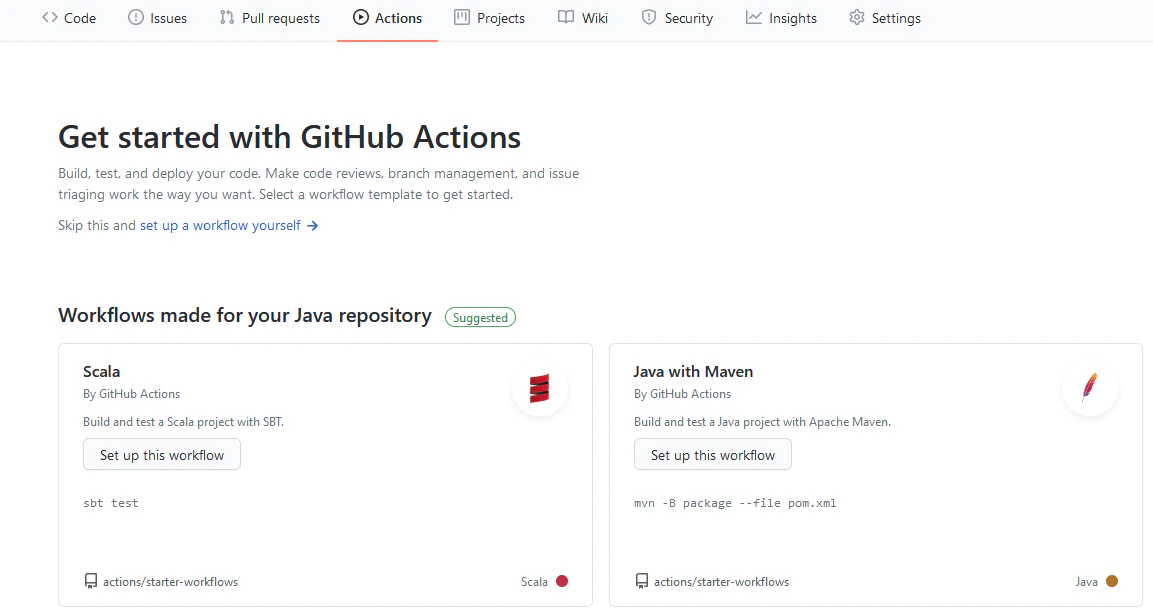
メニューにある Actions というメニューがあるので、これをクリックし、「set up a workflow yourself」をクリック。
自動で以下の設定ができる。(yml 形式)
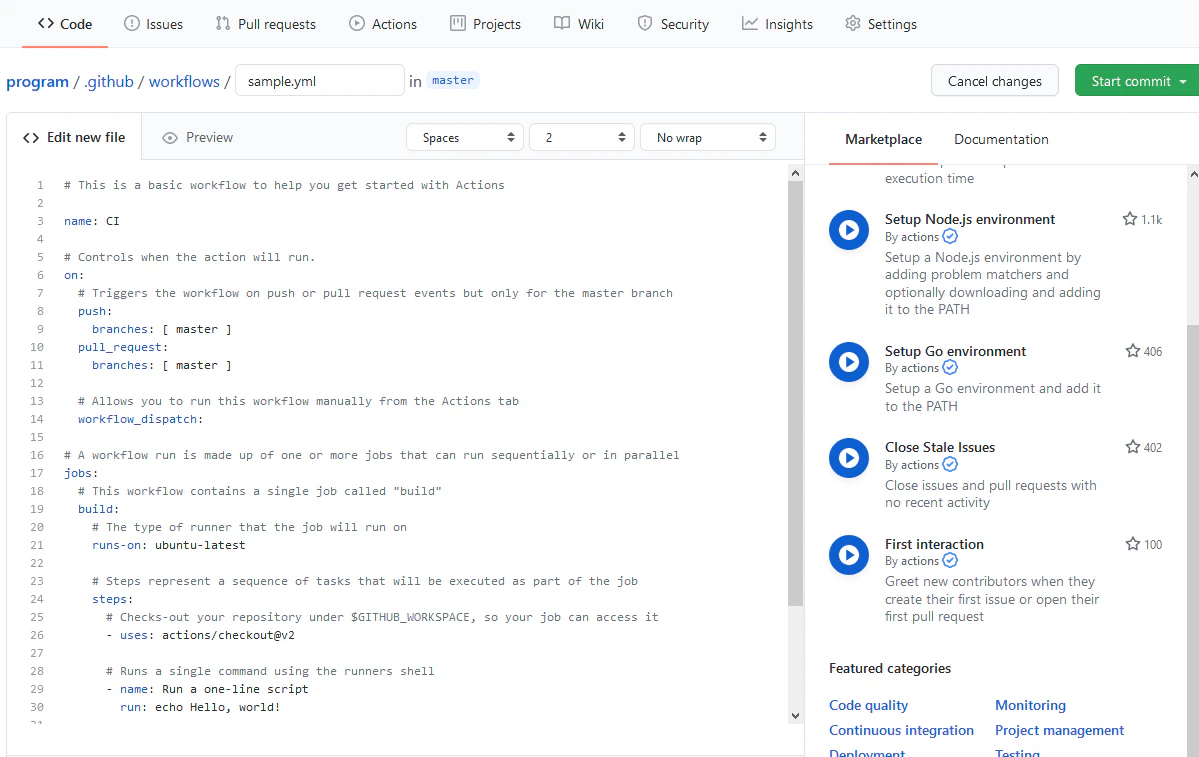
左の「Start Commit」をクリックし commit する。
手っ取り早く動作させるために、 master に commit しておく
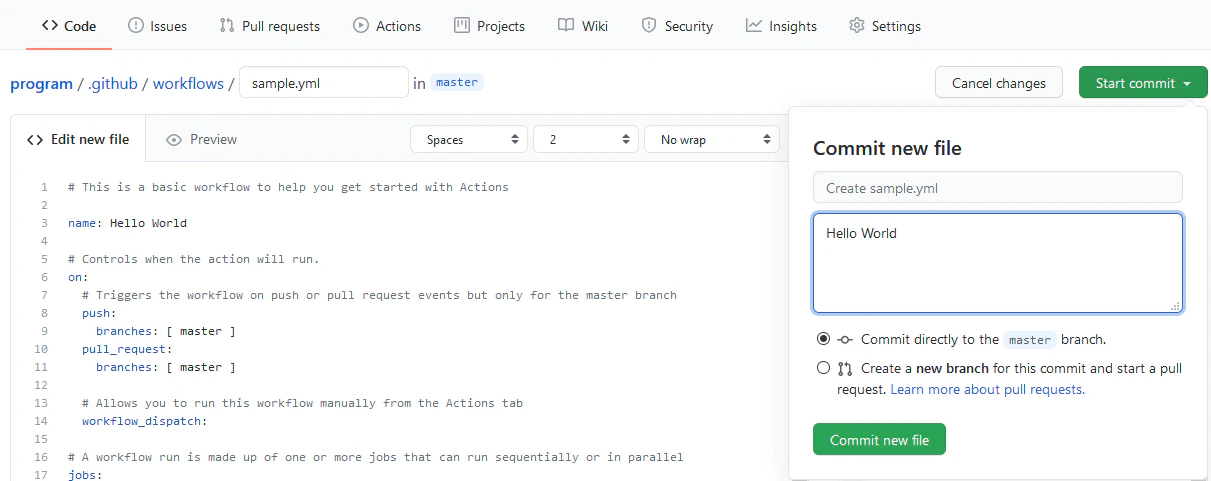
そうすると (レポジトリ名)/.github/workflow/(github Actions のワークフロー.yml) というファイルができる。
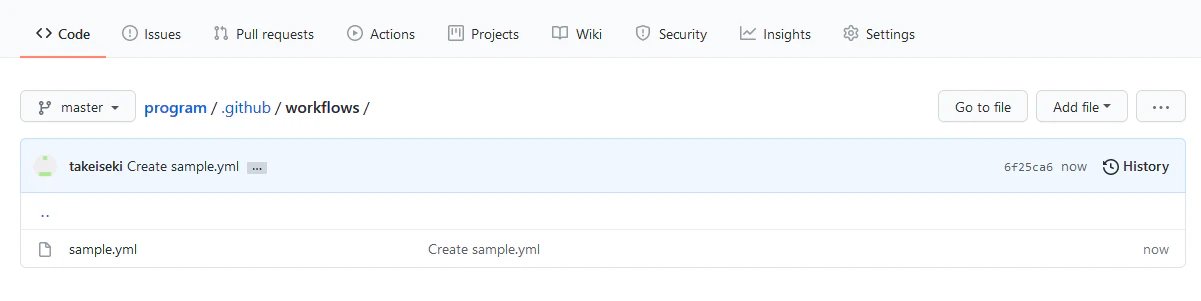
実行
サンプルでは master ブランチに commit されると自動でワークフローが実行されるようになっているので、勝手に動作している。
ここでは、ワークフローを選択して実行させる方法です。
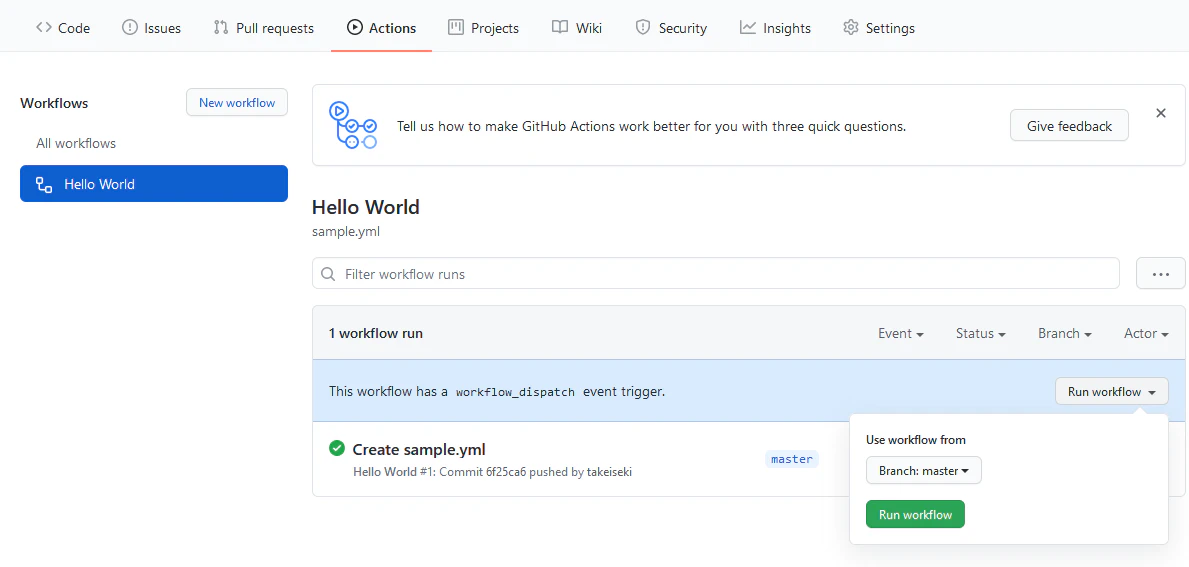
メニューの「Actions」を選択してワークフローの一覧を表示。
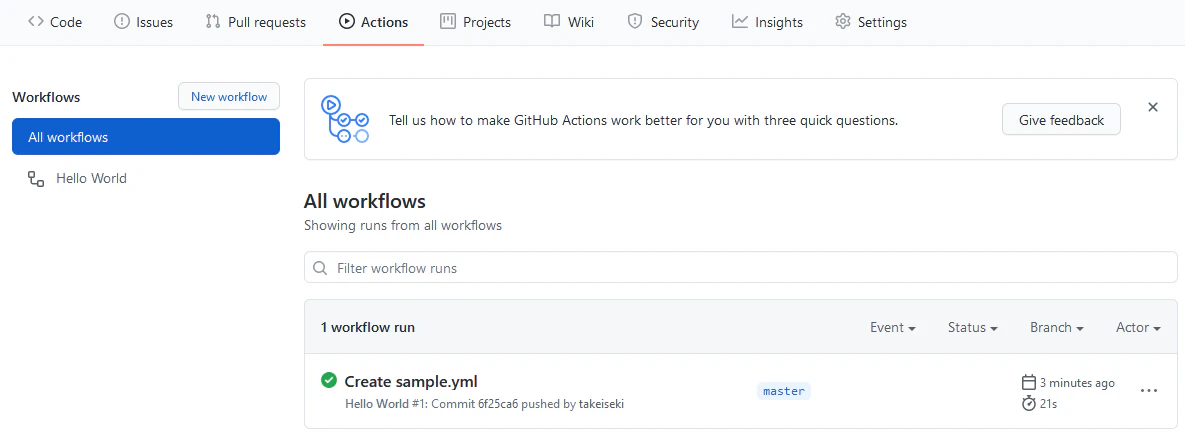
yml 形式の [name] で設定した名前 (Hello World) で左メニュー一覧に表示されているので、それをクリック。
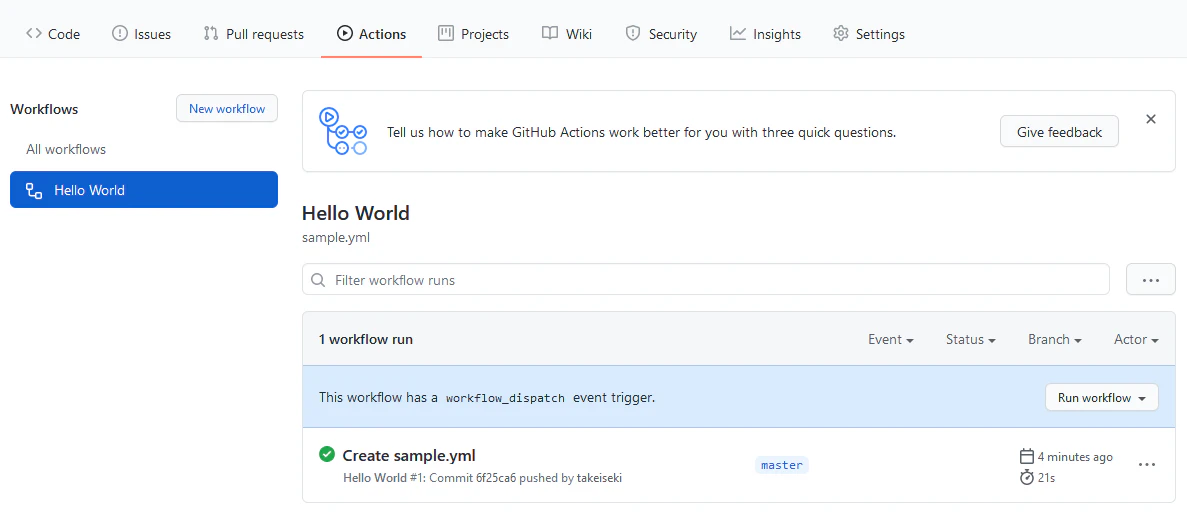
[Run workflow] を選択し [Run warkflow] をクリックすると実行される。
結果
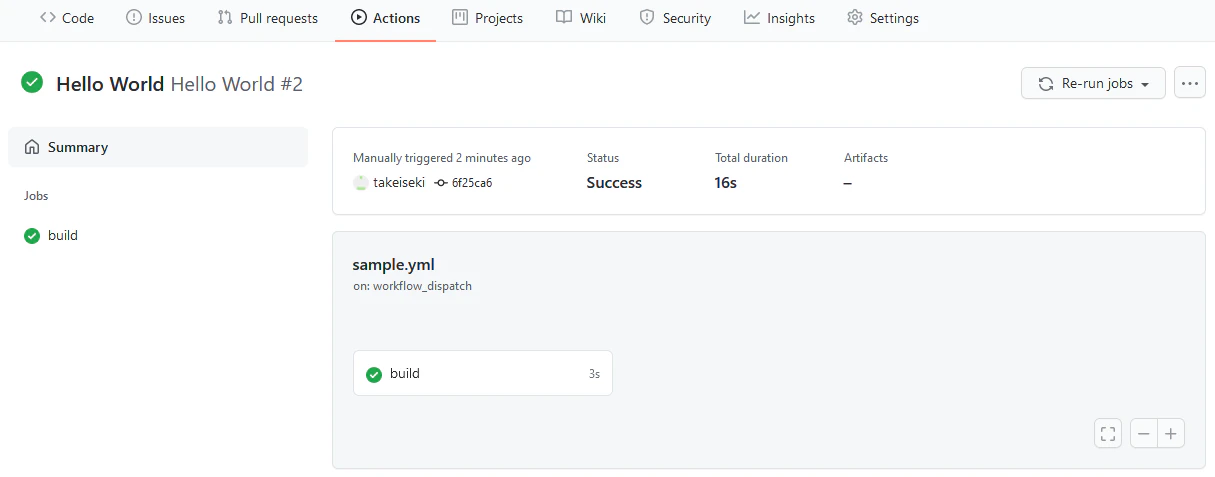
実行すると、以下のように結果が表示される。
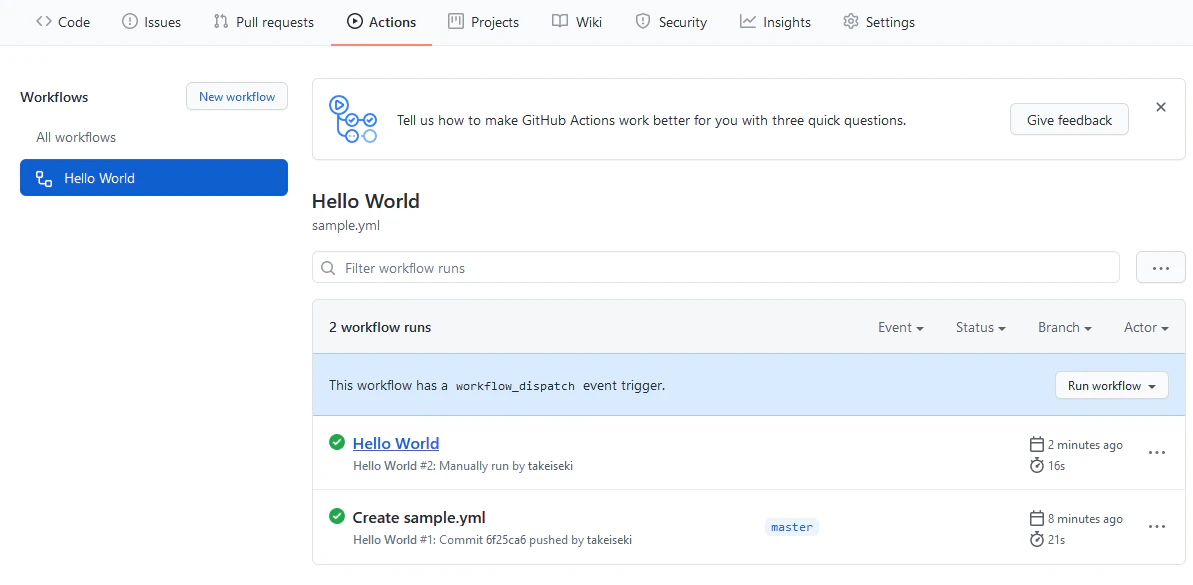
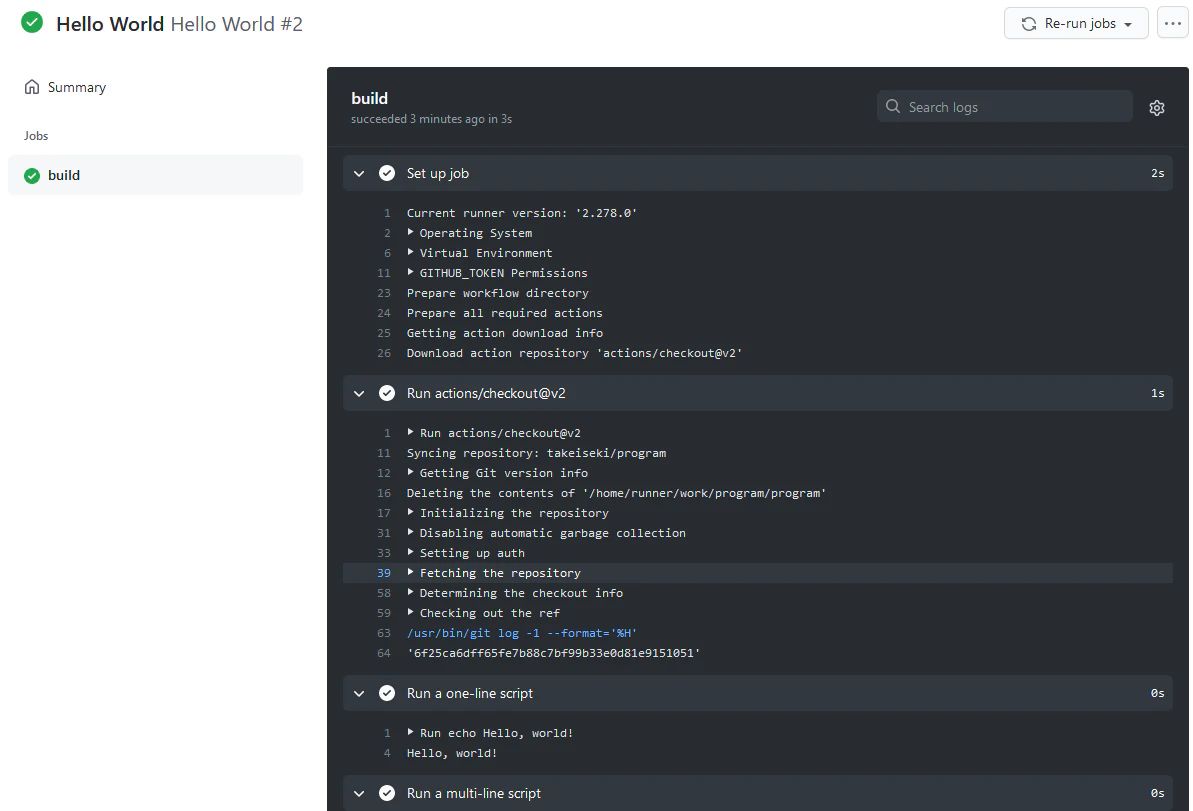
実行したワークフローをクリックすると、以下のような詳細画面が表示されて、「Run a one-line script」と表示されているところに実行した結果が表示されている。