
何のため?
GASでWebアプリ等を作成していると、データをJSON形式で保管したいことが頻発するので作成しました。CacheServiceやPropertiesServiceだと容量に制約があり、大量のデータ保管ができません。そのため、GSSを保管場所として利用してみます。
速度比較
GSSに保存するのなら、わざわざJSONにする必要性を感じないかもしれません。 下のように、普通に表に入力しても良さそうです。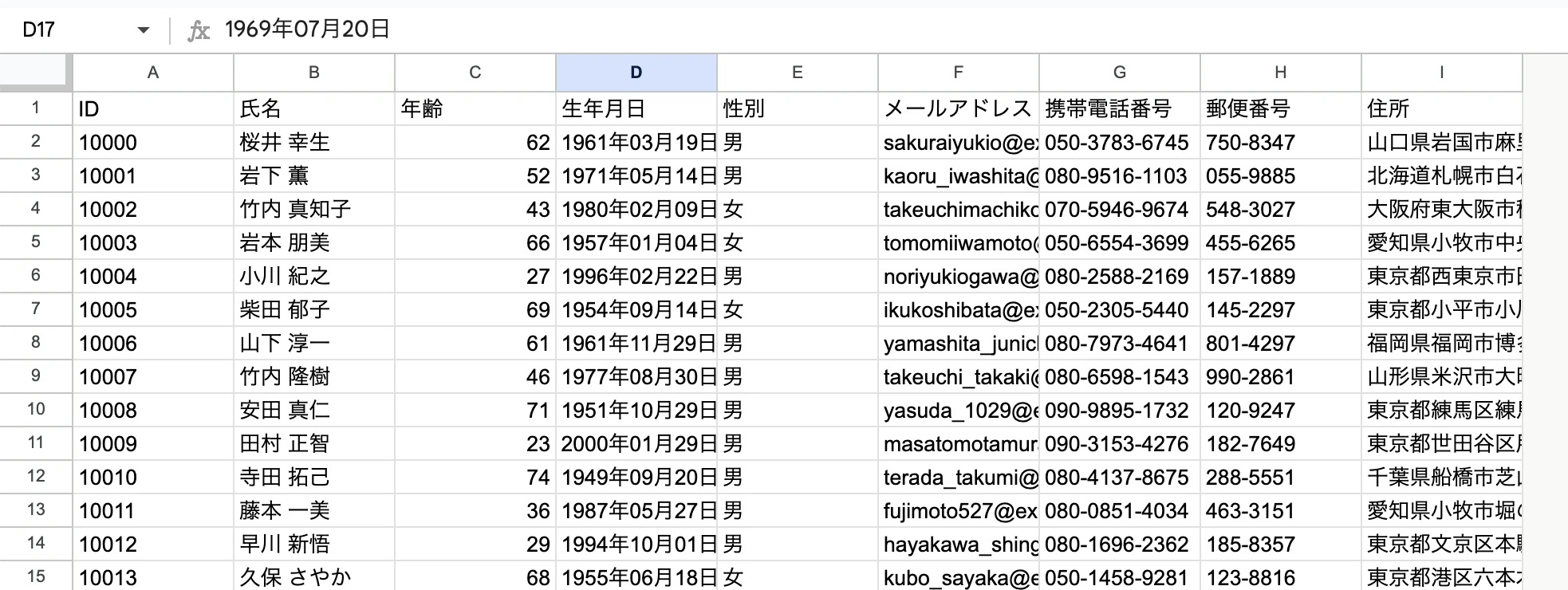
※全てダミーデータです。https://testdata.userlocal.jp/
しかし、速度の観点から、JSONとして出力した方がより良いと言えます。結論から言うと、およそ1.5倍高速になります。
具体的なコードとともに確認します。
【表で保管した場合】
サンプルコード
function doGet(e) {

  const id = e.parameter.id;

  const values = SpreadsheetApp.getActiveSpreadsheet().getSheetByName("dummy").getDataRange().getValues();
  return ContentService.createTextOutput(JSON.stringify(values.find(v => v[0] === id))).setMimeType(ContentService.MimeType.JSON);

}
結果
平均して1.1776秒でした。

【JSONで保管した場合】
ちなみに、このような感じで、JSONの文字列を分割して複数のセルに跨らせています。 利用する際は、これらを連結してからJSON.parseを使用します。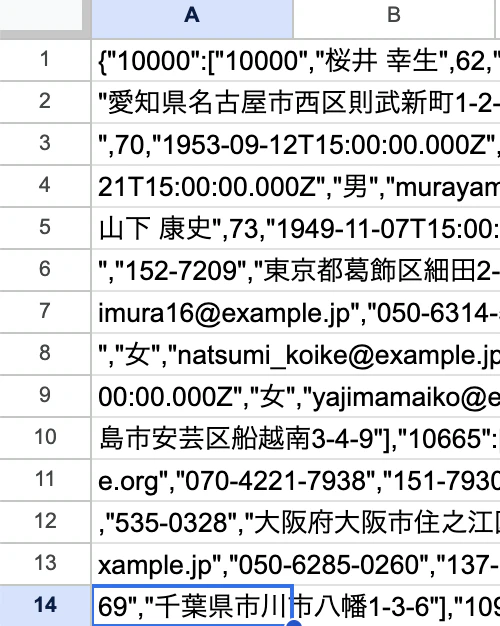
サンプルコード
function doGet(e) {

  const id = e.parameter.id;

  const ss = SpreadsheetApp.getActiveSpreadsheet();
  const sheet = ss.getSheetByName("json");
  const values = sheet.getRange("A:A").getValues().flat().join("");
  const result = JSON.parse(values)[id];

  return ContentService.createTextOutput(result).setMimeType(ContentService.MimeType.JSON);

}
結果
5回の平均は 0.8106秒 でした。表で保管した場合の1.5倍ほど高速で動きます。

クラス化
JSON形式で保存するには、以下の二つの作業が必要です。
- Object -> String -> 分割 (JSONの保存)
- String -> 連結 -> Object (JSONの取り出し)
GSSのセルは一つにつき50000文字までなので、必要に応じて分割が必要です。
いちいち書くのが面倒なので、クラス化します。
class GSSDB_{

  /**
   * @param {SpreadsheetApp.Sheet} sheet
   */
  constructor(sheet){

    this.sheet = sheet;

  }

  /**@param {object} object */
  save(object){

    const arr = JSON.stringify(object).match(/.{1,10000}/g).map(v => [v]);
    this.sheet.getRange(1,1,arr.length,1).setValues(arr);

  }

  fetch(){

    return JSON.parse(this.sheet.getRange("A:A").getValues().flat().join(""));

  }

}
具体的な使用イメージは下記の通りです。
  const ss = SpreadsheetApp.getActiveSpreadsheet();
  const sheet = ss.getSheetByName("sheetname");
  const GSSDB = new GSSDB_(sheet);
  const json = {
      //色々なデータ
  };

  //値の保管
  GSSDB.save(json);
  //値の取り出し
  const obj = GSSDB.fetch();
以上です。