
車種詳細ページに「売れ筋ランキング」を埋め込んだら、ユーザーの行動が変わった📊
はじめに
バイクポータルサイト「MotoHub」を個人開発しています。
売れ筋ランキングページ(/ranking)を作ったはいいけど、わざわざランキングを見に行くユーザーは少ない。
Google Analyticsを見ると、一番アクセスがあるのは車種詳細ページ(/bikes/honda/super-cub-110 みたいなページ)。ここに約4,888車種分のページがあって、DAUの大半がここに来ている。
「ランキングを見に来てもらう」のではなく、「ユーザーが見ているページにランキングを持っていく」。
車種詳細ページに売れ筋データを埋め込んだ実装の全貌です。
環境
さくらVPS 4GB
├── Docker Compose
│   ├── PHP-FPM 8.3(Laravel 12)
│   ├── MySQL 8(listings: 228,691件)
│   └── Redis Alpine(キャッシュ → ここが重要)
└── Cloudflare CDN

ページ数:
├── 車種詳細: 約4,888ページ ← ここに埋め込む
├── 車両詳細: 約115,000ページ
└── 売り切れデータ: 112,863件 ← ここから集計
設計:「チラ見せ」と「詳細」の2段構え
車種詳細ページのスクショを見ながら設計しました。
①ヒーローエリアに順位だけ「チラ見せ」
既存の統計ボックス(中古平均価格 / 販売中台数 / オーナー評価)の横に、4つ目のボックスとして「🏆 売れ筋 ○位」を追加。
目に入る場所に置くのが大事。 ページの一番上に「この車種は全車種中2位」って書いてあったら、「人気あるんだ」と一瞬で伝わる。
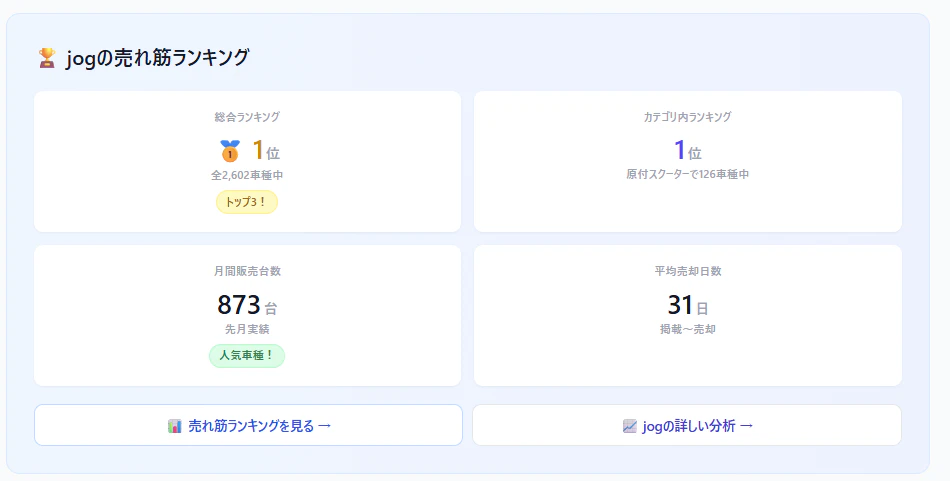
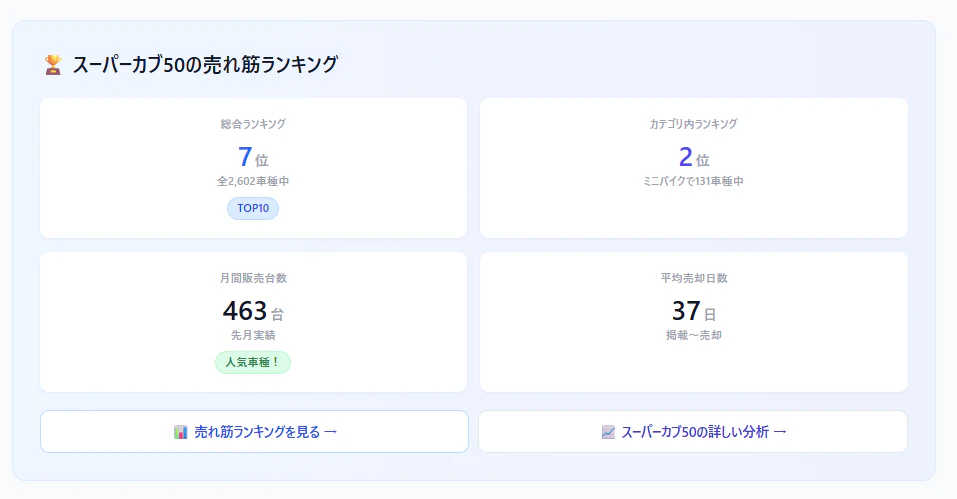
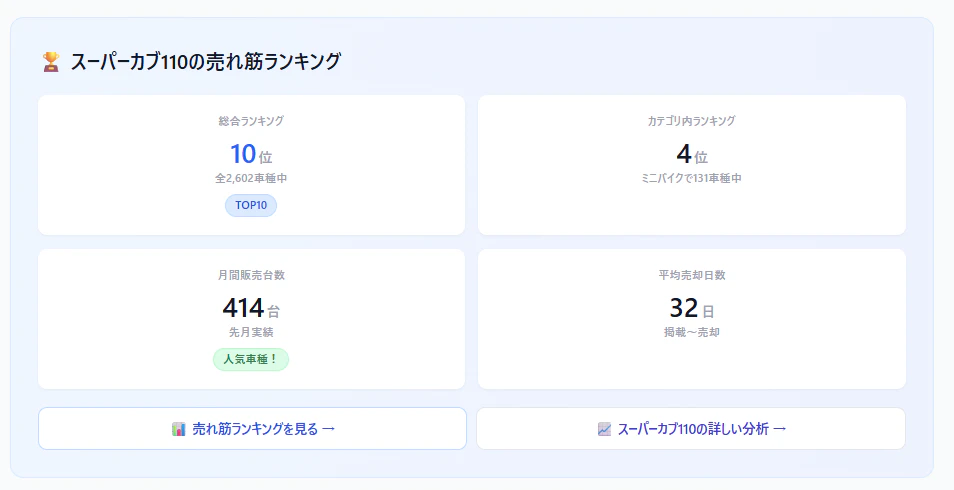
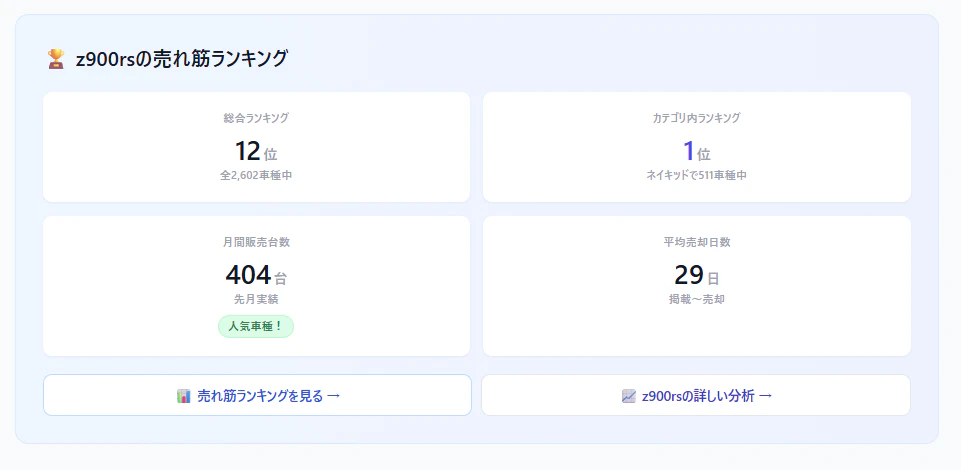
②概要セクション直後に「ランキング詳細ブロック」
スペックテーブルの前に、2×2のグリッドカードを配置。
🏆 スーパーカブ110の売れ筋ランキング
┌──────────────────┬──────────────────┐
│ 総合ランキング    │ カテゴリ内ランキング│
│ 全車種中 2位     │ ミニバイクで 1位   │
├──────────────────┼──────────────────┤
│ 月間販売台数     │ 平均売却日数       │
│ 178台            │ 9日               │
└──────────────────┴──────────────────┘
📊 売れ筋ランキングを見る →
📈 スーパーカブ110の詳しい分析 →
実装①:全車種の順位を1クエリ + キャッシュ
4,888ページそれぞれで「この車種は何位?」を知る必要がある。毎リクエストで全車種集計していたら死ぬので、1日1回集計 → Redisキャッシュ。
// Service or Controller

$rankingData = Cache::remember('ranking_positions', 86400, function () {
    return DB::table('listings')
        ->where('is_sold_out', true)
        ->where('updated_at', '>=', now()->subDays(30))
        ->whereNotNull('bike_model_id')
        ->select('bike_model_id', DB::raw('COUNT(*) as sold_count'))
        ->groupBy('bike_model_id')
        ->orderByDesc('sold_count')
        ->get()
        ->values()
        ->mapWithKeys(fn ($item, $index) => [
            $item->bike_model_id => [
                'rank'       => $index + 1,
                'sold_count' => $item->sold_count,
            ]
        ]);
});
ポイント: mapWithKeys で bike_model_id => [rank, sold_count] のマップに変換。これで $rankingData[$bikeModel->id] でO(1)アクセスできる。
パフォーマンス比較
| 方式 | 所要時間 | 備考 |
|---|---|---|
| 毎リクエストでCOUNT集計 | 300〜500ms | 4,888ページ × 全リクエスト = 死 |
| キャッシュあり(初回) | 約200ms | 30日分の集計 |
| キャッシュヒット | < 1ms | Redis最高 |
1日1回の集計で十分。 ランキングが1時間ごとに変わるわけじゃないし、DAU150〜200の段階でリアルタイム性は不要。
実装②:カテゴリ内順位
「全車種中2位」だけだと情報が足りない。「ミニバイクの中では1位」みたいなカテゴリ内順位も出したい。
$categoryRank = Cache::remember(
    "ranking_category_{$bikeModel->category_id}",
    86400,
    function () use ($bikeModel) {
        $models = DB::table('listings')
            ->join('bike_models', 'listings.bike_model_id', '=', 'bike_models.id')
            ->where('listings.is_sold_out', true)
            ->where('listings.updated_at', '>=', now()->subDays(30))
            ->where('bike_models.category_id', $bikeModel->category_id)
            ->whereNotNull('listings.bike_model_id')
            ->select('listings.bike_model_id', DB::raw('COUNT(*) as sold_count'))
            ->groupBy('listings.bike_model_id')
            ->orderByDesc('sold_count')
            ->get();

        $position = $models->search(fn ($item) => $item->bike_model_id === $bikeModel->id);
        return $position !== false ? $position + 1 : null;
    }
);
カテゴリごとにキャッシュキーを分けているので、キャッシュの粒度は ranking_category_{category_id}。カテゴリ数は20種類くらいなので、キャッシュの量は問題なし。
実装③:平均売却日数
「この車種は掲載されてから平均何日で売れるか」。ユーザーにとっては「早く買わないと売れちゃう」という判断材料になる。
$avgDays = Cache::remember(
    "avg_sell_days_{$bikeModel->id}",
    86400,
    function () use ($bikeModel) {
        return (int) DB::table('listings')
            ->where('bike_model_id', $bikeModel->id)
            ->where('is_sold_out', true)
            ->where('updated_at', '>=', now()->subDays(90))
            ->selectRaw('AVG(DATEDIFF(updated_at, created_at)) as avg_days')
            ->value('avg_days');
    }
);
sold_at カラムがない問題
MotoHubのlistingsテーブルには sold_at(売れた日時)がありません。クローラーが在庫を取得して、次のクロールで在庫から消えていたら is_sold_out = true にしています。なので updated_at ≒ 売れたタイミングの近似値。
完璧ではないけど、「Z900RSは平均7日で売れる」「ジョルノは平均6日」みたいな傾向は十分つかめます。
実装④:バッジで視覚的に目立たせる
数字だけだと素通りされるので、バッジで強調します。
{{-- TOP3バッジ --}}
@if($rank <= 3)
    @php $medals = [1 => '🥇', 2 => '🥈', 3 => '🥉']; @endphp
    <span class="inline-flex items-center bg-yellow-100 text-yellow-800 text-xs font-bold px-2 py-1 rounded">
        {{ $medals[$rank] }} トップ3!
    </span>
@elseif($rank <= 10)
    <span class="inline-flex items-center bg-blue-100 text-blue-800 text-xs font-bold px-2 py-1 rounded">
        🏆 TOP10
    </span>
@endif

{{-- 即売れバッジ --}}
@if($avgDays && $avgDays <= 14)
    <span class="inline-flex items-center bg-red-100 text-red-800 text-xs font-bold px-2 py-1 rounded">
        ⚡ 即売れ!
    </span>
@endif

{{-- 人気車種バッジ --}}
@if($soldCount >= 100)
    <span class="inline-flex items-center bg-green-100 text-green-800 text-xs font-bold px-2 py-1 rounded">
        🔥 人気車種
    </span>
@endif
実装⑤:データがない車種の扱い
販売実績がゼロの車種(新モデルやマイナー車種)もある。ランキングデータがないのにセクションを表示すると、空っぽのカードが出て見栄えが悪い。
解決: データがなければセクション全体を非表示。
@if(isset($rankingData[$bikeModel->id]) && $rankingData[$bikeModel->id]['sold_count'] > 0)
    {{-- ランキングブロック全体 --}}
    <div class="bg-gradient-to-r from-blue-50 to-indigo-50 rounded-xl p-6 border border-blue-100">
        ...
    </div>
@endif
学び: 中途半端な表示はしない。データがある車種にだけ出す方が、ランキング情報の信頼性も上がる。
実装⑥:ランキングページへの導線
ランキングブロックの下に、ランキングページ(/ranking)と車種別分析ページ(/ranking/model/{id})へのリンクを設置。
<div class="flex flex-wrap gap-3 mt-4">
    <a href="{{ route('ranking.index') }}"
       class="text-blue-600 hover:text-blue-800 text-sm font-bold">
        📊 売れ筋ランキングを見る →
    </a>

    @if($hasModelStats)
        <a href="{{ route('ranking.model_stats', $bikeModel->id) }}"
           class="text-blue-600 hover:text-blue-800 text-sm font-bold">
            📈 {{ $bikeModel->name }}の詳しい分析 →
        </a>
    @endif
</div>
車種別分析ページが存在する車種(販売実績TOP100)だけリンクを表示。全車種にリンクを出すと、リンク切れになるので注意。
踏んだ罠:N+1クエリ
最初の実装では、Viewの中でキャッシュを取りに行っていました。
{{-- Bad: View内でキャッシュ取得 → 4,888ページ分のキャッシュアクセス --}}
@php
    $rank = Cache::get("ranking_positions")[$bikeModel->id] ?? null;
@endphp
これ自体はRedisだから速いんですが、コントローラーでまとめて取得してViewに渡す方がきれい。
// Good: コントローラーで全部準備してViewに渡す
$rankingData = Cache::remember('ranking_positions', 86400, fn() => ...);
$modelRanking = $rankingData[$bikeModel->id] ?? null;

return view('bikes.model_detail', compact('bikeModel', 'modelRanking', ...));
Before / After

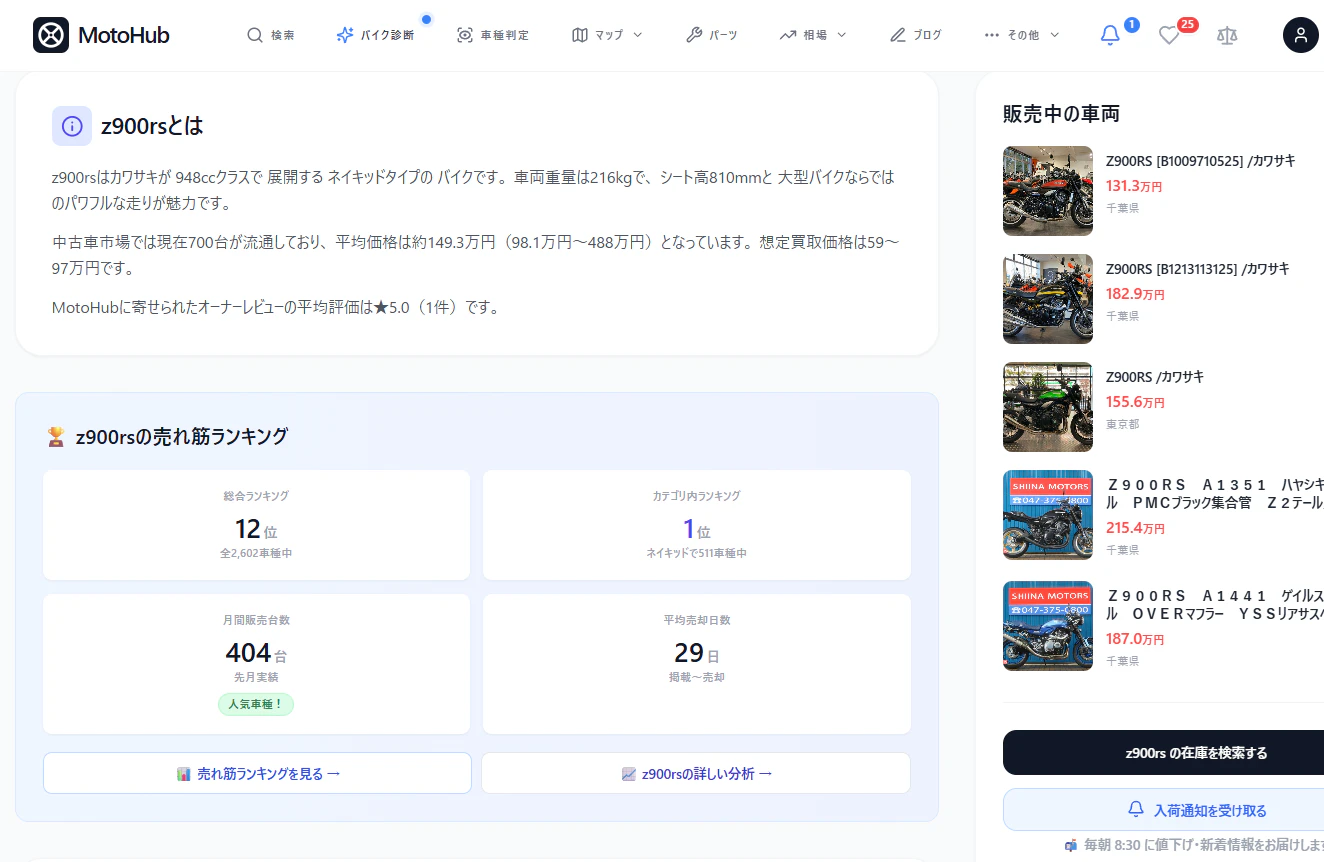
| Before | After | |
|---|---|---|
| 表示情報 | 平均価格・台数・評価 | + 売れ筋順位・売却日数・カテゴリ内順位 |
| ランキングページへの導線 | なし | あり(2リンク) |
| 購入判断の材料 | 価格のみ | 人気度・売却スピードも分かる |
なぜこれが差別化になるのか
GooBikeの車種ページを見ると、表示されているのは「在庫一覧」と「スペック」だけ。「この車種がどれくらい人気なのか」は分からない。
MotoHubは:
- 「全車種中○位」→ 人気の相対的な位置がわかる
- 「月間○台売れている」→ 需要の大きさが数字でわかる
- 「平均○日で売れる」→ 迷ってたら売れちゃうという切迫感
- 「カテゴリ内○位」→ 同ジャンルでの比較ができる
「在庫を並べる」だけのサービスと、「市場データで購入判断を支援する」サービスの違い。 これはデータの蓄積がないと真似できない。
まとめ
| 実装 | 技術 | キャッシュTTL |
|---|---|---|
| 全車種順位 | MySQL COUNT + mapWithKeys | 24時間 |
| カテゴリ内順位 | JOINでカテゴリ絞り | 24時間 |
| 平均売却日数 | DATEDIFF(updated_at, created_at) | 24時間 |
| バッジ表示 | Blade条件分岐 | - |
| データなし非表示 | @if(isset) | - |
車種詳細4,888ページ全てにランキングデータが自動で反映される。 DBが毎日更新されるので、ランキングも毎日変わる。手動更新ゼロ。
前回の記事:売り切れデータ11.2万件から「売れ筋ニュース」を毎朝自動生成してXに投稿する仕組みを作った
🏍 MotoHub: https://motohub.jp
X: https://x.com/motohub_jp
GitHub: https://github.com/ausssxi/MotoHub