
はじめに
個人開発で運営しているバイクポータルサイト MotoHub(motohub.jp)で、SEO強化のために特集ランディングページ(LP)を28ページ一気に量産しました。
本記事では、JSONベースのフィルター設計で1つのコントローラー・1つのBladeテンプレートから多様な特集ページを生成する仕組みと、開発中にぶつかった落とし穴を紹介します。
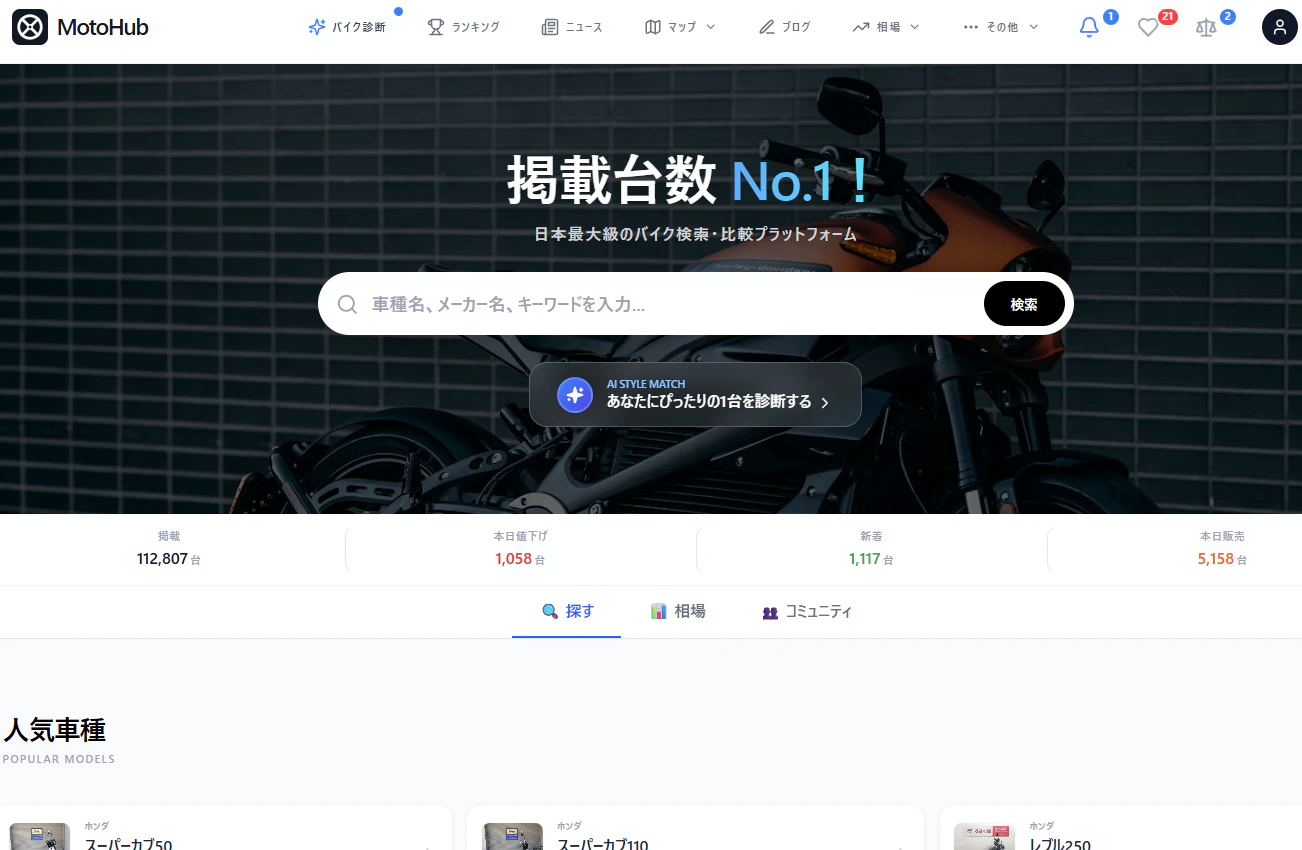
MotoHubの技術スタック
- バックエンド: Laravel 12 / PHP 8.3
- 検索: Meilisearch(中古バイク在庫11万件)
- DB: MySQL 8.0
- インフラ: Sakura VPS / Docker Compose / Cloudflare CDN
なぜ特集ページが必要だったのか
Google Search Console(GSC)のクエリデータを分析したところ、TOP1000クエリの内訳は以下でした。
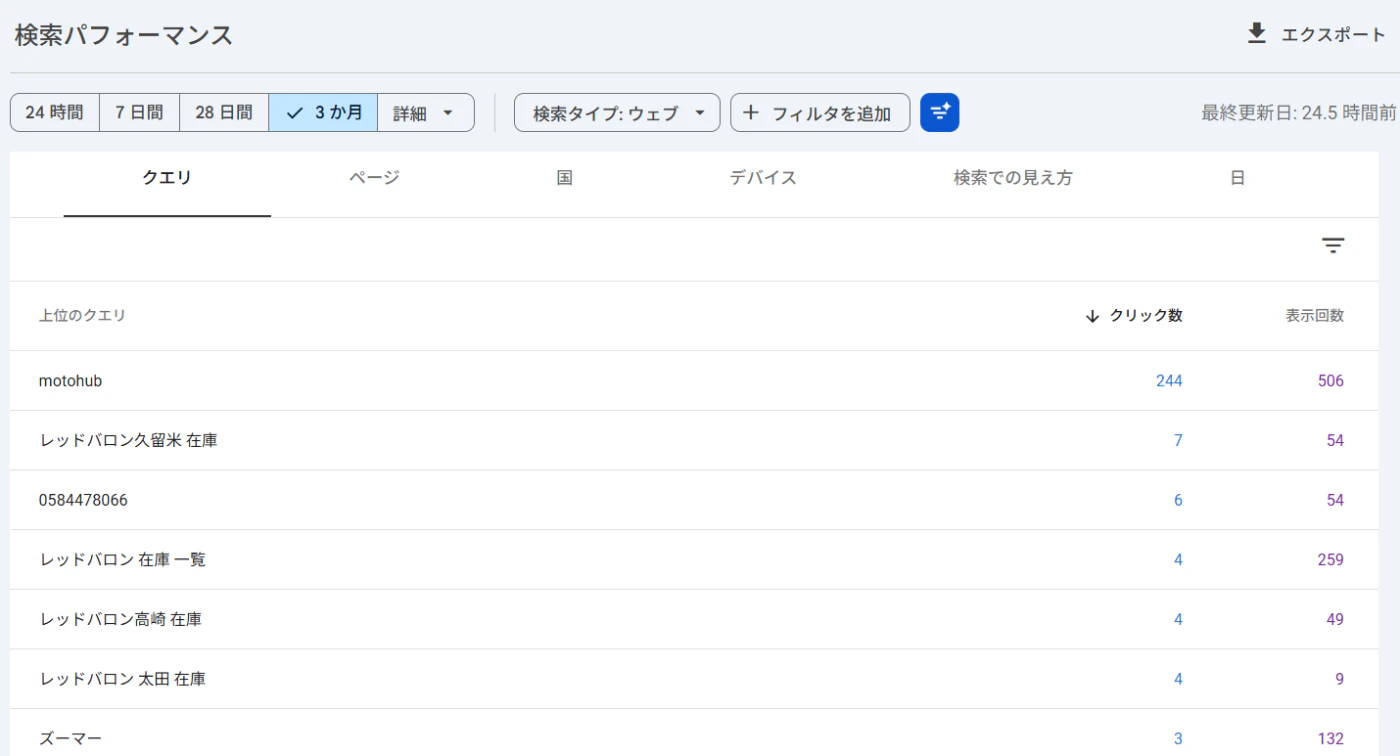
| カテゴリ | 件数 | 割合 |
|---|---|---|
| 車種名+中古 | 427件 | 43% |
| ショップ名 | 88件 | 9% |
| 在庫検索 | 66件 | 7% |
| 地域+バイク | 40件 | 4% |
| 特集ページ向けキーワード | 0件 | 0% |
「初心者 バイク おすすめ」「250cc 中古」のような汎用キーワードでの流入がゼロ。ページが存在しないから当然です。
設計: search_conditions JSONフィルター
テーブル設計
特集ページのメタ情報を seo_features テーブルで管理します。
CREATE TABLE seo_features (
    id BIGINT UNSIGNED AUTO_INCREMENT PRIMARY KEY,
    slug VARCHAR(150) UNIQUE NOT NULL,
    title VARCHAR(255) NOT NULL,
    meta_description VARCHAR(500) NOT NULL,
    content_header TEXT NOT NULL,
    guide_content TEXT,
    search_conditions JSON NOT NULL,  -- ← これがキモ
    keyword VARCHAR(255),
    sort VARCHAR(50) DEFAULT 'latest',
    is_active TINYINT(1) DEFAULT 1,
    icon VARCHAR(50),
    color VARCHAR(100),
    created_at TIMESTAMP,
    updated_at TIMESTAMP
);
search_conditionsの設計
search_conditions に検索フィルターをJSON形式で格納します。
// 20万円以下のバイク
{"max_price": 20}

// 初心者向け(250cc以下 × 50万以下)
{"max_displacement": 250, "max_price": 50}

// 走行距離1万km以下
{"max_mileage": 10000}

// 高年式(2023年以降)
{"min_model_year": 2023}

// 250cc 4気筒(特定車種ID指定)
{"bike_model_ids": [47, 111, 3503, 3042, ...]}
コントローラーの実装
1つのコントローラーで全特集ページを処理します。
public function show(Request $request, string $slug): View
{
    $feature = SeoFeature::where('slug', $slug)
        ->active()
        ->firstOrFail();

    // Meilisearch検索(車両一覧用)
    $result = $this->listingSearchService->search(
        $feature->keyword,
        $feature->prefecture,
        $sort,
        $feature->search_conditions ?? [],
    );

    // DB直接集計(KPI用)
    $featureKpi = $this->computeFeatureKpi($feature);

    return view('features.show', array_merge($result, [
        'feature' => $feature,
        'featureKpi' => $featureKpi,
    ]));
}
KPI集計: computeFeatureKpi()
private function computeFeatureKpi(SeoFeature $feature): array
{
    return Cache::remember("feature_kpi_v1_{$feature->slug}", 3600, function () use ($feature) {
        $query = Listing::where('is_sold_out', false)
            ->where('total_price', '>', 0);

        $conditions = $feature->search_conditions ?? [];

        // 排気量フィルタ
        if ($minDisp = $conditions['min_displacement'] ?? null) {
            $query->whereHas('bikeModel', fn ($q) => $q->where('displacement', '>=', $minDisp));
        }

        // 価格フィルタ(万円 → 円)
        if ($maxPrice = $conditions['max_price'] ?? null) {
            $query->where('total_price', '<=', $maxPrice * 10000);
        }

        // タグフィルタ
        if ($tag = $conditions['tag'] ?? null) {
            $query->whereHas('tags', fn ($q) => $q->where('name', $tag));
        }

        // bike_model_ids フィルタ
        if (!empty($conditions['bike_model_ids'])) {
            $query->whereIn('bike_model_id', $conditions['bike_model_ids']);
        }

        // 走行距離・年式フィルタ
        if ($maxMileage = $conditions['max_mileage'] ?? null) {
            $query->where('mileage', '<=', $maxMileage);
        }
        if ($minYear = $conditions['min_model_year'] ?? null) {
            $query->where('model_year', '>=', $minYear);
        }

        $totalCount = (clone $query)->count();
        $priceStats = (clone $query)->selectRaw('AVG(total_price) as avg_price, MIN(total_price) as min_price')->first();

        return [
            'total_count' => $totalCount,
            'avg_price' => number_format($priceStats->avg_price / 10000, 1),
            'min_price' => number_format($priceStats->min_price / 10000, 1),
            // ... TOP3車種
        ];
    });
}
ぶつかった落とし穴
1. Meilisearchの1,000件上限
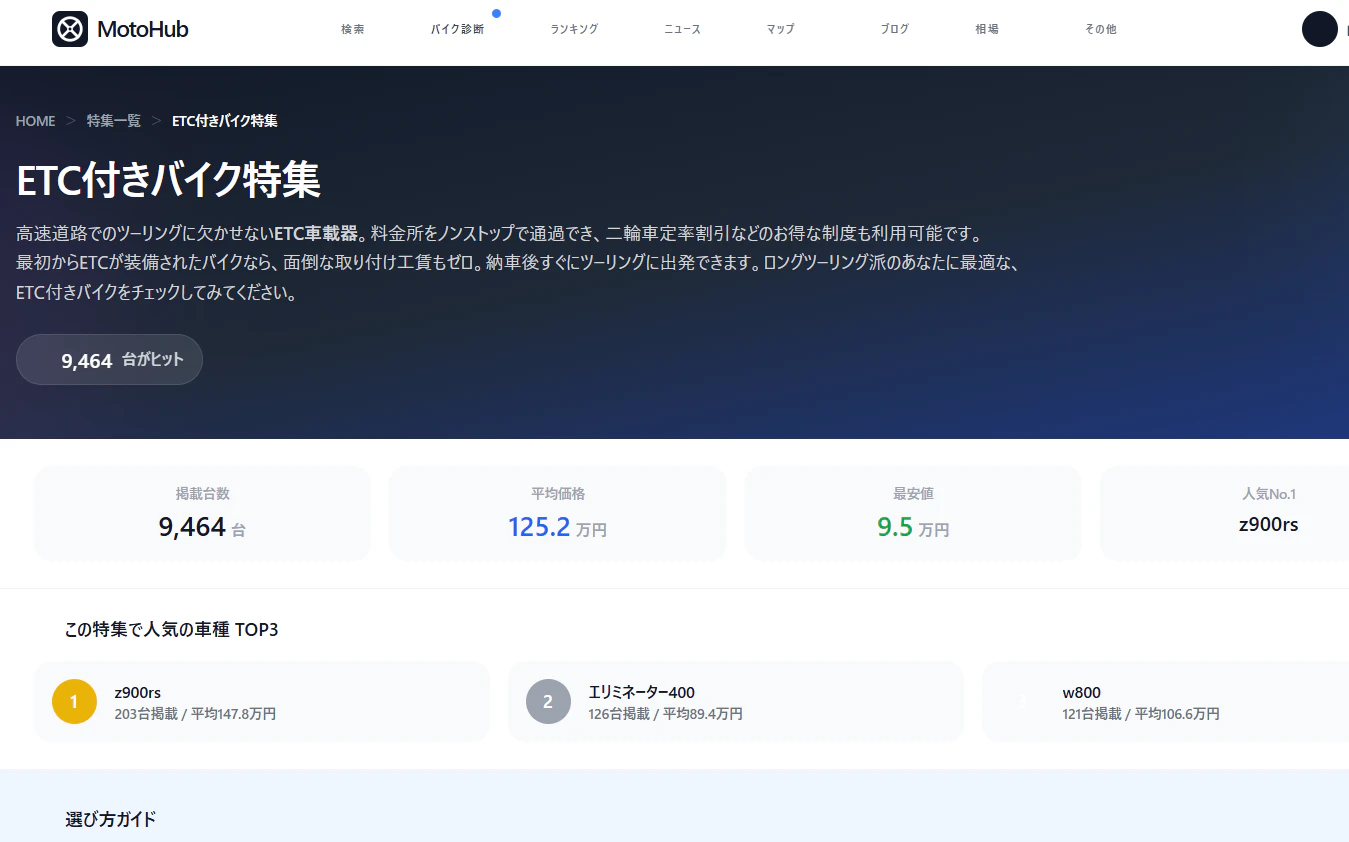
KPIブロックの「掲載台数」にMeilisearchの検索結果($pagination['total'])を使っていたところ、全ページで「1,000台」と表示される問題が発生。
Meilisearchのデフォルト上限が1,000件だったためです。

解決策: KPIの掲載台数はDB直接COUNTに変更。
{{-- Before: Meilisearch上限に引っかかる --}}
{{ number_format($pagination['total']) }}

{{-- After: DB集計値を優先 --}}
{{ number_format($featureKpi['total_count'] ?? $pagination['total']) }}
2. 除雪機の混入
「通勤・通学125cc以下」の特集にヤマハの除雪機が表示される事件が発生。

原因は排気量フィルター(50〜125cc)だけでカテゴリ制限がなかったこと。除雪機は bike_models テーブルで displacement = NULL、category = '不明' だったため、フィルターをすり抜けていました。
解決策: 除雪機のdisplacementを0に設定。排気量フィルター(>= 50)で自動除外。
UPDATE bike_models SET displacement = 0, category = 'その他' WHERE id = 1536;
3. 0件ページ問題
250cc-4cylinder(250cc 4気筒)など3ページが0件表示。keywordに「ZX-25R CBR250RR ホーネット250 バリオス ...」と複数車種をスペース区切りで設定していたため、全単語AND検索になっていました。
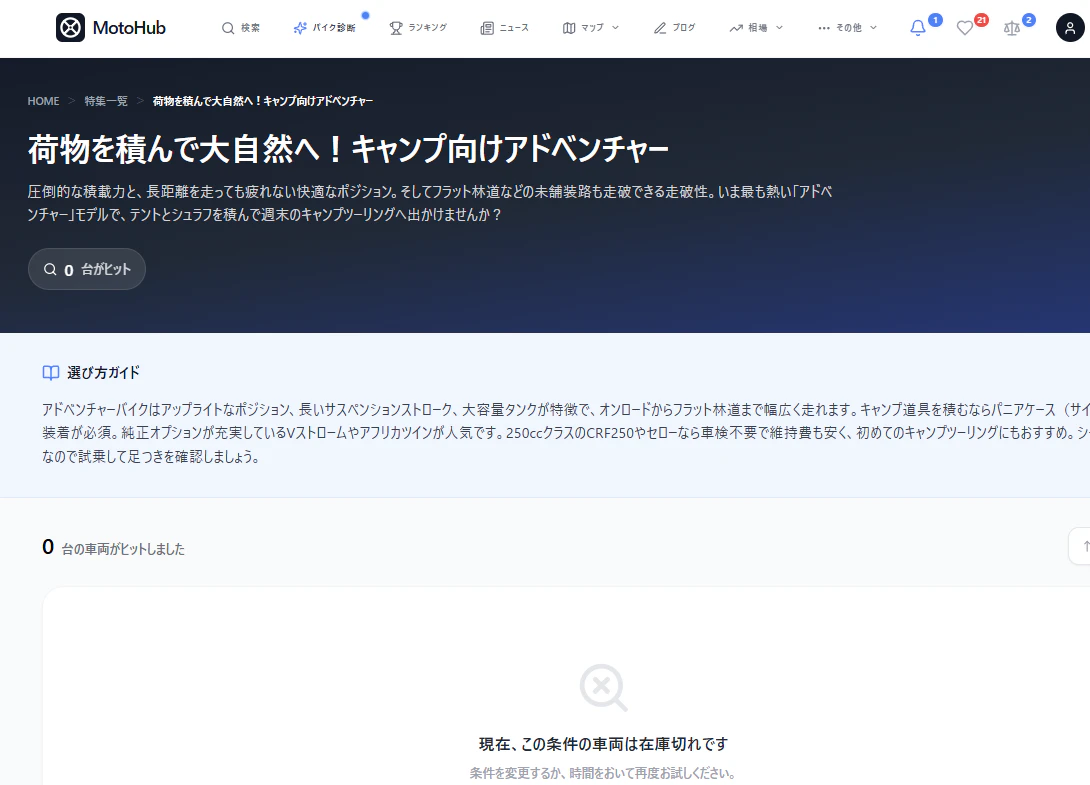
解決策: bike_model_ids 配列フィルターを新設。
// Meilisearch側(ListingRepository)
if (!empty($filters['bike_model_ids'])) {
    $ids = array_map('intval', $filters['bike_model_ids']);
    $filterStrings[] = "bike_model_id IN [" . implode(', ', $ids) . "]";
}

4. JSON二重エンコード
tinkerで特集データを投入する際に json_encode() した値を渡したところ、Eloquentの 'search_conditions' => 'array' キャストでさらにJSON化され、二重エンコードに。
-- 二重エンコード状態
search_conditions = '"{\"max_price\":20}"'

-- 正しい状態
search_conditions = '{"max_price":20}'
教訓: Eloquentのarrayキャストを使うモデルには、PHP配列をそのまま渡す。
// NG
SeoFeature::create(['search_conditions' => json_encode(['max_price' => 20])]);

// OK
SeoFeature::create(['search_conditions' => ['max_price' => 20]]);
量産結果
最終的に28ページの特集LPを作成しました。
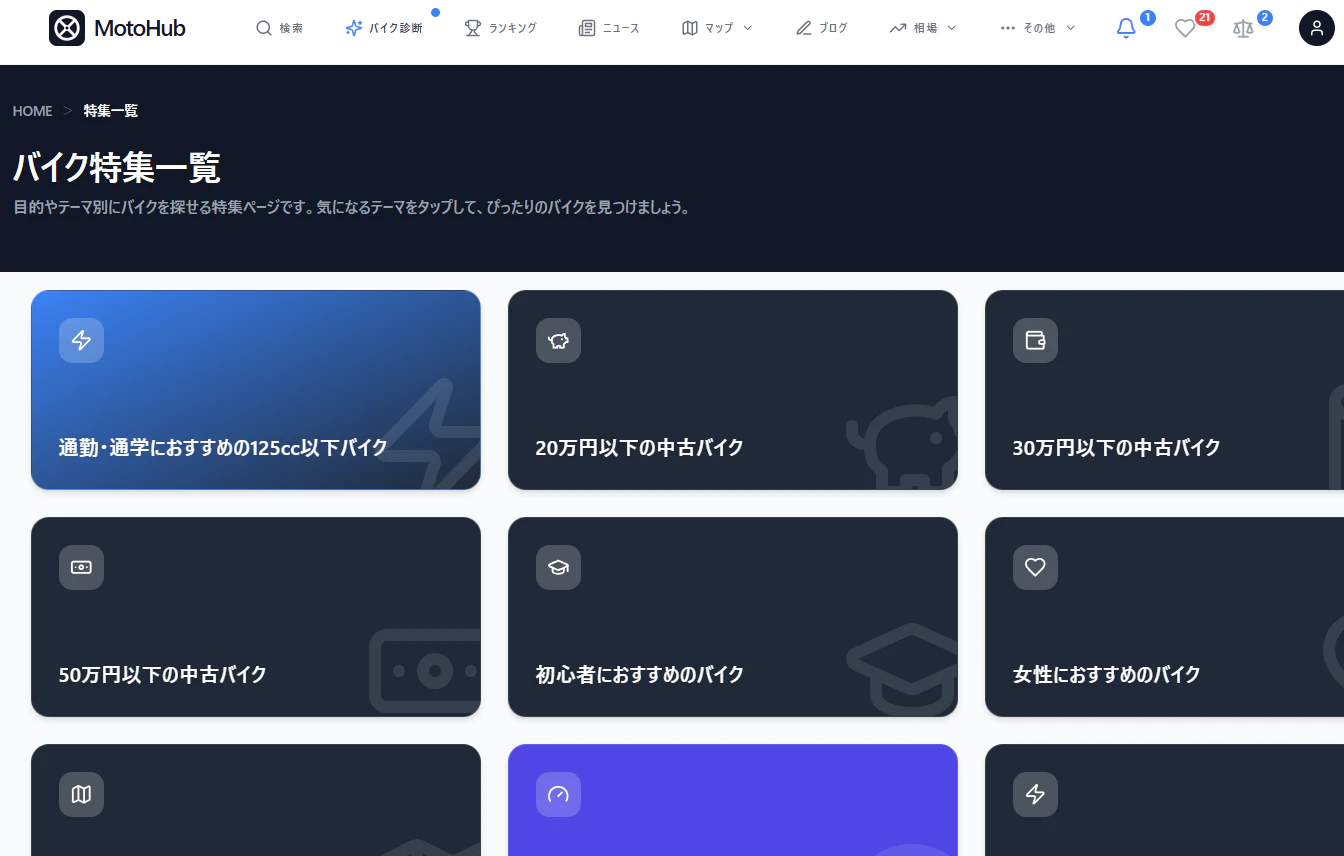
| カテゴリ | ページ例 | 件数 |
|---|---|---|
| 価格帯別 | 10万/20万/30万/50万/100万以下 | 5 |
| 排気量別 | 125cc通勤/150cc/250cc車検不要/大型 | 4 |
| 用途別 | 初心者/女性/ツーリング/通勤スクーター/カブ | 5 |
| 特徴別 | ETC/ワンオーナー/フルノーマル/低走行/高年式 | 5 |
| ジャンル別 | スーパースポーツ/ネオクラシック/旧車/アドベンチャー/4気筒 | 5 |
| その他 | 配達・ビジネス/お買い得/足つき良好/新車スクーター | 4 |


とMySQL(集計用)の二刀流がポイント
- データ品質問題(除雪機、0件ページ)はフィルター設計だけでは防げない。データクリーニングも必須
- Eloquentのキャストとtinkerの組み合わせは二重エンコードに注意
GSCでインデックス化されるまで1〜2週間。結果が出たら続報を書きます。