1
0

Delete article

Deleted articles cannot be recovered.

Draft of this article would be also deleted.

Are you sure you want to delete this article?

More than 5 years have passed since last update.

git branchして、特定のbranch名のファイルをクローンしてくる

1
Last updated at Posted at 2020-01-21

git初心者の私がudemyのビデオ講座で学習しながら、gitのコマンドでつまずいた話です。

udemy でreactを学びながら、作った物をgitで管理していました。講義を一周してreactのreduxの部分だけを復習したいときにredux学習前のファイルをgit cloneしてくるときにつまずいたのでメモ。

方法

まずgit cloneしてきたい人もしくは自分ののgithubからコピーしたいリポジトリ(ファイル)を選択する。
clone or download からURLをコピーする。
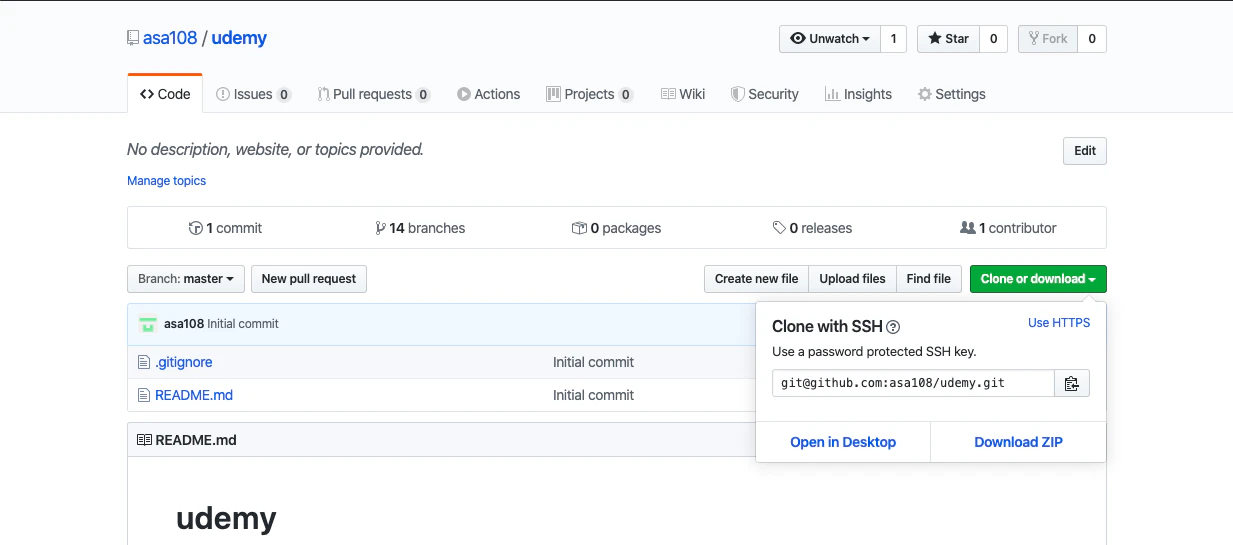
スクリーンショット 2020-01-21 13.06.15.png

ターミナルに行き

git clone コピーしたURL
cd URLから作られたファイル名
git checkout -a 

でファイルのある全てのブランチが確認できる

git checkout 使いたいbranch名

でそのブランチ名がある段階でのファイル状態から作業できるようになる。

1
0
0

Register as a new user and use Qiita more conveniently

  1. You get articles that match your needs
  2. You can efficiently read back useful information
  3. You can use dark theme
What you can do with signing up
1
0

Delete article

Deleted articles cannot be recovered.

Draft of this article would be also deleted.

Are you sure you want to delete this article?