
概要
ある日、実装で途切れた円のを描く必要が出てきた。しかも場合によってはそれをアニメーション表示する必要があるとか…。
今まで線を描くアニメーションをやった経験が記憶上にはなかったので、調べるも大体正円や楕円、円グラフの描き方だったりで、途切れた円(曲線)の描き方とそれをアニメーションする方法を探し当てるのに苦労した。
色々検索してなんとか目星ついて最終的に出来たのがこれ↓
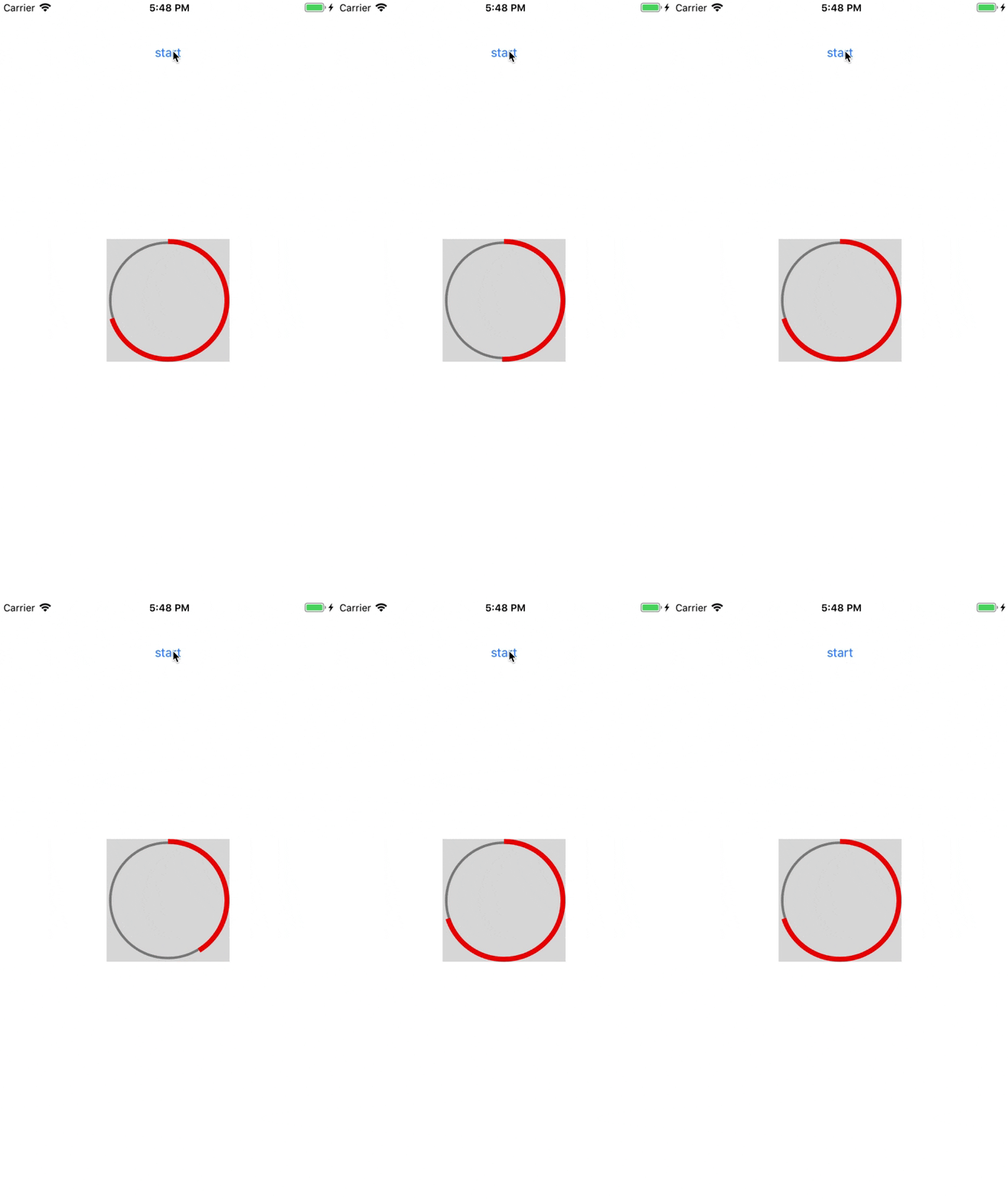
全体を100%とし、内部で入力した数値のパーセンテージをアニメーションで表示している
実装内容
-
独自classのみ記載したgist
https://gist.github.com/aryzae/6c09ba88fa9249a935ce6361e6587414 -
動作確認用repository(Xcode10.1)
https://github.com/aryzae/OddCircleAnimation
解説
途切れた円(曲線)を描く
下記を使ってUIBezierPathを作る。
注意点として、
- 角度はradianで指定する必要があるので、
degree * CGFloat.pi / 180で計算する必要がある -
.close()を呼んでUIBezierPathを閉じてはいけない
/// 円形の線を描く
///
/// - Parameters:
///   - arcCenter: 円の中心点
///   - radius: 半径
///   - startAngle: 開始角度(radianで指定)
///   - endAngle: 終了角度(radianで指定)
///   - clockwise: trueは時計周り、falseは反時計回り
UIBezierPath(arcCenter: CGPoint, radius: CGFloat, startAngle: CGFloat, endAngle: CGFloat, clockwise: Bool)
UIBezierPathをlayerに渡してアニメションさせる
CAShapeLayerのプロパティ.pathに先ほどのUIBezierPathの.cgPathを渡し、"strokeEnd"を指定してCABasicAnimationを作成する。
"strokeEnd"を指定することで線の描画をアニメーションとして表示できる。(自分はここでつまずいた)
あとは、アニメーションに設定をよしなに好みでつけ、layerに対してanimationを追加してやると冒頭のようなアニメーションができる。
// アニメーションさせるlayer作成
let layer = CAShapeLayer()
layer.path = bezierPath.cgPath

// アニメーションの設定
let animation = CABasicAnimation(keyPath: "strokeEnd")
animation.duration = 1.5
animation.fromValue = 0.0
animation.toValue = 1.0
animation.timingFunction = CAMediaTimingFunction(name: .easeOut)
animation.fillMode = .forwards
animation.isRemovedOnCompletion = false
layer.add(animation, forKey: animation.keyPath)