
はじめに
備忘録として書いた簡易記事です。
ある程度わかる方向けの内容になっています。
できること

- チャットをフェードイン表示
- (基本的に)長文を送りつけてもバグらない
他のCSSとの差異
-
/chatのURLを直接指定しているので、カットインなどがそもそも影響しない(CSS内での排除が不要)
本件はサポート致しません。自己責任でお願いします。
カスタムCSSが正常に動作しなかった際、CCFOLIAの運営さん・OBSの運営さんに問い合せをしないでください。
配信等で利用される際は、概要欄にURLなどを記載して頂けると励みになります!
【備忘録】CCFOLIAの秘匿タブをOBSで良い感じにフェードイン/アウトさせるCSS
https://qiita.com/aoko_2477/items/dd6373d427f942b8e30f
やること
-
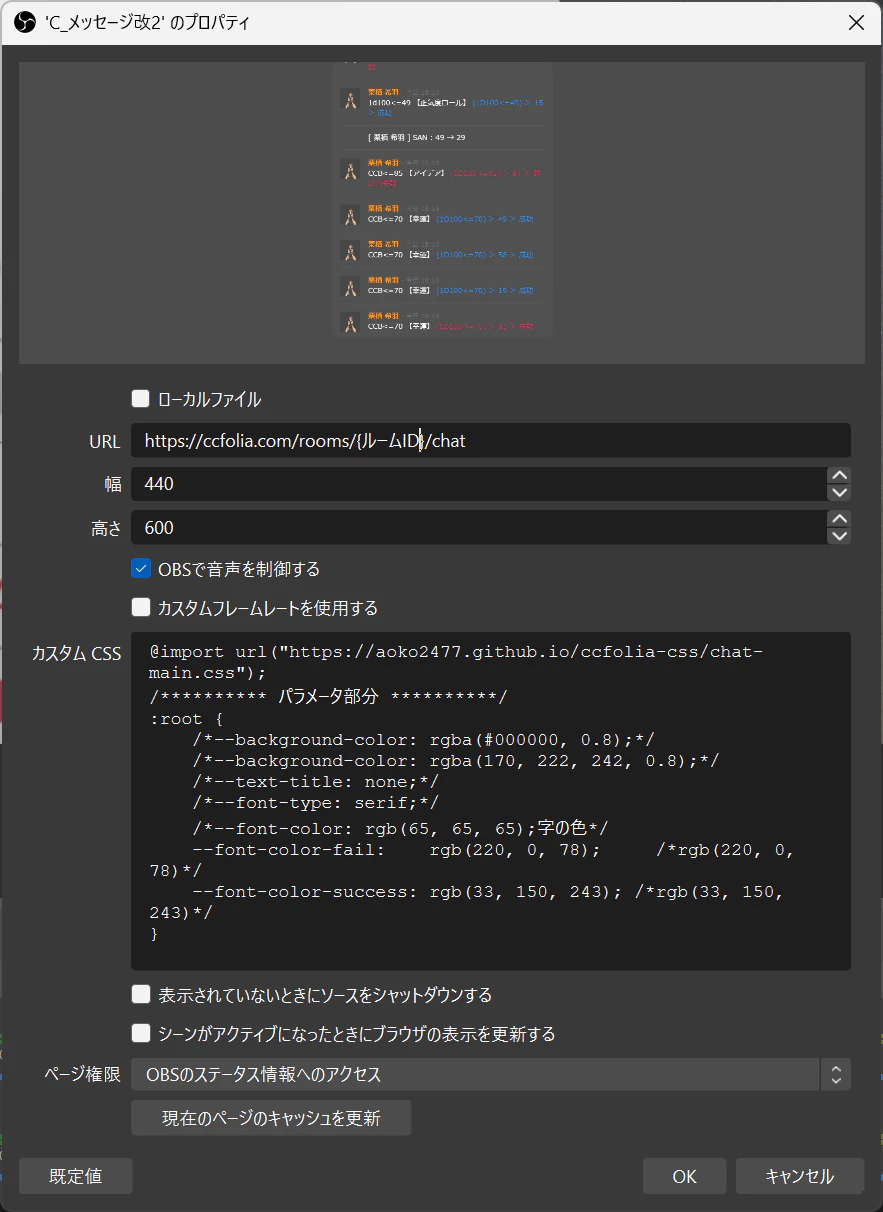
ブラウザを下記のように設定する。
※https://ccfolia.com/rooms/{ルームID}/chatを指定すること
-
カスタムCSSには下記のCSSを記入する
@import url("https://aoko2477.github.io/ccfolia-css/chat-main.css");
/********** パラメータ部分 **********/
:root {
    /*--background-color: rgba(#000000, 0.8);*/
    /*--background-color: rgba(170, 222, 242, 0.8);*/
    /*--text-title: none;*/
    /*--font-type: serif;*/
    /*--font-color: rgb(65, 65, 65);字の色*/
    --font-color-fail:    rgb(220, 0, 78);     /*rgb(220, 0, 78)*/
    --font-color-success: rgb(33, 150, 243); /*rgb(33, 150, 243)*/
}
色はお好みに変更ください。
(任意)フィルタを使って、イメージマスク/ブレンドでチャット欄を角丸とかに切り取る
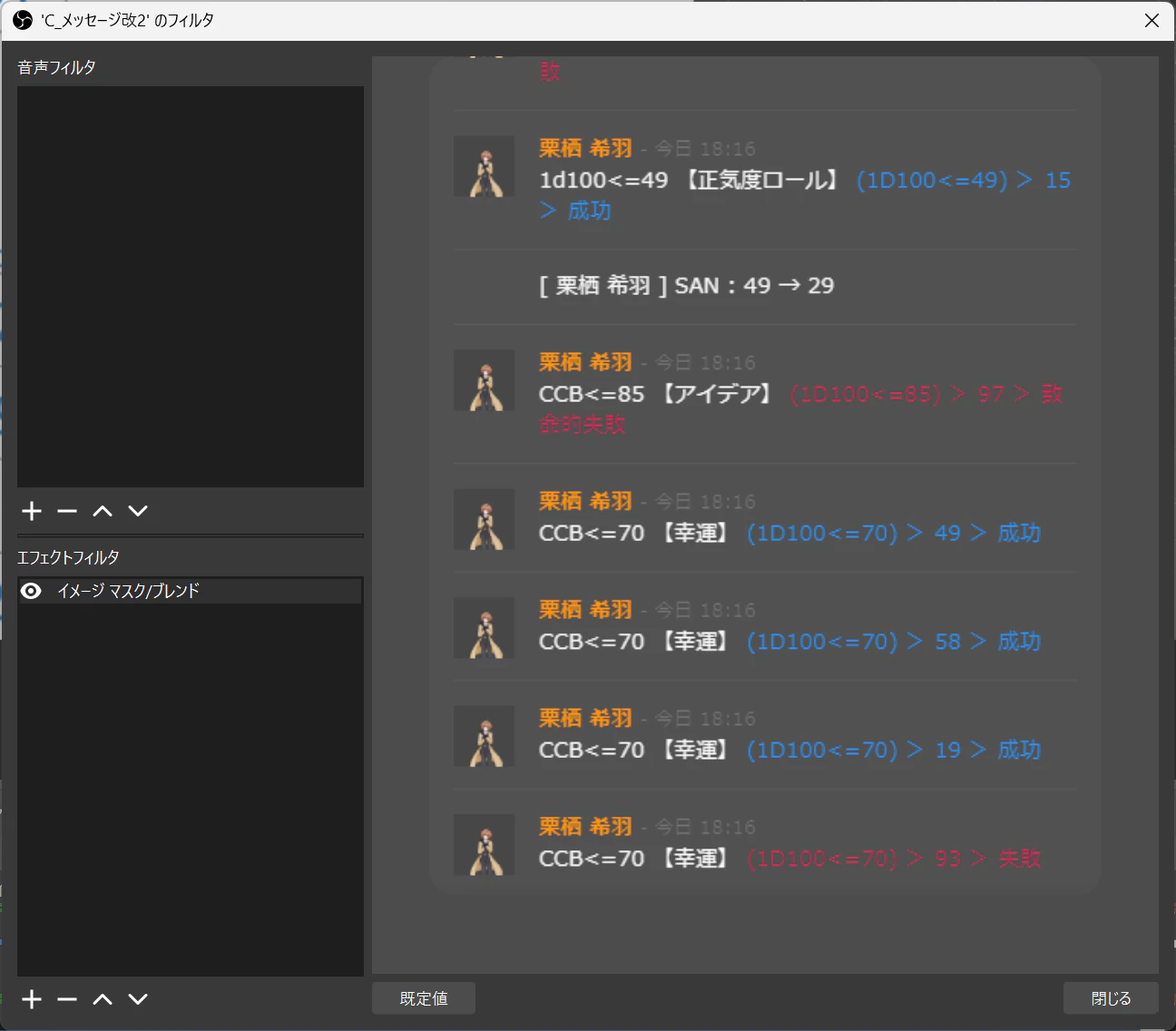
※参考画像

チャットのタブを切り替えるときは不可視になるので、勘で選択してください。当たり判定はあります。
おわりに
簡易的な記事ですが、良いOBS録画画面の足しになれば幸いです!
それでは皆様、快適なTRPGライフをお過ごしください~