0
0

Delete article

Deleted articles cannot be recovered.

Draft of this article would be also deleted.

Are you sure you want to delete this article?

ファイルの更新日時を変更せずに一括で共有設定をいじる

0
Posted at

概要

Googleドライブでファイルを直接操作して共有する以外の方法

動機

Googleドライブでファイルを共有する際、
① ファイルごとではなく一括で設定したい
② ファイルの更新日時をそのままにしておきたい

Googleドライブでは、ファイル名や共有設定の変更もファイルの変更の一部として記録されてしまう
何より最終更新日時が変わるからうっとうしい…

使用環境

Googleドライブ

方法

対象のファイルを含んでいるフォルダの共有設定を変更すれば、その変更が全てのファイルに反映される

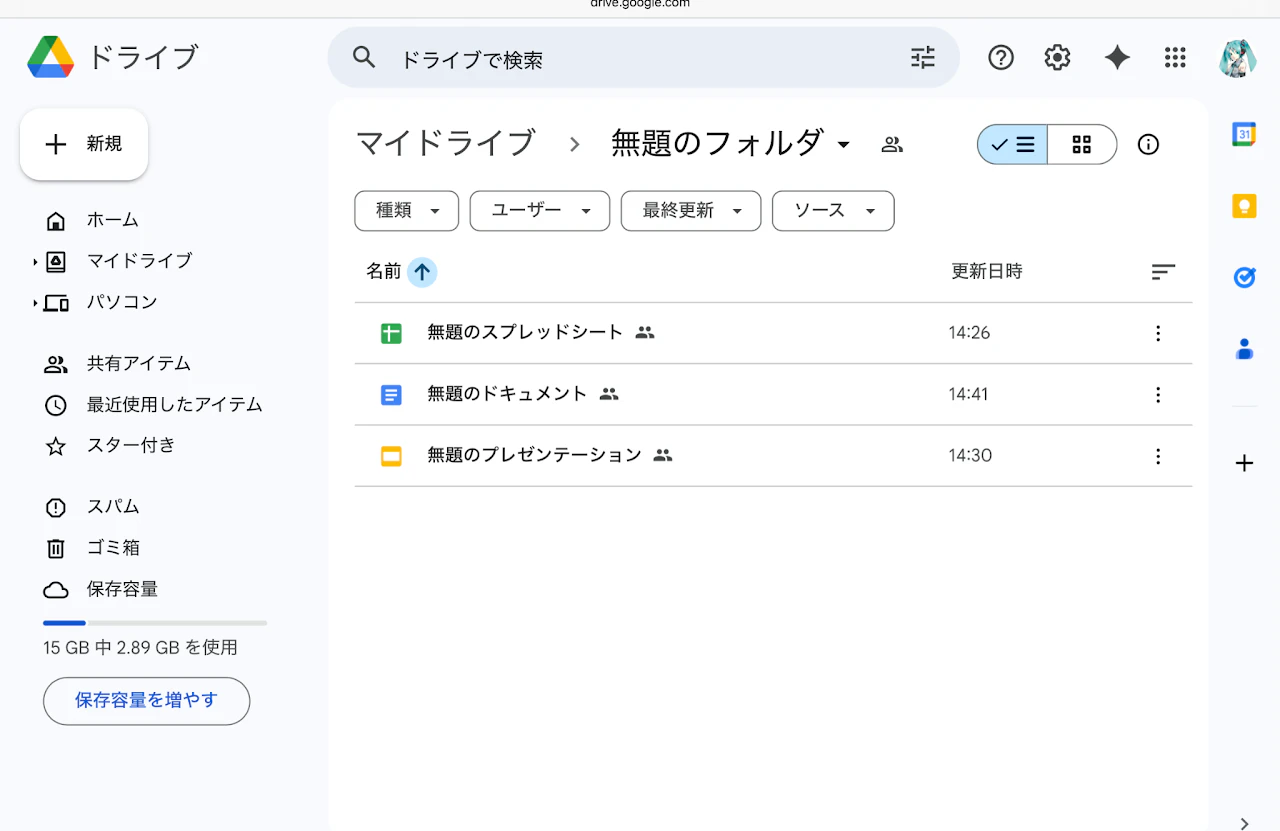
例として簡単な構造のフォルダを作ってみる

無題のフォルダ
├ 無題のスプレッドシート
├ 無題のドキュメント
└ 無題のプレゼンテーション
sampleDir.png sampleHis.png

(i) ファイルを1つ選んで「共有」

→「無題のドキュメント」の更新日時が変更されてしまう
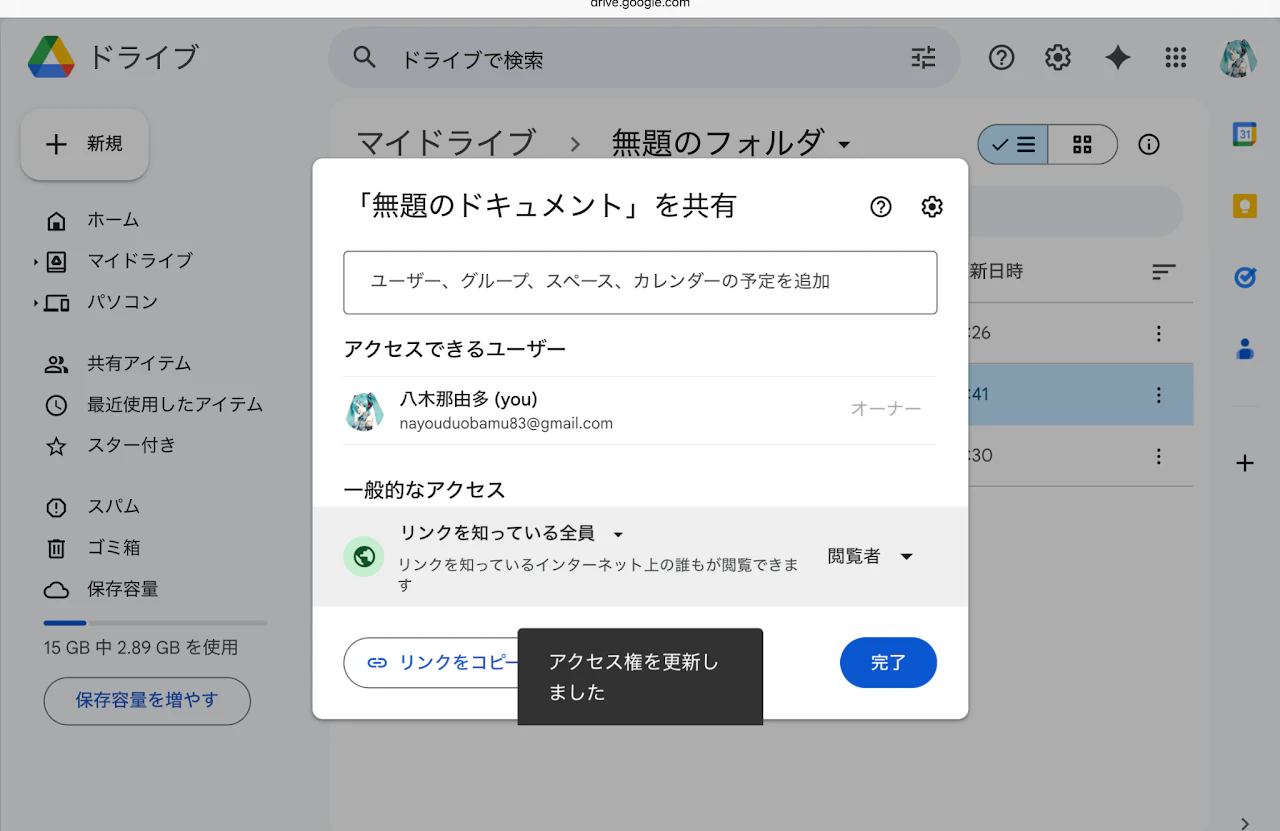
choose-one-toShare.png changedFile.png

(ii) フォルダごと「共有」(画面では上部のフォルダ名をクリックすることでメニューを表示する)

→フォルダ内の全てのファイルが共有される
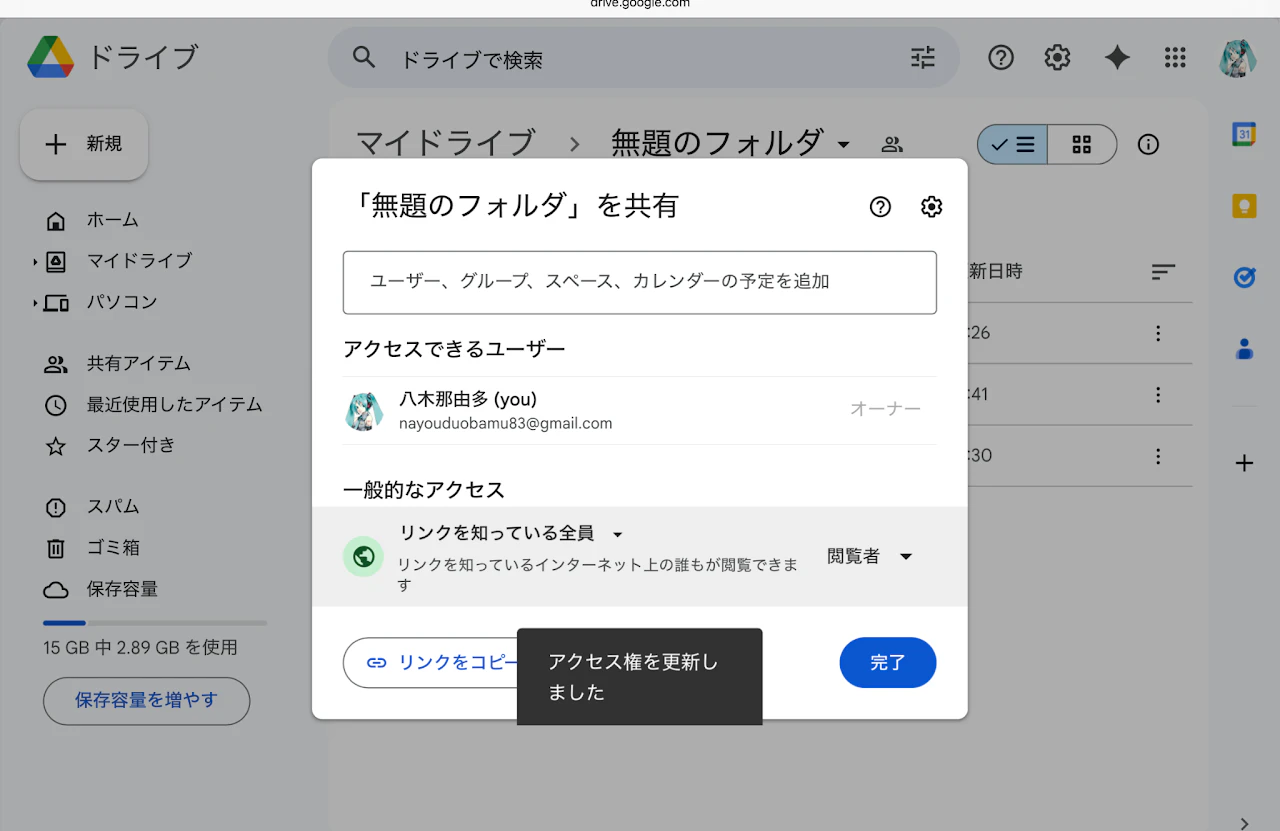
share-dir.png shared.png

(+ファイルの更新日時には影響しない)

0
0
0

Register as a new user and use Qiita more conveniently

  1. You get articles that match your needs
  2. You can efficiently read back useful information
  3. You can use dark theme
What you can do with signing up
0
0

Delete article

Deleted articles cannot be recovered.

Draft of this article would be also deleted.

Are you sure you want to delete this article?