
はじめに
こんにちは。最近実家の畑に知らない人が勝手に耕したりしているそうで、母親がばちぼこぷんぷんまるで、警察のお世話になりそうです、筆者です 
さて、今回はみんな大好きAWSから、毎月メールで届く請求書をGoogleドライブに保存しようと思います!
前提
- 毎月4日に届いている(気がする).
- 送信元メールアドレスは
aws-receivables-support@email.amazon.com. - メールの件名は
Amazon Web Services Invoice Available [Account: 123456789012] [Invoice ID: 123456789]な感じ.`
手順
- 当月既に処理済みの場合は正常終了.
- 当月届いた当該メールを検索.
- 2のメールからPDFファイルを取得.
- 3のPDFファイルを指定のGoogleドライブアップロードする.
- 4のPDFファイル名をYYYYMMに変更.
- 2のメールをゴミ箱に移動.
- もし2でメールが存在しなかった場合は翌日の同時刻に再実行トリガーをセットして正常終了.
- 1-7を毎月5日に定時実行する.
実スクリプト
手順8のトリガーは別途設定して下さい!
const main = () => {
  const now = new Date()
  const ymd = Utilities.formatDate(new Date(now.getFullYear(), now.getMonth(), 1), 'Asia/Tokyo', 'yyyy/MM/dd')
  const folder_id = 'xxxx'
  const file_name = Utilities.formatDate(new Date(now.getFullYear(), now.getMonth(), 1), 'Asia/Tokyo', 'yyyyMM')
  const mail_from = 'aws-receivables-support@email.amazon.com'
  const subject = 'Amazon Web Services Invoice Available'

  // 手順1
  if (0 < DriveApp.getFolderById(folder_id).getFilesByName(file_name).hasNext()) {
    return
  }

  // 手順2
  const threads = GmailApp.search(`from:("${mail_from}") subject:("${subject}") has:attachment after:${ymd}`, 0, 1)
  let messages, message, attachment, uploaded = false
  for (i in threads) {
    if (uploaded) {
      break
    }

    messages = threads[i].getMessages()
    if (messages.length < 1) {
      break
    }

    message = messages[0]
    if (message.isInTrash()) {
      // ゴミ箱にあるメールはスルー.
      break
    }

    // 手順3
    attachment = message.getAttachments()[0]

    // 手順4
    const file_id = DriveApp.getFolderById(folder_id).createFile(attachment).getId()

    // 手順5
    DriveApp.getFileById(file_id).setName(file_name)
    uploaded = true

    // 手順6
    message.moveToTrash()
  }

  if (! uploaded) {
    // 手順7
    ScriptApp
      .newTrigger('main')
      .timeBased()
      .atDate(now.getFullYear(), now.getMonth() + 1, now.getDate() + 1)
      .create()
  }
}
スクリプト実行
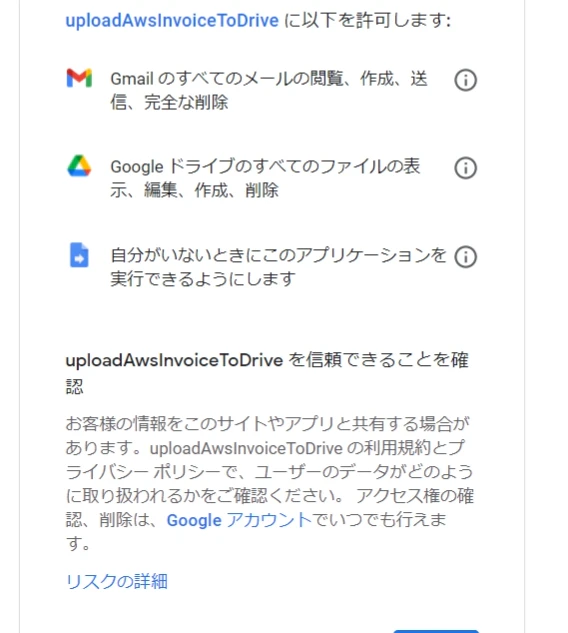
初回実行時に、権限を要求されるので許可してください
実行するとドライブにAWSの請求書が追加されました!

Gmailも確認すると当該メールがゴミ箱に移動しています
おわりに
これでいらないメールが消えて、必要なファイルだけちゃんとドライブにアップロードされるようになりました
皆さんもぜひ!