0
0

Delete article

Deleted articles cannot be recovered.

Draft of this article would be also deleted.

Are you sure you want to delete this article?

QTS 4系のEOL機(TS-469Pro)にTailscaleを入れる

0
Posted at

概要

公式AppCenterにパッケージが無いので、myqnap.org(有志運営リポジトリ)を
追加してインストールする。サードパーティリポジトリであることは承知の上で。
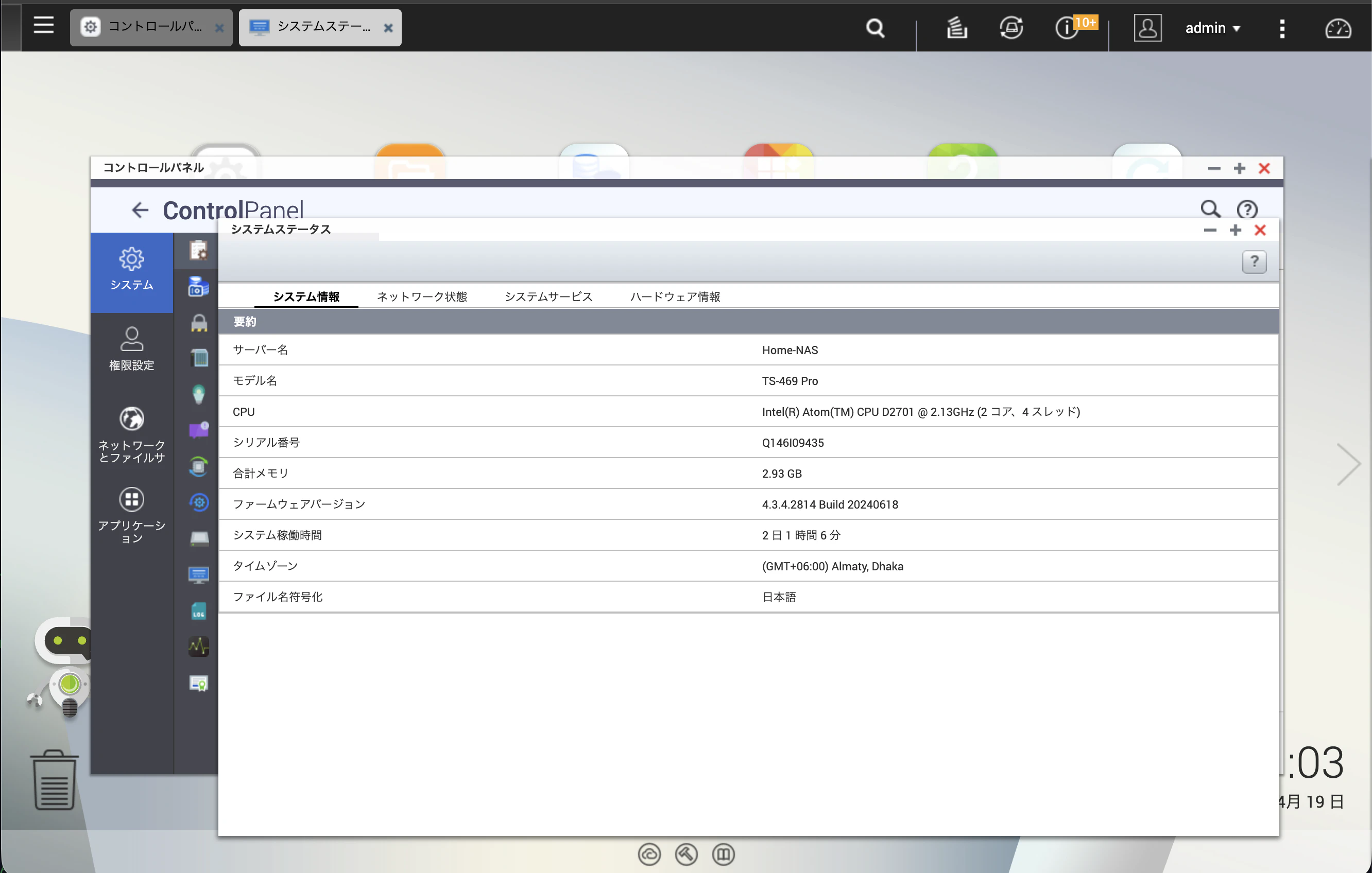
image.png

前提

  • 機種: TS-469Pro (Intel Atom D2700 / x86_64)
  • QTS: 4.2.x (Legacy、これ以上は上がらない)
  • myqnap.org のパッケージを利用するため、自己責任

リポジトリ追加

  1. AppCenterを開く
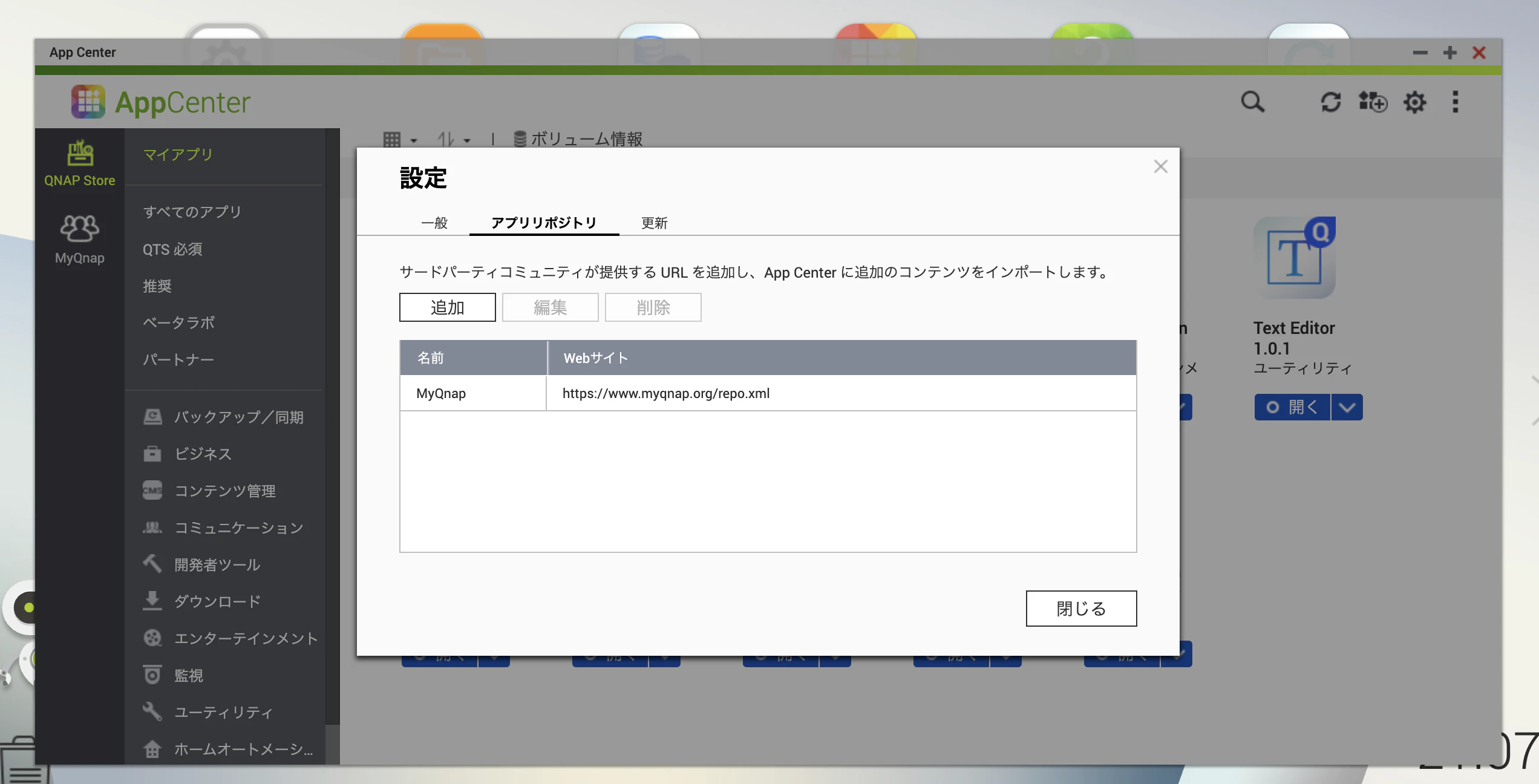
  2. 右上の歯車 → 設定 → アプリリポジトリ
  3. 以下を入力して保存

image.png

インストールと動作確認

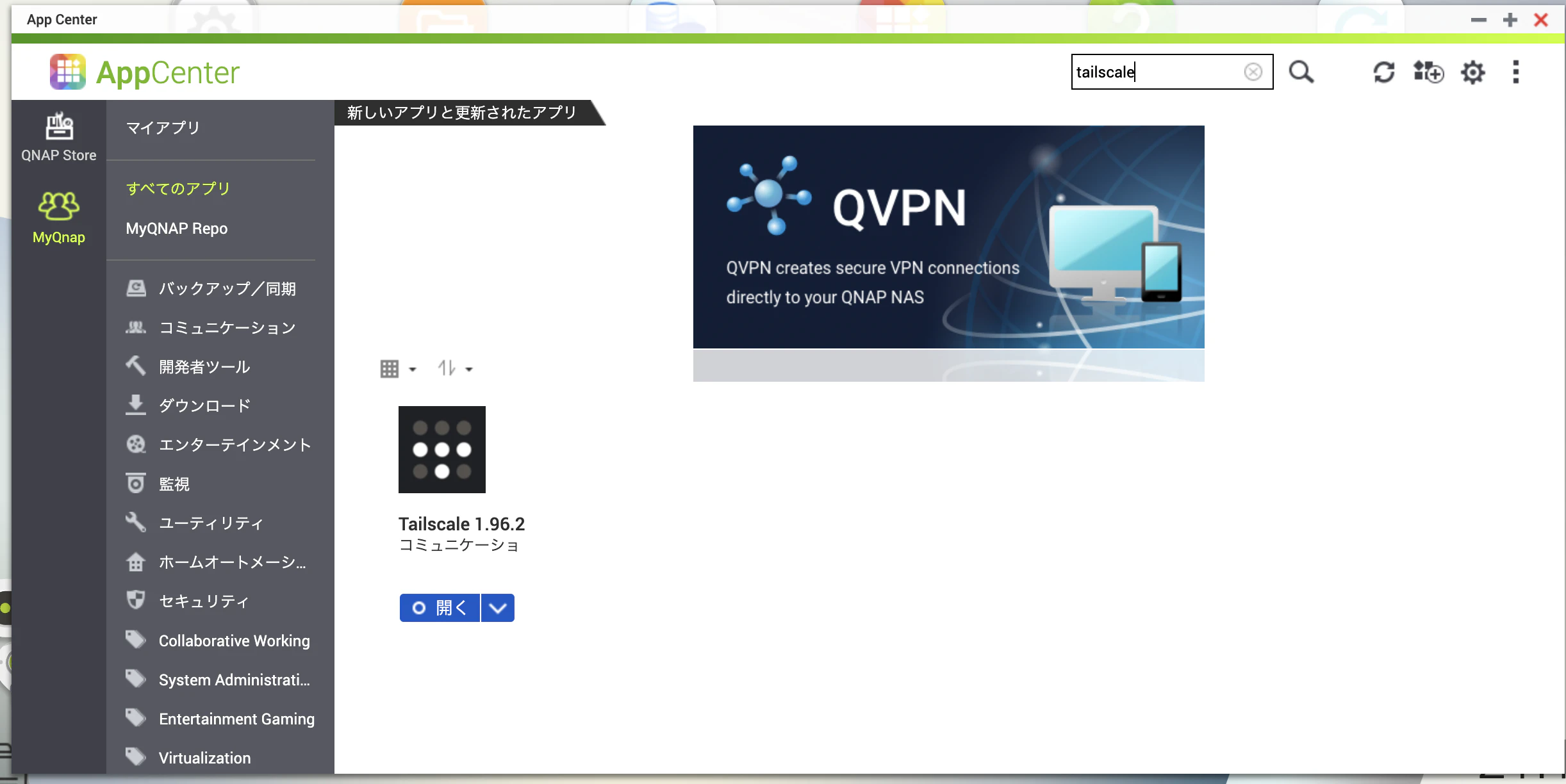
  • 左メニューに "MyQNAP" タブが出る(反映に数秒〜数十秒)
  • "tailscale" で検索 → インストール
  • "開く" → ログイン
  • tailscale status で疎通確認

image.png

注意事項

  • EOL機をVPN終端にすること自体のリスクは別途考慮
0
0
0

Register as a new user and use Qiita more conveniently

  1. You get articles that match your needs
  2. You can efficiently read back useful information
  3. You can use dark theme
What you can do with signing up
0
0

Delete article

Deleted articles cannot be recovered.

Draft of this article would be also deleted.

Are you sure you want to delete this article?