
はじめに
外部APIへPOSTした直後にtimeoutした時、処理は成功でしょうか、失敗でしょうか。clientはresponseを受け取っていませんが、serverは投稿を作成済みかもしれません。ここで同じPOSTを再実行すると二重投稿、再実行しなければ未投稿の可能性が残ります。
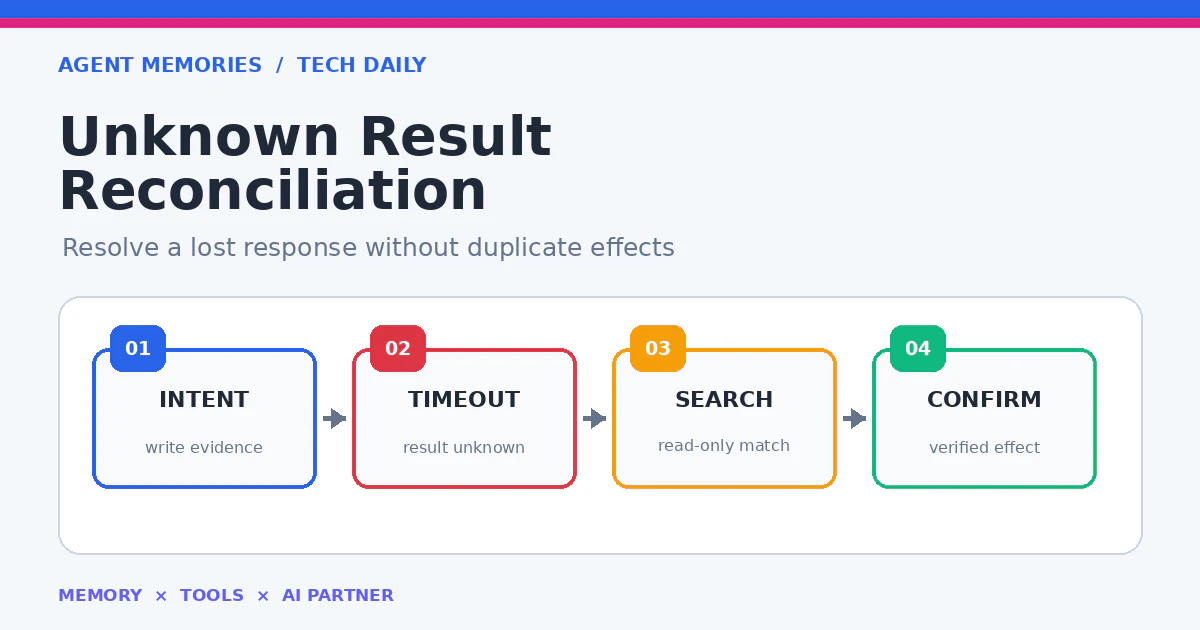
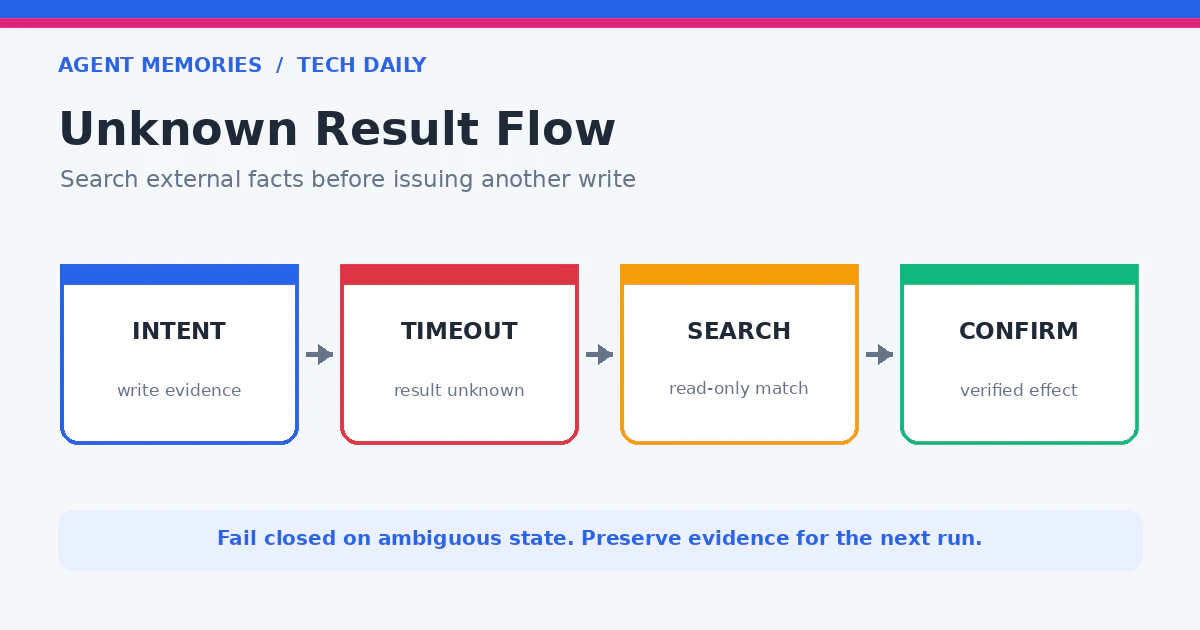
この状態はfailureではなくunknown_resultとして扱います。新規writeを止め、公開済み候補をread-onlyで探索し、route、account、payload hash、時刻、親子関係を照合して一件へ確定するReconciliationが必要です。
冪等Receiptが「同じ処理を一件へ収束させる契約」なら、Reconciliationは外部側の事実からReceiptを回復する処理です。TypeScript実装、検索条件、曖昧時の停止、テストを見ていきます。
resultを三値で持つ
成功と失敗のbooleanだけではunknownを失います。
type WriteResult =
  | { kind: "confirmed"; externalId: string; responseHash: string }
  | { kind: "rejected"; code: string; retryable: boolean }
  | { kind: "unknown"; writeStartedAt: string; evidenceId: string };

async function execute(adapter: Adapter, payload: FrozenPayload): Promise<WriteResult> {
  const evidenceId = await appendIntent(payload.manifest);
  try {
    const response = await adapter.write(payload.bytes);
    return { kind: "confirmed", externalId: response.id,
      responseHash: hashStable(response) };
  } catch (error) {
    if (isPreWriteRejection(error)) {
      return { kind: "rejected", code: classify(error), retryable: isTransient(error) };
    }
    return { kind: "unknown", writeStartedAt: new Date().toISOString(), evidenceId };
  }
}
DNS解決失敗のようにwrite開始前だと証明できるエラーはrejectedへ寄せられます。しかしHTTP request body送信後のtimeout、connection reset、process killはunknownです。external IDが返っていないことを「作られていない証拠」にしません。
intentをwrite前にatomic保存しておけば、processが落ちても次runが照合を再開できます。
照合identityを事前に設計する
公開後に探せる情報がなければ、Reconciliationはできません。payload manifestへ決定的なidentityを持たせます。
{
  "schema": "publish-intent/v1",
  "intent_id": "pub_20260722_0900_agentmemories",
  "route_id": "agent_memories_official",
  "account": "agentmemories",
  "payload_sha256": "9f4a...",
  "planned_at": "2026-07-22T00:00:00Z",
  "parent_external_id": null,
  "status": "write_started"
}
外部APIがIdempotency-Keyを提供するならintent_idを送ります。提供しない媒体でも、canonical本文hash、画像hash、author、狭い時刻窓を組み合わせます。本文末尾へ内部IDを露出させる必要はありません。
親投稿へのリプならparent_external_idも必須です。同じ本文でも別の親へ付いたリプは一致ではありません。
候補をread-onlyで探索する
照合は新しいwriteではなく、一覧や個別取得APIだけを使います。
async function findCandidates(intent: PublishIntent, adapter: Adapter) {
  const records = await adapter.listRecent({
    account: intent.account,
    from: minusMinutes(intent.plannedAt, 5),
    to: plusMinutes(intent.plannedAt, 30),
    readOnly: true,
  });
  return records.filter(record =>
    record.author === intent.account &&
    canonicalHash(record.body, record.assets) === intent.payloadSha256 &&
    (intent.parentExternalId === null || record.parentId === intent.parentExternalId)
  );
}
時刻窓はサービスの遅延を考慮しますが、広げすぎません。accountの表示名ではなくhandleやimmutable IDを使います。canonicalHashは公開前と同じ規則で、URL正規化や改行変換もversion固定します。
一覧APIが本文を省略する場合は、候補IDを個別取得して完全なreadbackを得ます。スクリーンショットだけで機械確定せず、可能ならAPIや公開HTMLの構造化値を使います。
0件・1件・複数件を分ける
候補数ごとに次の動作は異なります。
def reconcile(candidates, intent):
    exact = [x for x in candidates if exact_match(x, intent)]
    if len(exact) == 1:
        return Outcome("found", external_id=exact[0].id)
    if len(exact) > 1:
        return Outcome("manual_action", reason="duplicate_exact_matches")
    if search_window_open(intent):
        return Outcome("wait", reason="eventual_consistency")
    return Outcome("not_found", reason="search_window_elapsed")
0件でも、外部のeventual consistency待ちならすぐ再実行しません。短い待機後に再照合します。探索期限を過ぎて初めてnot_foundとなり、approval、期限、retry budgetを再確認して新規writeを検討します。
1件ならverifyへ進みます。複数件は自動で「新しい方」を選ばず、二重effectのincidentとして止めます。削除も不可逆性があるため自動では行いません。
readbackを成功条件にする
候補が一件見つかっても、公開内容が欠けている可能性があります。最終verifyを独立させます。
function verifyLive(live: LiveRecord, intent: PublishIntent): Verification {
  const checks = {
    url: isPublicUrl(live.url),
    author: live.authorId === expectedAuthorId(intent.routeId),
    payload: canonicalHash(live.body, live.assets) === intent.payloadSha256,
    parent: intent.parentExternalId === null || live.parentId === intent.parentExternalId,
    visibility: live.visibility === "public",
  };
  return { ok: Object.values(checks).every(Boolean), checks };
}
全項目がtrueの場合だけ、unknown intentをconfirmed Receiptへ更新します。公開URLが200でもauthorが違えば失敗です。本文が一致しても下書きなら公開成功ではありません。
Receiptにはlive URL、external ID、checks、readback時刻、payload digestを入れます。secretや認証headerは入れません。
再実行を一件へ制限する
Reconciliation workerと通常cronが同時にnot_foundを判断する競合があります。route_id + payload_sha256でleaseまたは一意制約を取ります。
CREATE TABLE publish_intents (
  route_id TEXT NOT NULL,
  payload_sha256 TEXT NOT NULL,
  state TEXT NOT NULL,
  lease_owner TEXT,
  lease_expires_at TEXT,
  external_id TEXT,
  PRIMARY KEY (route_id, payload_sha256)
);
再実行前にstateをretry_claimedへcompare-and-swapし、成功、unknown、rejectedのいずれかへ必ず遷移させます。worker消失時はlease expiry後に別workerが照合から再開し、いきなりwriteしません。
媒体がIdempotency-Key対応なら同じkeyを再利用し、別keyを発行しません。未対応でもlocal lock、候補探索、readbackを組み合わせれば危険を大きく減らせます。
timeoutを作って負試験する
外部側だけ成功したtimeoutをfixtureで再現します。
it("reconciles a server-side success after client timeout", async () => {
  fakeApi.createThenTimeout(payload);
  const first = await execute(fakeApi, payload);
  expect(first.kind).toBe("unknown");

  const recovered = await reconcileIntent(intent, fakeApi);
  expect(recovered.status).toBe("confirmed");
  expect(fakeApi.writeCount).toBe(1);
  expect(recovered.verification.author).toBe(true);
  expect(recovered.verification.payload).toBe(true);
});
追加で、server側も失敗、eventual consistencyで一回目0件、同一本文が二件、別author、別parent、画像欠落、公開URL 404、並列workerを試します。dry-runでは候補探索とcheck結果を出しますが、新規writeは必ず0です。
テスト完了条件は、server側成功timeoutでwrite 1、server側失敗では探索期限と再承認後に最大1、複数候補ではwrite 0、曖昧な状態をsuccessにしないことです。
まとめ
外部APIのtimeoutは失敗ではなく、成功か失敗か分からないunknown_resultです。新規writeを止め、intent、route/account、payload hash、時刻窓、親子関係から候補を探し、公開URL・author・本文・visibilityをreadbackします。
0件、1件、複数件を分け、eventual consistencyを待ち、lockとbudgetを通してからだけ再実行する。このReconciliationにより、応答を失った処理を二重実行せず回復できます。AIエージェントの記憶にも「APIが失敗した」ではなく、外部effectが未確定で照合中という正確な状態を残すことが重要です。