0
1

Delete article

Deleted articles cannot be recovered.

Draft of this article would be also deleted.

Are you sure you want to delete this article?

More than 5 years have passed since last update.

STS Webプロジェクト作成後にWelcome画面へアクセスできない

0
Last updated at Posted at 2018-09-19

開発環境

  • Windows10 64bit
  • Java8
  • Spring5
  • Maven 3.5.4
  • Spring Tool Suite Version: 3.9.5

HTTPステータス 404

Spring Webプロジェクト作成後、「Maven install」をしてtc Serverにプロジェクトを追加する。
ブラウザで「localhost:8080/プロジェクト名」とWelcome画面へアクセスするとHTTPステータス404になった。
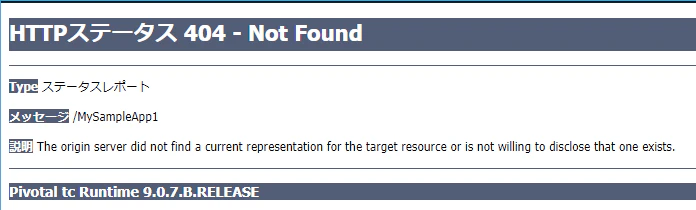
sts_http_404.png

一度、STSを閉じてから「C:\Users\ユーザー名\.m2\repository」配下にあるフォルダ類(ライブラリー群)を全部削除した。
STSを起動しなおし、「Maven install」でライブラリー群を再ダウンロード後にブラウザアクセスするとWelcome画面へアクセス成功した。

sts_http_200.png
原因はライブラリー群のダウンロードに失敗していたようだ。
「いいね」ボタンお願いします。

0
1
0

Register as a new user and use Qiita more conveniently

  1. You get articles that match your needs
  2. You can efficiently read back useful information
  3. You can use dark theme
What you can do with signing up
0
1

Delete article

Deleted articles cannot be recovered.

Draft of this article would be also deleted.

Are you sure you want to delete this article?