1
1

Delete article

Deleted articles cannot be recovered.

Draft of this article would be also deleted.

Are you sure you want to delete this article?

More than 5 years have passed since last update.

Springboot + Kotlin でAPI (仮)

Last updated at Posted at 2018-04-11

このページは

SpringbootもKotlinも初心者な自分が、REST APIを作ってみた際の備忘録。
(完全自分用。良い記事は他でたくさんありますので。)
作りながら更新よてい。

環境

  • MacOS
  • IntelliJ IDEA 2018.1.1
  • JDK10
  • Springboot 2.1.0(SNAPSHOT)
    • Grade
  • Kotlin
  • MySQL
  • Jacson(予定)
  • MyBatis

基本的に全て最新バージョンで試している。

環境構築手順

  1. IntelliJ IDEA をインストール

  2. JDK10 をダウンロード

  3. Spring Initializr でProjectの作成

  4. IntelliJ を起動

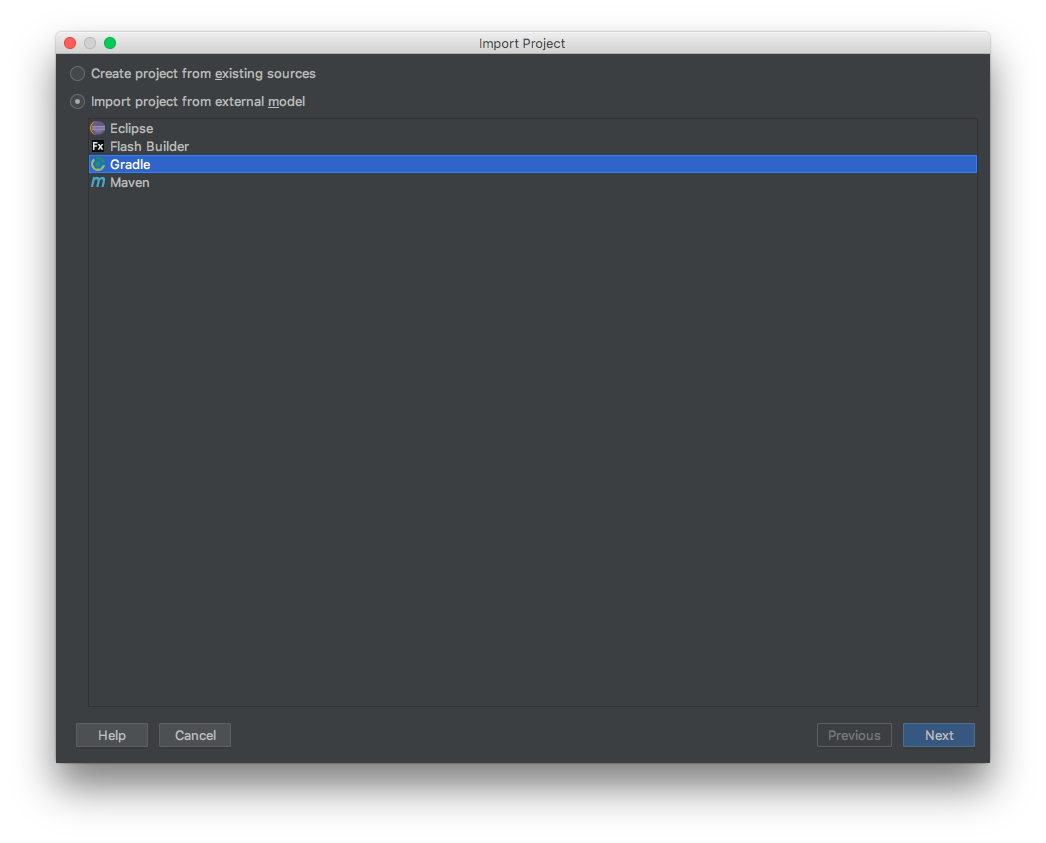
  5. Import Project をクリック、作成したProjectファイルを選択

  6. Gradleを選択して[Next]
    スクリーンショット 2018-04-13 2.27.50.png

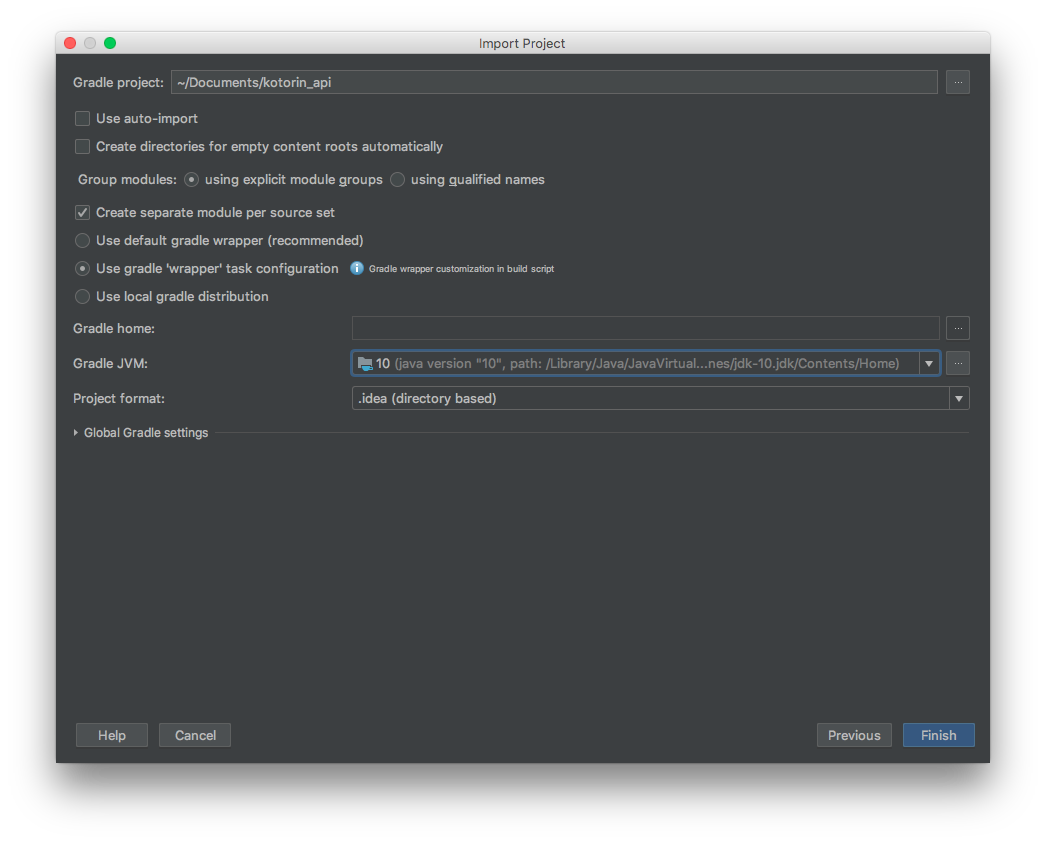
  7. 以下の通り設定し[Finish]
    スクリーンショット 2018-04-13 2.31.42.png
    GradleJVMの選択で、ダウンロードしたJDKがプルダウンに出てこない時は、".../jdk-10.jdk/Contents/Home"まで指定して設定。

springbootは後ほど学習予定なので今回はwebサービスでProjectを作成した。ありがたい。

1
1
0

Register as a new user and use Qiita more conveniently

  1. You get articles that match your needs
  2. You can efficiently read back useful information
  3. You can use dark theme
What you can do with signing up
1
1

Delete article

Deleted articles cannot be recovered.

Draft of this article would be also deleted.

Are you sure you want to delete this article?