5
4

Delete article

Deleted articles cannot be recovered.

Draft of this article would be also deleted.

Are you sure you want to delete this article?

ezdxfを使ってみよう#2~図形描画編~

5
Last updated at Posted at 2022-05-02

この記事は、WorkTech雑記帳(個人ブログ)で内容を整理し直しました。最新版はこちらをご覧ください。
blog_アイキャッチ (25).png
ezdxfを使ってみよう #2~図形・属性編~【描画・レイヤー・日本語フォント・ハッチング】
ezdxfで扱える基本図形(直線・円・弧・ポリライン・楕円など)の描き方をまとめます。
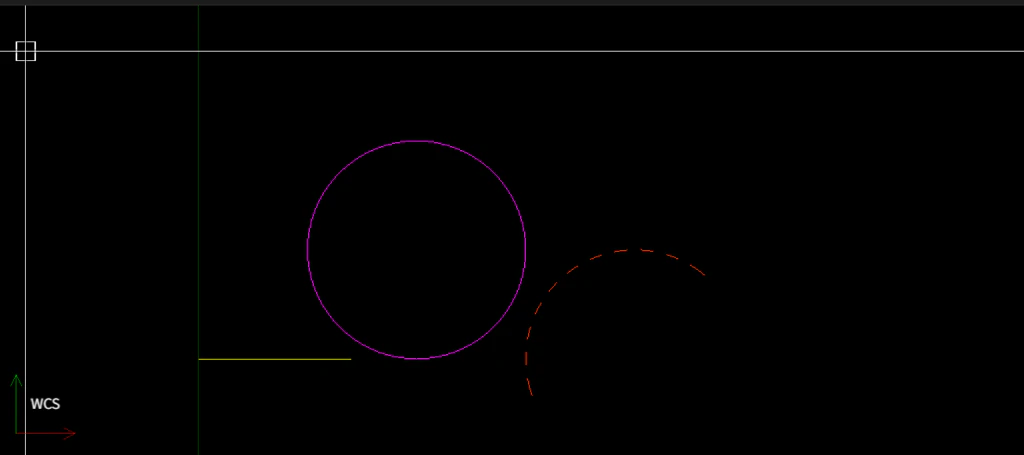
image.png

add_lineadd_circleのように図形ごとにメソッドが分かれていること、また中心座標や半径・始点終点角度など、図形の種類によって必要な引数が違うことを、実際に1つずつ描画しながら確認しています。

特に円弧は始点・終点を角度で指定する点や、ポリラインは頂点リストのフォーマットに癖がある点など、初めて触るとつまずきやすいポイントを中心にまとめていました。

レイヤー・色などの属性指定や、日本語フォントの追加、ハッチングパターンまで含めた最新版はこちらです。
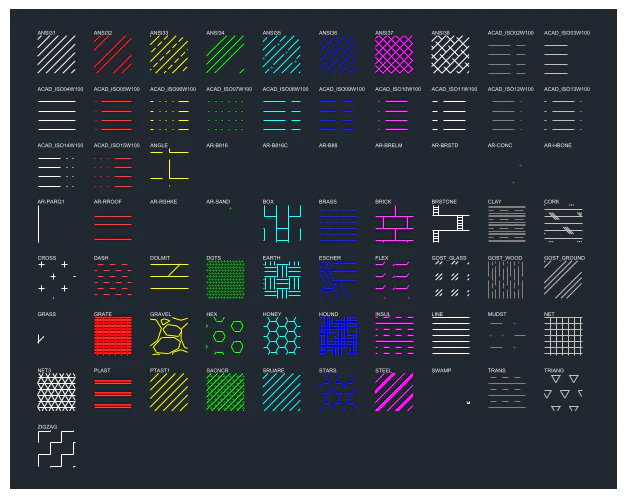
image.png

ezdxfを使ってみよう #2~図形・属性編~【描画・レイヤー・日本語フォント・ハッチング】

5
4
0

Register as a new user and use Qiita more conveniently

  1. You get articles that match your needs
  2. You can efficiently read back useful information
  3. You can use dark theme
What you can do with signing up
5
4

Delete article

Deleted articles cannot be recovered.

Draft of this article would be also deleted.

Are you sure you want to delete this article?