2
1

Delete article

Deleted articles cannot be recovered.

Draft of this article would be also deleted.

Are you sure you want to delete this article?

【Mac】LaTeX環境を完璧に構築したはずなのにVSCodeだとコンパイルできないときの対処法

2
Last updated at Posted at 2025-12-09

状況

MacTeXをインストールして、VSCodeに "LaTeX Workshop"という拡張機能を入れ、日本語用のlatexmkrcを用意して...と完璧に環境構築をして、ターミナル上でコマンドを使えばコンパイルしてPDFに出力することもできる!
VSCodeのエディタの右上にある緑の三角ボタンでコンパイルしよう!
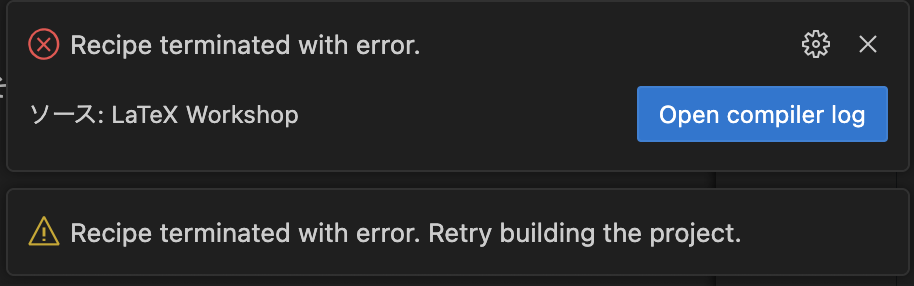
tex_error.png

あれ?

エラー?

何で?

解決方法

原因はどうやらlatexmkか何かのパスがVSCodeに反映されていなかったことらしい。

解決方法は「ターミナル上でtexのディレクトリに移動してcode .というコマンドを使って、コマンドラインからVSCodeを実行する」になります。

code .を使えるようにするために

VSCodeのコマンドパレット(cmd + shift + P)で "Shell Command: Install ‘code’ command in PATH" を検索して実行するだけ。

おわりに

LaTeX環境の構築と扱いは苦戦すると思いますが、お互い頑張りましょう。
(思ったより短い記事になってしまった。)

2
1
0

Register as a new user and use Qiita more conveniently

  1. You get articles that match your needs
  2. You can efficiently read back useful information
  3. You can use dark theme
What you can do with signing up
2
1

Delete article

Deleted articles cannot be recovered.

Draft of this article would be also deleted.

Are you sure you want to delete this article?