
前提条件
- GitHubアカウントをお持ちであること。
環境構築手順
リポジトリの作成
- テンプレートリポジトリにアクセスします。
- リポジトリの作成方法はGitHubドキュメントを参照し、テンプレートから新しいリポジトリを作成してください。
ワークフロー権限の設定
-
作成したリポジトリに移動し、
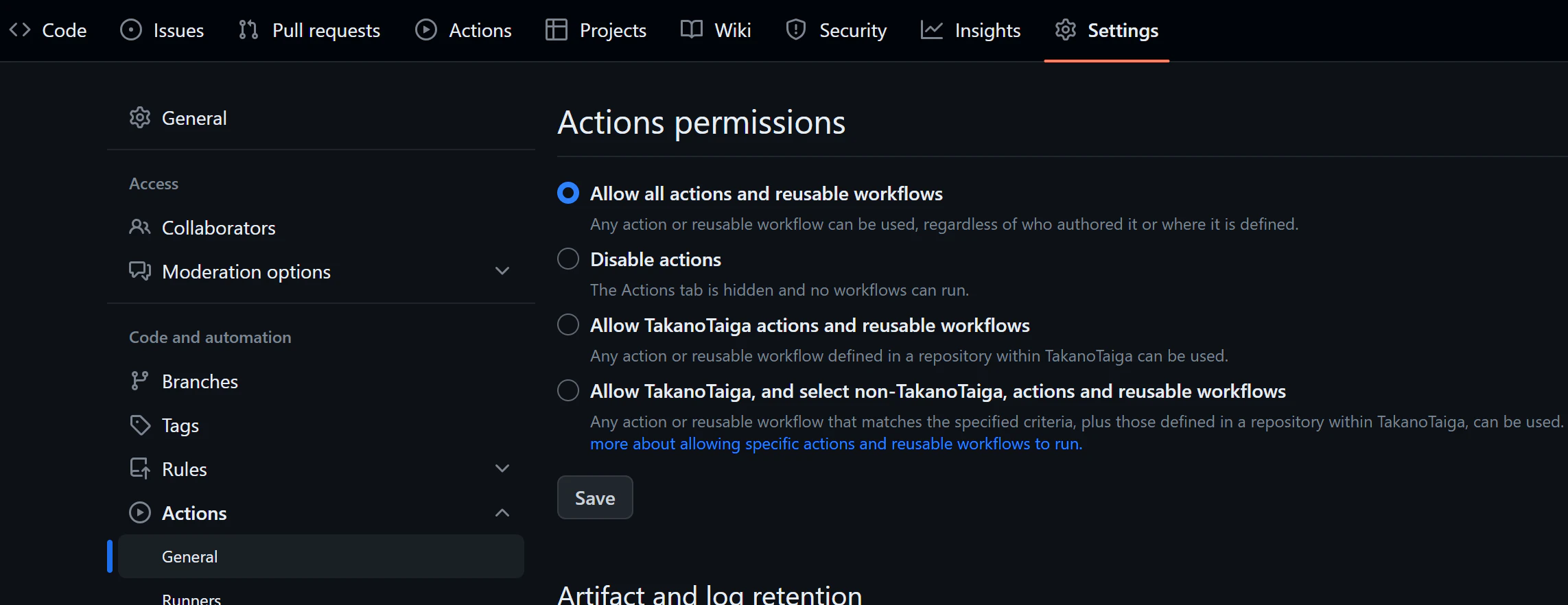
Settings>Actions>General>Workflow permissionsの順にアクセスします。 -
Read and write permissionsにチェックを入れ、Saveボタンをクリックします。画像参考:
"Workflow permissions"の設定画面
動作確認
-
最初のコミット後、CI (Continuous Integration) が自動的に起動し、エラーが生じる可能性があります。
Actionsタブを選択し、Initial commitの詳細ページに進んでください。 -
Re-run failed jobsをクリックします。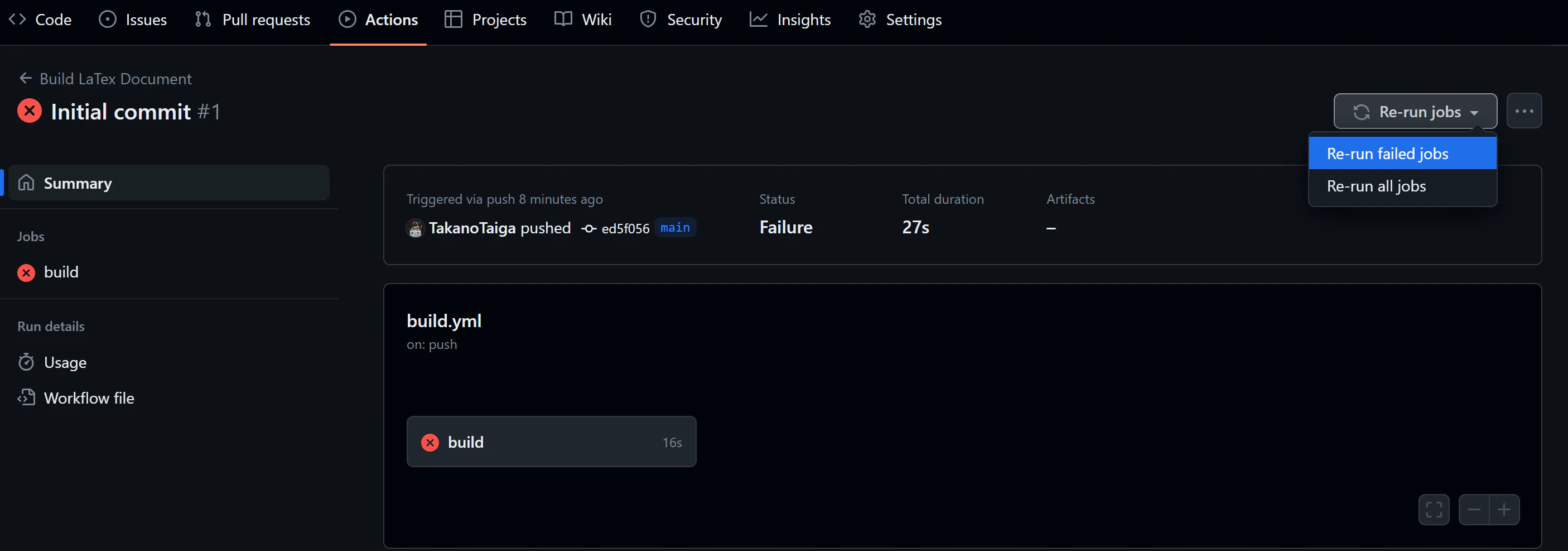
-
表示されたポップアップにて、
Re-run jobsボタンをクリックし、CIを再実行します。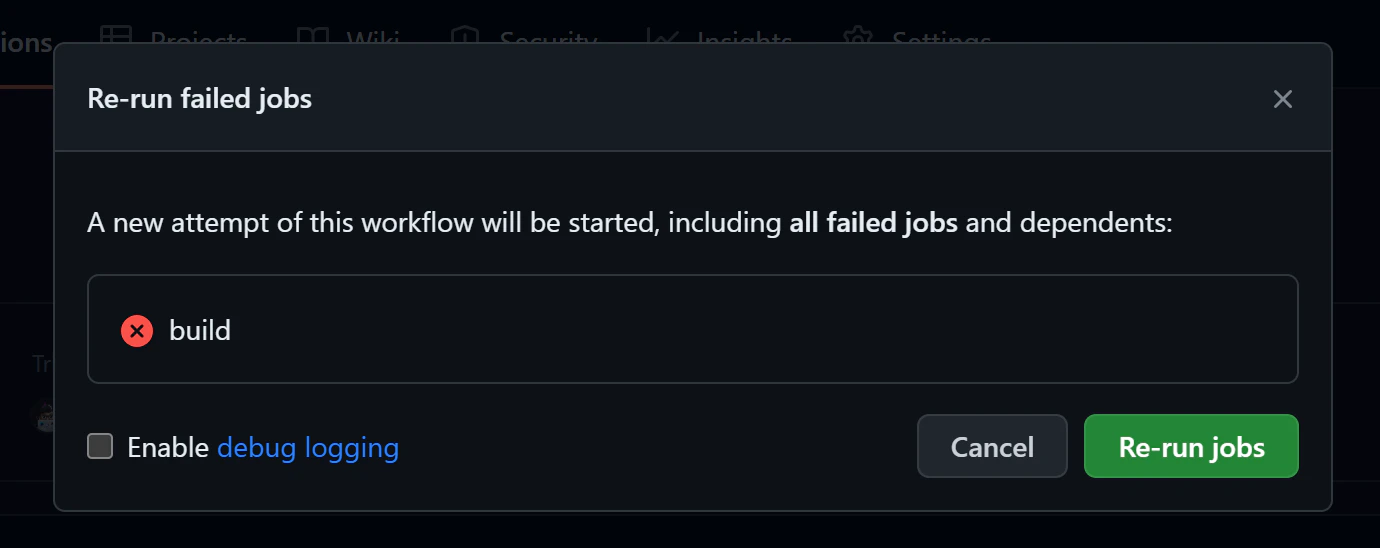
-
数秒後、ビルドが完了し、
pdfブランチが生成され、demo.pdfファイルが確認できるです。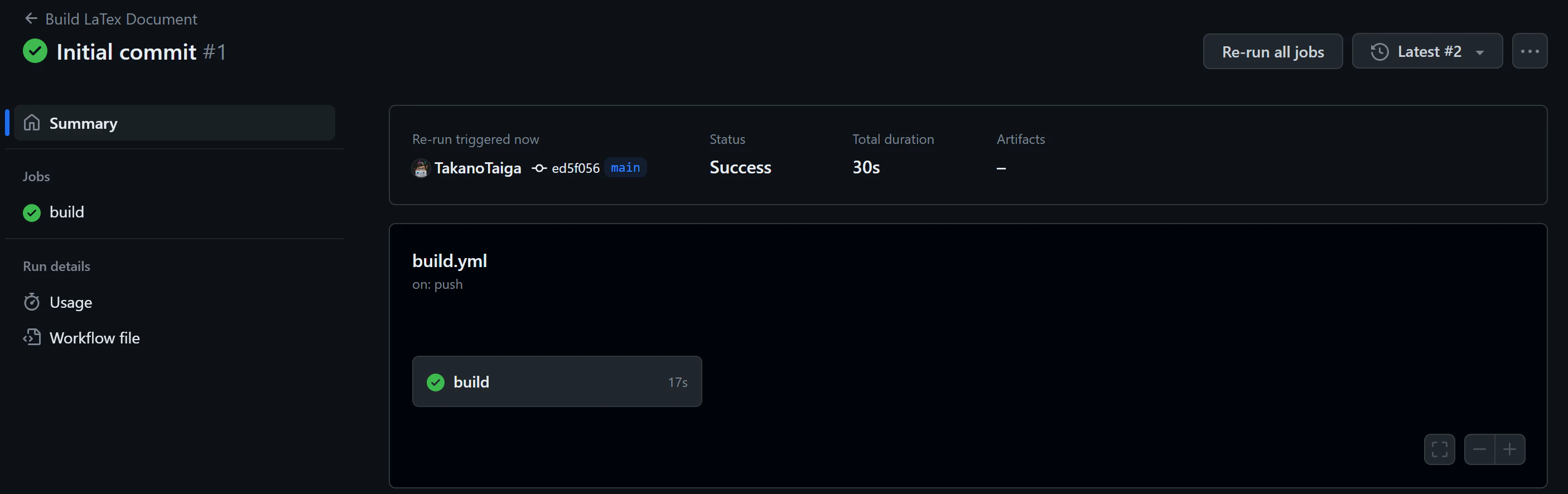
ファイルの追加
新しいファイルの追加やファイル名の変更を行いたい場合、.github/workflows/build.ymlを編集する必要があります。
name: 'Build LaTex Document'
on:
  push:
    branches: [ main ]

jobs:
  build:
    runs-on: ubuntu-latest

    steps:
      - name: Checkout
        uses: actions/checkout@v4
      - uses: actions/cache@v3
        name: Tectonic Cache
        with:
          path: ~/.cache/Tectonic
          key: ${{ runner.os }}-tectonic-${{ hashFiles('**/*.tex') }}
          restore-keys: |
            ${{ runner.os }}-tectonic-
      - uses: wtfjoke/setup-tectonic@v3
        with:
          github-token: ${{ secrets.GITHUB_TOKEN }}

      - name: make build workspace
        run: mkdir ./build

      - name: Run Tectonic 1
        run: tectonic <この部分のpathを変更する> --outdir ./build
      - name: Run Tectonic 2
        run: tectonic <n個あっても良い。ただファイル名は変える> --outdir ./build
      - name: Run Tectonic 3
        run: tectonic ./example/hello.tex --outdir ./build

      - name: Update
        uses: s0/git-publish-subdir-action@develop
        env:
          REPO: self
          BRANCH: pdf
          FOLDER: build
          GITHUB_TOKEN: ${{ secrets.GITHUB_TOKEN }}
変更のポイント:
ファイルパスのみを変更してください。run: tectonicや--outdir ./buildの部分はそのまま保持してください。例えば:
- name: Run Tectonic 3
        run: tectonic ./example/hello.tex --outdir ./build
ファイルの編集
こちらのリンクにある方法でWebブラウザ上での編集が簡単に行うことができます。
最後に
コミットすれば自動でpdfが生成されます。Pull Request対応用のpr.ymlもあるのmainをプロテクトして使いたい人はそちらをルールに追加してご使用ください。何かトラブルがあればIssueを飛ばすかXのDMにでも投げていただけるとありがたいです。
良いLaTeXライフを。