0
0

Delete article

Deleted articles cannot be recovered.

Draft of this article would be also deleted.

Are you sure you want to delete this article?

Salesforceで標準オブジェクトで添付ファイルが添付された場合に自動起動するフロー作成方法(取引先更新)

Last updated at Posted at 2026-01-20

Salesforceで標準オブジェクトで添付ファイルが添付された場合に自動起動するフロー作成方法 をお伝えします

今回は取引先オブジェクトでレコード添付の際に自動起動するフローを作成し取引先名を「ファイル有」に変更させます

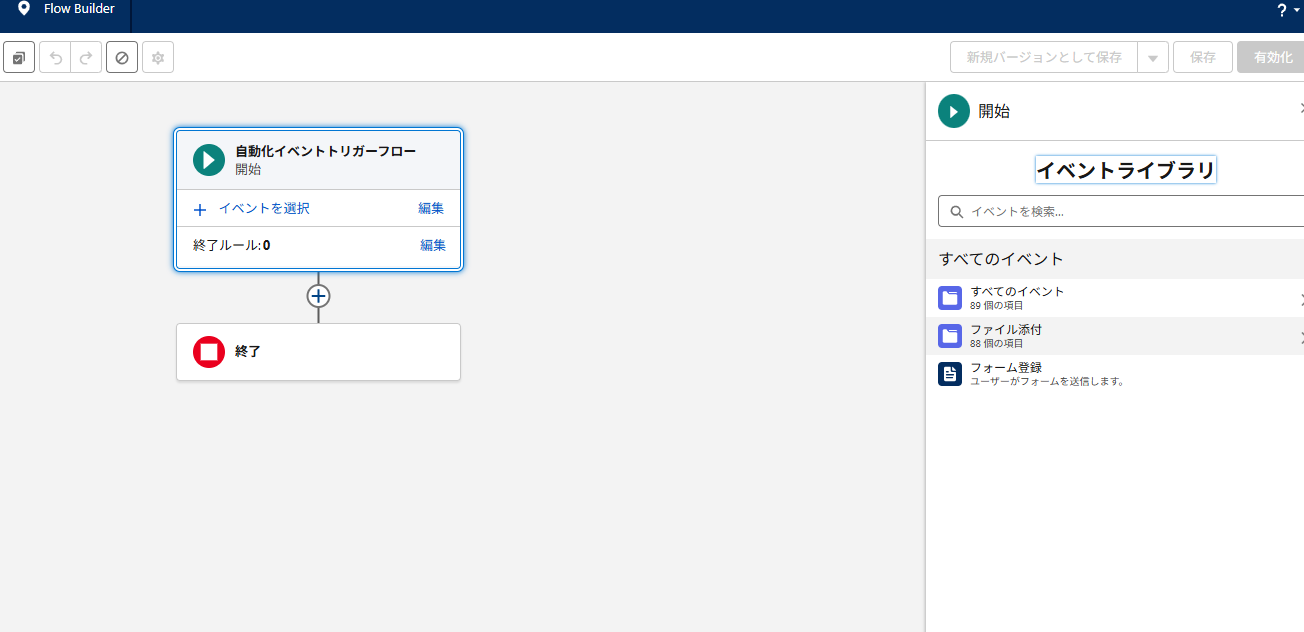
フロー作成画面で
「自動化イベントトリガーフロー」を選択

image.png

ファイル添付を選択
image.png

取引先へのファイル添付 を選択
image.png

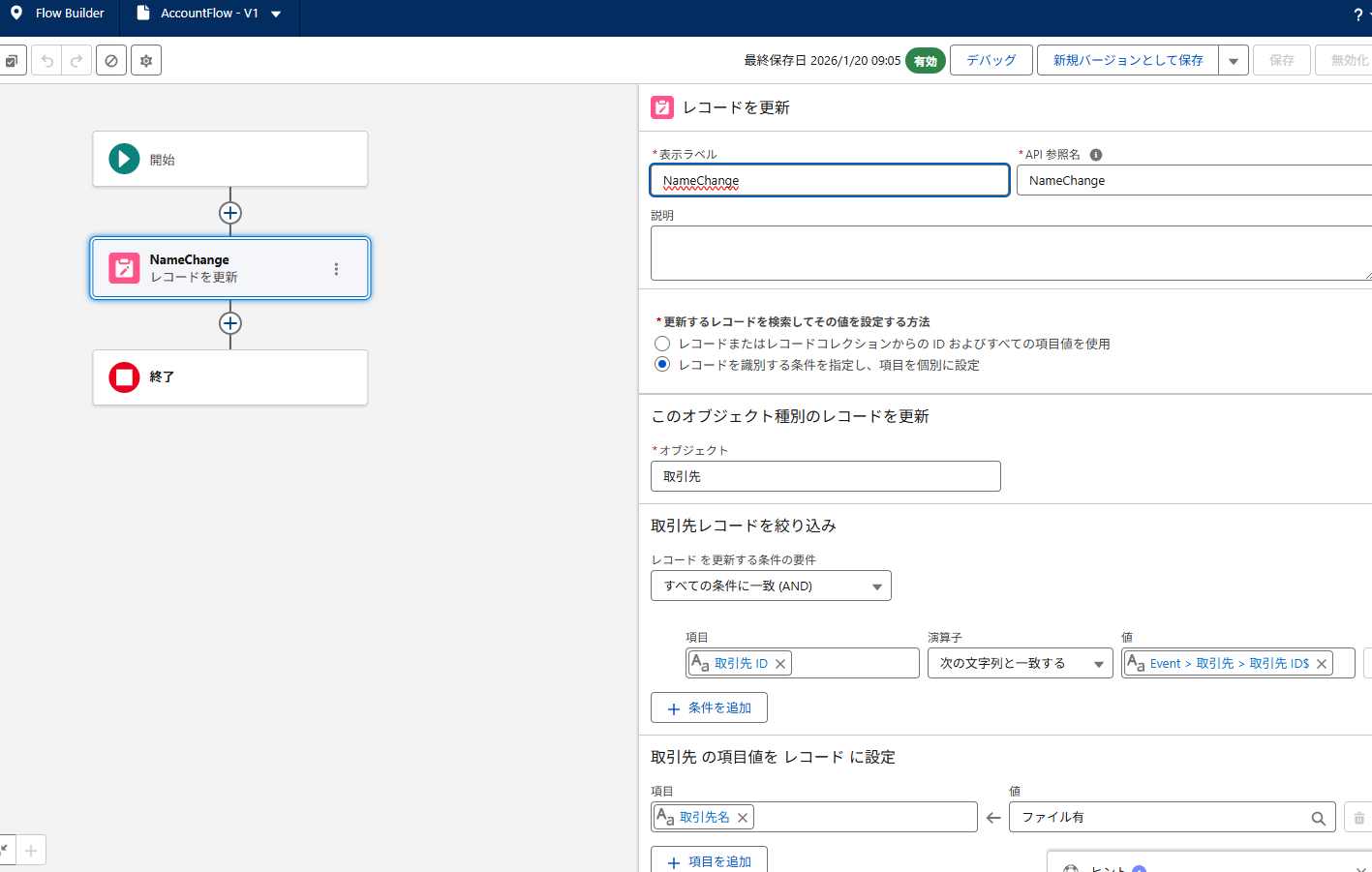
次にレコード更新を設定します
image.png

Id
次の文字列と一致する
{!$Event.Account.Id}

こちらのフローで完成です

image.png

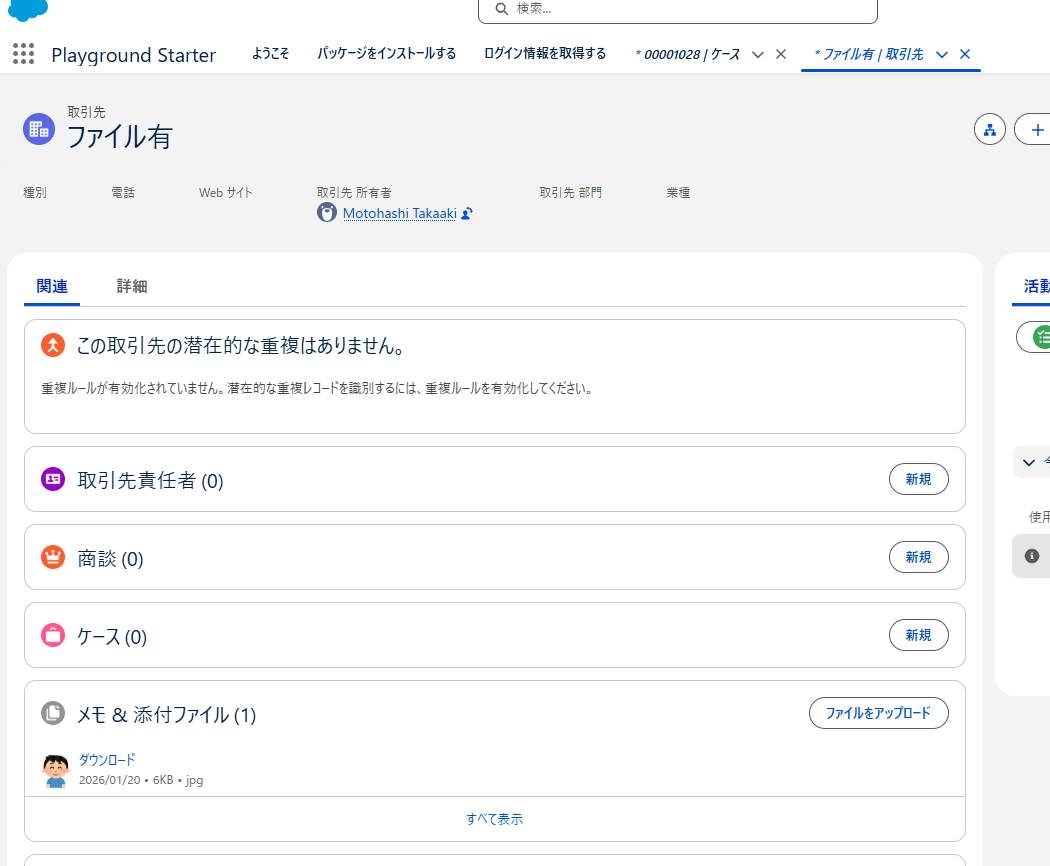
こちらで添付ファイルを添付すると取引先名が変更します

image.png

0
0
0

Register as a new user and use Qiita more conveniently

  1. You get articles that match your needs
  2. You can efficiently read back useful information
  3. You can use dark theme
What you can do with signing up
0
0

Delete article

Deleted articles cannot be recovered.

Draft of this article would be also deleted.

Are you sure you want to delete this article?