
はじめに
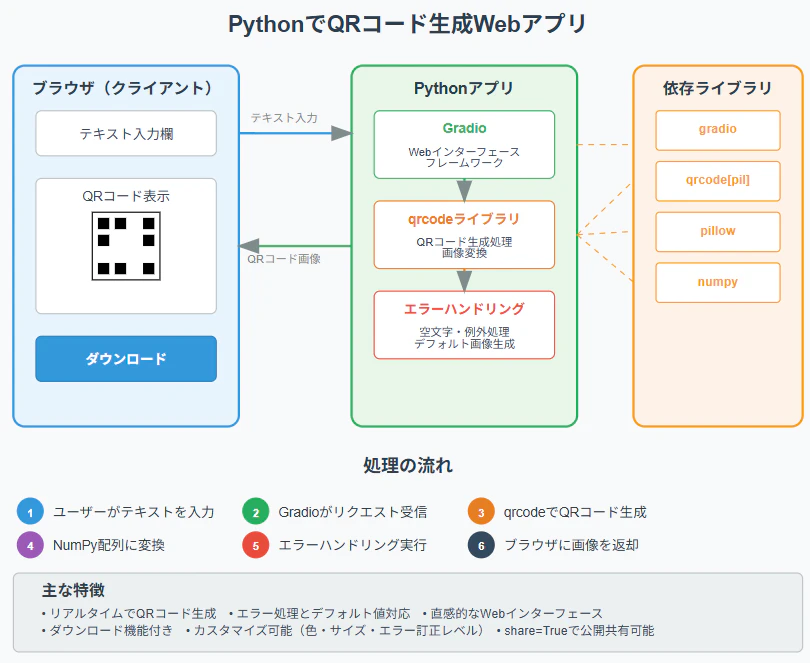
PythonでWebアプリを簡単に作れるGradioと、QRコード生成ライブラリを使って、ブラウザで動作するQRコード生成アプリを作成します。比較的短いコードで実用的なWebアプリが完成します。
必要なライブラリのインストール
pip install gradio qrcode[pil] pillow
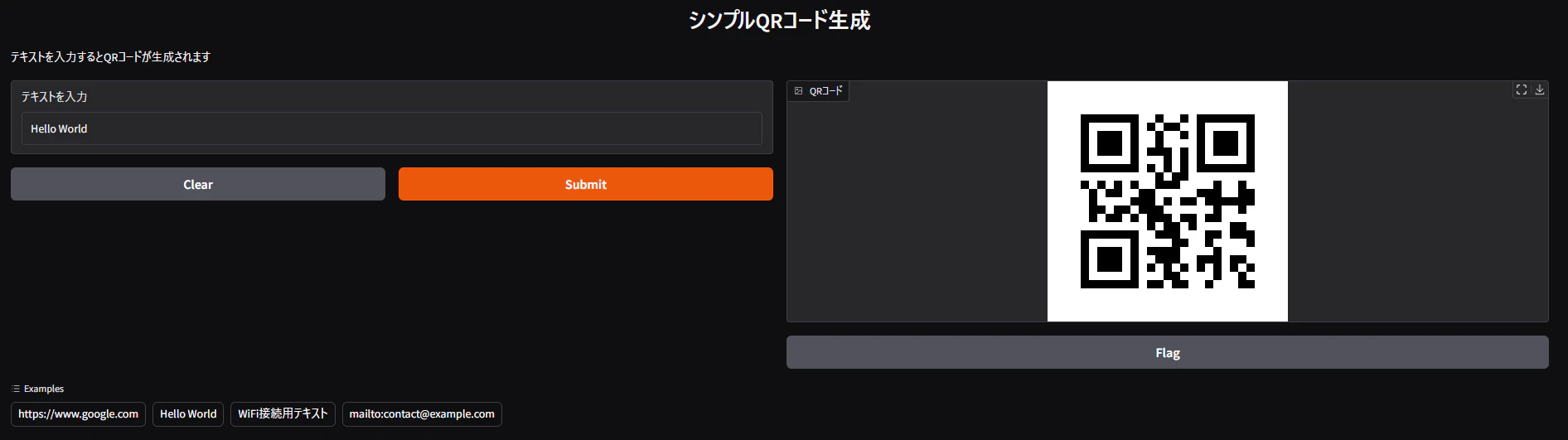
完成イメージ
実装例
import gradio as gr
import qrcode
import numpy as np

def create_qr_code(text):
    """シンプルなQRコード生成関数"""
    # 空文字チェック
    if not text or text.strip() == "":
        # 空の場合は白い画像をnumpy配列として返す
        return np.ones((200, 200, 3), dtype=np.uint8) * 255

    try:
        # QRコード作成
        qr = qrcode.QRCode(
            version=1,
            error_correction=qrcode.constants.ERROR_CORRECT_M,
            box_size=10,
            border=4,
        )
        qr.add_data(text)
        qr.make(fit=True)

        # 画像として出力
        img = qr.make_image(fill_color="black", back_color="white")

        # PILイメージをnumpy配列に変換(Gradio用)
        img_array = np.array(img.convert('RGB'))
        return img_array

    except Exception as e:
        # エラー時は赤いエラー画像を返す
        error_img = np.ones((200, 200, 3), dtype=np.uint8) * 255
        error_img[90:110, 10:190] = [255, 0, 0]  # 赤い帯
        return error_img

# Gradioアプリ作成
app = gr.Interface(
    fn=create_qr_code,
    inputs=gr.Textbox(
        label="テキストを入力",
        placeholder="QRコードにしたい文字列",
        value="Hello World"  # デフォルト値
    ),
    outputs=gr.Image(label="QRコード", type="numpy"),
    title="シンプルQRコード生成",
    description="テキストを入力するとQRコードが生成されます",
    examples=[
        ["https://www.google.com"],
        ["Hello World"],
        ["WiFi接続用テキスト"],
        ["mailto:contact@example.com"]
    ]
)

if __name__ == "__main__":
    app.launch()
このコードは、テキストを入力するとQRコード画像を生成し、GradioのWebインターフェースで表示するシンプルなアプリです。qrcodeライブラリで画像を生成し、NumPyを使ってGradioに渡します。実行はpython qr_app.pyで行い、ブラウザからアクセス可能です。
URLやWiFi情報などさまざまな形式に対応し、色やサイズ、エラー訂正レベルのカスタマイズも可能です。
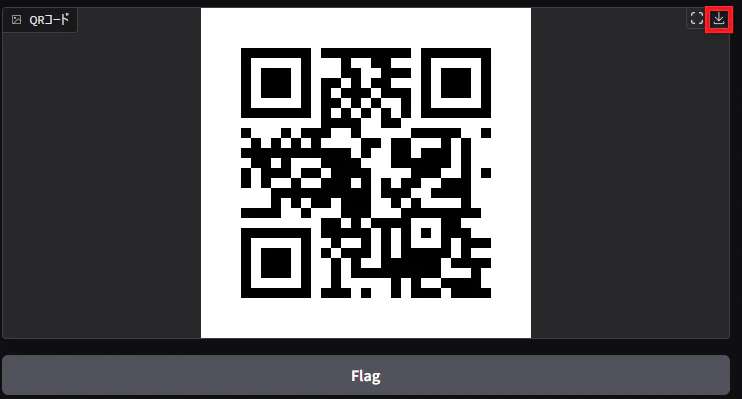
右上のダウンロードボタンでQRコードの画像をダウンロードできます。
まとめ
Gradioとqrcodeを使えば、わずか60行ほどで実用的なQRコード生成Webアプリが作れます。シンプルかつ拡張性が高く、エラー処理も備えています。share=Trueでインターネット共有も可能ですが、実行環境によってはセキュリティに注意が必要です。プロトタイプから公開用途まで幅広く活用できます。
参考情報