
はじめに
defaultdictについて、実践的な活用パターンを備忘録としてまとめます。
おさらい:基本パターン
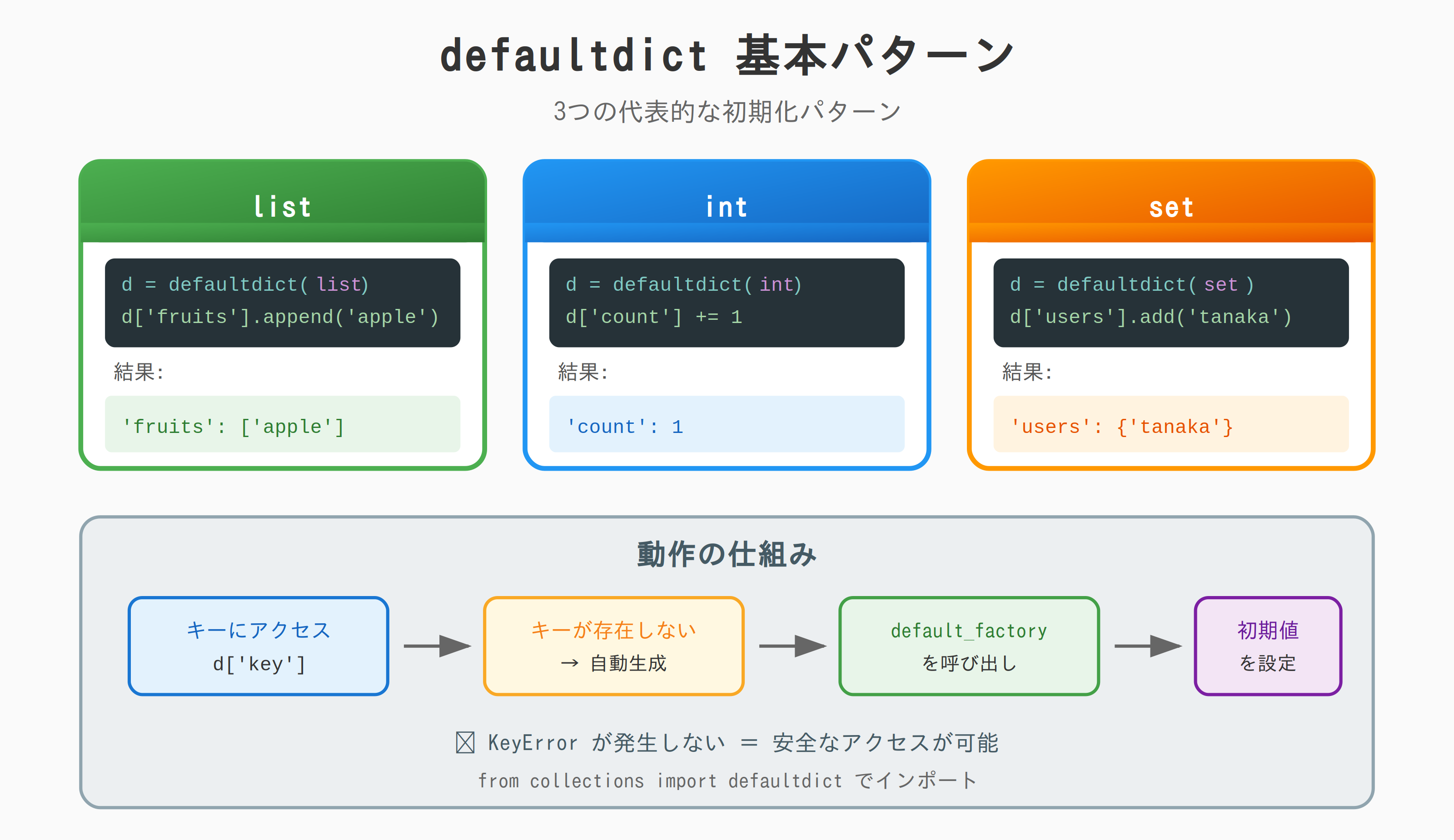
from collections import defaultdict

# リストとして初期化
d = defaultdict(list)
d['fruits'].append('apple')

# 整数として初期化
d = defaultdict(int)
d['count'] += 1

# 集合として初期化
d = defaultdict(set)
d['users'].add('tanaka')
lambda を使ったカスタム初期値
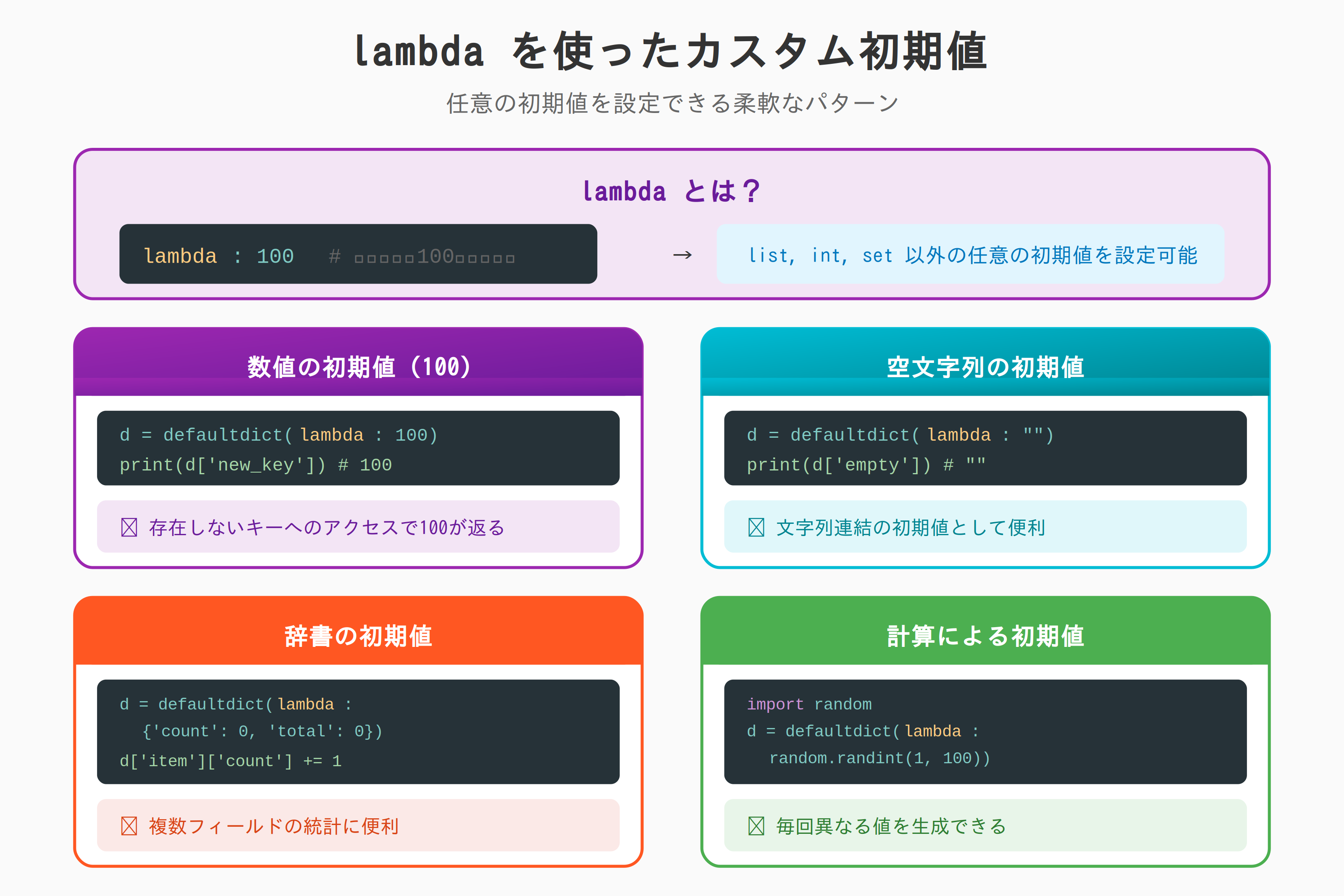
任意の初期値
from collections import defaultdict

# 初期値を100に
d = defaultdict(lambda: 100)
print(d['new_key'])  # 100

# 初期値を空文字列に
d = defaultdict(lambda: "")
print(d['empty'])  # ""

# 初期値を辞書に
d = defaultdict(lambda: {'count': 0, 'total': 0})
d['item']['count'] += 1
print(d['item'])  # {'count': 1, 'total': 0}
初期値を計算する
from collections import defaultdict
import random

# ランダムな初期値
d = defaultdict(lambda: random.randint(1, 100))
print(d['a'], d['b'], d['c'])  # 例: 42 87 15
ネストした defaultdict
2階層
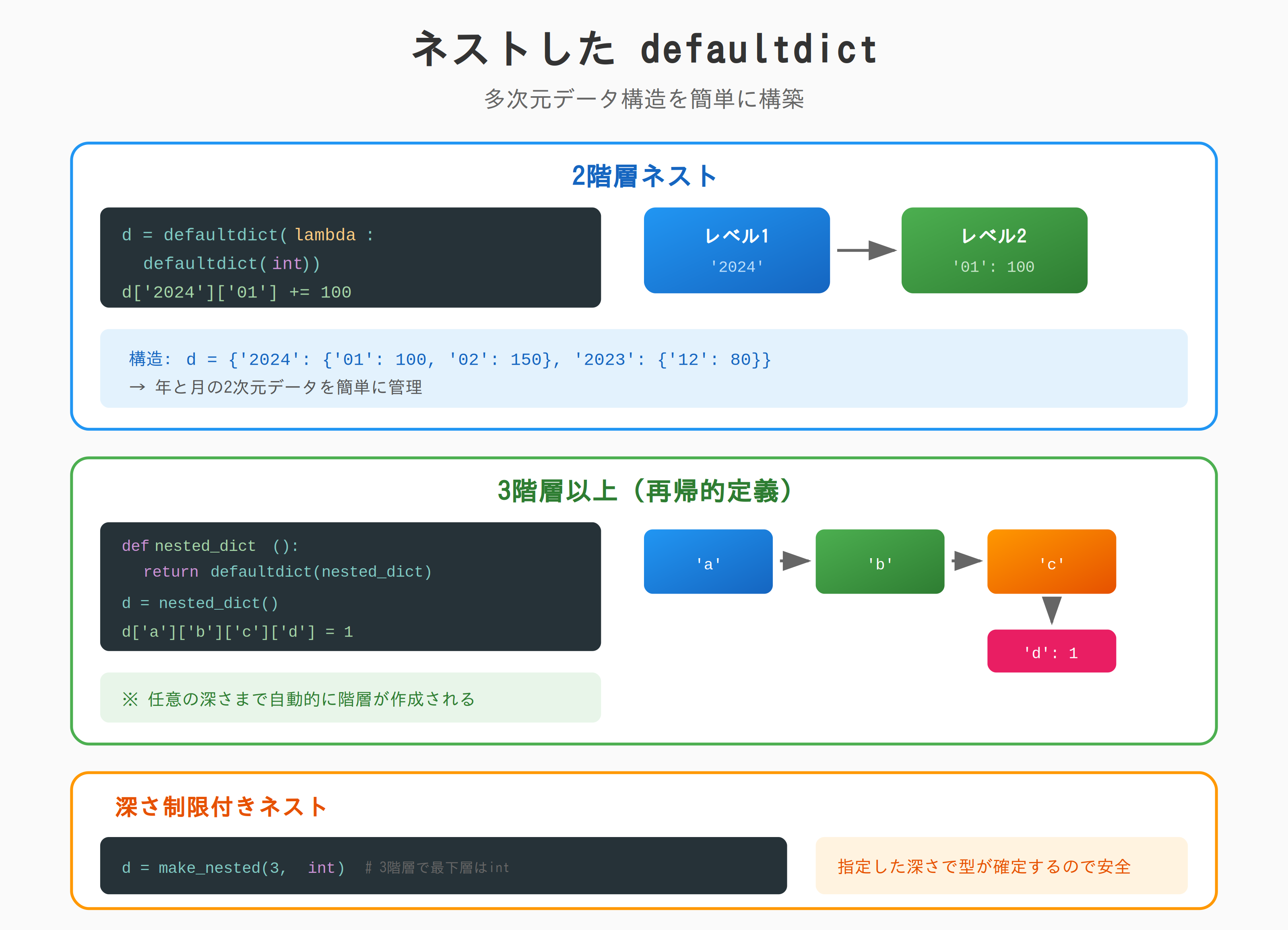
from collections import defaultdict

# 2階層: d[key1][key2] = value
d = defaultdict(lambda: defaultdict(int))

d['2024']['01'] += 100
d['2024']['02'] += 150
d['2023']['12'] += 80

print(d['2024']['01'])  # 100
print(d['2025']['01'])  # 0(自動生成)
3階層以上
from collections import defaultdict

# 3階層: d[key1][key2][key3] = value
def nested_dict():
    return defaultdict(nested_dict)

d = nested_dict()
d['country']['city']['district'] = 'value'
print(d['country']['city']['district'])  # value

# 任意の深さまで自動生成
d['a']['b']['c']['d']['e'] = 1
深さ制限付きネスト
from collections import defaultdict

def make_nested(depth, default_factory):
    """指定した深さまでネストする defaultdict を作成"""
    if depth <= 1:
        return defaultdict(default_factory)
    return defaultdict(lambda: make_nested(depth - 1, default_factory))

# 3階層で、最下層は int
d = make_nested(3, int)
d['year']['month']['day'] += 1
print(d['year']['month']['day'])  # 1
複雑な集計パターン
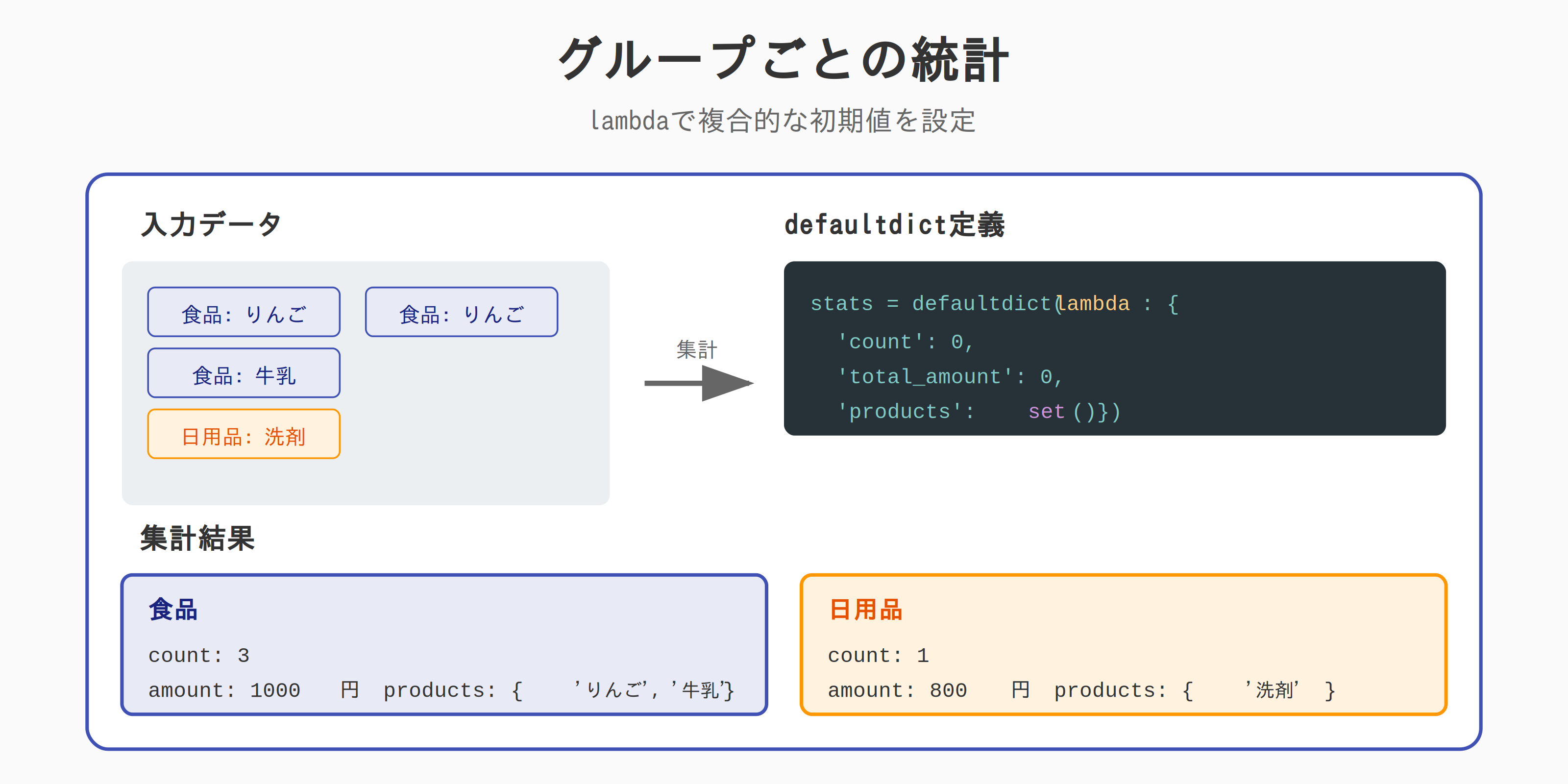
グループごとの統計
from collections import defaultdict

sales = [
    {'category': '食品', 'product': 'りんご', 'amount': 500, 'quantity': 5},
    {'category': '食品', 'product': '牛乳', 'amount': 200, 'quantity': 2},
    {'category': '日用品', 'product': '洗剤', 'amount': 800, 'quantity': 1},
    {'category': '食品', 'product': 'りんご', 'amount': 300, 'quantity': 3},
]

# カテゴリ別の統計を集計
stats = defaultdict(lambda: {
    'count': 0,
    'total_amount': 0,
    'total_quantity': 0,
    'products': set()
})

for sale in sales:
    cat = sale['category']
    stats[cat]['count'] += 1
    stats[cat]['total_amount'] += sale['amount']
    stats[cat]['total_quantity'] += sale['quantity']
    stats[cat]['products'].add(sale['product'])

for category, data in stats.items():
    print(f"{category}:")
    print(f"  件数: {data['count']}")
    print(f"  売上: {data['total_amount']:,}円")
    print(f"  数量: {data['total_quantity']}")
    print(f"  商品: {data['products']}")
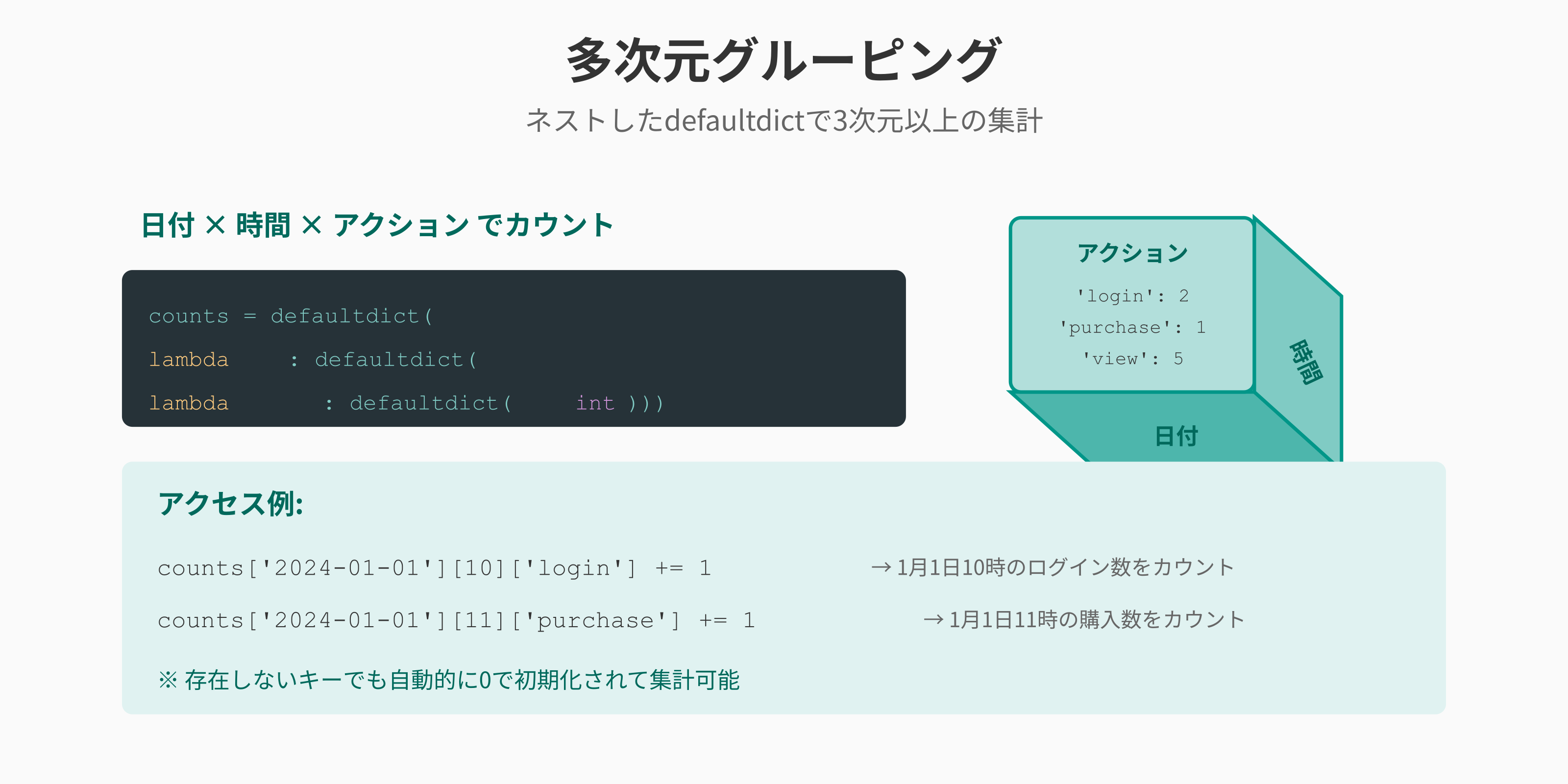
多次元グルーピング
from collections import defaultdict

logs = [
    {'date': '2024-01-01', 'hour': 10, 'user': 'A', 'action': 'login'},
    {'date': '2024-01-01', 'hour': 10, 'user': 'B', 'action': 'login'},
    {'date': '2024-01-01', 'hour': 11, 'user': 'A', 'action': 'purchase'},
    {'date': '2024-01-02', 'hour': 10, 'user': 'A', 'action': 'login'},
]

# 日付 × 時間 × アクション でカウント
counts = defaultdict(lambda: defaultdict(lambda: defaultdict(int)))

for log in logs:
    counts[log['date']][log['hour']][log['action']] += 1

print(counts['2024-01-01'][10]['login'])  # 2
print(counts['2024-01-01'][11]['purchase'])  # 1
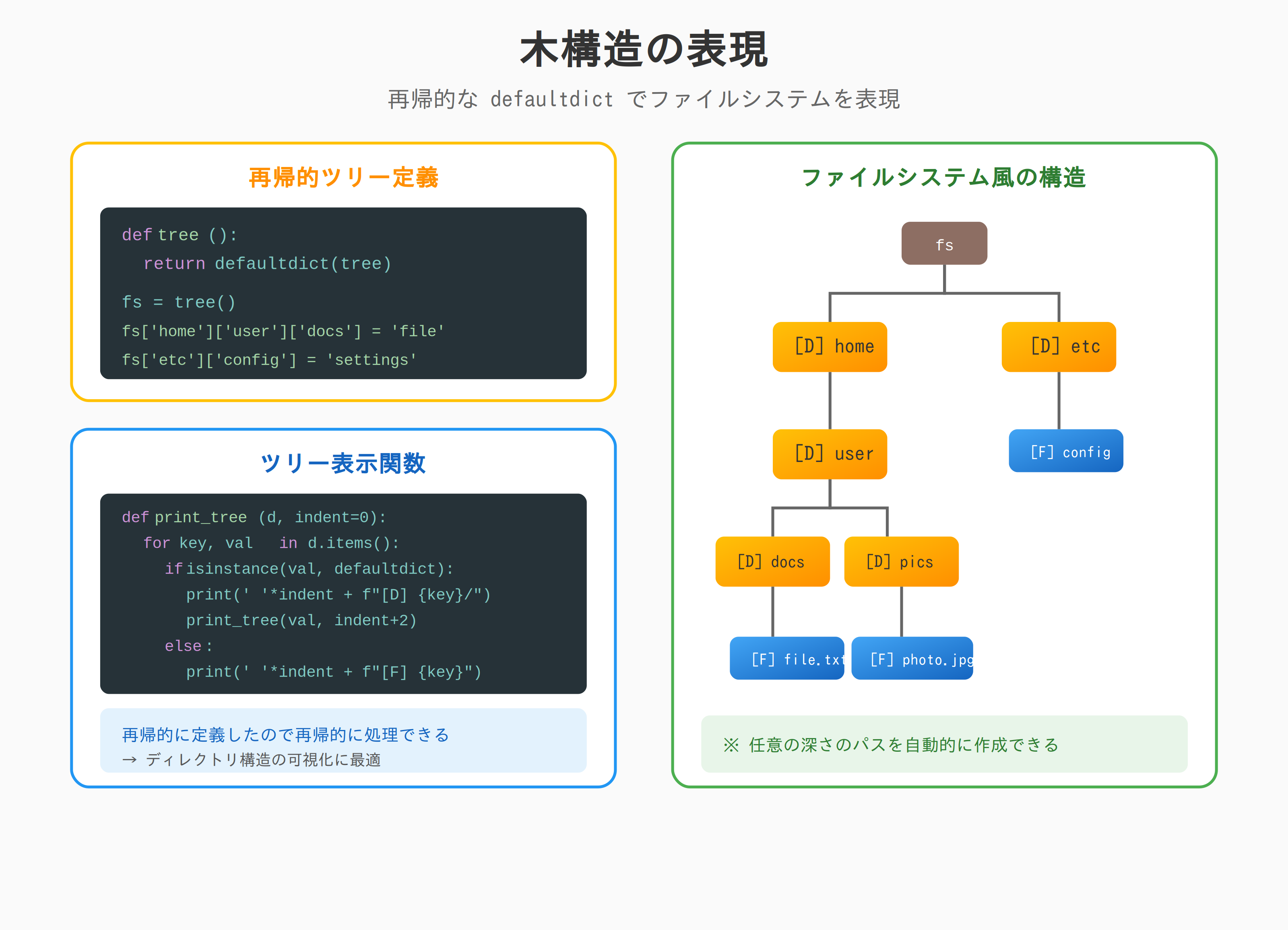
木構造の表現
from collections import defaultdict

def tree():
    """再帰的なツリー構造"""
    return defaultdict(tree)

# ファイルシステム風
fs = tree()
fs['home']['user']['documents']['file.txt'] = 'content'
fs['home']['user']['pictures']['photo.jpg'] = 'image'
fs['etc']['config'] = 'settings'

def print_tree(d, indent=0):
    """ツリーを表示"""
    for key, value in d.items():
        if isinstance(value, defaultdict):
            print('  ' * indent + f"📁 {key}/")
            print_tree(value, indent + 1)
        else:
            print('  ' * indent + f"📄 {key}")

print_tree(fs)
# 📁 home/
#   📁 user/
#     📁 documents/
#       📄 file.txt
#     📁 pictures/
#       📄 photo.jpg
# 📁 etc/
#   📄 config
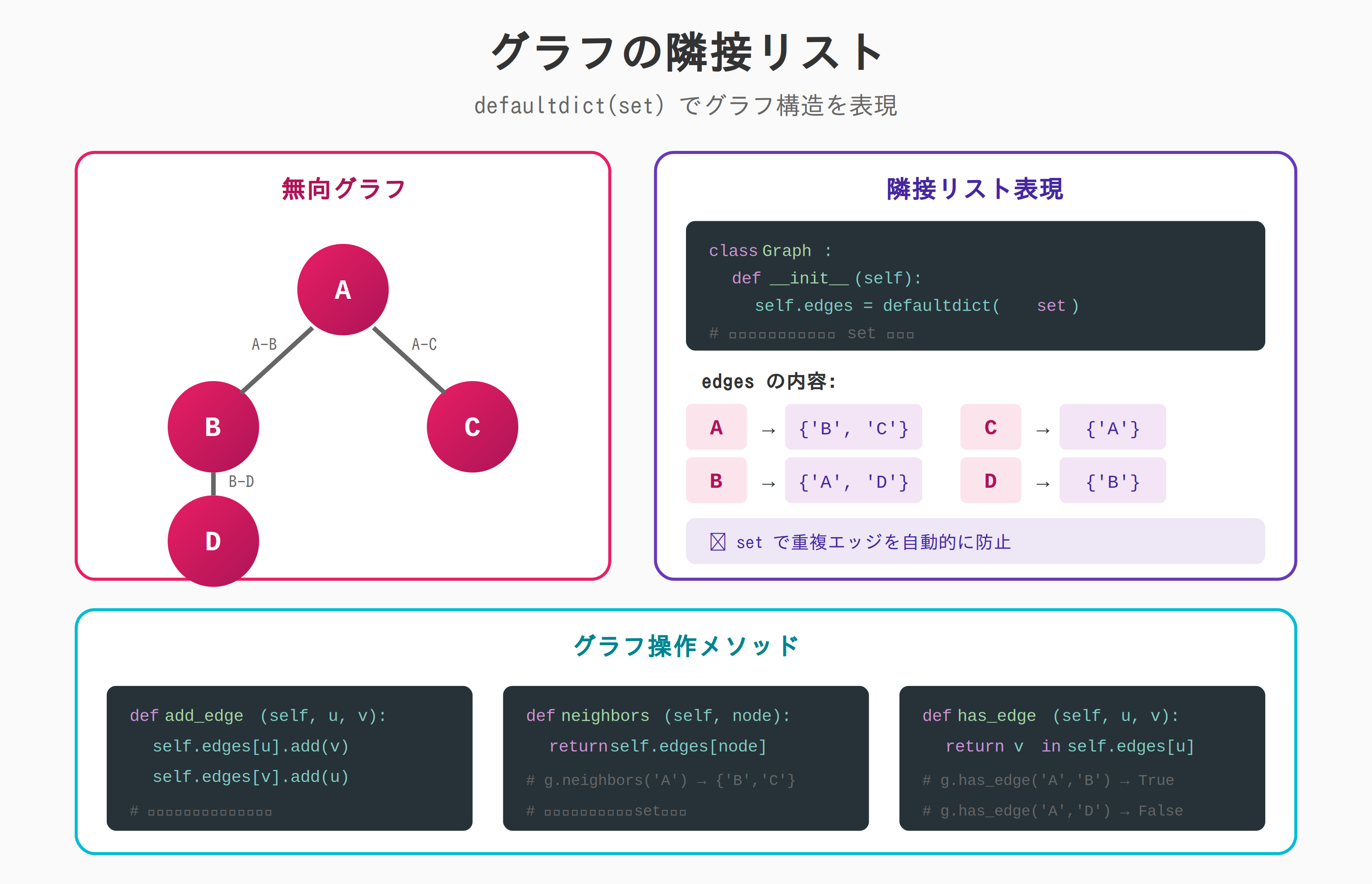
グラフの隣接リスト
from collections import defaultdict

class Graph:
    """無向グラフ"""

    def __init__(self):
        self.edges = defaultdict(set)

    def add_edge(self, u, v):
        self.edges[u].add(v)
        self.edges[v].add(u)

    def neighbors(self, node):
        return self.edges[node]

    def has_edge(self, u, v):
        return v in self.edges[u]

# 使用例
g = Graph()
g.add_edge('A', 'B')
g.add_edge('A', 'C')
g.add_edge('B', 'D')

print(g.neighbors('A'))  # {'B', 'C'}
print(g.has_edge('A', 'B'))  # True
print(g.has_edge('A', 'D'))  # False
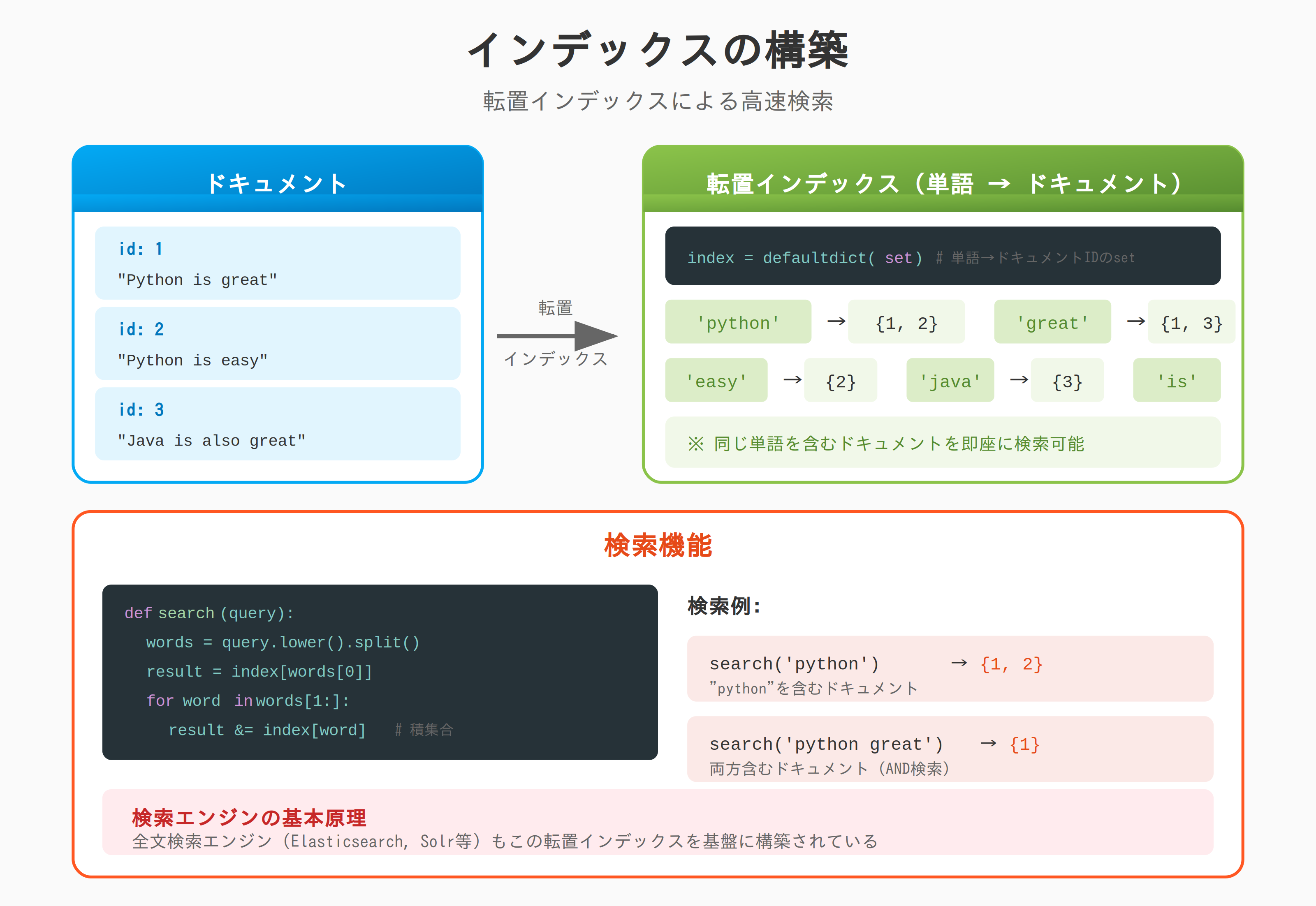
インデックスの構築
from collections import defaultdict

documents = [
    {'id': 1, 'text': 'Python is great'},
    {'id': 2, 'text': 'Python is easy'},
    {'id': 3, 'text': 'Java is also great'},
]

# 転置インデックスの構築
index = defaultdict(set)

for doc in documents:
    words = doc['text'].lower().split()
    for word in words:
        index[word].add(doc['id'])

print(index['python'])  # {1, 2}
print(index['great'])   # {1, 3}
print(index['easy'])    # {2}

# 検索
def search(query):
    words = query.lower().split()
    if not words:
        return set()
    result = index[words[0]]
    for word in words[1:]:
        result &= index[word]
    return result

print(search('python great'))  # {1}
defaultdict と setdefault の比較
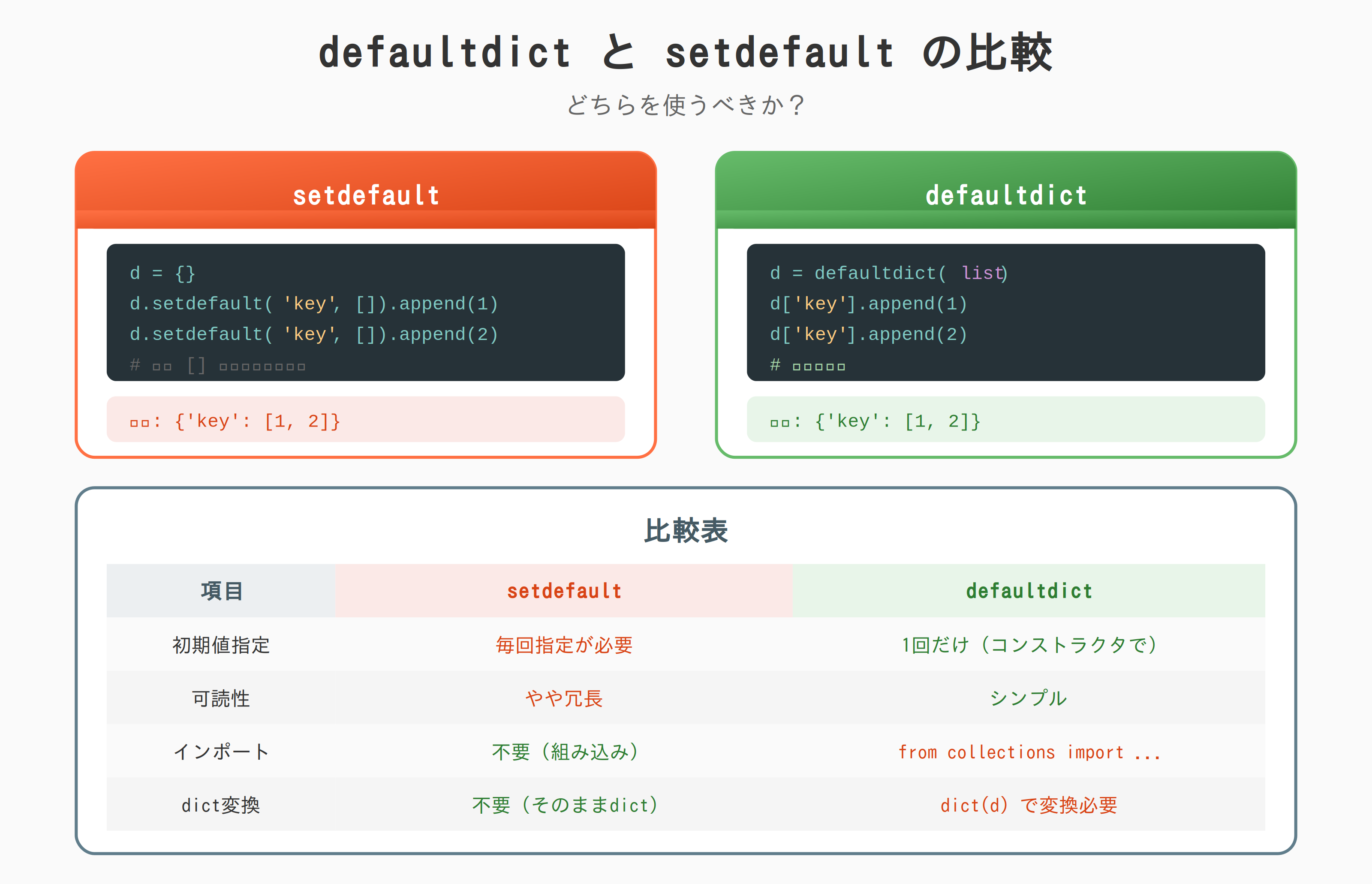
from collections import defaultdict

# setdefault: 毎回初期値を指定
d1 = {}
d1.setdefault('key', []).append(1)
d1.setdefault('key', []).append(2)

# defaultdict: 一度だけ指定
d2 = defaultdict(list)
d2['key'].append(1)
d2['key'].append(2)

# 同じ結果
print(d1)  # {'key': [1, 2]}
print(d2)  # defaultdict(<class 'list'>, {'key': [1, 2]})
| 項目 | setdefault | defaultdict |
|---|---|---|
| 初期値指定 | 毎回 | 1回だけ |
| 可読性 | やや冗長 | シンプル |
| インポート | 不要 | 必要 |
| 通常の dict に変換 | 不要 | dict(d) |
注意点
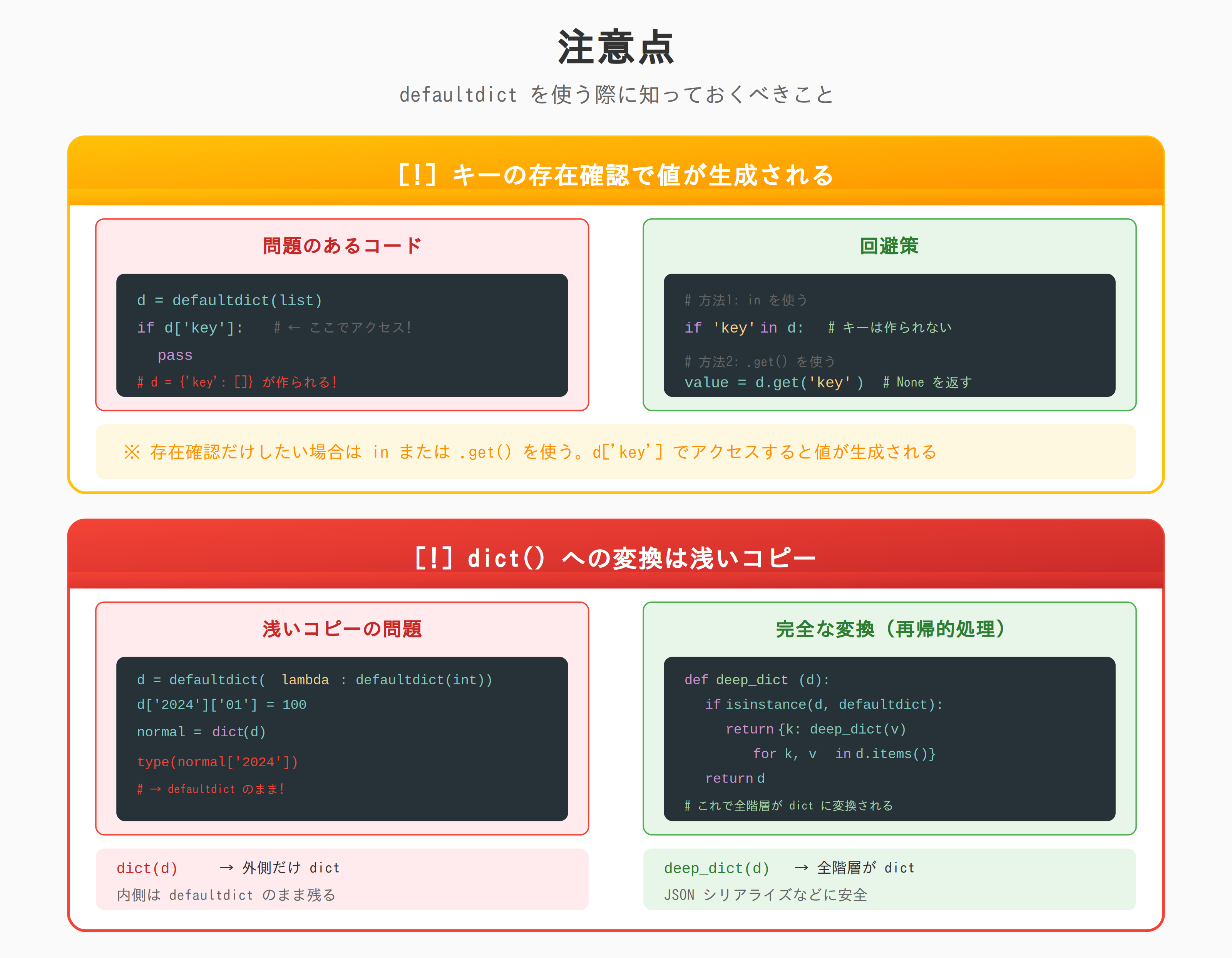
キーの存在確認で値が生成される
from collections import defaultdict

d = defaultdict(list)

# 存在確認だけで空リストが作られる
if d['key']:
    pass

print(d)  # defaultdict(<class 'list'>, {'key': []})

# 回避策1: in を使う
if 'key2' in d:
    pass

print(d)  # 'key2' は作られない

# 回避策2: .get() を使う
value = d.get('key3')  # None が返る、キーは作られない
value = d.get('key3', [])  # デフォルト値を指定
print(d)  # 'key3' は作られない
dict() への変換は浅いコピー
from collections import defaultdict

# ネストした defaultdict
d = defaultdict(lambda: defaultdict(int))
d['2024']['01'] = 100
d['2024']['02'] = 200

# 通常の dict に変換
normal = dict(d)
print(type(normal))  # <class 'dict'>
print(type(normal['2024']))  # <class 'collections.defaultdict'>

# 内側はまだ defaultdict のまま!
# 完全に変換するには再帰的に処理が必要
def deep_dict(d):
    if isinstance(d, defaultdict):
        return {k: deep_dict(v) for k, v in d.items()}
    return d

normal_deep = deep_dict(d)
print(type(normal_deep['2024']))  # <class 'dict'>
まとめ
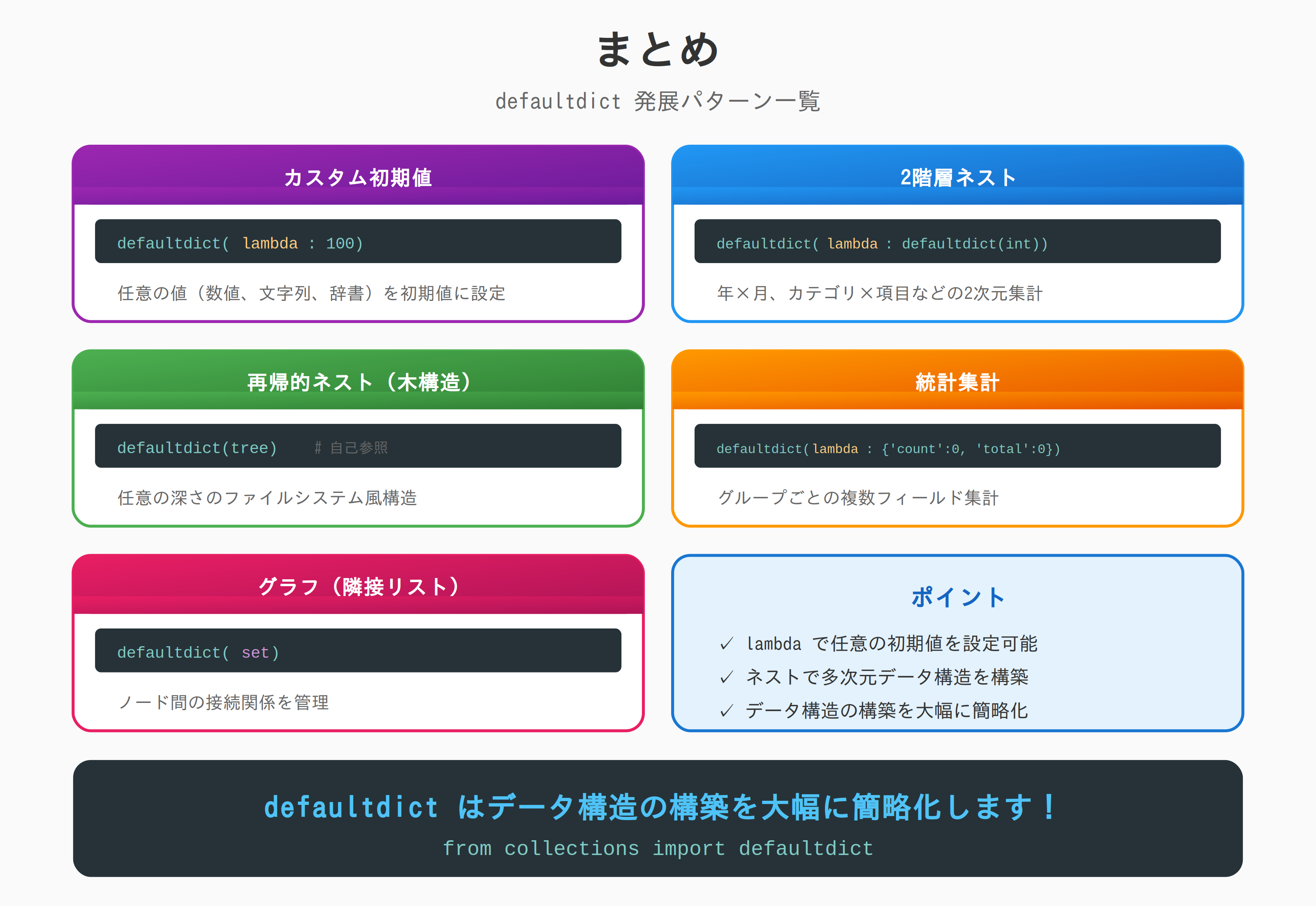
| パターン | コード例 |
|---|---|
| カスタム初期値 | defaultdict(lambda: 100) |
| 2階層ネスト | defaultdict(lambda: defaultdict(int)) |
| 再帰的ネスト | defaultdict(tree) |
| 統計集計 | defaultdict(lambda: {'count': 0, 'total': 0}) |
| グラフ | defaultdict(set) |
defaultdict はデータ構造の構築時に便利です。