
やりたいこと
PDFの総ページ数を取得したい。
ループとかは無しで。だってページ数がめちゃくちゃ多かったら超時間かかるかもしれないじゃん?
ページ数はどこに書いてあるのか
ありがたきは先人の足跡。Qiitaは探すとけっこうなんでも見つかるから大好き。
ExcelVBAのみでPDFファイルのページ数を取得する
この記事によると、「/Count 99」と書いてある箇所がページ数であるらしい。
DXでアセットをゲット
DXに、Extracting Data from Text というアセットがあります。
この中に、サンプルプロセスと、「Utility - Strings(Extended)」VBOが入っています。
このアセットが欲しい主目的は、むしろこのVBOのほうです。
アクションを作る
中身はこうです。
入力引数 PDFFilePath データ形式はテキスト
出力引数 num_Page データ形式は数値
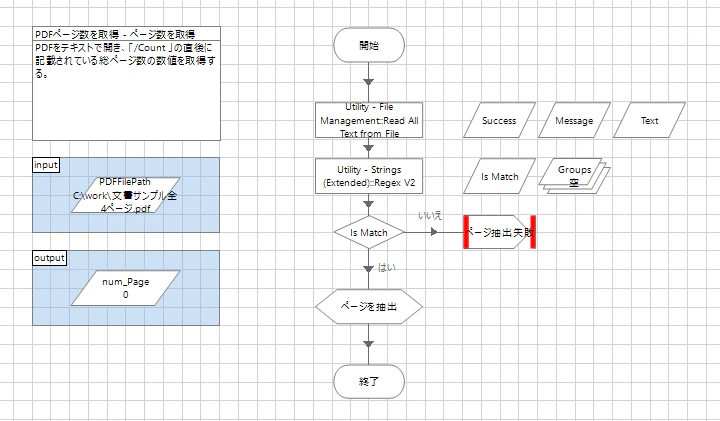
- Read All Text from Fileで、PDFファイルをテキストとして読み込みます。
- DXからダウンロードしてきた「Utility - Strings(Extended)」の中にある「Regex V2」で、「/Count 99」の箇所を抜いてきます。
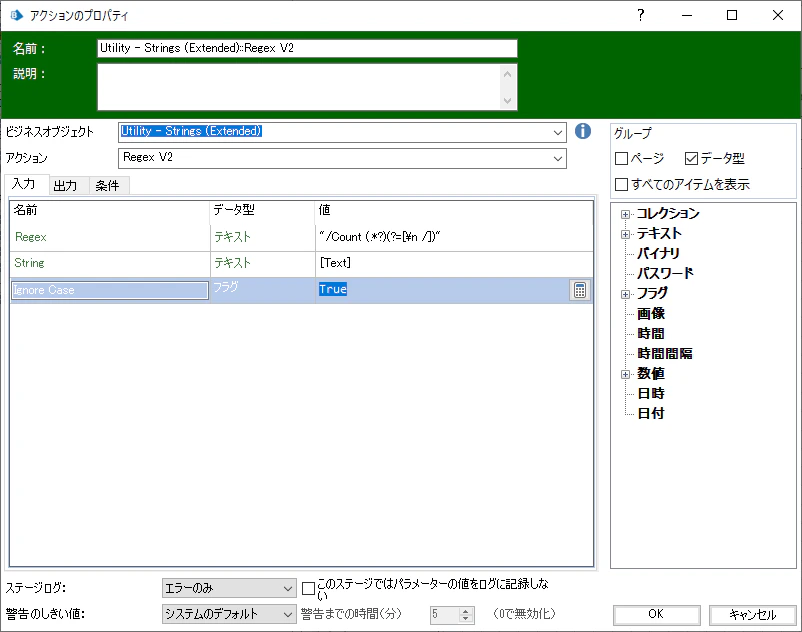
ステージの中身はこう。
「Regex」に設定する正規表現はこうです。
"/Count (.*?)(?=[\n /])"
抽出した内容はCollectionに出力されます。こんなかんじ。
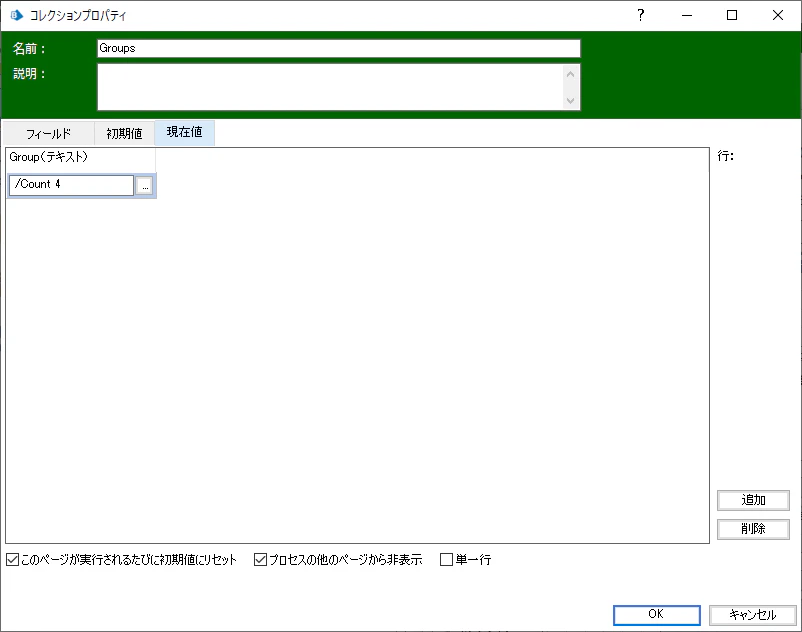
あとはこの抽出文字列から「/Count 」を抜いて数値にキャストしたらできあがりです。
終わりです
こんな単純な機能のものは標準VBOにあるでしょと思ったら意外にも無かったので、久しぶりに自作しました。
いずれ出てくるような気もしますけどね。DXをマメにチェックしておきましょう。