20
8

Delete article

Deleted articles cannot be recovered.

Draft of this article would be also deleted.

Are you sure you want to delete this article?

More than 5 years have passed since last update.

AndroidStudioのエミュレータでスクリーンショットを撮る方法

20
Last updated at Posted at 2018-07-23
はじめに

検索しても意外と古い情報しか出てこないので、書いておきます。

環境

Windows 10
Android Studio 3.1.3
Android Emulator 27.3.9

方法

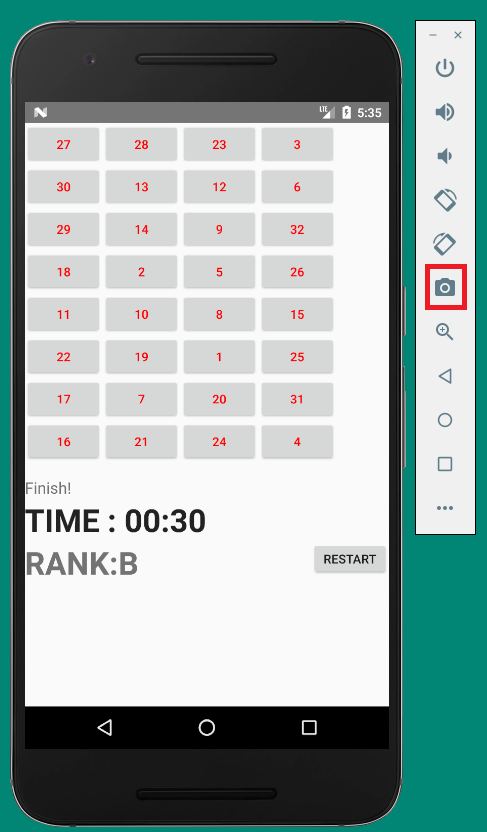
howToCapture.png

エミュレータ横のツールボックスより、カメラマークをタップ。
そうするとシャッターを押したようなエフェクトのあとに、デスクトップに「Screenshot_○○○○○.png」というファイル名で保存されます。

(自分はクリップボードにコピーされるものだと思いこみ、意外とハマりました…:joy:

20
8
2

Register as a new user and use Qiita more conveniently

  1. You get articles that match your needs
  2. You can efficiently read back useful information
  3. You can use dark theme
What you can do with signing up
20
8

Delete article

Deleted articles cannot be recovered.

Draft of this article would be also deleted.

Are you sure you want to delete this article?