
一:受控表单绑定

通过react状态去控制Input框的状态

二:react中获取dom
在react中获取dom元素:
1.useRef生成ref对象,绑定到想获取的dom标签身上
2.dom可用时,ref.current获取dom


三:案例--发表评论
1.核心功能实现
①用数控绑定方式,可以把用户输入的东西,收集到content里面
②点击时发布评论,替换content字段,收集到的数据是什么就绑定什么
③延续数据修改不可变的方式,原本的所有数据都展开,增加一条自己的数据

// 发表评论
const [content,setContent] = useState("")
const handPublish =()=>{
  setCommentList([
      ...commentList,
      {
         rpid:100,
         user:{
            uid:"30009257",
            avatar,
            uname:"黑马前端",
         },
         content:content,
         ctime:"10-19 09:00",
         like:66,
         }
  ])
}
// 评论框
<textarea
    className="reply-box-textarea"
    placeholder="发一条友善的评论"
    value={content}
    onChange={(e)=>setContent(e.target.value)}
/>
// 发布按钮
<div className="reply-box-send">
   <div className="send-text" onClick={handPublish}>发布</div>
</div>
2.id和时间处理

1.①安装uuid
npm install uuid
②使用方式

2.Day.js
1.①安装
npm install dayjs
②使用方式

{
import {v4 as uuidV4} from "uuid"
import dayjs from "dayjs"
         rpid:uuidV4(), //随机id
         user:{
            uid:"30009257",
            avatar,
            uname:"黑马前端",
         },
         content:content,
         ctime:dayjs(new Date()).format("MM-DD hh:mm"),// 格式化 月-日 时:分
         like:66,
         }
3.清空内容和聚焦实现
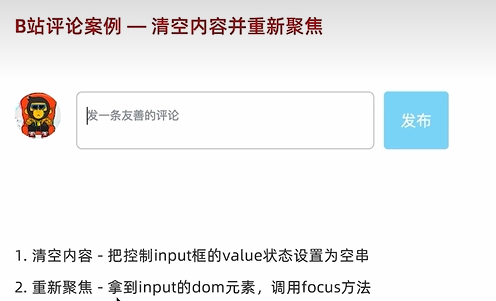
// 1.清空输入框内容
setContent("")
// 2.重新聚焦 dom(useRef) -focus
const inputRef = useRef(null)
inputRef.current.focus()
// 评论框
<textarea
    className="reply-box-textarea"
    placeholder="发一条友善的评论"
    ref={inputRef}
    value={content}
    onChange={(e)=>setContent(e.target.value)}
/>