

If you're a developer wanting to mess around with open-source AI models but hate the headache of managing infrastructure, you've probably heard of "ai& Inference"—it's currently everywhere on Qiita because of their latest campaign.
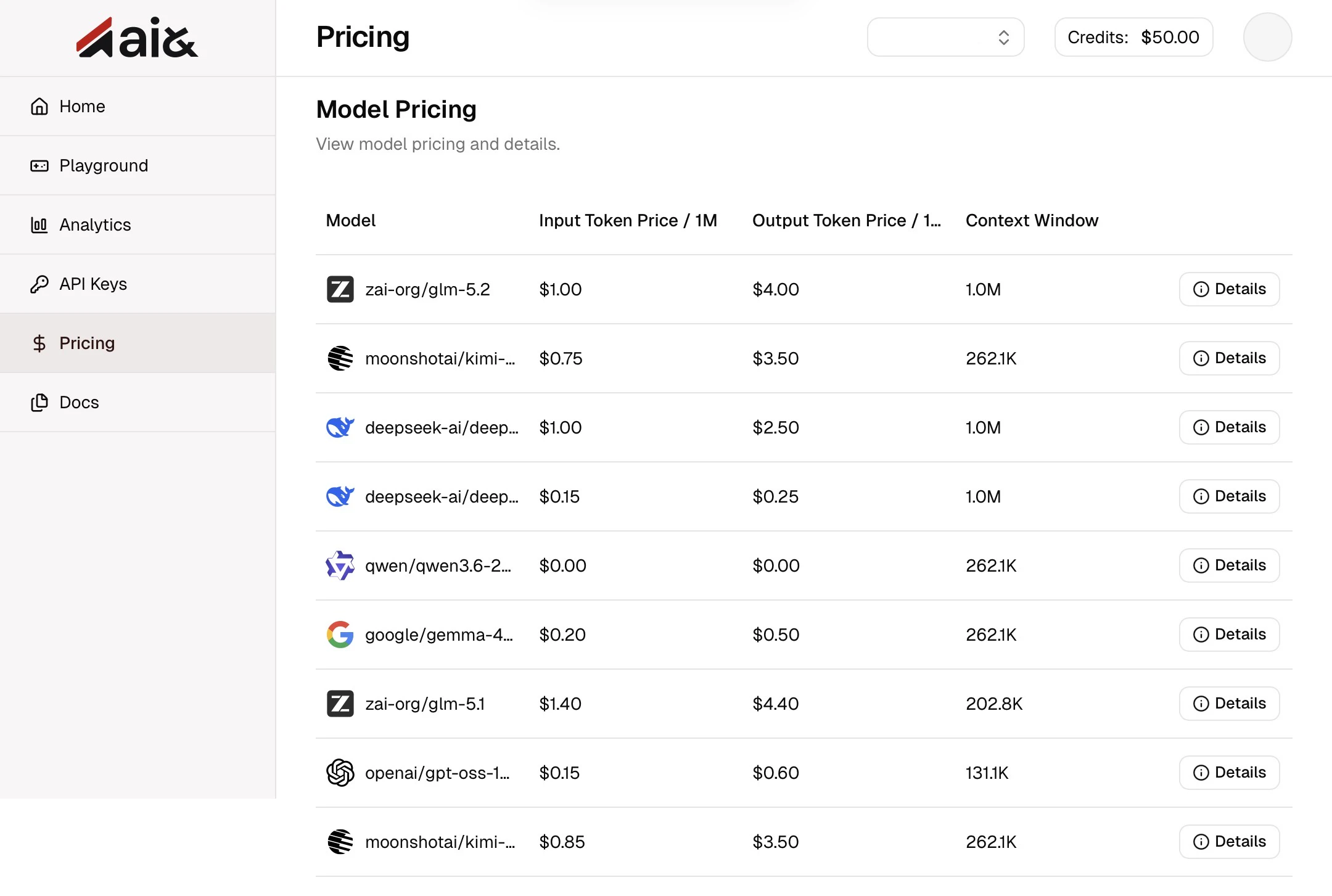
I decided to give it a spin, so here’s a quick breakdown of their pricing and my honest thoughts on using it.
1.The Cost: Zero Credit Card Required & $50 Free Credits
First off, the friction to get started is basically zero.
You can sign up for a free trial without even putting down a credit card.
If you head over to console.aiand.com and use a promo code (I used unitabetai), you get $50 in free credits, which is more than enough to test out a bunch of different models.
The best part? It provides OpenAI and Anthropic-compatible APIs for open models like DeepSeek, Qwen, and GLM. This means you can easily swap out expensive, closed-source models in your existing apps without breaking the bank.
Since the infrastructure is hosted right here in Japan, the pricing is predictable, consumption-based, and perfect for local businesses.
Plus, during the campaign, some models are literally free to use.
2.My Honest Thoughts: A True "Plug-and-Play" Experience
Long story short:
I’ve had a great experience with it, especially with how easy it is to set up.
The absolute biggest selling point is the API compatibility.
If your code is already running on OpenAI or Claude APIs, switching over is a breeze—all you need to do is update the base_url in your configuration.
I actually tried this with a couple of my VSCode extensions, and it worked instantly.
The speed is also awesome.
Because the servers are hosted in domestic data centers, the latency is super low compared to overseas options.
The UI is clean and distraction-free.
If you just want to focus on what to build rather than worrying about how to host or setting up expensive local GPUs, this is a massive time-saver.
Testing Things Out in the Playground
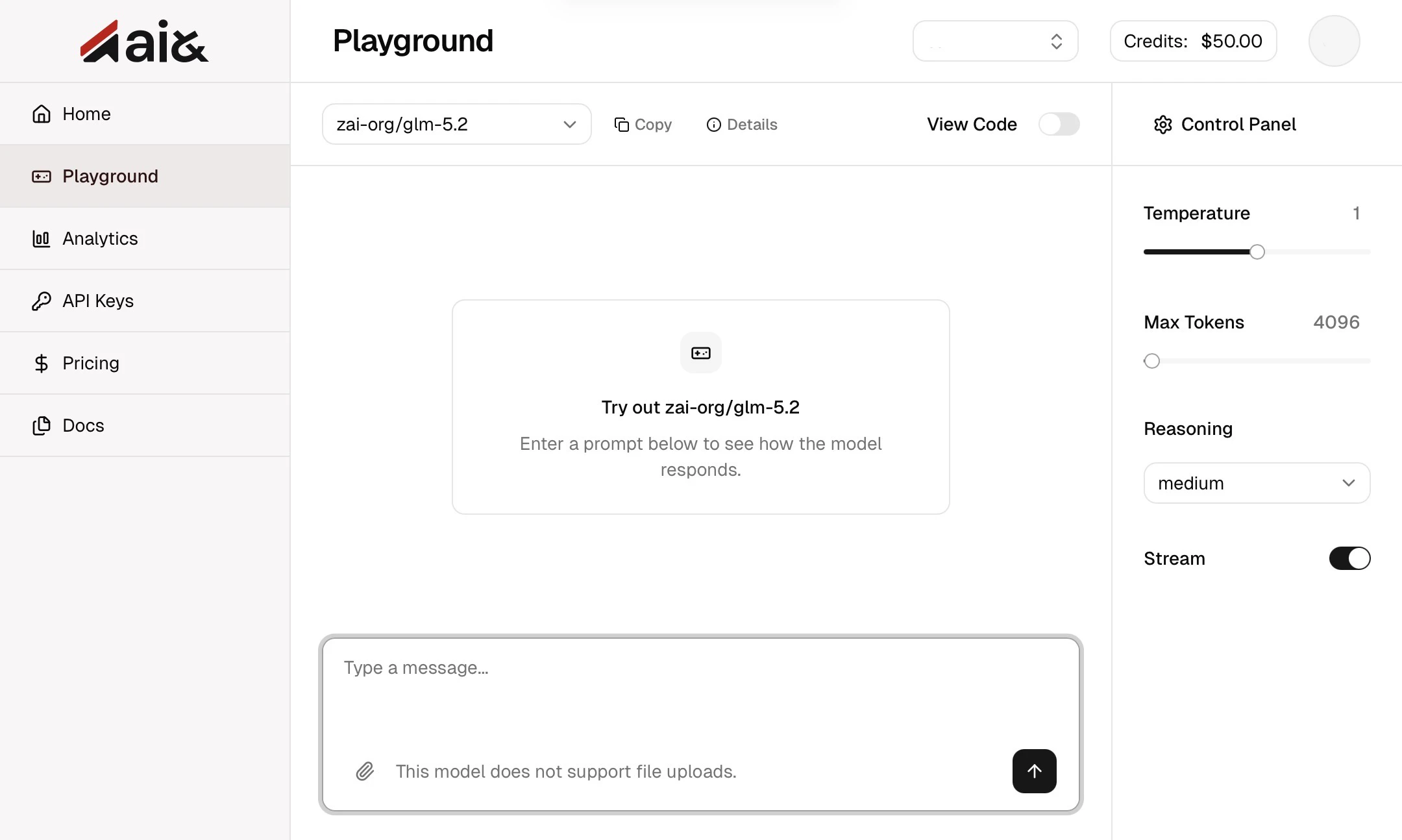
Aside from the API integration, the built-in "Playground" in the browser is super handy. It’s incredibly intuitive—you get a clean workspace where you can test prompts on the fly, tweak parameters like temperature, and check out reasoning behaviors without writing a single line of code.
It’s the perfect sandbox for rapid prototyping and fine-tuning your system prompts before pushing them to production.
Hopefully, this gives you a good idea of what "ai& Inference" can do. It’s definitely worth checking out for your next project! Thanks for reading!
Thank you so much for taking the time to read this article.
I hope you find ai& Inference as useful in your own projects as I have!