
今回は、静的解析ツール「CheckStyle」の導入とレポートの出力を行います。
手順1:pom.xmlを更新する
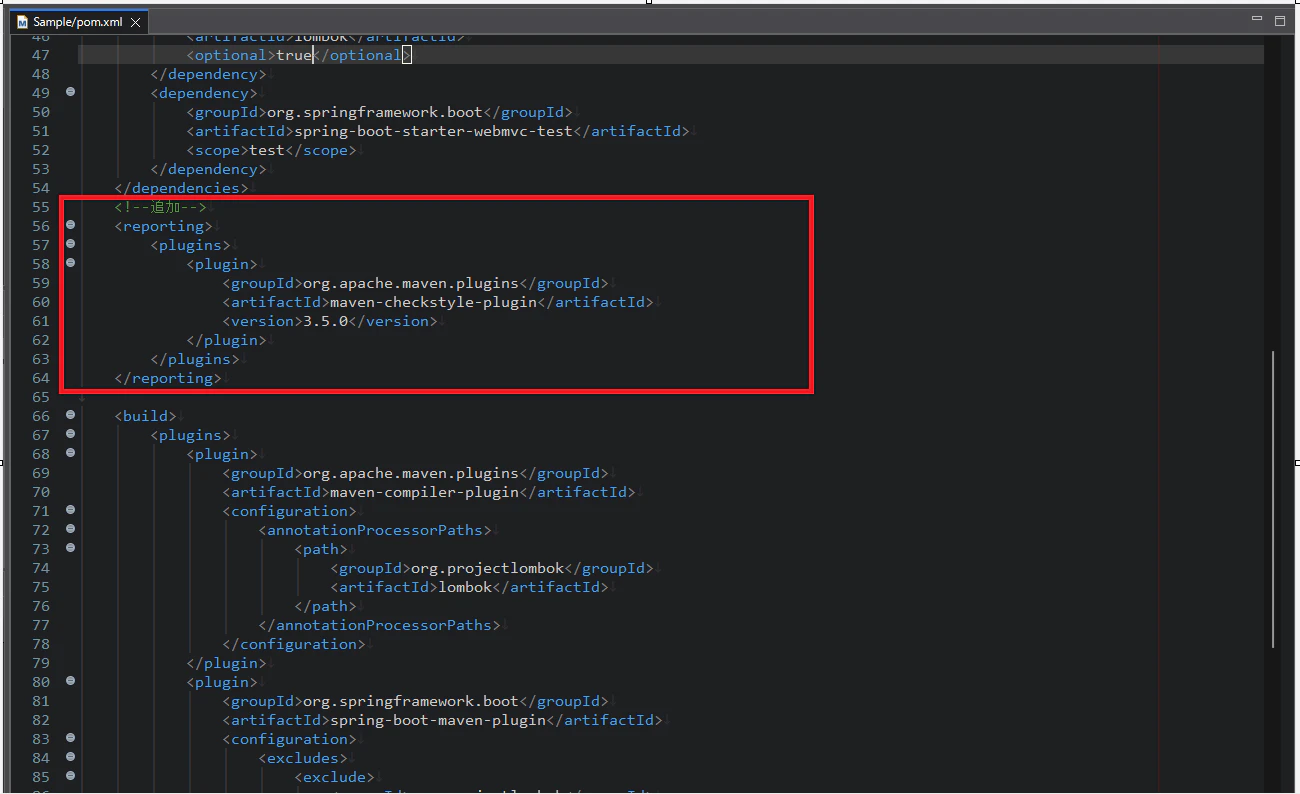
Checkstyle が「レポート対象」として登録するため、下記のようにpom.xml に <reporting> を追加します。
pom.xml
<reporting>
    <plugins>
        <plugin>
            <groupId>org.apache.maven.plugins</groupId>
            <artifactId>maven-checkstyle-plugin</artifactId>
            <version>3.5.0</version>
        </plugin>
    </plugins>
</reporting>
maven-checkstyle-plugin 3.3.1 自体が、古い Guava を内部で使っているため、maven-checkstyle-plugin を最新版に上げましょう。
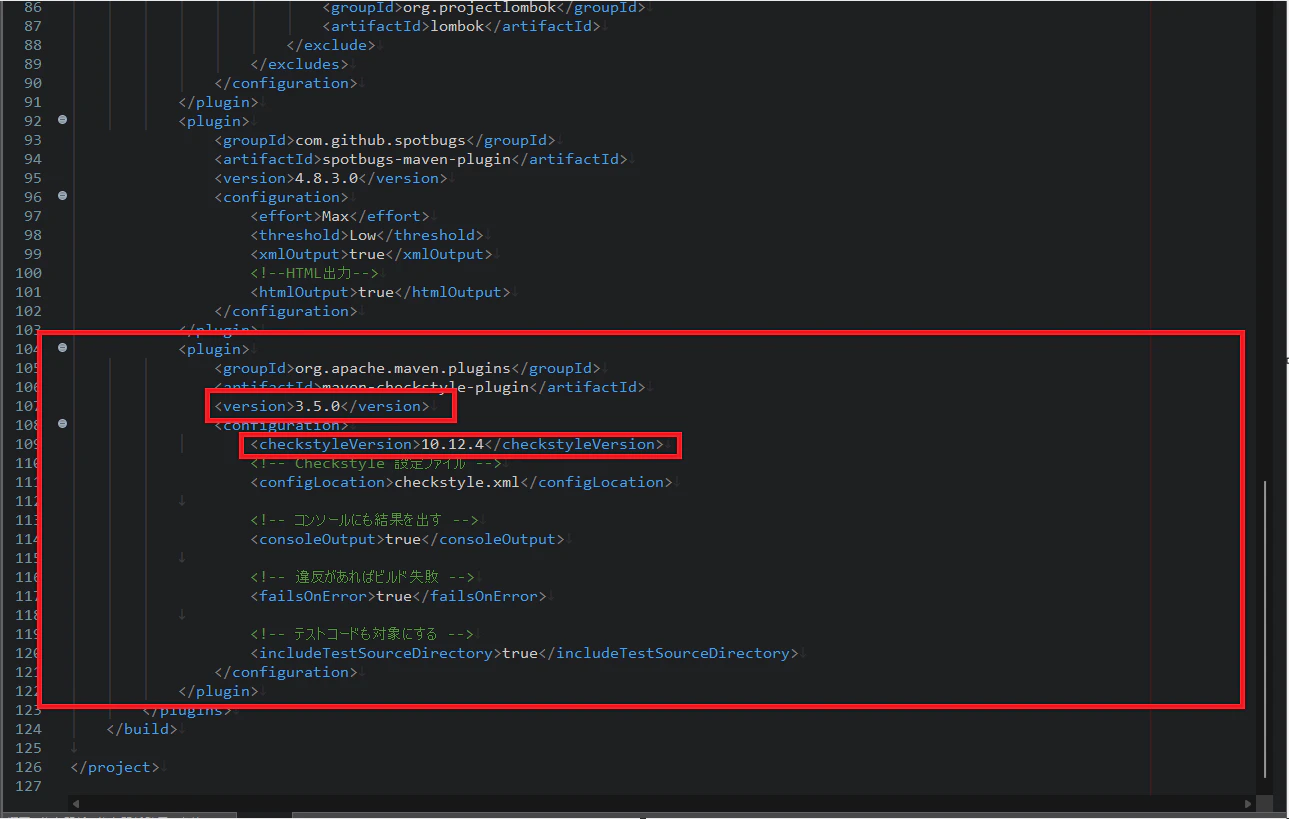
pom.xml
<plugin>
    <groupId>org.apache.maven.plugins</groupId>
    <artifactId>maven-checkstyle-plugin</artifactId>
    <version>3.5.0</version> <!-- ★ 重要 -->
    <configuration>
        <checkstyleVersion>10.12.4</checkstyleVersion>
        <configLocation>checkstyle.xml</configLocation>
        <consoleOutput>true</consoleOutput>
        <failsOnError>true</failsOnError>
        <includeTestSourceDirectory>true</includeTestSourceDirectory>
    </configuration>
</plugin>
修正後のpom.xmlはこちら👇
pom.xml
<?xml version="1.0" encoding="UTF-8"?>
<project xmlns="http://maven.apache.org/POM/4.0.0" xmlns:xsi="http://www.w3.org/2001/XMLSchema-instance"
	xsi:schemaLocation="http://maven.apache.org/POM/4.0.0 https://maven.apache.org/xsd/maven-4.0.0.xsd">
	<modelVersion>4.0.0</modelVersion>
	<parent>
		<groupId>org.springframework.boot</groupId>
		<artifactId>spring-boot-starter-parent</artifactId>
		<version>4.0.1</version>
		<relativePath/> <!-- lookup parent from repository -->
	</parent>
	<groupId>com.example</groupId>
	<artifactId>Sample</artifactId>
	<version>0.0.1-SNAPSHOT</version>
	<name>Sample</name>
	<description>Demo project for Spring Boot</description>
	<url/>
	<licenses>
		<license/>
	</licenses>
	<developers>
		<developer/>
	</developers>
	<scm>
		<connection/>
		<developerConnection/>
		<tag/>
		<url/>
	</scm>
	<properties>
		<java.version>21</java.version>
	</properties>
	<dependencies>
		<dependency>
			<groupId>org.springframework.boot</groupId>
			<artifactId>spring-boot-starter-webmvc</artifactId>
		</dependency>

		<dependency>
			<groupId>org.springframework.boot</groupId>
			<artifactId>spring-boot-devtools</artifactId>
			<scope>runtime</scope>
			<optional>true</optional>
		</dependency>
		<dependency>
			<groupId>org.projectlombok</groupId>
			<artifactId>lombok</artifactId>
			<optional>true</optional>
		</dependency>
		<dependency>
			<groupId>org.springframework.boot</groupId>
			<artifactId>spring-boot-starter-webmvc-test</artifactId>
			<scope>test</scope>
		</dependency>
	</dependencies>
	<!--追加-->
	<reporting>
	    <plugins>
	        <plugin>
	            <groupId>org.apache.maven.plugins</groupId>
	            <artifactId>maven-checkstyle-plugin</artifactId>
	            <version>3.5.0</version>
	        </plugin>
	    </plugins>
	</reporting>

	<build>
		<plugins>
			<plugin>
				<groupId>org.apache.maven.plugins</groupId>
				<artifactId>maven-compiler-plugin</artifactId>
				<configuration>
					<annotationProcessorPaths>
						<path>
							<groupId>org.projectlombok</groupId>
							<artifactId>lombok</artifactId>
						</path>
					</annotationProcessorPaths>
				</configuration>
			</plugin>
			<plugin>
				<groupId>org.springframework.boot</groupId>
				<artifactId>spring-boot-maven-plugin</artifactId>
				<configuration>
					<excludes>
						<exclude>
							<groupId>org.projectlombok</groupId>
							<artifactId>lombok</artifactId>
						</exclude>
					</excludes>
				</configuration>
			</plugin>
			<plugin>
	            <groupId>com.github.spotbugs</groupId>
	            <artifactId>spotbugs-maven-plugin</artifactId>
	            <version>4.8.3.0</version>
	            <configuration>
	                <effort>Max</effort>
	                <threshold>Low</threshold>
	                <xmlOutput>true</xmlOutput>
	                <!--HTML出力-->
                	<htmlOutput>true</htmlOutput>
	            </configuration>
        	</plugin>
        	<plugin>
			    <groupId>org.apache.maven.plugins</groupId>
			    <artifactId>maven-checkstyle-plugin</artifactId>
			    <version>3.5.0</version>
			    <configuration>
			    	<checkstyleVersion>10.12.4</checkstyleVersion>
			        <!-- Checkstyle 設定ファイル -->
			        <configLocation>checkstyle.xml</configLocation>

			        <!-- コンソールにも結果を出す -->
			        <consoleOutput>true</consoleOutput>

			        <!-- 違反があればビルド失敗 -->
			        <failsOnError>true</failsOnError>

			        <!-- テストコードも対象にする -->
			        <includeTestSourceDirectory>true</includeTestSourceDirectory>
			    </configuration>
			</plugin>
		</plugins>
	</build>

</project>
手順2:コマンド実行
下記のコマンドを実行します。
mvn checkstyle:checkstyle
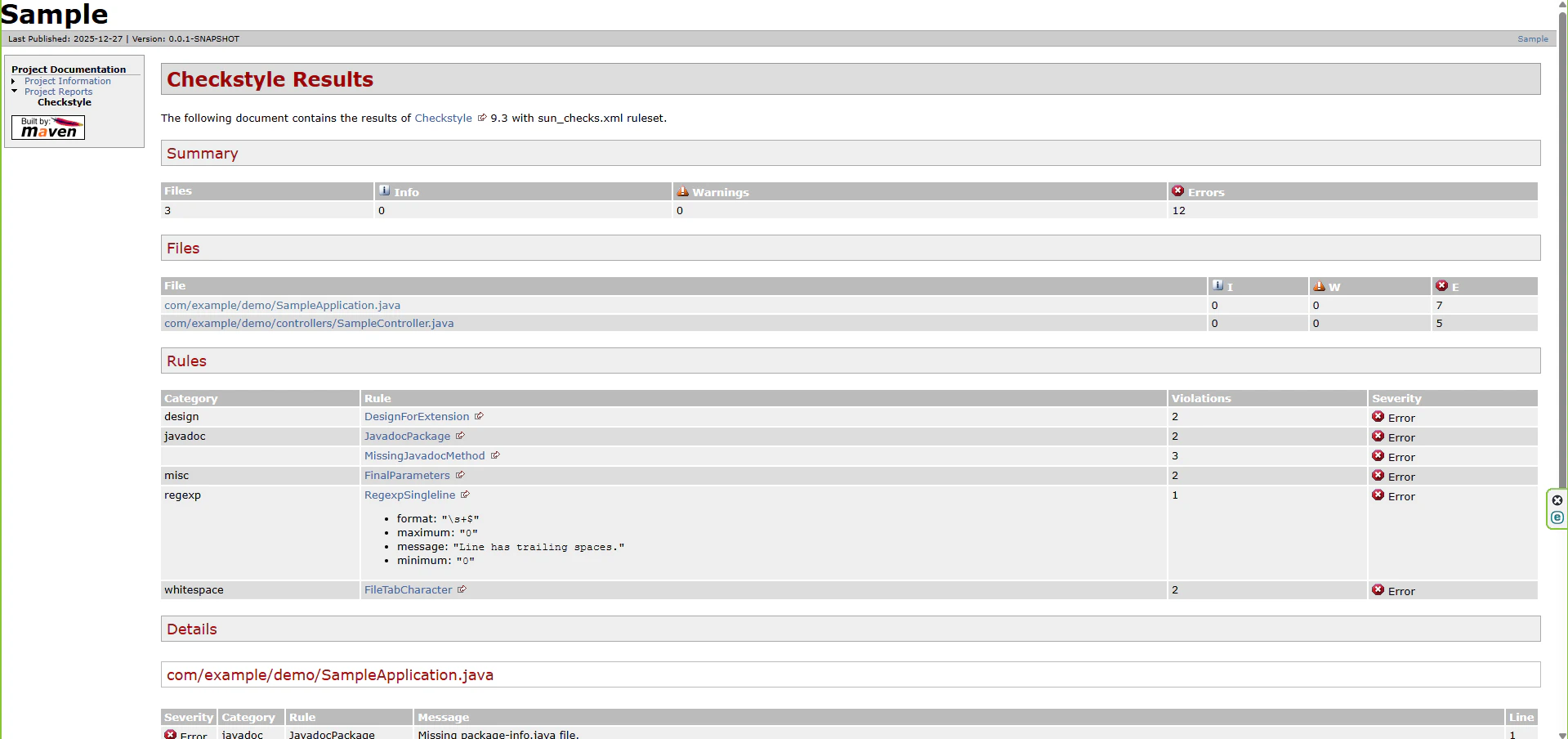
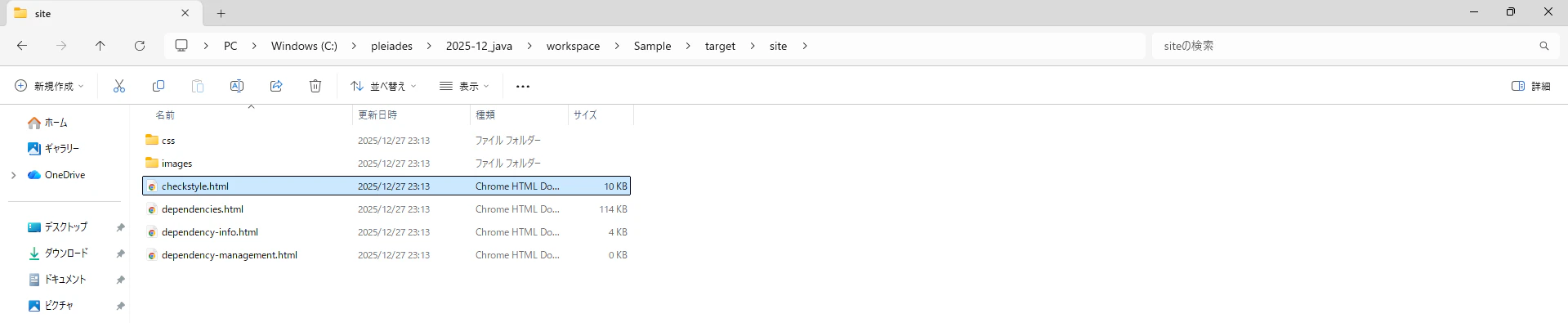
下記のように、レポートが出力されたら完了です。
target/site/
 ├─ index.html
 ├─ checkstyle.html   ← ★ これが出る
 ├─ dependencies.html
 └─ spotbugs.html     (SpotBugs も reporting にあれば)
サイト
CheckStyleの公式サイト
Checkstyle 使い方メモ
PMD公式サイト
Burp Suite
Burp Suiteの使い方
Javaの処理の実行計測
【Java】JDK Flight Recorder を調査・検証してみた