
今回は、Reactを使ってアトミックデザインを意識してFileアップロード機能を作ってみます。
完成イメージ
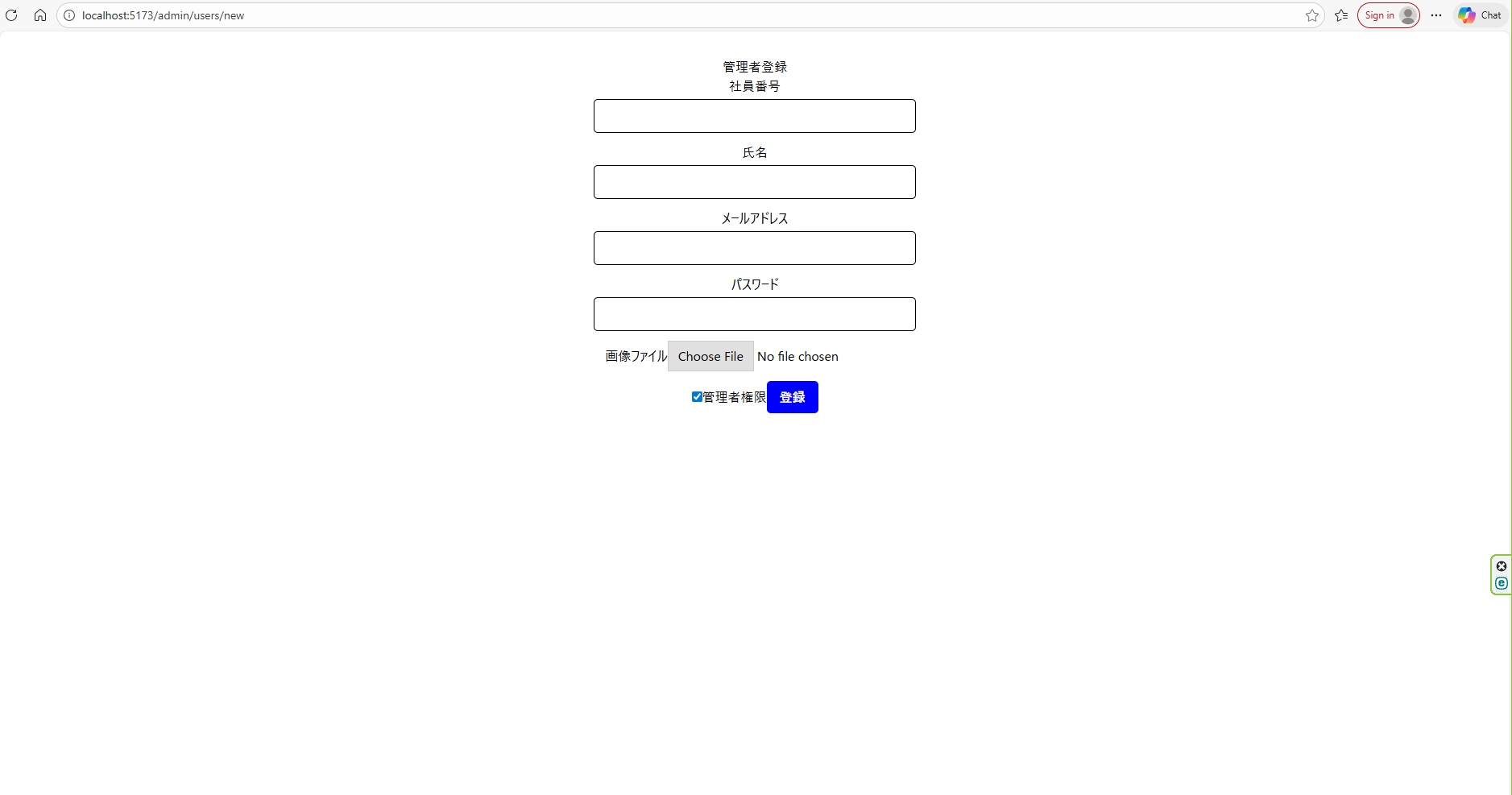
実装の方向性
実装の方向性は下記です。
■File 専用のFieldを作る
■value を持たせない
■onChange だけを扱う
HTML仕様上、
Sample.html
<input value=?>
に渡せるのはstring / number / string[]だけで、
File オブジェクトは渡せません。
ディレクトリ構造
└── Frontend/
    ├── node_modules
    ├── public
    └── src/
        ├── assets
        └── components/
            ├── atoms/
            │   ├── Button.tsx
            │   ├── Checkbox.tsx
            │   ├── Input.tsx
            │   ├── InputFile.tsx
            │   └── Label.tsx
            ├── molecules/
            │   ├── FileField.tsx
            │   ├── FormField.tsx
            │   └── PasswordField.tsx
            ├── organisms/
            │   └── AdminUserForm.tsx
            ├── templates/
            │   └── AdminUserTemplate.tsx
            ├── pages/
            │   └── AdminUserRegisterPage.tsx
            ├── styles/
            │   └── global.css 👈自作
            ├── App.css
            ├── App.tsx
            ├── index.css
            ├── main.tsx
            ├── .env
            ├── eslint.config.js
            ├── index.html
            ├── package.json
            ├── package.lock.json
            ├── tsconfig.json
            ├── tsconfig.app.json
            ├── tsconfig.node.json
            └── vite.config.ts
実装
Atomレベル
src/components/atoms/InputFile.tsx
import React from "react";

type InputProps = Omit<
    React.ComponentPropsWithoutRef<"input">,"type"
>&{type :"file"};

export const InputFile = React.forwardRef<
    HTMLInputElement,
    InputProps
>(({ type="file", ...rest},ref)=>{
    return (
        <input
            ref={ref}
            type={type}
            {...rest}
            style={{
                padding: "8px",
                width: "100%" ,
                border:"1px solid",
                borderRadius:"5px"
            }}
        />
    )
});
moleculesレベル
src/components/molecules/FileField.tsx
type Props = {
    label:string;
    onChange:(e:React.ChangeEvent<HTMLInputElement>)=>void;
}

export const FileFied:React.FC<Props> = ({ label,onChange })=>{
    return (
        <div style={{ marginBottom:"12px" }}>
            <label>{label}</label>
            <input
                type="file"
                accept="image/png, image/jpeg"
                onChange={onChange}
            />
        </div>
    )
}
Organismsレベル
src/components/organisms/AdminUserForm.tsx
import { useState } from "react";
import { PasswordField } from "../molecules/PasswordField";
import { FormField } from "../molecules/FormField";
import { Checkbox } from "../atoms/Checkbox";
import { Button } from "../atoms/Button";
import axios from "axios";
import { FileFied } from "../molecules/FileField";

export const AdminUserForm:React.FC = ()=>{
    const [id,setId] = useState("");
    const [name, setName] = useState("");
    const [email, setEmail] = useState("");
    const [password, setPassword] = useState("");
    const [adminrole, setAdminrole] = useState(false);
    const [file, setFile] = useState<File | null>(null);
    // 管理者登録URL
    const create_admin_user_url = import.meta.env.VITE_NEW_ADMINUSER_CREATE;

    const handleSubmit = async(e:React.FormEvent)=>{
        e.preventDefault();
        const body = {
            id,
            name,
            email,
            password,
            adminrole
        };

        try{
            const response = await axios.post(create_admin_user_url,//"/api/new/adminusercreate"
                body,
                {
                    headers:{
                        "Content-Type": "application/json"
                    },
                    //withCredentials: true
                }
            )

            console.log(response);
            alert(response.data);

        }catch(error:any){
            if (error.response) {
            // サーバーが返したステータスコードがある場合
            alert(`エラー: ${error.response.status} ${error.response.data}`);
            } else if (error.request) {
                // リクエストは作られたがレスポンスなし
                alert("サーバーに到達できませんでした");
                return
            } else {
                // その他のエラー
                alert("予期せぬエラー");
                return
            }
            console.error(error);
            }

    };
    return (
        <form onSubmit={handleSubmit}>
            <FormField label="社員番号" value={id} onChange={(e)=>setId(e.target.value)}/>
            <FormField label="氏名" value={name} onChange={(e)=>setName(e.target.value)}/>
            <FormField type="email" label="メールアドレス" value={email} onChange={(e)=>setEmail(e.target.value)}/>
            <PasswordField value={password} onChange={(e) => setPassword(e.target.value)} />
            <FileFied label="画像ファイル" onChange={(e)=>{
                if(e.target.files && e.target.files.length > 0){
                    setFile(e.target.files[0])
                }
            }}/>
            <div style={{ marginBottom: "12px" }}>
                <label>
                    <Checkbox checked={adminrole} onChange={(e)=>setAdminrole(e.target.checked)}/>
                    管理者権限
                </label>
                <Button type="submit">登録</Button>
            </div>
        </form>
    )
}
サイト
【React】Atomic Designでのコンポーネントの汎用性を上げる方法(input要素編)