0
0

Delete article

Deleted articles cannot be recovered.

Draft of this article would be also deleted.

Are you sure you want to delete this article?

ストリームエディタと正規表現を使ってターミナル上からファイルを書き換える

0
Posted at

記事の概要

  • sedと正規表現を用いて記事の内容の置換を試してみる。

期待される結果

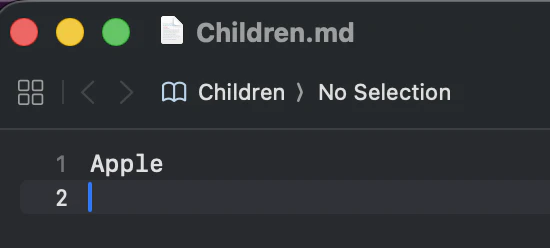
  • ファイルの中の文字列「りんご」が「Apple」に変更されていることを確認する。

手順

  • Children.mdファイルの中に「りんご」という文字列を書いて保存する。

スクリーンショット 2026-01-01 20.12.23.png

1-1. ターミナルで叩く

$ sed 's/りんご/Apple/' Children.md > Children.tmp && mv Children.tmp Children.md
  • sed(stream editor)+正規表現を使って書き直したファイルを一時用として保存し、置き換える
  • sは置き換えるという意味:1つ目の文字列を2つ目の文字列に置き換える

1-2. ファイルの確認

  • Children.mdファイルの中身がApple`になっていることを確認する。

スクリーンショット 2026-01-01 20.20.43.png

0
0
0

Register as a new user and use Qiita more conveniently

  1. You get articles that match your needs
  2. You can efficiently read back useful information
  3. You can use dark theme
What you can do with signing up
0
0

Delete article

Deleted articles cannot be recovered.

Draft of this article would be also deleted.

Are you sure you want to delete this article?