
Calendar一覧を眺めてたら見つけたので投稿します。
はじめに
最近のPCにはNPU(Neural Processing Unit)が搭載されているモノが多くなっています。
しかし、NPUを搭載していてもCopilot+要件を満たさないPCでは使い物にならないし、まさに無用の長物状態の方も多いと思います。
そこで、使用率100%を拝もう!という記事です。
公式ベンチマーク
どうやって負荷をかけてやろうかと考えていたら公式ベンチらしきモノを発見したので実行しました。
実行方法
$ pip install openvino-dev
$ Invoke-WebRequest -Uri "https://storage.googleapis.com/download.tensorflow.org/models/tflite/gpu/multi_person_mobilenet_v1_075_float.tflite" -OutFile "mobilenet_v1.tflite"
$ benchmark_app -m mobilenet_v1.tflite -d NPU -t 60 -hint throughput
実行結果
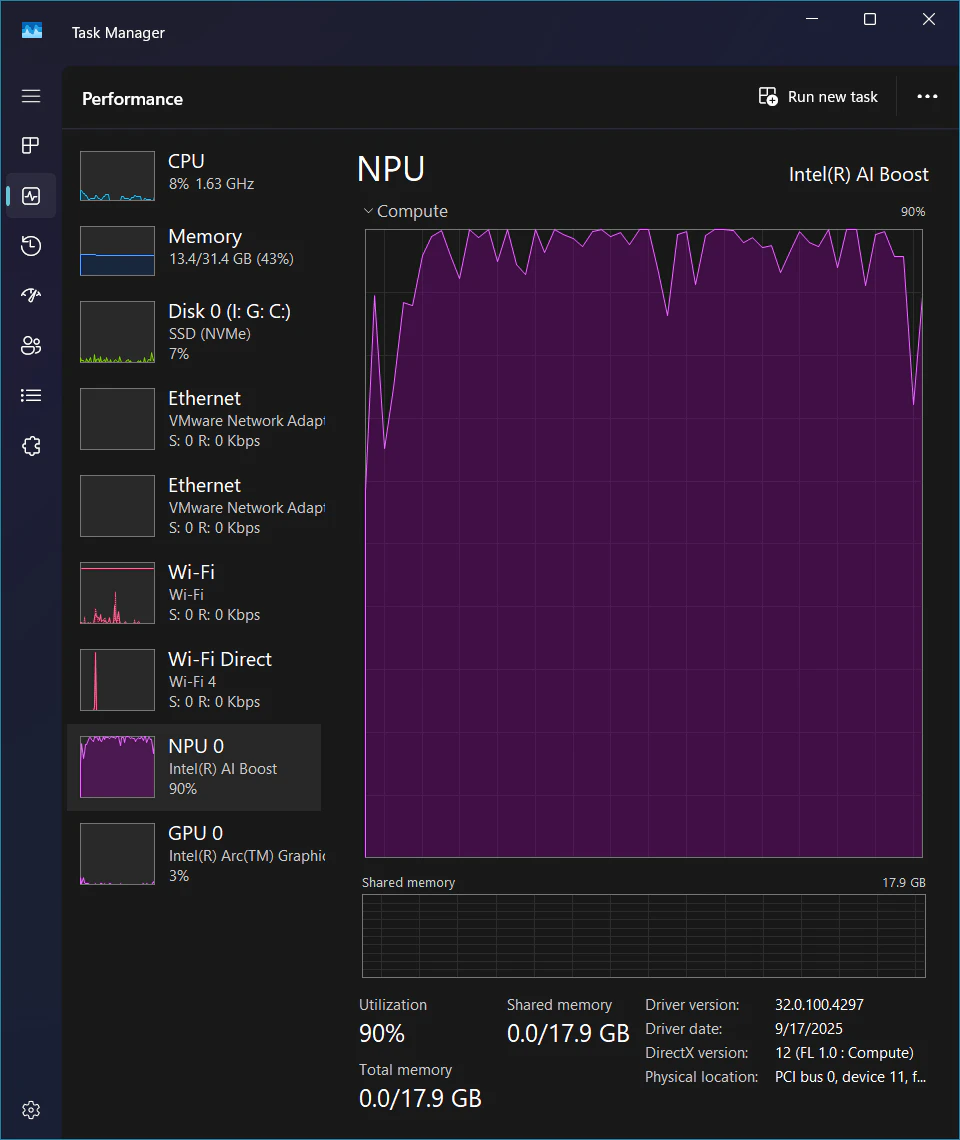
[ INFO ] Execution Devices:NPU
[ INFO ] Count:            37488 iterations
[ INFO ] Duration:         60018.76 ms
[ INFO ] Latency:
[ INFO ]    Median:        6.46 ms
[ INFO ]    Average:       6.36 ms
[ INFO ]    Min:           4.24 ms
[ INFO ]    Max:           21.36 ms
[ INFO ] Throughput:   624.60 FPS
意外にもあっさりと目的を達成できました。
この結果がどのくらいのモノなのかよく分かりませんが、一応動いていることが分かります。
CPUの使用率はほとんど上昇していないことから、適切にタスクを振り分ければAIタスクをバックグラウンドで動作させる用途には向いていることを改めて実感しました。
もっと実用的に!
なんか他にも動かしたいと思ったのでYOLOの骨格推定を走らせることにしました。
モデルをFP16のOpenVINO形式に変換してロードすると自動的にNPUが使用されるらしいです。
# YOLOv8 Poseモデルをダウンロードし、OpenVINO形式(FP16)へ変換
$ yolo export model=yolov8n-pose.pt format=openvino half=True
from ultralytics import YOLO
import cv2
import time

MODEL_PATH = "yolov8n-pose_openvino_model"
VIDEO_SOURCE = 0
# VIDEO_SOURCE = "sample_video.mp4"

def main():
    model = YOLO(MODEL_PATH, task='pose')

    cap = cv2.VideoCapture(VIDEO_SOURCE)
    if not cap.isOpened():
        print("動画ソースを開けませんでした。")
        return

    prev_time = 0

    try:
        while True:
            ret, frame = cap.read()
            if not ret:
                break

            results = model(frame, verbose=False)

            annotated_frame = results[0].plot()

            curr_time = time.time()
            fps = 1 / (curr_time - prev_time) if prev_time > 0 else 0
            prev_time = curr_time

            cv2.putText(annotated_frame, f"FPS: {fps:.2f} (NPU Inference)", (10, 30),
                        cv2.FONT_HERSHEY_SIMPLEX, 1, (0, 255, 0), 2)

            cv2.imshow("YOLOv8 Pose OpenVINO NPU", annotated_frame)

            # 'q' キーで終了
            if cv2.waitKey(1) & 0xFF == ord('q'):
                break

    finally:
        cap.release()
        cv2.destroyAllWindows()

if __name__ == "__main__":
    main()
実行結果
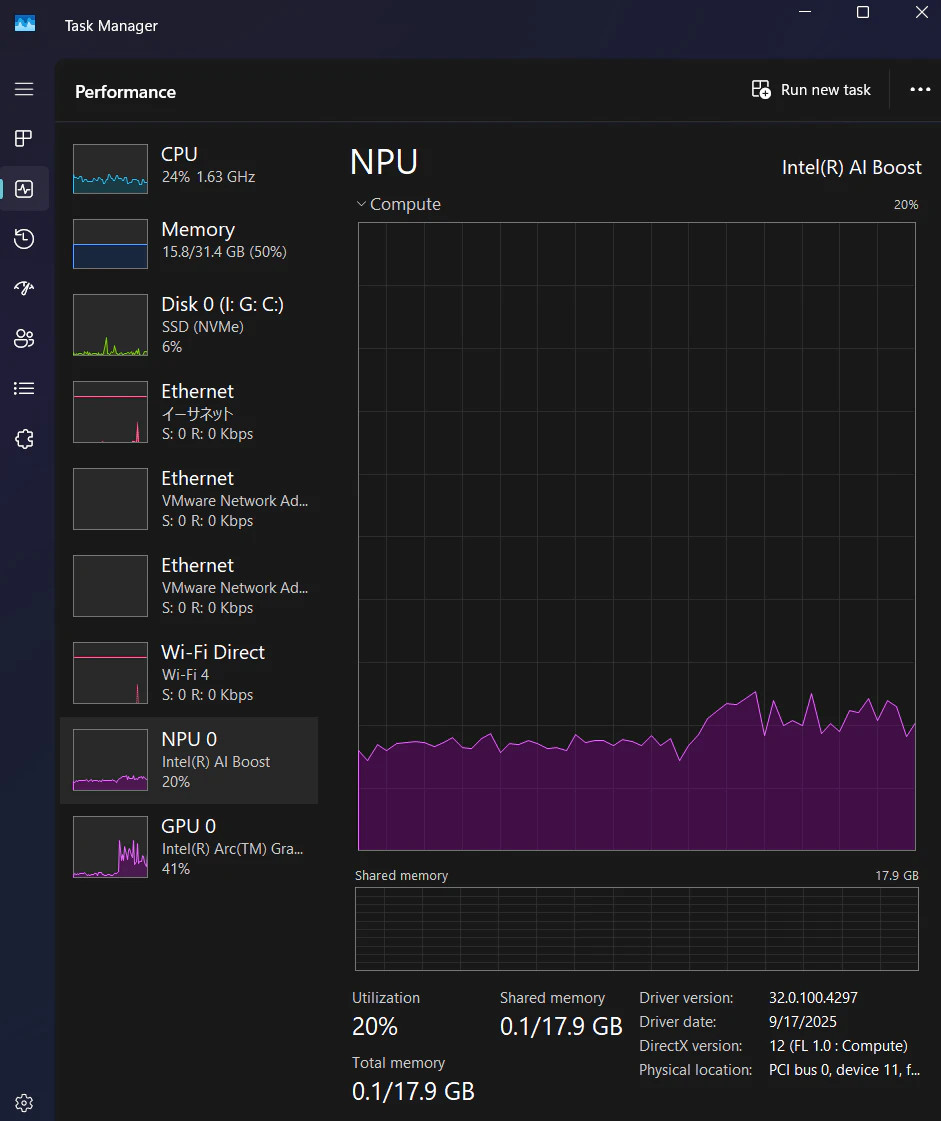
なんか微妙な感じです。
先程実行したOpenVINO公式ベンチで任意モデルを使用して実行できるらしいのでやってみました。
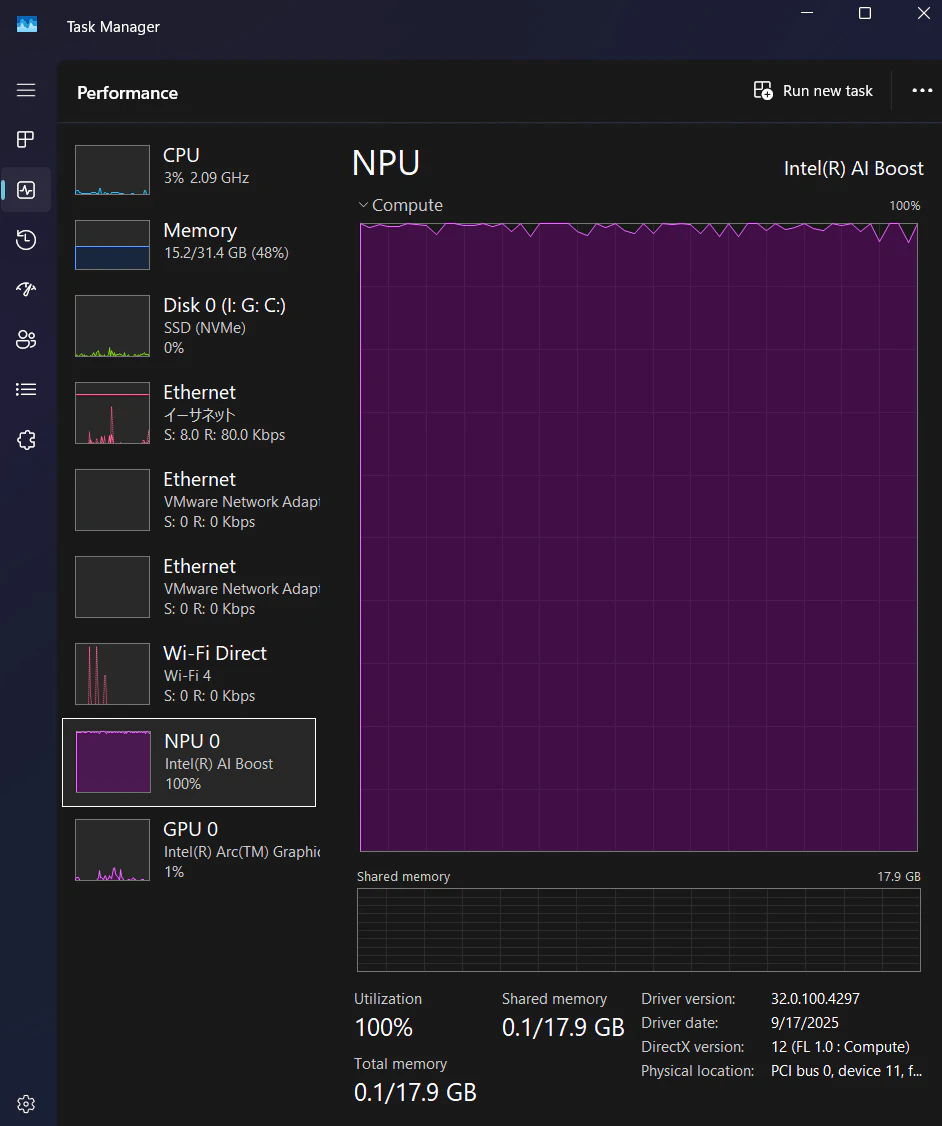
しっかりと100%に張り付いていたので、今回はこれで満足とします。
さいごに
NPUを使ってプライバシー保護に注力した議事録アプリなんか作れたらいいなと思ってます。
以上です。