
TL;DR
- vllm-mlxは、MLX形式のモデルを効率的に動かせる (推論がすごく早いわけではない)
- LMStudioやmlx-lmに比べて、キャッシュが設定しやすく、再利用されやすい
- キャッシュにヒットすると、コンテキストが長くなってもすぐに回答が出てくる
- OpenAI-Compatibleなサーバーとして起動されるので、任意のクライアントから接続できる
はじめに
この記事では以下のvllm-mlxリポジトリについての話をします。
こんにちは。ローカルLLM大好きおじさんです。
ローカルLLMを動かす際に一番問題なのが生成速度です。
これが遅いととてもストレスが溜まり、GeminiやChatGPTに逃げたくなります。
とはいえ、生成速度自体はPCの性能でほぼ決まってしまいます。
そこで、どうにかできる部分として、
「レスポンスまでの速さ(TTFS: Time to First Token)」 があります。
TTFS
TTFSは、入力された文字列をLLMに入力できる形(TokenizeやらEmbeddingやら)をする
前処理によって変わります。
文字列が長いとその分の前処理に時間がかかるので、
LLMと長話していると徐々にTTFSが遅くなり、待ち時間が長くなります。
これを改善するために、キャッシュの再利用 が非常に重要になってきます。
そこまでに処理した文章はキャッシュしておき、追加できた文章だけを追加処理できれば、
文字列が長くなってもTTFSは早いままにできます。
vllm-mlxでは、その キャッシュの再利用 がとても優秀になっており、
ローカルLLMでのストレスを減らしてくれます。
使い方
細かいところは公式READMEを読んでいただければ良いですが、
私のやった方法をまとめます。
環境構築
# uvを使って管理
uv init vllm-mlx-env
cd vllm-mlx-env

# 仮想環境作成
uv venv --python 3.13

# vllm-mlxをインストール
uv add git+https://github.com/waybarrios/vllm-mlx.git

# vllm-mlxのサーバ起動コマンドが使えるかの確認
uv run vllm-mlx serve -h
ここまでうまくいっていれば以下のようなヘルプテキストが出ます
$ uv run vllm-mlx serve -h
usage: vllm-mlx serve [-h] [--host HOST] [--port PORT] [--max-num-seqs MAX_NUM_SEQS] [--prefill-batch-size PREFILL_BATCH_SIZE] [--completion-batch-size COMPLETION_BATCH_SIZE] [--enable-prefix-cache] [--disable-prefix-cache]
                      [--prefix-cache-size PREFIX_CACHE_SIZE] [--cache-memory-mb CACHE_MEMORY_MB] [--cache-memory-percent CACHE_MEMORY_PERCENT] [--no-memory-aware-cache] [--kv-cache-quantization]
                      [--kv-cache-quantization-bits {4,8}] [--kv-cache-quantization-group-size KV_CACHE_QUANTIZATION_GROUP_SIZE] [--kv-cache-min-quantize-tokens KV_CACHE_MIN_QUANTIZE_TOKENS]
                      [--stream-interval STREAM_INTERVAL] [--max-tokens MAX_TOKENS] [--continuous-batching] [--use-paged-cache] [--paged-cache-block-size PAGED_CACHE_BLOCK_SIZE] [--max-cache-blocks MAX_CACHE_BLOCKS]
                      [--chunked-prefill-tokens CHUNKED_PREFILL_TOKENS] [--enable-mtp] [--mtp-num-draft-tokens MTP_NUM_DRAFT_TOKENS] [--mtp-optimistic] [--mcp-config MCP_CONFIG] [--api-key API_KEY] [--rate-limit RATE_LIMIT]
                      [--timeout TIMEOUT] [--enable-auto-tool-choice] [--tool-call-parser {auto,mistral,qwen,qwen3_coder,llama,hermes,deepseek,kimi,granite,nemotron,xlam,functionary,glm47}]
                      [--reasoning-parser {qwen3,deepseek_r1,gpt_oss,harmony}] [--mllm] [--default-temperature DEFAULT_TEMPERATURE] [--default-top-p DEFAULT_TOP_P] [--embedding-model EMBEDDING_MODEL]
                      model

positional arguments:
  model                 Model to serve

options:
  -h, --help            show this help message and exit
  --host HOST           Host to bind
  --port PORT           Port to bind
<以下省略>
モデル実行
軽量なモデルで動作確認
uv run vllm-mlx serve mlx-community/Llama-3.2-3B-Instruct-4bit --port 8000 --continuous-batching
2GBほどのファイルダウンロード後にサーバーが起動します。
$ uv run vllm-mlx serve mlx-community/Llama-3.2-3B-Instruct-4bit --port 8000 --continuous-batching
============================================================
SECURITY CONFIGURATION
============================================================
  Authentication: DISABLED - Use --api-key to enable
  Rate limiting: DISABLED - Use --rate-limit to enable
  Request timeout: 300.0s
  Tool calling: Use --enable-auto-tool-choice to enable
  Reasoning: Use --reasoning-parser to enable
============================================================
Loading model: mlx-community/Llama-3.2-3B-Instruct-4bit
Default max tokens: 32768
Mode: Continuous batching (for multiple concurrent users)
Stream interval: 1 tokens
Memory-aware cache: 20% of RAM
INFO:vllm_mlx.server:Loading model with BatchedEngine: mlx-community/Llama-3.2-3B-Instruct-4bit
INFO:vllm_mlx.server:Model loaded (batched mode): mlx-community/Llama-3.2-3B-Instruct-4bit
INFO:vllm_mlx.server:Default max tokens: 32768
Starting server at http://0.0.0.0:8000
INFO:     Started server process [50784]
INFO:     Waiting for application startup.
INFO:httpx:HTTP Request: GET https://huggingface.co/api/models/mlx-community/Llama-3.2-3B-Instruct-4bit/revision/main "HTTP/1.1 200 OK"
Fetching 6 files: 100%|█████████████████████████████████████████████████████████████████████████████████████████████████████████████████████████████████████████████████████████████████████████| 6/6 [00:00<00:00, 36105.92it/s]
Download complete: : 0.00B [00:00, ?B/s]                                                                                                                                                                   | 0/6 [00:00<?, ?it/s]
INFO:vllm_mlx.engine.batched:Metal memory limits set: allocation_limit=50.1GB (90% of 55.7GB), cache_limit=32GB
INFO:vllm_mlx.memory_cache:MemoryAwarePrefixCache initialized: max_memory=7746.9MB, max_entries=1000
INFO:vllm_mlx.scheduler:Memory-aware cache enabled: limit=7746.9MB
INFO:vllm_mlx.engine_core:Engine started
INFO:vllm_mlx.engine.batched:BatchedEngine loaded: mlx-community/Llama-3.2-3B-Instruct-4bit (mllm=False)
INFO:vllm_mlx.server:[_get_cache_dir] _model_name='mlx-community/Llama-3.2-3B-Instruct-4bit' type=<class 'str'>
INFO:vllm_mlx.server:[_get_cache_dir] cache_dir='/Users/republicofkorokke/.cache/vllm-mlx/prefix_cache/mlx-community--Llama-3.2-3B-Instruct-4bit'
INFO:vllm_mlx.server:[lifespan] Loading prefix cache from /Users/republicofkorokke/.cache/vllm-mlx/prefix_cache/mlx-community--Llama-3.2-3B-Instruct-4bit
INFO:vllm_mlx.memory_cache:[cache_persist] no index at /Users/republicofkorokke/.cache/vllm-mlx/prefix_cache/mlx-community--Llama-3.2-3B-Instruct-4bit/index.json, nothing to load
INFO:vllm_mlx.server:[lifespan] No prefix cache entries found on disk
INFO:     Application startup complete.
INFO:     Uvicorn running on http://0.0.0.0:8000 (Press CTRL+C to quit)
その後、別のターミナルで以下のコマンドを実行すると簡易なWEBページからチャットができます。
uv run vllm-mlx-chat
$ uv run vllm-mlx-chat
Connecting to vllm-mlx server at: http://localhost:8000
Starting Gradio interface on port: 7860
Mode: Multimodal (text, image, and video)
* Running on local URL:  http://127.0.0.1:7860
* To create a public link, set `share=True` in `launch()`.
[Chat] Text: 'コロッケってなに?'
[Chat] Files: []
[Chat] History length: 0
[Chat] Sending 1 messages to server
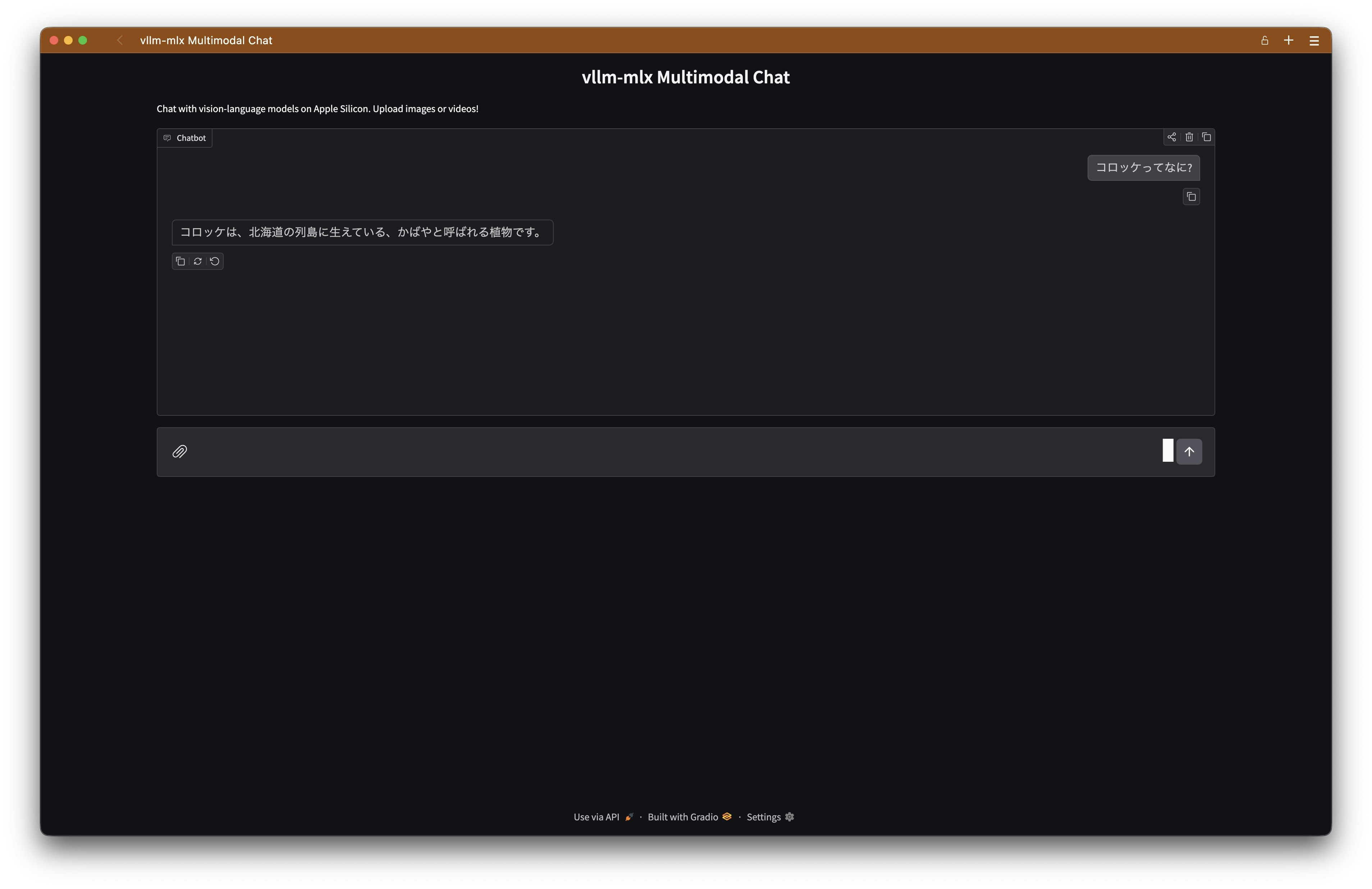
ブラウザから http://127.0.0.1:7860にアクセスすると以下のような画面が出ます。
キャッシュの設定
ここで少し注意。
公式のコマンド例にある
# Iimple Mode (Default)
# Maximum throughput for single user:

vllm-mlx serve mlx-community/Llama-3.2-3B-Instruct-4bit --port 8000
これだとキャッシュが効きません。
確認するには、http://localhost:8000/v1/statusからサーバーの状態を取れます。
Every 1.0s: curl -s http://localhost:8000/v1/status | jq                           MacBookPro: Wed Feb 18 22:59:56 2026
                                                                                                          in 0.026s (0)
{
  "status": "stopped",
  "model": "mlx-community/Llama-3.2-3B-Instruct-4bit",
  "uptime_s": 0,
  "steps_executed": 0,
  "num_running": 0,
  "num_waiting": 0,
  "total_requests_processed": 0,
  "total_prompt_tokens": 0,
  "total_completion_tokens": 0,
  "metal": {
    "active_memory_gb": 1.81,
    "peak_memory_gb": 2.73,
    "cache_memory_gb": 0.29
  },
  "cache": null, # ここがnullになってる
  "requests": []
}
実装みたりオプション試したり感じ、
--continuous-batchingが必須のようです。
uv run vllm-mlx serve mlx-community/Llama-3.2-3B-Instruct-4bit --port 8000 --continuous-batching
Every 1.0s: curl -s http://localhost:8000/v1/status | jq                           MacBookPro: Wed Feb 18 23:12:47 2026
                                                                                                          in 0.024s (0)
{
  "status": "running",
  "model": "mlx-community/Llama-3.2-3B-Instruct-4bit",
  "uptime_s": 6.9,
  "steps_executed": 0,
  "num_running": 0,
  "num_waiting": 0,
  "total_requests_processed": 0,
  "total_prompt_tokens": 0,
  "total_completion_tokens": 0,
  "metal": {
    "active_memory_gb": 1.81,
    "peak_memory_gb": 1.81,
    "cache_memory_gb": 0.0
  },
  "cache": { # キャッシュに使っているメモリ量などが見える
    "hits": 0,
    "misses": 0,
    "hit_rate": 0.0,
    "evictions": 0,
    "tokens_saved": 0,
    "current_memory_mb": 12.47,
    "max_memory_mb": 7935.43,
    "memory_utilization": 0.0016,
    "entry_count": 2
  },
  "requests": []
}
個人的な起動コマンド
以下のようなshell scriptを書いて起動するようにしています。
モデルはLMStudioでダウンロードしたローカルのものを使っています。
MODEL_DIR=~/.cache/lm-studio/models/n1k1tung/GLM-4.7-Flash-REAP-23B-A3B-6-bit # 使うモデルがあるディレクトリ
TOKEN_LIMIT=$(jq -r '.max_position_embeddings' "$MODEL_DIR/config.json") # モデルと同一ディレクトリにあるconfig.jsonをパースして、最大トークン数を取得
uv run vllm-mlx serve "$MODEL_DIR"/ \
    --max-tokens "$TOKEN_LIMIT" \ # 最大のコンテキストウィンドウ config.jsonのものを指定
    --reasoning-parser qwen3 \ # thinkingモデルのパース方式を指定 GLM-4.7-Flashはqwen3式
    --port 51234 \ # サーバーのポート番号
    --continuous-batching \ # キャッシュの有効化
    --use-paged-cache \ # キャッシュをページングしてくれるらしい まだ試験的オプションらしいけど使えてる
    --kv-cache-quantization \ # キャッシュを量子化してメモリ使用量削減する
    --kv-cache-quantization-bits 8 # 量子化のビット数指定
他にもいろんなオプションがあるので、 ヘルプやドキュメントを読むと面白いです。
〆
LMStudioでMLX形式のモデルを動かしている際には、
キャッシュがいつ効くのかがよくわからず、制御もできませんでしたが、
vllm-mlxはそのあたり情報が見えるので楽しいです。
opencodeなどのVibe Codingツールを使うとコンテキストが長くなりがちなので、
キャッシュが効くとローカルLLMでもレスポンスが早くなり快適になります。
おまけ
vllm-mlxのターゲットはMac(Metal)ですが、親となるvllmというものがあります。
こちらはCUDAをターゲットとしているので、NVIDIA GPU環境ではこれが良いらしいです。