

みなさん、こんにちは!
本記事では、gemini CLIでgemini 3.0を有効化する手順についてまとめます。
1. 設定前
現状の設定を確認します。
Verup前のため、Gemini 3.0には対応しておらず特定のVersionを利用する等明記されていません。
> /model

Select Model
● 1. Auto (recommended)
     Let the system choose the best model for your task
  2. Pro
     For complex tasks that require deep reasoning and creativity
  3. Flash
     For tasks that need a balance of speed and reasoning
  4. Flash-Lite
     For simple tasks that need to be done quickly
> To use a specific Gemini model on startup, use the --model flag.

(Press Esc to close)
2. 設定作業
2-1. 現在のバージョンを確認する
バージョン確認コマンドを実行します。
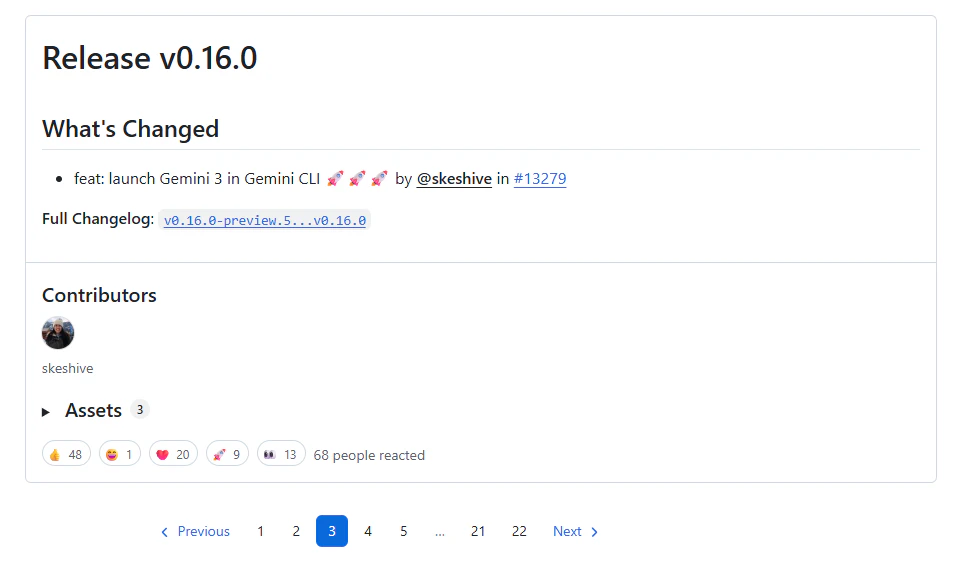
Gemini 3.0を利用するには、v0.16.0以上のバージョンにする必要があります。
> gemini --version
0.14.0
2-2. バージョンアップ実施
npmコマンドを実行し、バージョンアップを行います。
> npm install -g @google/gemini-cli
or
> npm update -g @google/gemini-cli
アップデート完了後、バージョンが更新されていることを確認します。
> gemini --version
0.18.4
2-3. アップデート後に使えるモデルを確認する
アップデート後にモデルを確認したところ、デフォルトでGemini 3.0のモデルが有効になっていました。
Gemini 3 is now available.
リリースノートを確認したところ、v0.18.0以降のバージョンではデフォルトで有効となっているようです!
Release v0.18.0
feat(core): Incorporate Gemini 3 into model config hierarchy.
ただし、モデルの設定として有効となっている場合でも続く2-4.の作業にてPreview featuresを有効化する必要があるのでそちらも実施してください。
> /model

Select Model

Gemini 3 is now enabled.
To disable Gemini 3, disable "Preview features" in /settings.
Learn more at https://goo.gle/enable-preview-features

When you select Auto or Pro, Gemini CLI will attempt to use gemini-3-pro-preview first, before falling back to
gemini-2.5-pro.

  1. Auto
     Let the system choose the best model for your task.
● 2. Pro (gemini-3-pro-preview, gemini-2.5-pro)
     For complex tasks that require deep reasoning and creativity
  3. Flash (gemini-2.5-flash)
     For tasks that need a balance of speed and reasoning
  4. Flash-Lite (gemini-2.5-flash-lite)
     For simple tasks that need to be done quickly

To use a specific Gemini model on startup, use the --model flag.

(Press Esc to close)
2-4. settingsを編集する
バージョンアップした時点でモデルはavailableになってはいましたが、gemini3.0を使用するためには追加でPreview featuresの設定を有効化する必要があります。
以下の手順にてsettingsを編集してPreview featuresを有効化します。
/settingsコマンドを入力し、設定画面からPreview Features (e.g., models)をtrueに変更します。
> /settings

Preview Features (e.g., models)  true*
3. ウェイティングリストに参加する
ウェイティングリストに参加する必要のあるユーザーがGemini 3.0を利用しようとした場合は以下のようなメッセージが表示されます。
メッセージが表示された場合は、下記URLを参照にウェイティングリストに参加してください。
It seems like you don't have access to Gemini 3.
Learn more at <https://goo.gle/enable-preview-features>
To disable Gemini 3, disable "Preview features" in /settings.


● 1. Switch to gemini-2.5-pro
  2. Stop

Note: You can always use /model to select a different option.
Google AI Ultraを契約している方や、Gemini Code Assist Enterpriseを契約している方は上記の設定を行えば利用可能となりますが、それ以外のユーザーはウェイティングリストに参加する必要があるようです。
ウェイティングリストに参加する必要のあるユーザーや、参加方法の詳細は以下に記載されていました。
Gemini 3 Pro on Gemini CLI (Join the Waitlist)
4. 設定後
ここまで設定していれば、Gemini CLIに指示を行うことでGemini 3.0を優先的に利用してくれます。
実際に使用されたかどうかは、以下のコマンドを利用することで確認できます。
/stats
以下のように、使用したモデルが表示されます。
gemini-3-pro-previewがメインで利用されていることがわかりますね。
> /stats

 Session Stats

 Interaction Summary
 Session ID:                 256e52b6-463a-47b7-bb5b-1e621356bdcb
 Tool Calls:                 7 ( ✓ 7 x 0 )
 Success Rate:               100.0%
 User Agreement:             100.0% (7 reviewed)
 Code Changes:               +2 -24

 Performance
 Wall Time:                  20m 17s
 Agent Active:               7m 14s
   » API Time:               3m 16s (45.3%)
   » Tool Time:              3m 58s (54.7%)


 Model Usage                  Reqs   Input Tokens  Output Tokens
 ───────────────────────────────────────────────────────────────
 gemini-2.5-flash-lite           1          4,036             61
 gemini-2.5-flash                4         44,154            842
 gemini-3-pro-preview            9        183,426          1,060

 Savings Highlight: 160,402 (69.3%) of input tokens were served from the cache, reducing costs.

 » Tip: For a full token breakdown, run `/stats model`.
5. おわりに
Gemini CLIにてGemini 3.0を有効化する方法についてまとめました。
Gemini 3.0は、以前の2.5モデルと比べて応答の精度や論理的思考力が大幅に強化されています。
普段のCLI作業がよりスムーズになりますので、ぜひ設定を有効化して、より強力になったGemini 3.0を日々の業務に活用してみてください。