
TL;DR
npmへのパッケージ公開は以下の流れで行います。
- npmアカウントの作成し、MFA等の設定を実施
npm loginnpm publish- パッケージ公開完了

はじめに
最近、個人開発でnpmパッケージを公開しましたので備忘として手順をまとめておきます。
誰かの役に立てばうれしいです
手順
npm アカウント作成
まず、以下からnpmアカウントを作成しましょう
アカウント名が公開される値になるので、本名で公開したくない人は注意です
npm publishを行うにあたって、2FAが必須要件になってるので設定もしておきましょう。
npm login
ターミナルでnpm loginを実行します。
以下は成功後のログですが、Login at下のURLをブラウザで開き、ログインします。
❯ npm login
npm notice Log in on https://registry.npmjs.org/
npm notice npm tokens that bypass 2FA are being restricted for account changes and direct publishing. Learn how to prepare: https://gh.io/npm-gat-bypass2fa-deprecation
Login at:
https://www.npmjs.com/login?next=/login/cli/cd6c861f-32f2-4c20-8bfd-e86b630548d8
Press ENTER to open in the browser...

Logged in on https://registry.npmjs.org/.
サービスによっては、そのままエンターでブラウザを開いてくれたりするんですが、npmでエンターを押してしまうとエラーになります
❯ npm login
npm notice Log in on https://registry.npmjs.org/
npm notice npm tokens that bypass 2FA are being restricted for account changes and direct publishing. Learn how to prepare: https://gh.io/npm-gat-bypass2fa-deprecation
Login at:
https://www.npmjs.com/login?next=/login/cli/a08131c1-5906-47f3-87cc-fbdefb42c3f9
Press ENTER to open in the browser...

npm error Set the BROWSER environment variable to your desired browser.
npm publish
ログインが完了したら、ターミナルでnpm publishを実行しましょう。
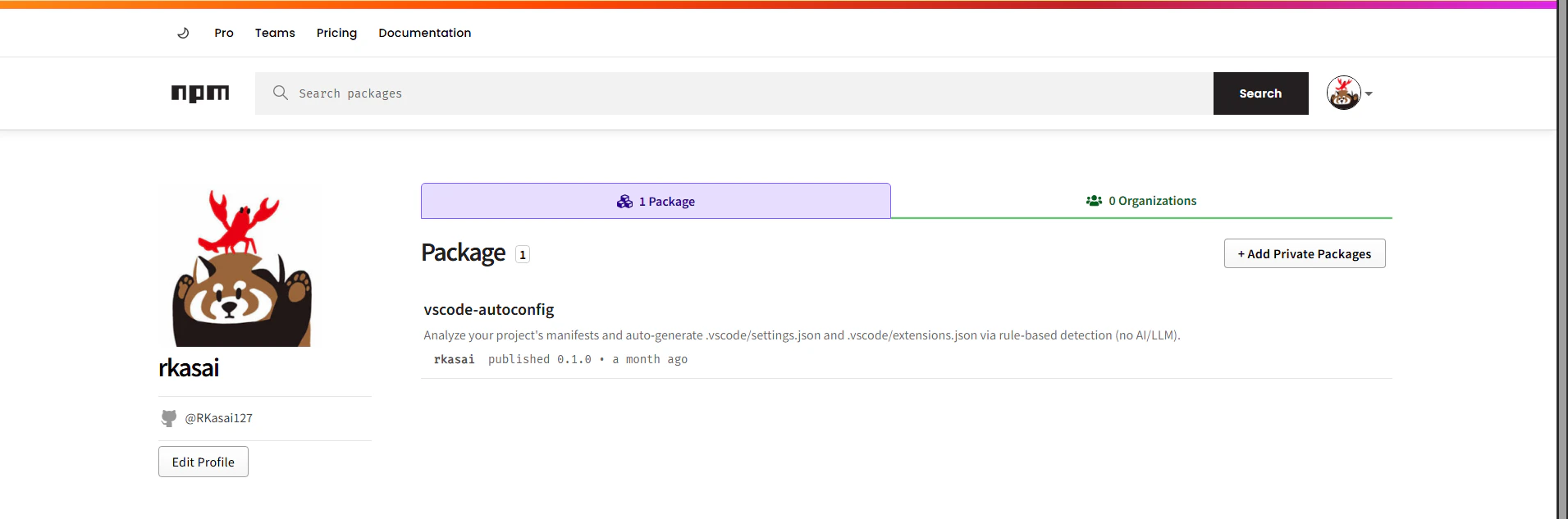
実行後、npm側に自分が作成したプロジェクト(パッケージ)が表示されていれば完了です。
お疲れさまでした!
Tips
build漏れが怖いので、AI君と相談して以下の仕組みを導入したところ便利だったので共有です。
"scripts": {
    "prepublishOnly": "npm run typecheck && npm run lint && npm test && npm run build"
  }
npmのライフサイクルスクリプトという仕組みで、上記をいれておくとnpm publishの前に必ずbuildが実行されるため、最新じゃないものを上げてしまった!! or フォーマットチェックが漏れていた!!等の事故を未然に防ぐことができます。
(npm run typecheck等のlint系の設定は各プロジェクトで違うと思うので適宜変更おねがいします。)
npmのライフサイクルスクリプトについては以下の記事が分かりやすかったです。
感想
世界に向けてお手軽に、オレオレ便利ツールを公開できるのはよいと思いました!(npmすごい!)
最後に勧誘画像を添付して、締めさせていただこうと思います。
ここまで読んでいただきありがとうございました。
