0
1

Delete article

Deleted articles cannot be recovered.

Draft of this article would be also deleted.

Are you sure you want to delete this article?

iTerm2 で ClaudeCode の Agent Team を Split panes(分割ペインモード)で利用する方法

0
Last updated at Posted at 2026-02-07

📝 手順

1. it2をインストールする

uv tool install it2

2. iTerm2 で Python API を有効にする

iTerm2 → Settings → General → Magic → Enable Python API
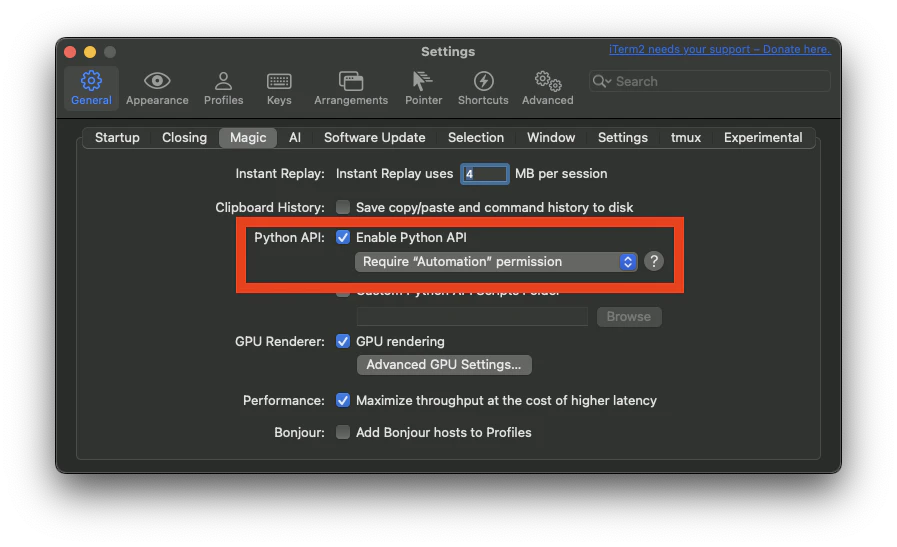
スクリーンショット 2026-02-08 1.40.40.png

3. (念のため)iTerm2を再起動する

4. ClaudeCoodeを起動する

表示モードを選択する
"tmux" 設定は分割ペインモードを有効にし、ターミナルに基づいて tmux または iTerm2 を使用するかどうかを自動検出します。

claude --teammate-mode tmux

5. agent termの利用を指示する

agent team を利用して このリポジトリを 並列調査させて

6. 分割ペインモードでチームメンバーのタスクが実行される
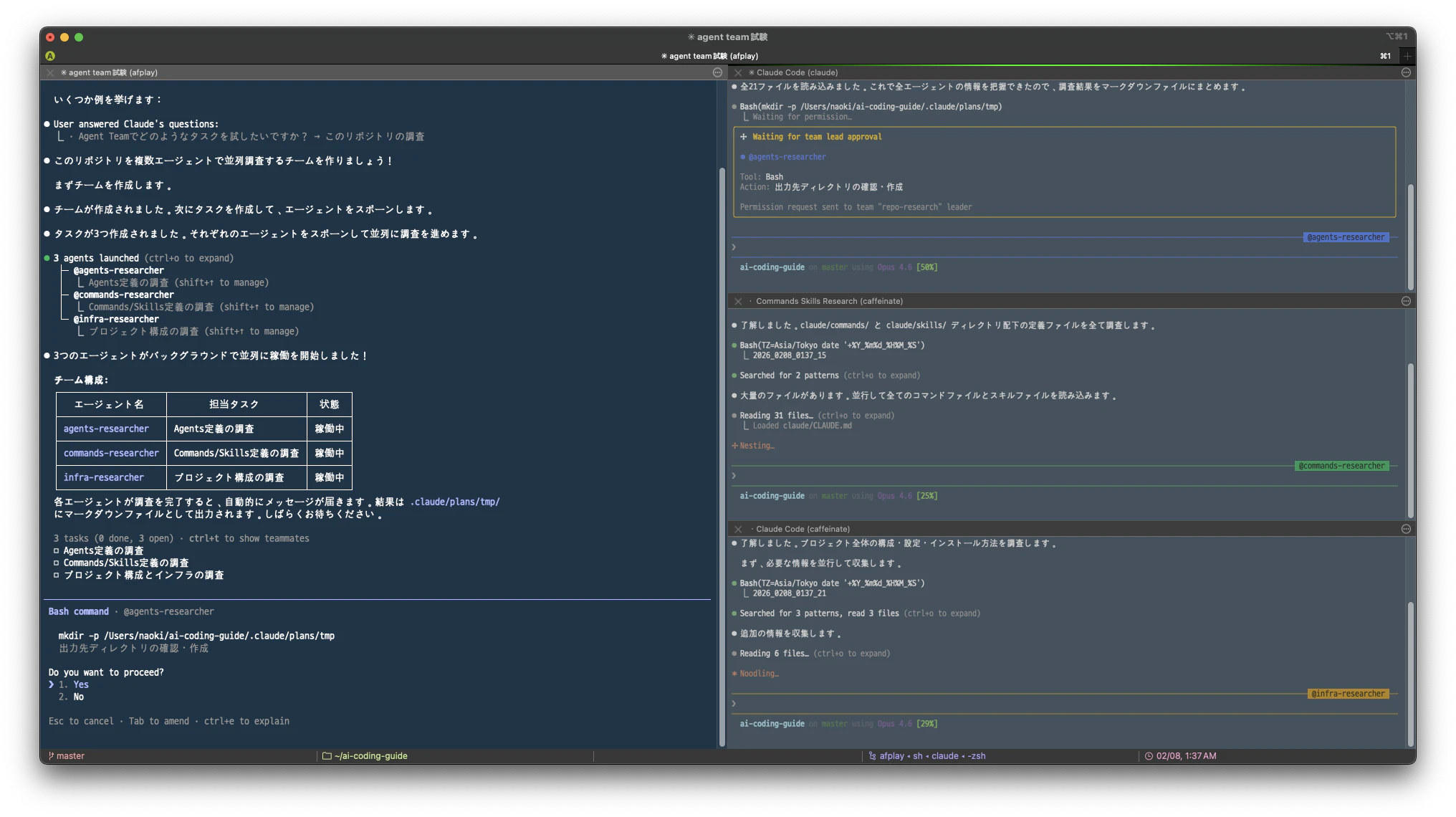
スクリーンショット 2026-02-08 1.37.35.png

0
1
0

Register as a new user and use Qiita more conveniently

  1. You get articles that match your needs
  2. You can efficiently read back useful information
  3. You can use dark theme
What you can do with signing up
0
1

Delete article

Deleted articles cannot be recovered.

Draft of this article would be also deleted.

Are you sure you want to delete this article?